
Introduction
In 2026, the way founders and networking-heavy professionals manage their contacts has fundamentally shifted. The era of bloated, data-heavy sales software is fading, replaced by collaborative relationship management software designed for human connection rather than rigid deal stages. While folk CRM helped pioneer this movement by turning messy spreadsheets into actionable networks, it is no longer the only option on the market. As workflows mature, many teams are actively seeking a robust alternative to folk app.
Streamline your software evaluation process
As your network grows, you may find yourself hitting the limits of folk's capabilities. While the folk CRM AI features 2026 rollout introduced helpful generative messaging and basic data syncing, many users still require a more specialized alternative to folk app. Perhaps you need a dedicated personal CRM for networking that offers deeper integrations with your primary channels like LinkedIn and Gmail, or you are looking for advanced, AI-driven contact enrichment that updates job titles autonomously.
Moving away from a platform like folk comes with a distinct switching cost. Founders often fear losing historical context, facing messy data transfers, or disrupting their team's workflow. However, the cost of sticking with a tool that no longer fits your specialized needs is often much higher.
Choosing the right lightweight CRM for founders is about finding a tool that matches your specific workflow. Whether you are a solo founder focused on fundraising, an agency scouting talent, or a PR professional managing high-value media relationships, there is a specialized platform built for your exact needs.
Key Takeaways
Finding the right folk crm alternative comes down to your team's specific networking style and workflow. While Folk offers a lightweight, collaborative workspace, modern relationship-driven teams in 2026 often outgrow it, seeking deeper integrations, AI enrichment, or more robust pipeline management. Exploring these top folk crm alternatives ensures you don't compromise on relationship intelligence as your network scales.
When evaluating folk crm competitors, consider these standout recommendations based on your primary use case:
For AI and Data Enrichment: Clay stands out among folk alternatives for its powerful AI-driven data enrichment, making it ideal for founders who need deep context on every contact.
For Scalability and Architecture: Attio is the top choice for data-driven teams needing a highly flexible, scalable database that goes beyond basic contact management.
For Personal Networking: Dex serves as an excellent personal CRM for individuals wanting automated reminders and social integrations without the bloat of traditional B2B sales tools.
For Google Workspace Users: If your team lives in Gmail, Copper and Streak offer seamless, native integrations that eliminate manual data entry entirely.
Ultimately, the best choice depends on whether you prioritize personal relationship tracking, venture capital deal flow (like Affinity), or a full-scale marketing suite (like HubSpot). Evaluate your budget, required integrations, and team size before migrating your contacts.
Top Folk CRM Alternatives
Clay — best for AI‑powered contact enrichment and workflow automation
Attio — best for collaborative CRM with flexible data views
Affinity — best for relationship‑driven deal flow and venture tracking
Folk — best for personal network management and team collaboration
Capsule — best for simple sales pipelines and contact organization
Salesflare — best for automated data entry and email sync
Streak — best for CRM inside Gmail and deal visibility
Dex — best for personal relationship tracking and reminders
HubSpot — best for scalable marketing and sales integration
Notion — best for custom workspace CRM and project tracking
Copper — best for Google Workspace integration and ease of use
Pipedrive — best for visual sales pipelines and deal tracking
Nimble — best for social media contact management
Software Covered in this Article
To help you understand CRM software in the right context, this article refers to a carefully curated set of leading CRM alternatives:











Quick Comparison: Top 12 Folk Alternatives at a Glance
Tool | Best For | Pricing | Key Features |
Clay | AI-Powered Enrichment | Starts at $185/mo | Autonomous updates, AI messaging, advanced scraping |
Attio | Scalable Data-Driven Teams | Free, Starts at $44/mo | Custom objects, massive dataset sync, API flexibility |
Salesflare | Automated B2B Sales | Free, Starts at $39/mo | Zero-touch data entry, automated tracking |
Dex | Personal Relationship Tracking | Starts at $20/mo | Keep-in-touch reminders, social media sync |
Copper | Google Workspace Users | Starts at $29/mo | Native Gmail/Calendar integration, visual pipelines |
In-Inbox Management | Free tier, then $59/mo | Runs entirely inside Gmail, lightweight tracking | |
Affinity | Venture Capital & Dealmakers | Starts at $2,000/year | Relationship intelligence, warm intro mapping |
Capsule | Simple Collaborative Contact | Free, Starts at $18/mo | Shared rolodex, low learning curve, minimal setup |
Notion | Customizable Workspaces | Custom Pricing | Complete architectural control, database linking |
Nimble | Social Media Prospecting | Starts at $30/mo | Rich browser extension, social insights |
Visual Deal Flow | Free, Starts at $19/mo | Activity-based selling, drag-and-drop pipelines | |
Scaling Teams | Free tier, then $14/mo | Full marketing suite, massive integration ecosystem |
*Note: All prices shown reflect typical monthly billing. Vendors often offer lower pricing for annual commitments, but those discounts are excluded here for easier comparison. Actual costs may vary depending on your requirements, usage volumes, and negotiated terms.
Why Professionals are Seeking the Best Relationship CRMs 2026
While folk CRM remains strong, the 2026 landscape has evolved. Whether dealing with CRM fatigue or alternatives to traditional CRM systems, founders need lightweight tools. When asking, "what are the best alternatives to traditional CRMs?", professionals prioritize relationship-driven platforms. They are increasingly evaluating Folk CRM vs competitors to find the best alternatives to traditional CRMs 2025 2026 offers, focusing on pain points modern platforms solve effectively.
1. Combating Database Fatigue
Even with smart tools, manual data entry leads to messy, duplicated contact lists. In 2026, 65% of businesses have adopted CRM systems with generative AI features to combat this. Professionals want autonomous contact enrichment—tools that automatically update a contact's profile when they change jobs on LinkedIn, without requiring a human to click a button.
2. Deep Integrations and Browser Extensions
For networking-heavy professionals, a browser extension is not just a nice-to-have; it is a necessity. The ability to add contacts, scrape context, and draft follow-ups without leaving LinkedIn or an email inbox is a primary driver for migrating away from standalone platforms. Users want their CRM to live where they already work.
3. The Shift to Cost per Relationship
Founders are shifting from evaluating "Cost per Seat" to "Cost per Relationship." High-value networks require specialized tools. Paying premium prices for generic features doesn't make sense when specialized tools offer better ROI for specific use cases like fundraising or talent scouting.
4. Data Privacy, SOC2 Compliance, and Ownership
As startups scale, handling sensitive investor data, proprietary talent pools, and confidential media contacts requires enterprise-grade security. A major reason founders migrate from lightweight tools is the need for strict data privacy, role-based access controls, and SOC2 compliance to ensure high-value relationship data remains secure and wholly owned by the company.
Key Features to Look for in a 2026 Relationship CRM
Before diving into specific alternatives, it is crucial to understand the baseline features that separate a modern relationship CRM from a traditional sales tracker.
1. Autonomous CRM Capabilities: The main difference between top autonomous CRM alternatives and traditional CRMs is the elimination of manual data entry. Look for deep data source integration that automatically cross-references emails, calendars, and LinkedIn to build robust profiles instantly.
2. Network Mapping & Warm Introduction Pathfinding: This is the defining feature of a warm introduction CRM for founders. Technical blog posts and SaaS review articles published in 2025-2026 comparing relationship intelligence platforms (including Affinity, Folk.app, and Common Room) heavily weigh network mapping capabilities, warm introduction pathfinding, data source integration, and pricing models. The best platforms calculate relationship strength to reveal the optimal intro route.
3. Browser Extension Depth: The best tools allow you to hover over a social media profile, view past communication history, and add the contact to a pipeline without opening a new tab.
4. API Flexibility for Custom Stacks: Founders need CRMs offering robust APIs to connect their database to Zapier, Make, or custom internal dashboards effortlessly.
Deep Dive: The 12 Best folk CRM Alternatives for Founders
When evaluating alternatives, it is crucial to look beyond feature lists and focus on the core philosophy of the software. Below is a deep dive into the 12 best options available today, categorized by their primary use case.
1. Clay – Best for AI-Powered Enrichment and Personal Networking
One-Sentence Verdict: The ultimate AI-powered research assistant for autonomous contact enrichment and highly personalized outreach.
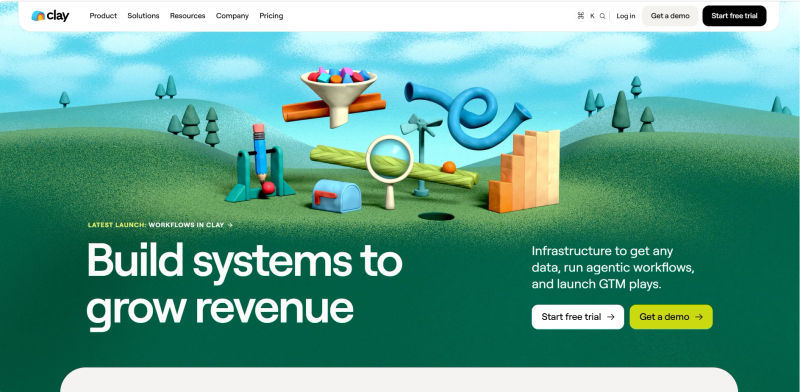
Who is this best for? Founders and growth engineers who need autonomous contact enrichment and highly personalized outreach at scale.
Why it beats folk CRM: While folk offers a beautiful interface, Clay is the undisputed powerhouse for data enrichment in 2026. Clay's AI-driven "warm intro" suggestions and programmatic enrichment far exceed traditional native capabilities. It acts less like a static database and more like an active research assistant, pulling real-time data from LinkedIn, Twitter, GitHub, and dozens of other sources.
Key 2026 Features:
Autonomous Contact Updates: Automatically refreshes data when a connection changes jobs.
Advanced API Flexibility: Connects seamlessly with Zapier and Make for custom automations.
AI Personalized Messaging: Drafts hyper-specific outreach based on recent social media activity.
Migration & Setup:
Migration Difficulty: Medium. There is no native folk importer; it requires a CSV intermediary.
Time to Setup: 2 to 3 days to build complex enrichment waterfalls.
Learning Curve: Steep, but highly rewarding.
2. Attio – Best for Scalable, Data-Driven Relationship Management
One-Sentence Verdict: A highly scalable workspace that acts as a CRM that works like a flexible database, combining spreadsheet flexibility with enterprise power.

Who is this best for? Data-driven teams seeking the best alternatives to folk CRM for startups. It provides a highly customizable architecture for scaling startups without the bloat of traditional enterprise software, making it one of the best folk alternatives for startups.
Why it beats folk CRM (and Streak): Attio handles complex, multi-layered relationships better than folk's simpler workspace. Founders often ask: "I need a Gmail CRM that tracks emails automatically. Is Streak the right fit or should I look at Attio and folk CRM instead?" If you want to work exclusively inside your inbox, Streak is ideal. However, if you need a dedicated, high-performance platform, Attio outperforms both. Its custom objects and massive dataset syncing capabilities make it far more scalable for teams growing beyond 10 people. It syncs instantly with your email and calendar to build a comprehensive history of every relationship your team holds.
Key 2026 Features:
Real-Time Communication Sync: Automatically logs every email and meeting across the team.
Custom Objects: Build architectures specific to fundraising, recruiting, or sales.
High-Performance UI: Lightning-fast interface designed for heavy daily usage.
Migration & Setup:
Migration Difficulty: Low. Attio offers a direct API sync and excellent CSV mapping for folk transitions.
Time to Setup: 1 to 2 days for full team deployment.
Learning Curve: Medium.
3. Salesflare – Best for Automated B2B Sales and Follow-ups
One-Sentence Verdict: A zero-touch data entry CRM that automates B2B sales tracking and follow-up reminders.

Who is this best for? B2B founders and small agencies who despise manual data entry and want a system that builds itself.
Why it beats folk CRM: If your primary goal is driving B2B revenue rather than just maintaining a broad network, Salesflare's automated tracking provides a more structured path to closing deals. It actively gathers information from social profiles, email signatures, and company databases to populate your CRM automatically, ensuring no data slips through the cracks.
Key 2026 Features:
Automated Timeline: Tracks emails, meetings, and document views automatically.
Smart Follow-Up Reminders: Prevents the "ghosting" problem with high-value prospects.
Mobile App Speed: Highly optimized mobile experience for founders on the go.
Migration & Setup:
Migration Difficulty: Low. Connect your inbox, upload a CSV intermediary, and it does the heavy lifting.
Time to Setup: Under 2 hours.
Learning Curve: Minimal.
4. Dex – Best for Personal Relationship Tracking and Reminders
One-Sentence Verdict: A lightweight personal relationship manager designed to prevent you from ghosting your high-value network.
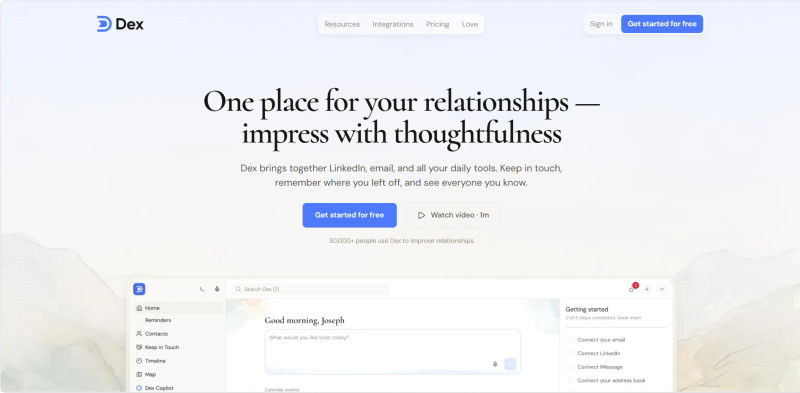
Who is this best for? Solo founders, consultants, and super-connectors focused on keeping in touch with their network without being intrusive.
Why it beats folk CRM: Dex is hyper-focused on the individual. It is not designed to move deals through a pipeline; it is designed to help you remember the names of your investor's children and when you last grabbed coffee. Its browser extension is incredibly lightweight, allowing you to add contacts directly from LinkedIn or Twitter with a single click.
Key 2026 Features:
Keep-in-Touch Reminders: Automated nudges based on relationship strength.
Powerful Browser Extension: Add context and contacts without leaving your workflow.
Social Media Sync: Pulls in recent posts to give you context before reaching out.
Migration & Setup:
Migration Difficulty: Very Low. Dex provides a dedicated folk CSV mapping tool for immediate consumer-like onboarding.
Time to Setup: Under 30 minutes.
Learning Curve: Practically zero.
5. Copper – Best for Teams Deeply Integrated with Google Workspace
One-Sentence Verdict: The perfect relationship manager for teams whose entire workflow lives inside Google Workspace.
.webp?tr=w-800%2Cq-80%2Cf-auto%2Cc-at_max)
Who is this best for? Agencies, consultancies, and teams that live entirely inside Gmail and Google Calendar.
Why it beats folk CRM: For teams suffering from tool fatigue, Copper eliminates the need to learn a new interface. It sits directly inside your Gmail inbox, meaning your team doesn't have to open a separate tab to manage relationships. It automatically scrapes contact details from email threads and organizes them into visual pipelines.
Key 2026 Features:
Native Google Integration: Works seamlessly within Gmail and Google Drive.
Automated Data Capture: Eliminates manual logging of emails and events.
Project Management: Transitions contacts into active projects post-deal.
Migration & Setup:
Migration Difficulty: Low for Google Workspace users via Google Contacts sync; requires a CSV intermediary for folk data.
Time to Setup: 1 to 2 hours.
Learning Curve: Very low due to familiar Google UI.
Find Perfect Software For Your Business
6. Streak – Best for Managing Relationships Directly Inside Gmail
One-Sentence Verdict: A frictionless CRM that transforms your Gmail inbox into a flexible relationship pipeline.

Who is this best for? Solopreneurs and freelancers managing client relationships who need lightweight, automatic email logging directly inside Gmail. If you prefer a standalone workspace outside your inbox, look at folk CRM. If you need Gmail integration but with stronger marketing automation, NetHunt CRM is a better alternative.
Why it beats folk CRM: Streak is the ultimate frictionless tool. While folk requires you to operate in a separate workspace, Streak brings the workspace to where the conversation is already happening. By adding colorful pipelines alongside your emails, you can track fundraising rounds, hiring processes, or PR outreach without ever switching contexts.
Key 2026 Features:
Mail Merge: Send highly personalized mass emails directly from Gmail.
Email Tracking: See exactly when and where your emails are opened.
Thread Splitting: Keep multiple conversations with the same contact organized.
Migration & Setup:
Migration Difficulty: Low. Install the extension, import a CSV intermediary, and build pipelines instantly.
Time to Setup: 15 minutes. Streak wins the onboarding speed and setup time comparison against heavier CRMs: Copper takes hours to configure, Pipedrive requires a day to map pipelines, and HubSpot Free CRM can take days to fully implement.
Learning Curve: Low.
7. Affinity – Best for Venture Capital and Relationship Intelligence
One-Sentence Verdict: A premium relationship intelligence platform that maps warm introductions for venture capital and dealmakers.
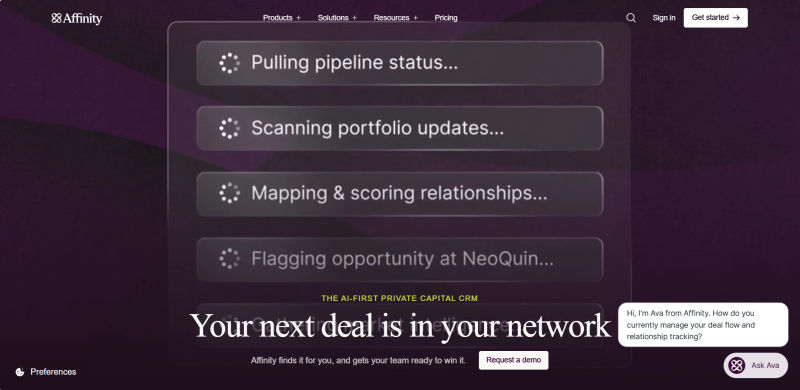
Who is this best for? VC firms, private equity, and dealmakers relying on warm intros. If you are hiring, you may want Affinity CRM alternatives for talent teams. Platforms like Gem or Ashby are better Affinity CRM alternatives for talent teams recruitment and Affinity CRM alternatives for talent teams recruiting, providing specialized pipelines that broad relationship CRM alternatives lack.
Why it beats folk CRM: Affinity's algorithm analyzes your team's email and calendar history to map exactly who knows who. In an Affinity vs folk CRM comparison for automated data entry, Affinity wins by automatically capturing every interaction in the background without manual logging, whereas folk relies heavily on its Chrome extension for initial capture.
Key 2026 Features:
Relationship Mapping: Visualizes the strongest connection to a target company. (Note: Teams needing community-led network mapping might consider Common Room instead).
Zero Data Entry: Automatically populates profiles with Crunchbase and Clearbit data.
Enterprise-Grade Data Privacy: Built for highly sensitive deal flow with SOC2 compliance.
Migration & Setup:
Migration Difficulty: Medium. Requires syncing massive historical email data, but offers white-glove migration for folk users.
Time to Setup: 1 to 2 weeks for full team deployment.
Learning Curve: Medium.
8. Capsule – Best for Simple, Collaborative Contact Management
One-Sentence Verdict: A minimalist, shared rolodex for leadership teams who want straightforward collaboration without the steep learning curve.

Who is this best for? Small leadership teams needing a simple, shared rolodex without complex automation or steep learning curves.
Why it beats folk CRM: Capsule is incredibly straightforward. If your team finds folk's customizable views overwhelming and just wants a clean, collaborative address book with basic pipeline management, Capsule is the perfect fit. It focuses on doing the basics flawlessly: storing contacts, tracking communication history, and managing simple tasks.
Key 2026 Features:
Clean, Minimalist UI: Zero clutter, focusing entirely on the contact.
Strong Mobile App: Excellent offline capabilities for networking at events.
Task Management: Simple follow-up assigning between co-founders.
Migration & Setup:
Migration Difficulty: Low. Standard CSV intermediaries work flawlessly.
Time to Setup: Under an hour.
Learning Curve: Practically zero.
9. Notion – Best for Teams Needing a Customizable, All-in-One Workspace
One-Sentence Verdict: A blank-canvas workspace for bootstrapped founders who want complete architectural control over their relational databases.
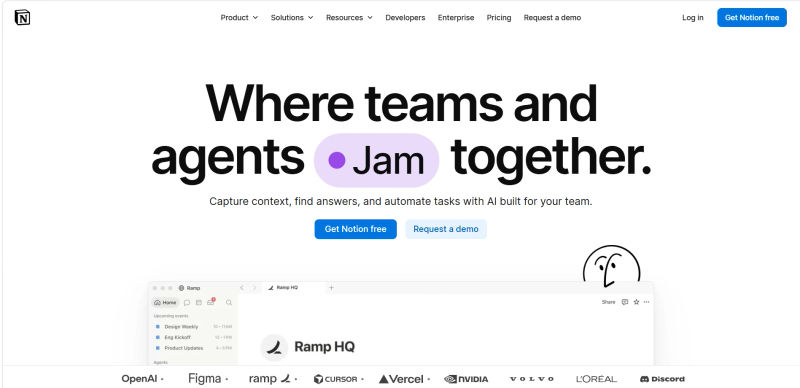
Who is this best for? Bootstrapped founders and creators who want complete architectural control over their CRM and want to keep all company data in one place.
Why it beats folk CRM: Absolute flexibility. Notion is not a dedicated CRM, but its powerful database capabilities make it a highly popular alternative. If you want your CRM to link directly to your meeting notes, company wiki, and product roadmap, Notion allows you to build those relational databases manually, tailoring the system exactly to your brain's logic.
Key 2026 Features:
Relational Databases: Connect contacts to specific projects or documents.
AI Integration: Notion AI can summarize meeting notes and draft follow-ups.
Infinite Customization: Build the exact fields and views you need.
Migration & Setup:
Migration Difficulty: High. There is no native folk importer; you must build the architecture manually before mapping a CSV.
Time to Setup: Several days to perfect the workflow.
Learning Curve: High.
10. Nimble – Best for Social Media Insights and Prospecting
One-Sentence Verdict: A social prospecting powerhouse that builds rich contact profiles directly from browser interactions.
.webp?tr=w-800%2Cq-80%2Cf-auto%2Cc-at_max)
Who is this best for? PR professionals, media scouts, and founders who rely heavily on social media for prospecting and relationship building.
Why it beats folk CRM: Nimble excels at gathering social intelligence. Its browser extension is a powerhouse for social prospecting, allowing you to hover over a name anywhere on the web and instantly build a rich profile based on their digital footprint. It automatically links a contact's social profiles and displays their recent posts directly within their CRM record.
Key 2026 Features:
Social Profile Matching: Automatically finds and links Twitter, LinkedIn, and more.
Smart Contacts App: The browser extension works across all websites.
Unified Inbox: Brings social messages and emails into one view.
Migration & Setup:
Migration Difficulty: Low. Requires a CSV intermediary, but mapping is intuitive.
Time to Setup: Under an hour.
Learning Curve: Low.
11. Pipedrive – Best for Visual Sales Pipelines and Deal Flow
One-Sentence Verdict: A highly visual, activity-based tracker for founders transitioning from casual networking to structured deal flow.

Who is this best for? Founders transitioning from pure networking to managing hard sales pipelines and revenue targets.
Why it beats folk CRM: While Pipedrive is a traditional sales CRM, it remains incredibly popular for small teams because of its intuitive, activity-based selling methodology. If your networking has evolved into a structured sales process, folk's list-based views might not cut it. Pipedrive's drag-and-drop Kanban boards provide unmatched visibility into deal flow, forcing you to focus on the next action required to move a relationship forward.
Key 2026 Features:
Activity-Based Tracking: Prompts you to schedule the next step after every interaction.
Customizable Pipelines: Build stages for different types of relationships.
Robust Reporting: Clear insights into conversion rates and bottlenecks.
Migration & Setup:
Migration Difficulty: Low. Excellent import mapping tools and third-party marketplace apps for folk migration.
Time to Setup: 2 to 3 hours.
Learning Curve: Low to Medium.
12. HubSpot – Best for Scaling Teams Needing a Full Marketing Suite
One-Sentence Verdict: A comprehensive, single-source-of-truth platform for scaling startups that prioritize centralized data over a lightweight footprint.

Who is this best for? Startups anticipating massive growth that want a centralized source of truth today and will need advanced marketing and service tools tomorrow. When evaluating the best crm for startups 2026 folk attio hubspot freshworks are often the top contenders. HubSpot wins for all-in-one marketing, while Freshworks is a strong alternative for sales teams wanting faster deployment.
Why it beats folk CRM: Ecosystem. We recognize that HubSpot is "heavier" than folk, but it is included for founders who prioritize a single source of truth over a purely lightweight footprint. HubSpot grows with you. What starts as a simple contact manager can eventually power your entire website, email marketing, and customer support ticketing system, eliminating data silos entirely.
Key 2026 Features:
Massive App Ecosystem: Integrates with virtually every tool in 2026.
Free Core CRM: Unlimited users and up to 1,000,000 contacts for free.
Unified Platform: Eliminates data silos between sales, marketing, and networking.
Migration & Setup:
Migration Difficulty: Medium. HubSpot offers a robust native import tool, but the platform is vast, so focus only on the CRM hub initially.
Time to Setup: 2 to 4 days (longer than Folk or Attio, but comparable to Freshworks).
Learning Curve: Medium to High.
Decision Guide: How to Choose the Right CRM for Your Networking Style
Selecting the right collaborative relationship management software requires an honest assessment of your daily habits. A tool is only valuable if you actually use it. Here is a framework to help you decide.
Checklist for the Solo Founder
Focus on Frictionless Entry: Do you have a powerful browser extension? (Look at Dex or Nimble).
Prevent Ghosting: Does it offer automated keep-in-touch reminders without complex pipeline rules?
Inbox Integration: Can you manage contacts without leaving Gmail? (Look at Streak).
Checklist for the 10-Person Leadership Team
Data Privacy & Ownership: Can you restrict access to sensitive investor contacts? (Look at Affinity).
Collaboration: Is there a shared history of communication so co-founders don't double-email prospects? (Look at Attio or Capsule).
Ecosystem Integration: Does it connect seamlessly with your existing tech stack via Zapier or Make?
The 30-Minute Quick-Start Framework
Once you select an alternative, avoid the trap of over-engineering your setup. Follow this 30-minute framework to get value immediately:
Data Hygiene: Before importing anything, prune dead contacts. Do not bring messy spreadsheets into a new system; this prevents immediate database fatigue.
Define One Core Use Case: Do not try to manage investors, talent, and sales simultaneously. Pick one (e.g., "Q3 Fundraising").
Import High-Value Contacts Only: Resist the urge to import your entire 5,000-person LinkedIn network. Start with the 100 people who actually matter right now.
Set Up One Automation: Connect your email inbox to ensure all future communications are logged automatically without manual entry.
Install the Browser Extension: Pin it to your browser so you can add context while actively browsing social media.
Try AuthenCIO
Move to faster, smarter software evaluation with AI
Conclusion: Which folk CRM Alternative Should You Choose in 2026?
The best CRM for high-value relationships is the one that fades into the background, allowing you to focus on the conversation rather than the data entry. In 2026, you do not have to settle for clunky sales software to manage your network.
If you prioritize AI enrichment, Clay is unmatched. If you want a scalable, data-driven architecture, Attio is the clear winner. For personal networking and preventing ghosting, Dex provides the perfect lightweight touch. Ultimately, evaluate your "Cost per Relationship" and choose the platform that aligns with your specific daily workflow and data privacy needs.