
.webp&w=64&q=75)
Introduction
If you are looking for the best Thryv alternatives in 2026, the top choices depend heavily on your industry. ServiceM8, Jobber, and Housecall Pro lead as field service CRM alternatives, while Podium and Birdeye are the top Thryv competitors for reputation and lead management. For appointment-based businesses and freelancers, Vcita and HoneyBook offer a much more tailored Thryv alternative.
Managing a local business requires a streamlined CRM and operational backend. For years, owners relied on legacy platforms to handle their daily tasks. However, the technical headache of trying to sync three different apps for booking, invoicing, and CRM has driven many to seek true all-in-one solutions.
Streamline your software evaluation process
While Thryv promises a comprehensive suite, a growing number of local business owners are feeling over-charged and under-served by its generic approach.
If you are tired of paying premium prices for bloated features that do not fit your specific industry workflow, you are not alone. Beyond the high costs, many owners are frustrated by strict contract lock-ins and notoriously difficult cancellation processes.
The market for all-in-one small business management software has evolved dramatically, shifting away from one-size-fits-all suites to hyper-specialized tools.
Who This Guide Is For:
Home Service Contractors: Plumbers, HVAC technicians, and electricians needing dispatching and offline mobile apps.
Appointment-Based Businesses: Salon managers, wellness clinics, and fitness studios requiring seamless booking and waitlist management.
Solopreneurs & Freelancers: Consultants and creative professionals looking for low-cost, client-facing portals.
This guide breaks down the top Thryv alternatives and competitors. We will focus on direct comparisons, transparent pricing, support reliability, and specific use cases to help you make an informed decision for your business growth.
Key Takeaways
If you are moving away from Thryv in 2026, the best alternative depends heavily on your specific industry and daily operational needs. Here is a quick summary of the top replacements for scheduling, payments, and client management:
Best for Field and Home Services: Jobber and Housecall Pro are the top choices for trade professionals, offering superior dispatching, on-the-go scheduling, and mobile payment collection.
Best for Appointments and Client Management: Vcita and HoneyBook provide the most intuitive CRM and booking tools for service providers, consultants, and freelancers who need to automate client workflows.
Best for Reputation and Lead Conversion: Podium and Birdeye excel at local SEO, review generation, and unified inbox management, making them ideal for businesses focused on customer acquisition.
Best for Marketing and Scalability: HubSpot and Zoho One offer advanced marketing automation and deep customization for small businesses outgrowing basic all-in-one platforms.
Top Software Picks (2026)
Jobber – Best for field service teams; strong scheduling, invoicing, QuickBooks sync.
Housecall Pro – Ideal for home service pros; automation, text updates, payments.
HubSpot – Free CRM with scalable marketing automation; great for SMB growth.
Zoho One – All‑in‑one suite with 40+ integrated apps; strong value for SMBs.
FreshBooks – Simple invoicing and expense tracking; perfect for freelancers.
HoneyBook – Streamlined proposals, contracts, and payments for creatives.
vcita – Client portal and appointment scheduling for solopreneurs.
Birdeye – Reputation management and customer experience analytics.
Podium – Messaging, reviews, and payments via text for local businesses.
ServiceM8 – Job scheduling and quoting for trades and contractors.
Wix – Drag‑and‑drop website builder with booking add‑ons.
GoDaddy – Affordable website, domain, and email bundle for entrepreneurs.
Software Covered in this Article
To help you understand CRM software in the right context, this article refers to a carefully curated set of leading CRM alternatives:












Quick Comparison: Top 12 Thryv Alternatives at a Glance
Tool | Best For | Price | Key Features |
ServiceM8 | Field Service Efficiency | Starts at $29/mo (per business) | Smart dispatch, quoting, Apple-first app |
Jobber | Home Service Professionals | Starts at $35/mo (per user) | Client hub, drag-and-drop scheduling |
Housecall Pro | Scaling Trade Businesses | Custom Pricing | Visual price books, InstaPay, routing |
Podium | Lead Conversion | Custom Pricing | Webchat, text-to-pay, review requests |
Birdeye | Multi-Location Customer Exp. | Custom Pricing | AI review responses, centralized ticketing |
Vcita | Appointment-Based Services | Custom | Self-service portal, automated reminders |
HoneyBook | Creative Entrepreneurs | Custom | Interactive brochures, payment schedules |
FreshBooks | Invoicing & Financials | Starts at $7/mo (per user) | Time tracking, automated late fees |
Deep Customization | Starts at $27/mo (per user) | Zia AI, unified analytics, CRM | |
HubSpot | Marketing-Driven Businesses | Free tier, Starts $14/mo | Free CRM, meeting scheduler, automation |
GoDaddy | Simple Website Integration | Starts at $11/mo (per business) | AI website builder, integrated payments |
Wix | Visual-First Service Businesses | Starts at $17/mo (per business) | Drag-and-drop builder, Wix Bookings |
*Note: All prices shown reflect typical monthly billing. Vendors often offer lower pricing for annual commitments, but those discounts are excluded here for easier comparison. Actual costs may vary depending on your requirements, usage volumes, and negotiated terms.
Simplify your local business management—compare Thryv alternatives on AuthenCIO for free.
Why Local Businesses are Moving Away from Thryv in 2026
While Thryv has long been a recognizable name in the CRM for local businesses space, the landscape of business automation tools for contractors and service providers has shifted.

In 2026, small businesses increasingly seek affordable platforms that do not carry the bloat of legacy systems. Specifically, owners want the best alternative to Thryv for scheduling, payments, and client management in one app to avoid juggling disconnected tools that cause missed appointments and delayed revenue.
One primary reason for migrating is pricing. Thryv's full platform access typically requires purchasing both the Marketing Center and Business Center, costing a minimum of $244 per month. For a 5-person crew or solo salon owner, this is difficult to justify when low-cost alternatives offer tailored features for a fraction of the price.
Furthermore, Thryv's generic approach falls short for specialized industries. Plumbers need advanced routing, while salons require sophisticated waitlists. High no-show rates caused by poor automated reminders push owners toward tools with robust client follow-ups.
Finally, users are increasingly evaluating other major market players. When searching for companies similar to Thryv Holdings, Inc. publicly traded on the stock market, businesses often look to giants like HubSpot (HUBS) or Wix (WIX), which provide refined client management ecosystems at competitive entry-level prices.
The Migration Hurdle: Moving Your Data Safely
The biggest fear holding owners back from switching is data loss. The thought of losing years of customer history, appointment notes, and billing profiles is terrifying.
However, modern platforms have solved this. Almost all top alternatives now offer dedicated onboarding specialists who handle the data porting for you.
Through simple CSV exports, your customer lists, active jobs, and historical data can be securely mapped and imported into your new system, often within 48 hours, ensuring zero downtime for your daily operations.
The 12 Best Thryv Competitors 2026 for Small Business Management
1. ServiceM8: Best for Field Service Efficiency
When evaluating field service tools as Thryv alternatives, ServiceM8 stands out as a hyper-focused platform for the trades.

In any ServiceM8 vs Thryv comparison, ServiceM8 wins on operational field realities. It is widely considered the best CRM for plumbers, electricians, and HVAC technicians who prioritize dispatching and job management over broad marketing suites.
Who is this best for? ServiceM8 is strictly best for Apple-centric field service businesses needing robust dispatching, quoting, and routing capabilities tailored to trade professionals.
Key Features:
Smart Dispatch and Routing: Automatically calculates the most efficient travel routes, minimizing windshield time.
Offline Mode: Fully functional in rural areas or basements without cell service, syncing automatically once reconnected.
Built-in Checklists: Ensures quality control and safety compliance before a job is marked complete.
Pricing & Transparent Costs: Plans start at $29 per month per business. Hidden costs include per-message fees for automated SMS reminders.
Support & Reliability: Offers 24/7 online chat and email support. Phone support is limited to higher-tier enterprise plans.
Time-to-Value: Very fast. The intuitive iOS design means technicians can learn the app in under an hour.
Pros & Cons:
Pros: Exceptional mobile app experience; incredibly low starting price; specialized trade features.
Cons: Exclusively available on Apple devices, completely alienating Android users; lacks deep marketing automation.
2. Jobber: Best for Home Service Professionals
In a direct Thryv vs Jobber for small home services company comparison 2025 2026, Jobber consistently emerges as the superior option.

Is Thryv considered the best small business software compared to Jobber? Thryv is a strong generalist CRM, but Jobber is purpose-built for landscapers, cleaners, and HVAC technicians. Does Thryv estimate software work better for small businesses than Jobber? For home services, no. Jobber’s multi-option quoting and interactive client approvals easily outperform Thryv's generic quoting features in a Jobber vs Thryv matchup.
Who is this best for? Home service professionals needing an intuitive mobile app for field crews and a frictionless quoting system.
Key Features:
Drag-and-Drop Scheduling: Easily assign jobs, adjust routes on the fly, and view availability in a color-coded calendar.
Interactive Client Hub: Customers can log into a dedicated portal to approve quotes, pay invoices, and request services.
Automated Follow-Ups: Automatically sends SMS and email reminders for upcoming visits, reducing no-show rates.
Pricing & Transparent Costs: Starts at $49 per month for a single user (Core plan), scaling up to $199 per month for the Grow plan. Credit card processing fees apply to all in-app payments.
Support & Reliability: Excellent phone and live chat support available during standard business hours, with a comprehensive self-serve knowledge base.
Time-to-Value: Fast. Minimal staff training is required due to the clean interface.
Pros & Cons:
Pros: Incredible mobile app experience; excellent QuickBooks integration; superior estimating for trades.
Cons: Higher-tier plans become expensive as your team grows; limited multi-channel marketing tools compared to Thryv.
3. Housecall Pro: Best for Scaling Trade Businesses
When evaluating Housecall Pro vs Thryv, Housecall Pro frequently wins out for growing trade companies that need comprehensive dispatching and financial tools. While Thryv offers a broad, generalized CRM for any local business, Housecall Pro is purpose-built for the daily workflows of HVAC, plumbing, and electrical contractors.

Who is this best for? Housecall Pro is best for scaling trade businesses and contractors who require advanced dispatching, visual price books, and deep accounting integrations.
Key Features:
Visual Price Books: Empowers technicians to present tiered pricing options on a tablet, increasing average ticket sizes.
On-My-Way Texts: Automated SMS notifications keep customers informed about technician arrival times.
InstaPay: Allows businesses to access funds from credit card payments almost instantly, improving cash flow.
Pricing & Transparent Costs: The Basic plan starts at $79 per month for a single user. Be aware of additional fees for advanced reporting and premium integrations.
Support & Reliability: Offers robust phone and chat support, backed by a highly active community of trade professionals.
Time-to-Value: Medium. The deep feature set requires a few days of dedicated onboarding to fully utilize.
Pros & Cons:
Pros: Exceptional integration with QuickBooks Online; powerful sales tools for technicians.
Cons: Can feel overwhelming for a solo operator; premium features are locked behind expensive tiers.
4. Podium: Best for Lead Conversion and Reputation
When asking how Thryv reputation management software compares to Podium for small businesses, the difference lies in specialization. Thryv offers basic, built-in review generation as part of a broader, jack-of-all-trades CRM suite. In contrast, Podium is a specialized, SMS-first platform designed specifically to drive massive Google review volume and convert leads via text messaging.
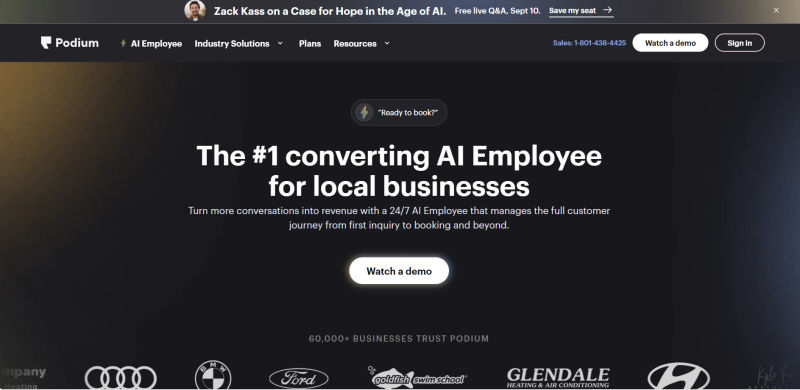
While Thryv handles general business management, Podium transforms your business's communication strategy by turning every interaction—from initial inquiry to final payment and review request—into a convenient SMS thread.
Who is this best for? Podium is best for retail and service businesses focused heavily on lead conversion, SMS marketing, and aggressive Google review generation rather than all-in-one operational management.
Key Features:
Unified Inbox: Consolidates messages from Google, Facebook, Instagram, and SMS into a single dashboard.
Text-to-Pay: Allows customers to pay their invoices securely via a simple text message link.
Automated Review Requests: Automatically triggers review requests via SMS immediately after a service completion.
Pricing & Transparent Costs: Uses Custom Pricing. While higher than basic CRM add-ons, the cost is justified for businesses that can directly tie Google reviews to new revenue. SMS overage charges may apply.
Support & Reliability: Dedicated account managers for higher tiers; standard chat and email support for base plans.
Time-to-Value: Fast. Connecting your Google Business Profile takes minutes, yielding immediate review generation.
Pros & Cons:
Pros: Drives massive Google review volume; unparalleled SMS open rates; consolidates all messaging.
Cons: Expensive entry point for small businesses; lacks deep operational features (like advanced routing or inventory) found in Thryv.
5. Birdeye: Best for Multi-Location Customer Experience
Birdeye is a powerhouse for managing customer experiences across multiple branches. If you are outgrowing Thryv because you are opening your third or fourth location, Birdeye offers reliable systems that won't crash as you scale, ensuring a consistent brand reputation.

Does Thryv automated review software outperform Birdeye for small businesses? For a single-location small business, Thryv's automated review software often outperforms Birdeye because it is simpler, more affordable, and built directly into a broader CRM. However, once a business expands to multiple locations, Birdeye's AI-driven review management and cross-branch analytics easily surpass Thryv's capabilities.
Who is this best for? Birdeye is best for multi-location franchises, clinics, or regional service companies needing centralized customer experience management.
Key Features:
AI-Driven Review Responses: Utilizes 2026 AI technology to draft personalized, context-aware responses to customer reviews.
Customer Surveys: Deploys automated surveys to gauge Net Promoter Scores (NPS) and catch negative feedback.
Centralized Ticketing: Converts customer complaints from social media and review sites into trackable support tickets.
Pricing & Transparent Costs: Pricing is custom based on the number of locations, typically starting around $299 per month. Setup fees are common.
Support & Reliability: Offers 24/7 phone support and dedicated onboarding teams, crucial for multi-location rollouts.
Time-to-Value: Slow. Coordinating across multiple locations and training various managers requires a phased rollout.
Pros & Cons:
Pros: Deep AI integration for automated workflows; highly scalable for franchises.
Cons: Overkill and cost-prohibitive for a single-truck contractor; requires dedicated staff to manage.
6. Vcita: Best for Appointment-Based Service Providers
For businesses that revolve around the calendar, vcita is a highly effective booking and payment platform for small business.
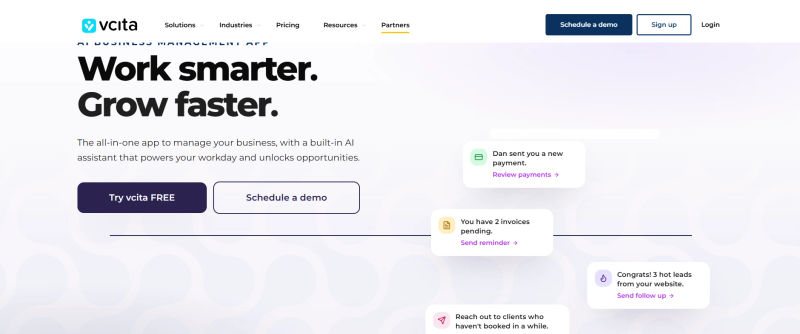
As a top contender for salon management software 2026, it strips away complex marketing jargon and delivers a straightforward system for getting booked and getting paid.
Who is this best for? vcita is best for appointment-based service providers like salon owners, therapists, and fitness instructors who need a client self-service portal.
Key Features:
Self-Service Client Portal: Allows clients to book, reschedule, and pay for appointments 24/7 without calling your front desk.
Automated Reminders: Sends customizable SMS and email reminders to drastically reduce no-show rates.
Integrated Invoicing: Generates professional invoices and accepts credit card payments directly through the app.
Pricing & Transparent Costs: Starts at $35 per month per user. Additional costs include standard credit card processing fees.
Support & Reliability: Email and support ticket system. Phone support is reserved for higher-tier plans.
Time-to-Value: Fast. You can set up your service menu and start accepting bookings on the same day.
Pros & Cons:
Pros: Extremely user-friendly client portal; affordable entry price.
Cons: Lacks inventory management for retail products; reporting is somewhat basic.
Find Perfect Software For Your Business
7. HoneyBook: Best for Creative Entrepreneurs and Freelancers
When asking how Thryv small business management software compares to HoneyBook, the main difference is the target audience and client experience. While Thryv offers a broad, utilitarian toolkit for local brick-and-mortar shops (like directory listings and social media), HoneyBook focuses on helping creative professionals manage their client flow from inquiry to payment with highly aesthetic documents.

If you are wondering how Thryv compares to other small business management software like Jobber or HoneyBook, it comes down to your service model. Jobber dominates field service routing, Thryv handles general local marketing, and HoneyBook excels at digital proposals, invoicing, and contracts for independent consultants.
Who is this best for? HoneyBook is best for creative entrepreneurs, event planners, photographers, and independent consultants who need to send beautiful proposals and contracts.
Key Features:
Interactive Brochures: Combine your portfolio, pricing, and contract into one seamless, interactive digital document.
Legally Binding E-Signatures: Secure digital signatures for contracts, eliminating the need for third-party apps like DocuSign.
Automated Payment Schedules: Set up milestone-based payment plans that automatically charge the client's card on specific dates.
Pricing & Transparent Costs: Starts at $36 per month for the Starter plan. HoneyBook acts as the payment processor, charging a flat transaction fee.
Support & Reliability: Excellent email and live chat support with a highly active user community for peer-to-peer troubleshooting.
Time-to-Value: Fast. Pre-built templates allow you to launch professional proposals within hours.
Pros & Cons:
Pros: Beautiful, client-facing documents; excellent contract management.
Cons: Not suitable for field service routing; lacks robust multi-staff calendar management.
8. FreshBooks: Best for Invoicing and Financial Tracking
How does Thryv invoicing software compare to FreshBooks for small businesses? Thryv treats invoicing as a basic utility within a broader CRM suite, offering simple estimates and payment processing. In contrast, FreshBooks is a dedicated accounting platform built around getting you paid faster, tracking expenses, and keeping your books perfectly balanced for tax season. For businesses where financial tracking is the primary pain point, FreshBooks is the superior alternative.

Who is this best for? FreshBooks is best for agencies, B2B service providers, and consultants who bill by the hour or manage complex retainers.
Key Features:
Advanced Time Tracking: Built-in timers allow you to track billable hours and automatically pull them into invoices—a capability Thryv lacks natively.
Retainer Management: Easily set up recurring billing for clients on monthly retainers, tracking hours against the prepaid amount.
Automated Late Fees: Automatically applies percentage-based late fees to overdue invoices, removing the awkwardness of chasing payments.
Pricing & Transparent Costs: Starts at $23 per month for the Lite plan (up to 5 billable clients). Costs scale based on the number of active clients.
Support & Reliability: Award-winning phone and email support available to all users, regardless of tier.
Time-to-Value: Fast. Connecting your bank accounts and sending the first invoice takes less than 20 minutes.
Pros & Cons:
Pros: Incredible accounting and tax-prep features; top-tier customer support.
Cons: Client limit on lower tiers can force premature upgrades; lacks native appointment scheduling.
9. Zoho One: Best for Deep Customization and Scalability
Zoho One is the ultimate ecosystem for businesses that have outgrown simple tools. It is not just a CRM; it is an operating system for your entire business.

If Thryv feels restrictive, Zoho One offers unparalleled customization.
Who is this best for? Zoho One is best for tech-savvy small to mid-sized businesses that want to customize every aspect of their CRM, marketing, and accounting workflows.
Key Features:
Zia AI Assistant: Zoho’s 2026 AI analyzes your sales data to predict deal closures and suggest the best times to contact clients.
Unified App Suite: Access to over 40 integrated applications, including Zoho CRM, Zoho Books, and Zoho Campaigns.
Deep Analytics: Create custom dashboards that pull data from your website, sales pipeline, and financial ledgers into one view.
Pricing & Transparent Costs: Starts at $37 per user per month (if purchasing for all employees). It is incredibly cost-effective given the sheer volume of tools.
Support & Reliability: Standard email support is included. 24/7 premium phone support requires an additional paid add-on.
Time-to-Value: Slow. The platform's massive capability means a steep learning curve and significant setup time.
Pros & Cons:
Pros: Unbeatable value for the number of tools provided; infinitely customizable.
Cons: Overwhelming interface for non-technical users; requires dedicated time to configure properly.
10. HubSpot: Best for Marketing-Driven Small Businesses
HubSpot is the gold standard for inbound marketing and sales pipeline management.

If your primary goal is to generate leads, nurture them through email campaigns, and track their journey until they become paying customers, HubSpot outperforms Thryv significantly.
Who is this best for? HubSpot is best for B2B local businesses, real estate agents, and high-ticket service providers focused on long-term lead nurturing.
Key Features:
Free Forever CRM: A robust, completely free CRM to track contacts, deals, and communication history without time limits.
Meeting Scheduler: Send a personalized link allowing prospects to book time directly on your synced calendar.
Marketing Automation: Build complex email workflows that trigger based on how a user interacts with your website.
Pricing & Transparent Costs: The core CRM is free. Paid Starter tiers begin at $14 per user per month. Beware: advanced marketing hubs scale into the thousands rapidly.
Support & Reliability: Phone support is only available on Professional and Enterprise paid tiers. Free users rely on community forums.
Time-to-Value: Medium. Setting up the free CRM is fast, but configuring automated marketing pipelines takes strategic planning.
Pros & Cons:
Pros: Industry-leading marketing tools; excellent free entry point.
Cons: Paid tiers become astronomically expensive as your contact list grows; lacks field service features.
11. GoDaddy: Best for Simple Website and Marketing Integration
Many small businesses use Thryv simply because it offers a basic website builder alongside its CRM.
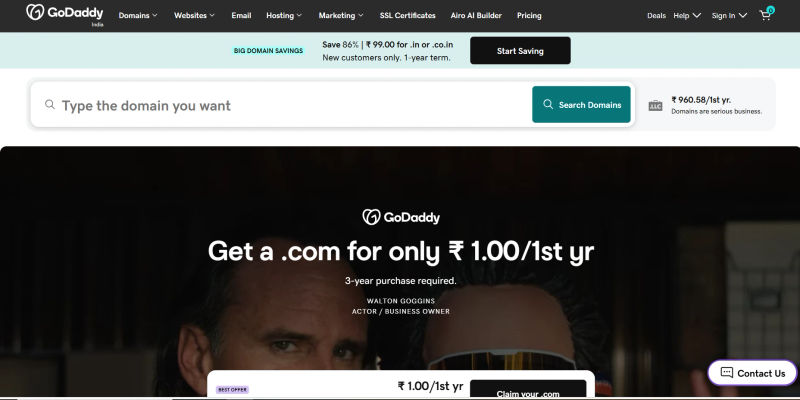
GoDaddy has evolved its platform to provide a much more intuitive, all-in-one digital storefront for local businesses that need an online presence fast.
Who is this best for? GoDaddy is best for brand new local businesses or solo operators who need to launch a website, accept payments, and manage basic appointments in one afternoon.
Key Features:
AI Website Builder: Answer a few questions about your industry, and the 2026 AI generates a fully functional, mobile-responsive website.
Integrated Payments: GoDaddy Payments offers competitive processing rates directly integrated into your site and booking widget.
Social Media Scheduling: Manage and schedule posts for Facebook and Instagram directly from the GoDaddy dashboard.
Pricing & Transparent Costs: Starts at $11 per month.
Support & Reliability: Famous for its 24/7 phone support, which is a massive safety net for non-technical business owners.
Time-to-Value: Extremely fast. You can register a domain, build a site, and start taking bookings in a few hours.
Pros & Cons:
Pros: Incredibly easy to use; excellent 24/7 customer support.
Cons: Very basic CRM capabilities; lacks advanced automation and routing.
12. Wix: Best for Visual-First Service Businesses
Wix has transformed from a simple website builder into a robust salon management software 2026 contender.

Through its Wix Bookings module, it offers a visually stunning way to showcase your services while handling the backend scheduling.
Who is this best for? Wix is best for visual-first service businesses like boutique salons, photography studios, and interior designers who need a beautiful portfolio tied to a booking engine.
Key Features:
Drag-and-Drop Builder: Unmatched design freedom to create a website that perfectly matches your brand aesthetic.
Wix Bookings: A native scheduling tool that handles classes, one-on-one appointments, and waitlists.
Integrated POS: Connects your online bookings with physical Point of Sale hardware for seamless in-person checkouts.
Pricing & Transparent Costs: Business plans (required for accepting payments) start at $10 per month per business.
Support & Reliability: Offers a 24/7 phone callback service and an extensive library of video tutorials.
Time-to-Value: Medium. While easy to use, designing a custom website from scratch takes creative effort and time.
Pros & Cons:
Pros: Best-in-class design flexibility; strong native booking tools.
Cons: The sheer number of design options can be overwhelming; site speed can suffer if overloaded with media.
Free Alternative: How Does Thryv Calendar Compare to Google Calendar?
Google Calendar is a universally understood, free scheduling tool ideal for basic time management, whereas Thryv's calendar is a paid, CRM-integrated booking system built specifically for client-facing service businesses. If your small business only needs to track internal meetings and simple appointments, Google Calendar is more than sufficient. However, for businesses managing high volumes of client bookings, the two platforms serve very different purposes.
Here is how they compare on key features for small businesses:
Client Self-Booking: Thryv allows clients to self-book online through a dedicated portal that syncs directly with your CRM, staff availability, and payment processor. Google Calendar requires third-party add-ons (like Calendly) or a paid Google Workspace subscription to offer similar client-facing appointment pages.
Workflow Automation: Thryv automatically triggers SMS and email reminders, requests post-appointment reviews, and updates client files based on calendar events. Google Calendar sends basic email notifications but lacks native CRM and marketing workflows.
Cost and Ecosystem: Google Calendar is free (or low-cost via Workspace) and integrates with almost everything. Thryv requires a comprehensive software subscription but keeps your scheduling, invoicing, and customer data under one roof.
Ultimately, if you are a solo entrepreneur on a tight budget, Google Calendar paired with a free booking link is the most cost-effective choice. If you need your schedule tied directly to estimates, customer records, and automated marketing, a dedicated all-in-one tool like Thryv—or one of its top competitors—will offer a much stronger return on investment.
How to Choose the Right Thryv Alternative for Your Industry
Choosing the right platform doesn't have to be a guessing game. Use this decision matrix to align your primary business pain point with the perfect tool:
If you have a mobile field crew (plumbers, HVAC): Choose Jobber or ServiceM8. They provide the offline mobile apps and routing capabilities that generic CRMs lack.
If you manage an appointment-based storefront (salons, spas): Choose vcita or Wix. They excel at waitlist management and client self-service portals.
If your biggest struggle is getting paid on time: Choose FreshBooks or HoneyBook. Their automated payment schedules and late fee features will fix your cash flow.
If you want to dominate local Google search via reviews: Choose Podium. The ROI on text-to-review automation justifies the higher price point.
If you are scaling a multi-location franchise: Choose Birdeye or Zoho One. You need reliable systems that won't crash as you scale and offer deep customization.
3-Step Thryv Migration Checklist
Leaving a legacy platform is intimidating, but following a structured migration plan ensures you won't lose a single customer record.
Audit and Cleanse Your Data: Before exporting anything from Thryv, delete duplicate contacts and outdated client files. Moving to a new system is the perfect time to clean house.
Export and Map via CSV: Export your customer list, service history, and active billing profiles into a CSV file. Provide this file to your new platform’s onboarding specialist to ensure fields (like 'Phone Number' or 'Last Service Date') map correctly to the new database.
Phased Team Training: Do not switch systems overnight. Run your new software parallel to Thryv for one week. Train your office staff first, then roll out the mobile app to your field technicians to minimize operational shock.
Try AuthenCIO
Move to faster, smarter software evaluation with AI
Conclusion: Making the Switch to a Better All-in-One Tool
Settling for software that leaves you feeling over-charged and under-served is no longer necessary in 2026.
Whether you need the hyper-focused routing of ServiceM8, the beautiful client portals of HoneyBook, or the aggressive review generation of Podium, the right tool exists for your specific industry.
Consolidating your CRM, booking, and payments into a single, specialized platform will eliminate technical headaches, reduce your monthly software bloat, and ultimately give you back the time you need to focus on growing your business.