
Introduction
Learning how to successfully drive CRM initiatives is the defining factor between a high-performing team and a frustrated one. In 2026, organizations must move beyond simply installing software and focus on integrating the platform seamlessly into daily workflows. Modern CRM adoption requires creating a user-centric environment where teams actively rely on the system to make data-driven decisions. When you implement a results-driven CRM strategy, you eliminate siloed spreadsheets and establish a unified, actionable view of your customers.
Streamline your CRM software evaluation process
Despite heavy investments, many companies still struggle to achieve this reality. Industry data reveals that up to 65% of CRM initiatives fall short of their goals—not because of faulty technology, but due to poor user adoption. With average CRM adoption rates currently hovering around 32%, simply mandating usage is no longer effective. To unlock your system's true potential and maximize ROI, you need a deliberate, step-by-step approach.
This comprehensive how-to guide provides actionable strategies to help you increase usage, overcome resistance, and ensure your CRM adoption succeeds across every team.
Key Takeaways
Successfully driving CRM adoption requires more than just mandating a new software tool; it demands a strategic, user-centric approach. To ensure your team actually uses and benefits from your CRM, focus on these core strategies:
Involve your team early: Build a network of internal champions before implementation to secure buy-in and tailor the system to actual workflows.
Provide continuous, role-specific training: Move beyond one-off tutorials by offering ongoing support, resources, and coaching that address specific daily tasks.
Simplify and integrate: Reduce friction by integrating the CRM with existing tools (like email and Slack) and automating repetitive data entry.
Lead from the top: Leadership must actively use the CRM for reporting and daily operations to set the standard for the rest of the organization.
Measure and iterate: Track metrics like login frequency, feature usage, and data quality, using this data to gather feedback and continuously improve the system.
Software Covered in this Article
To help you understand CRM in the right context, this article refers to a carefully curated set of key players:







Why CRM Adoption Matters: Beyond Just Software
Treating CRM adoption as an IT checklist item is a recipe for failure. A poorly adopted CRM isn't just an underused tool; it's a financial drain that actively hinders growth. The true value of a CRM is unlocked only when it becomes the central nervous system for all customer-facing activities, a goal that requires consistent use from everyone.
The Ripple Effect: How Poor Adoption Harms Your Business
When teams don't use the CRM, the consequences cascade throughout the organization, creating significant pain points:
Wasted Investment: Expensive licenses go unused, turning a potential asset into a costly liability.
Unreliable Reporting: With incomplete data, managers can't generate accurate forecasts or performance insights. This is a major issue, as studies reveal that only 37% of sales reps say their company fully utilizes their CRM.
Data Silos: Teams revert to their old methods—spreadsheets, personal notes, separate apps—creating fragmented information and preventing a 360-degree view of the customer.
Ineffective Marketing: Marketing teams struggle to personalize campaigns or segment audiences when the customer data in the CRM is inconsistent or outdated.
Poor Customer Service: Support teams lack the complete customer history needed to resolve issues efficiently, leading to frustrated customers and a disjointed experience.
Sales Team Resistance: Sales reps often see the CRM as 'more admin work' rather than a tool to help them sell. This resistance leads to low data entry and a self-fulfilling prophecy where the CRM isn't helpful because it's not being used.
Mission Disconnect: Often, purpose-driven teams underuse CRM platforms because administrative logging feels like a distraction from their core goals. When staff prioritize direct impact and relationship-building, they view data entry as a hurdle rather than an enabler. Unless the CRM's value is explicitly tied to advancing their specific cause, adoption will consistently lag.
Understanding the Hurdles: Common Challenges in CRM Adoption
Diagnosing user resistance requires addressing systemic implementation issues. The most common mistakes that reduce CRM adoption success rates include overcomplicating the initial rollout, failing to communicate direct value to end-users, and neglecting post-launch support.
Additionally, field teams frequently encounter specific "mobile CRM" adoption barriers. The primary challenges and obstacles include:
Clunky or non-responsive mobile interfaces.
Limited offline functionality for remote areas.
Cumbersome login protocols.
Overcoming these hurdles ensures the CRM actively supports rather than hinders daily workflows.
1. Lack of Training and Support
A single, generic, multi-hour training session is not enough. When training isn't role-specific, ongoing, or easily accessible, users feel overwhelmed and unsupported. In fact, 42% of businesses cite a lack of training or in-house experts as the biggest barrier to CRM adoption. Without confidence in how to use the tool for their specific tasks, employees will quickly abandon it.
2. Resistance to Change and Perceived Complexity
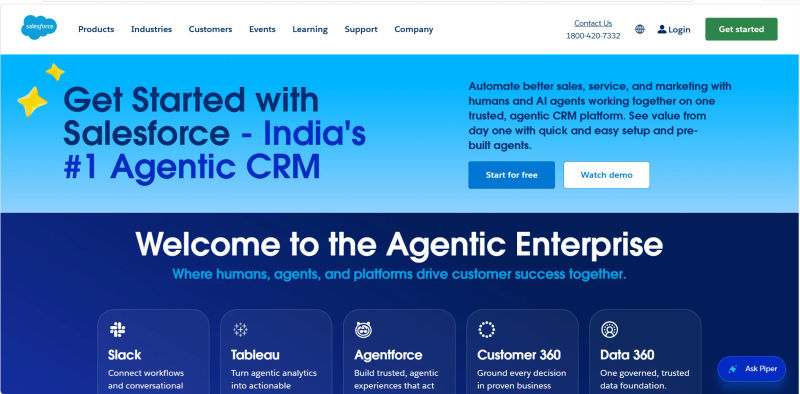
People are creatures of habit. Introducing a new system disrupts established routines, and if the perceived effort outweighs the immediate benefit, you'll face pushback. If a powerful tool like Salesforce isn't properly customized and simplified for the end-user, it can feel overwhelmingly complex, reinforcing the idea that it's 'just more work' instead of a productivity booster.
3. Poor Data Quality and Inconsistent Use
Garbage in, garbage out. If the initial data migrated into the CRM is messy, or if there are no clear rules for data entry, users will quickly lose trust in the system. When a sales rep pulls up a contact record filled with outdated or incorrect information, they have no incentive to contribute to it, creating a vicious cycle of deteriorating data quality.
4. Misalignment with Team Workflows
Forcing a rigid software workflow onto a dynamic team is a primary cause of low adoption. A CRM must enhance how teams work, not hinder them. A one-size-fits-all approach to CRM configuration quickly becomes a one-size-fits-none reality.
For example, enterprise marketing teams outgrow CRM implementation when their initial setup fails to scale alongside increasingly complex campaigns. What began as a simple lead-capture workflow becomes a severe bottleneck if the CRM cannot handle advanced segmentation, multi-channel tracking, or automated lead scoring. When the system misaligns with these evolving daily processes, teams inevitably abandon the CRM for external spreadsheets, fracturing data visibility and defeating the software's purpose.
Laying the Foundation: Pre-Implementation Strategies for Success
Successful CRM user adoption begins long before you click 'go-live'. A thoughtful pre-launch phase focused on people, processes, and the right platform is the single most important factor in achieving your goals.
1. Define Clear Goals and KPIs for Your CRM
What does success look like for you? 'Getting everyone to use the CRM' is not a goal; it's a wish. You need to define specific, measurable, achievable, relevant, and time-bound (SMART) goals. Your objectives should be tied directly to business outcomes.
For Sales: Reduce the average sales cycle by 15% in 6 months.
For Marketing: Increase lead-to-customer conversion rate by 5% this quarter.
For Customer Service: Decrease average ticket resolution time by 20%.
These concrete goals transform the CRM from a mandate into a strategic tool for achieving tangible results.
2. Involve Stakeholders Early: Building a Champion Network
For a CRM data 360 implementation to succeed, you must align stakeholders across Sales, Marketing, Customer Service, Operations, Finance, and IT. Achieving a true 360-degree view of customer data requires breaking down departmental silos from the very beginning.
Do not configure a CRM in a vacuum. Identify key users from these core teams to build your champion network:
Conduct Workshops: Map cross-functional workflows and identify data silos the CRM must eliminate.
Gather Feedback: Determine exactly what customer information is critical for each department to function.
Empower Champions: Rely on these individuals to provide workflow insights, test integrations, and act as peer trainers during the rollout.
3. Choosing the Right CRM: A Quick Look at Popular Options
CRM adoption failure often starts with a purchasing mistake. The best strategy is to select a tool that aligns with your team's actual needs and technical comfort level. The modern CRM market is diverse, with platforms designed for different business models and user types.
Forcing a complex, enterprise-grade system on a small team that needs simplicity is just as problematic as giving a large, data-heavy organization a tool it will outgrow in six months. Different teams have different needs, and the right CRM reflects that. For example, a sales team might thrive with the visual pipeline management in Pipedrive, while highly specialized businesses might require a bespoke build. If you choose a bespoke route, driving custom crm adoption requires a phased approach: you must conduct rigorous user testing and gather iterative feedback from your team before executing a full rollout.
To ensure you choose a tool that encourages adoption, consider these categories:
4. Sales-Focused CRMs: Pipedrive, Salesforce, Nutshell
These platforms are built around the sales pipeline. They prioritize deal tracking, contact management, and sales automation. They are designed for speed and clarity, helping reps focus on what they do best: selling.
5. All-in-One Platforms: HubSpot, Zoho, Monday
These systems combine sales, marketing, and service tools into a single hub. They are ideal for businesses that want a unified view of the entire customer lifecycle without managing multiple disparate systems.
6. Industry-Specific & Home Services: Jobber, ServiceTitan
For field teams, achieving high usage rates starts with keeping the initial rollout simple. The minimum viable crm setup for home services team adoption requires just three core elements: mobile accessibility, basic scheduling, and simple dispatching features. Overcomplicating this initial phase with advanced marketing automations often stalls adoption among technicians who need fast, on-the-go functionality.
Customer Service & Support: Zendesk, Freshworks
While many CRMs have service features, these platforms are purpose-built for customer support. They excel at ticket management, multi-channel communication, and building extensive knowledge bases.
When evaluating options, focus on adoption-critical features like ease of use, quality of the mobile app (since companies using mobile CRM are 150% more likely to exceed sales goals), and the power of their automation and integration capabilities.
The Adoption Playbook: Actionable Strategies to Drive Usage
How do successful companies get teams to use CRM? They treat adoption as a continuous change management initiative, not a one-time IT rollout. High-performing organizations drive usage by aligning the software with daily workflows, providing role-specific training, and enforcing top-down leadership adoption. The following strategies represent proven best practices to transform your CRM into an indispensable daily tool.
Strategy 1: Comprehensive Training and Continuous Learning
How do user training programs ensure long-term CRM adoption? They build user confidence, reduce workflow friction, and prove exactly how the system saves time daily. Effective training is an ongoing, practical, and tailored process rather than a one-time event.
Tailored Training Modules (e.g., Salesforce Trailhead, HubSpot Academy)
Develop role-specific sessions. A sales rep must master lead entry, while a marketing manager focuses on campaign reporting. Use real-world scenarios. Platforms like Salesforce Trailhead and HubSpot Academy offer excellent models for self-paced, gamified learning.
Ongoing Support and Q&A Sessions
Establish a clear support system. This includes:
Weekly 'Office Hours': Dedicated time for user questions and live troubleshooting.
A Central Knowledge Base: A hub for tutorials, process documents, and FAQs. To host this effectively, seek out the highest rated repository management for teams needing immediate measurable ROI and user adoption (such as Guru or Confluence). Implementing the highest rated repository management tools for teams ROI user adoption ensures your staff can find answers instantly, preventing workflow bottlenecks.
A Sandbox Environment: A safe place to practice new features without altering live data.
Strategy 2: Simplify Workflows and Integrate Tools
Your CRM should reduce friction, not create it. The easier it is to use, the more likely your team will adopt it. The goal is to embed the CRM so deeply into daily workflows that not using it feels inefficient.
Automate Repetitive Tasks (e.g., Zoho CRM workflows)
Identify the manual, administrative tasks that your team dreads and automate them. Use the workflow automation features in tools like Zoho CRM or HubSpot to handle things like:
Assigning new leads to the correct sales rep.
Sending follow-up email reminders.
Updating deal stages based on specific activities.
Logging emails and calls automatically.
Every task you automate is one less reason for a user to complain about 'admin work.'
Integrate with Existing Tools (e.g., Monday.com integrations)
Ensure your CRM 'talks' to the other tools your team uses every day. Native integrations, like those offered by Monday.com for platforms like Slack, Google Drive, and Outlook, are powerful. When data flows seamlessly between systems, the CRM becomes the central hub rather than just another silo.
Leverage CRM User Adoption Tools
To eliminate software friction, deploy dedicated CRM user adoption tools (often called Digital Adoption Platforms or DAPs). A specialized CRM adoption tool—such as WalkMe or Whatfix—overlays directly onto your CRM interface to provide interactive, in-app guidance and contextual tooltips. These tools actively reduce friction by guiding users step-by-step through complex workflows in real time, ensuring they never get stuck or need to leave the platform to search for a manual.
Find Perfect Software For Your Business
Strategy 3: Lead by Example and Foster a Culture of Adoption
User adoption requires visible leadership support and dedicated oversight to scale effectively.
Appoint a CRM Adoption Manager
To solve how to ensure CRM adoption across large teams, organizations should appoint a dedicated CRM adoption manager. This role focuses entirely on driving user engagement and standardizing processes across departments. Core responsibilities include:
Monitoring daily usage metrics and login rates.
Identifying workflow bottlenecks and coordinating ongoing training.
Acting as the essential bridge between end-users and technical administrators.
By centralizing accountability, a CRM adoption manager prevents fragmented usage and ensures the platform scales with your workforce.
Executive Buy-In and Active Participation
If managers request sales updates via email or manage forecasts in spreadsheets, they signal that the CRM is optional. Leadership must commit to the CRM as the single source of truth.
Run all team meetings, pipeline reviews, and performance discussions directly from CRM dashboards.
Leaders must actively use the system and communicate its business value.
Identify and Empower CRM Champions
Your champions from the planning phase are your greatest asset. Officially recognize their role and empower them to help peers. They provide on-the-floor support, share tips, and relay valuable frontline feedback back to the CRM adoption manager.
Strategy 4: Communicate Benefits and Celebrate Success
Consistently answer the all-important question for every user: “What’s in it for me?” (WIIFM). You must show, not just tell, how the CRM makes their job easier and more successful.
Show, Don't Just Tell: Real-World Impact (e.g., Pipedrive's visual pipelines)
Translate company goals into individual benefits. For a sales rep, the clear, visual pipeline in Pipedrive or Nutshell isn't just a management tool; it's a personal dashboard that helps them visualize their commission and focus on the deals most likely to close. For a marketer, the detailed analytics in HubSpot prove the ROI of their campaigns.
Recognize and Reward High Usage
Make adoption visible and fun. Use gamification by creating a dashboard that tracks key adoption metrics and displays a leaderboard. Publicly recognize top performers and celebrate milestones—like the first major deal closed and tracked entirely within the new CRM. This positive reinforcement encourages healthy competition and builds momentum.
Strategy 5: Gather Feedback and Iterate Constantly
Your CRM implementation is not finished at launch. Adoption is a journey of continuous improvement. Create formal channels for users to provide feedback.
Regular User Surveys and Feedback Channels
Actively solicit input through short, regular surveys or a dedicated Slack channel. Ask questions like:
“What is the most frustrating part of using the CRM?”
“Is there a task that you think could be automated?”
“What information are you struggling to find?”
Adjust and Optimize Based on User Input
This feedback is gold. Use it to identify areas for more training, workflow adjustments, or new automations. When employees see their suggestions being implemented, they feel heard and become more invested in the system's success.
Measuring Success: How to Track CRM Adoption
To measure real CRM adoption across teams, organizations must evaluate daily user behavior rather than just basic login frequencies. Businesses measure CRM adoption success across teams by tracking active feature utilization, data entry consistency, and workflow completion rates. Monitoring these core metrics reveals which departments are successfully integrating the software and which require targeted support.
Key Metrics to Monitor (Login Rates, Feature Usage, Data Entry Consistency)
CRM adoption metrics are quantifiable data points that measure how frequently and effectively your team uses your customer relationship management software. To accurately track these metrics, go beyond simple login rates and monitor these key indicators of meaningful engagement:
Login Frequency: Daily active usage versus occasional access.
Feature Usage: Utilization of advanced tools (e.g., pipeline management, email sequencing) rather than just viewing contacts.
Data Entry Consistency: Completeness of records, new contacts created, and mandatory fields populated.
Activity Logging: Volume of calls, emails, and meetings recorded directly in the system.
Metric | What It Measures | Why It Matters |
Login Frequency | How often users log into the CRM—ideally daily for active roles. | Indicates whether the CRM has become part of the team's daily workflow. Low frequency = disengagement. |
Data Creation Rate | Number of new contacts, deals, activities, or notes created per user. | Shows whether users are actively using the CRM to record work—not just logging in. |
Data Completeness | Percentage of records with all required fields filled (e.g., contact details, deal stage, pipeline info). | Ensures the CRM contains reliable, usable data for reporting and workflows. |
Feature Usage | Adoption of trained features like task management, reporting, dashboards, automation, etc. | Helps identify which features bring value vs. which need training or simplification. |
Sales Cycle Length & Conversion Rates | Movement of core business KPIs after CRM rollout. | Shows whether CRM usage is helping accelerate deals and improve conversion—true ROI indicator. |
Leveraging CRM Analytics for Insights (e.g., HubSpot reports, Salesforce dashboards)
Use the built-in reporting tools in your CRM, like the powerful custom dashboards in Salesforce or the insightful reports in HubSpot, to track these metrics. Analyze the data to spot trends. Is one team lagging in adoption? Is a specific feature being ignored? This data allows you to move from guessing to knowing, so you can provide targeted coaching and optimize your strategy.
Try AuthenCIO
Move to faster, smarter software evaluation with AI
Conclusion: Making Your CRM an Indispensable Tool
Driving CRM adoption is fundamentally a human challenge, not a technical one. It requires a shift in mindset—from viewing the CRM as a database to embracing it as a collaborative tool that makes everyone's job easier and more effective. By focusing on a people-first strategy that includes careful planning, tailored training, clear communication of benefits, and a commitment to continuous improvement, you can transform your CRM from a dreaded chore into an indispensable co-pilot for your entire team.
Choosing the right tool from the start is half the battle. If you're at that critical stage, consider exploring vendor-neutral platforms that can help you navigate the options.