
Introduction
Imagine this nightmare scenario: You are a founder in the middle of a fundraising round. You are confident that your sales pipeline is healthy enough to justify a longer runway calculation. You open your master sales spreadsheet to pull the numbers for your investor deck. But something looks wrong. The sum of the "Probability Weighted Revenue" column is significantly lower than it was yesterday. Panic sets in.
After forty-five minutes of frantic clicking, you find the culprit. A junior team member, trying to update a lead status, accidentally sorted only column A instead of the entire sheet. Now, the contact names are misaligned with their deal values. Your $50,000 enterprise pilot is currently attached to a freelance consultant who unsubscribed three months ago. Worse, you realize you sent a follow-up email to the wrong "Steve" earlier that morning, referencing a contract he never saw.
This is the tipping point.
For early-stage founders and small teams, the spreadsheet is often the first love of the sales stack. It is free, infinitely flexible, and requires zero onboarding time. When you are a team of two managing ten leads, small business CRM software might feel like overkill. A Google Sheet or Excel workbook is not just sufficient; it is arguably the smartest choice for rapid prototyping. However, there is a distinct moment in every startup’s trajectory where this asset transforms into a liability.
Streamline your software evaluation process
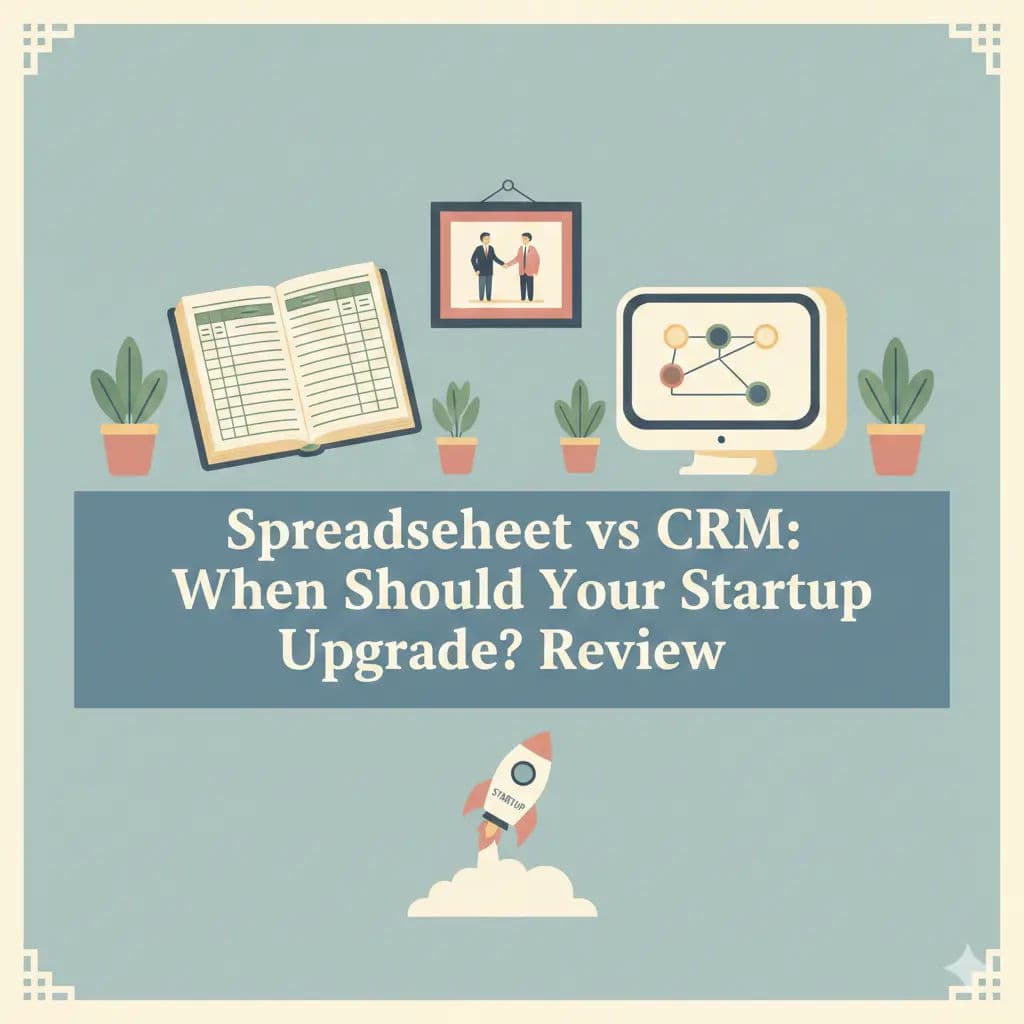
This guide explores that critical transition phase. We will analyze the hidden operational debt of remaining on a spreadsheet too long, identify the specific signals that indicate it is time to upgrade, and provide a strategic roadmap for migrating to purpose-built solutions like Bigin By Zoho, Pipedrive, or Attio. We will move beyond the basic "software is better" argument and look at the operational mechanics of scaling your sales infrastructure without losing your agility.
Key Takeaways
Spreadsheet CRMs create lead leakage and forecasting errors, limiting growth.
Modern CRMs offer automation and integrations that streamline outreach and reporting.
Founders benefit from institutional memory—tracking every conversation from day one.
Transitioning early to a CRM improves data accuracy and team collaboration.
The shift from spreadsheets to purpose-built CRMs is essential for scalable sales operations.
Software covered in this article
For learning and reference, this listicle presents a selective overview of best crms for small business:






The Spreadsheet Honeymoon: Why We Start with Sheets
It is important to acknowledge why spreadsheets are the default starting point. In the "zero to one" phase of a startup, your sales process is undefined. You are likely experimenting with different customer segments, pricing models, and outreach strategies. A rigid software structure can sometimes hinder this necessary exploration. Spreadsheets offer a blank canvas where columns can be renamed on the fly, and data types can be mixed without validation errors.
👉 Find spreadsheet-friendly CRMs on Authencio.com that won’t slow you down
Furthermore, the cost of entry is effectively zero. For a bootstrapped founder, avoiding a monthly subscription for a SaaS product is a tangible benefit. Tools like Google Sheets also offer real-time collaboration, which feels sufficient when the team is small enough to sit around a single table. There is a sense of control in a spreadsheet; you can see every data point in a single grid view, providing a false sense of security regarding the health of your pipeline.
1. The Liminal Space: Airtable and "Smart" Sheets
Before jumping straight to a CRM, many founders attempt to bridge the gap with tools like Airtable. These platforms offer a middle ground—part spreadsheet, part database. They allow for better data typing (e.g., forcing a column to be a "date" or a "currency") and can link records. While this solves some data hygiene issues, it often delays the inevitable. You still lack the dedicated sales features—email tracking, call logging, and pipeline velocity reporting—that eventually force the move to a dedicated platform.
2. The Multi-Player Conflict
The honeymoon usually ends when the "multi-player" reality sets in. In a Google Sheet, if two founders are editing the document simultaneously, it is dangerously easy to overwrite each other's work. One person might be filtering the view to see "New Leads" while another is trying to paste a list of contacts at the bottom. The result is often a jumbled dataset where rows are hidden, cells are overwritten, and the "undo" button becomes your most used feature. This friction transforms a tool meant for speed into a source of daily anxiety.
The Technical Debt of Manual Data Entry
Continuing to rely on a spreadsheet as your primary system accrues what engineers call "technical debt." In a sales context, this is operational debt. You are borrowing time from your future self by opting for a quick, manual fix today that will require extensive remediation tomorrow. The interest on this debt is paid in lost productivity, data decay, and eventually, lost revenue.
1. Data Hygiene and The Broken VLOOKUP
Data hygiene refers to the cleanliness and accuracy of your database. In a spreadsheet, data integrity is entirely dependent on human discipline. If a sales rep types "Acme Corp" in one row and "Acme Corporation" in another, the spreadsheet sees two different entities.
Consider the financial implication of a broken formula. Many startups build their runway models based on a "Weighted Pipeline" calculation in their sales sheet. If a VLOOKUP formula breaks due to a formatting error—perhaps someone entered a date as text—your projected revenue for Q3 could be off by six figures. When you make hiring decisions or burn-rate adjustments based on this flawed data, a spreadsheet error becomes a strategic risk that threatens the company's survival. Research consistently highlights this cost: studies indicate that over 90% of business spreadsheets contain errors, ranging from simple typos to broken formulas that distort revenue forecasts.
2. The Lack of Automation and Integration Capabilities
The most significant hidden cost of the spreadsheet CRM is the opportunity cost of manual labor. Every minute a founder or sales rep spends manually entering data, color-coding cells, or copy-pasting email addresses is a minute not spent selling. This administrative friction slows down the sales cycle.
Spreadsheets are static. They do not send you a reminder when a lead has been cold for three days. They do not automatically log an email sent from your Outlook or Gmail account. They cannot trigger a welcome sequence when a deal reaches the "Closed Won" stage. Purpose-built CRMs like Nutshell or Capsule are designed to automate these low-value tasks. By sticking to spreadsheets, you are effectively choosing to pay your highly skilled sales team to perform data entry clerk duties.
5 Critical Signs Your Team Has Outgrown Spreadsheets
Identifying the right time to switch is crucial. You do not want to introduce complex software too early, but waiting too long can be disastrous. Here is a checklist for CRM for early stage founders to diagnose their readiness:
Fragmented Data Silos: You have to check three different places (email sent folder, the spreadsheet, and your calendar) to understand the last interaction you had with a prospect. There is no "Single Source of Truth."
The "Who Spoke to Them Last?" Problem: You or your co-founder accidentally reach out to the same lead twice in one week because the "Last Contacted" column wasn't updated immediately. This makes your startup look disorganized and unprofessional.
Inability to Forecast Revenue: You cannot easily answer the question, "How much revenue will we close next month?" without spending an hour manually tabulating probabilities.
Lead Leakage: Good leads are falling through the cracks simply because you forgot to follow up. In a spreadsheet, a lead from three weeks ago is just a row further up the screen; in a CRM, it is a flashing red notification.
Security Concerns: You realize that anyone with the link to the spreadsheet can export your entire customer list in seconds. As you hire more staff, the lack of granular permission settings (e.g., hiding deal values from junior reps) becomes a liability.
Align your sales mission with clear, data-driven CRM goals
Purpose-Built CRMs: The ROI of Structure
Transitioning to a dedicated CRM is not just about buying software; it is about adopting a structured sales methodology. The Return on Investment (ROI) comes from the shift in focus from managing data to managing relationships. Industry data suggests that for every dollar spent on CRM, the average ROI is over $8, largely driven by efficiency gains and improved conversion rates.
1. Pipeline Velocity and Forecasting Accuracy
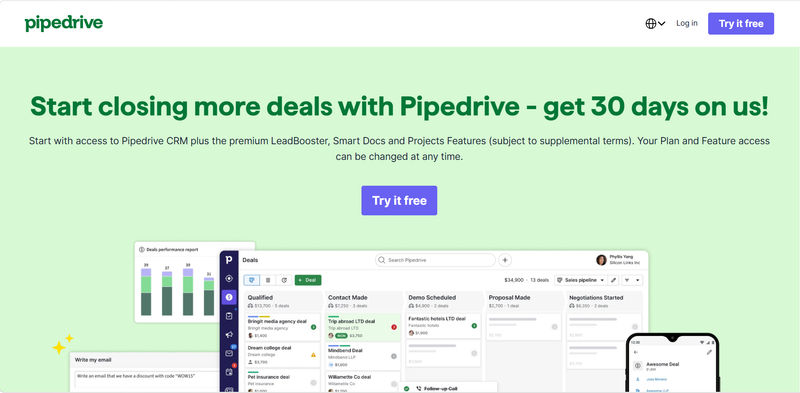
Pipeline velocity measures how quickly leads move through your sales process from initial contact to close. A purpose-built CRM visualizes this journey. Tools like Pipedrive are famous for their pipeline-centric view, which forces you to define clear stages (e.g., "Discovery," "Demo," "Negotiation").
Unlike a spreadsheet list, a visual pipeline makes bottlenecks immediately obvious. If you see a pile-up of deals in the "Proposal Sent" stage, you know exactly where to focus your coaching or intervention. Furthermore, CRMs use historical data to provide weighted revenue forecasts. Instead of a gut-feeling guess based on a spreadsheet sum, you get a prediction based on actual conversion probabilities per stage. This level of insight is crucial for resource planning and investor reporting.
2. Centralized Communication and Interaction Tracking
In a spreadsheet model, communication history is siloed in individual email inboxes. If a sales rep leaves the company, the context of their relationships often leaves with them. A CRM solves this by acting as a universal repository for interaction history.
Modern platforms like Folk and Attio excel at this. They automatically sync with your email and calendar, logging every touchpoint against the contact's record. When you pull up a lead, you see a complete timeline: the cold email sent last Tuesday, the Zoom call scheduled for Friday, and the internal note from your co-founder regarding pricing. This "relational intelligence" ensures that anyone on the team can pick up a conversation without missing a beat, providing a seamless experience for the prospect.
Market Landscape: Matching the Tool to the Workflow
The CRM market has matured significantly. It is no longer a choice between a spreadsheet and a massive enterprise ERP like Salesforce. There is a rich ecosystem of tools designed specifically for the needs and budgets of early-stage teams. Choosing the right one depends on your specific sales motion and mental model.
🚀 Upgrade from spreadsheets with confidence on Authencio.com
1. For the Visual Thinkers (Pipedrive, Bigin By Zoho)
If your team thrives on visual cues and operates a traditional sales funnel, these tools are excellent entry points.
Bigin By Zoho is specifically engineered for small businesses moving off spreadsheets. It strips away the complexity of enterprise CRMs, offering a clean, pipeline-focused interface that mimics the simplicity of a Trello board but with the power of a relational database.
Why it works: It offers a robust mobile app, allowing founders to log calls and notes immediately after a meeting—something a spreadsheet on a phone screen makes nearly impossible.
Cost & Entry: Extremely affordable, often starting with a free tier or low monthly cost (around $7/user), making it a low-risk first step.

Pipedrive takes this visual approach further with robust activity-based selling features. It is built around the philosophy that you cannot control the result (the sale), but you can control the activities (calls, emails, demos). Its interface encourages reps to keep the pipeline moving, using visual "rotting" cues to highlight deals that have been idle for too long.
Integration Highlight: Pipedrive has a massive marketplace, integrating seamlessly with tools like Slack for notifications, ensuring your team never misses a beat.
2. For the Relationship-Centric (Folk, Attio)
Not all businesses fit the rigid "stage-based" funnel. Agencies, venture capital firms, and partnership-led startups often need to manage complex networks rather than simple transactions.
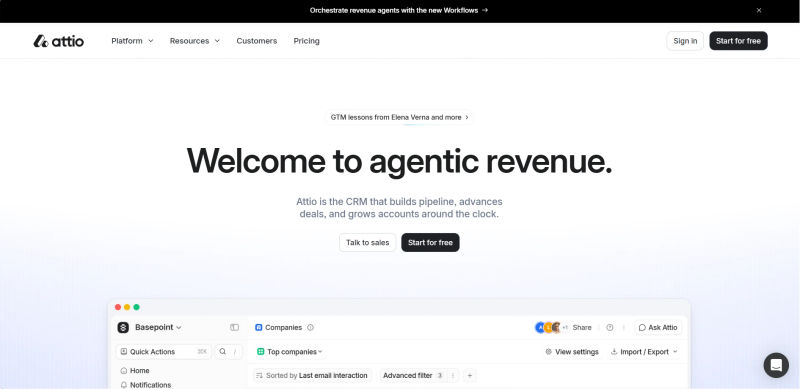
Attio is particularly powerful for those who love the customizability of a database like Airtable but need CRM-specific features. It allows you to build custom objects and workflows, adapting the software to your unique business logic rather than forcing you to adapt to the software.
Why it works: If your sales process involves tracking "Investments" or "Partnerships" rather than just "Deals," Attio’s flexible data structure is a lifesaver.
Cost & Entry: Attio offers a generous free tier for small teams, allowing you to build out your entire workspace before paying.
Folk positions itself as the "next generation" CRM, focusing heavily on contact enrichment and relationship strength. It helps you organize your network into groups and execute bulk personalized outreach, bridging the gap between a CRM and a marketing automation tool.
Integration Highlight: Its "Magic Field" feature can enrich contact data (like LinkedIn profiles) automatically, saving hours of research time.

3. For the Integrators (Capsule, Nutshell)
If your sales process is heavily intertwined with other tools—like accounting software, email marketing platforms, or project management tools—you need a CRM that plays well with others.
Capsule is renowned for its ease of use and strong integration capabilities, particularly with financial tools like Xero and QuickBooks. It allows you to see the full picture of a customer, not just the sales opportunity but also their invoicing status and ticket history.
Why it works: For agencies or service businesses, knowing if a client has paid their last invoice before trying to upsell them is critical context.
Cost & Entry: Offers a "Free Forever" plan for small teams (up to 2 users), which is perfect for co-founder duos.

Nutshell offers a comprehensive suite that includes sales automation and email marketing out of the box. Its strength lies in its reporting and orchestration capabilities, allowing you to trigger complex workflows based on simple pipeline movements.
Integration Highlight: Nutshell offers native email marketing features, meaning you might be able to cancel your separate Mailchimp or ActiveCampaign subscription, consolidating your spend.

Strategic Migration: Moving from Cells to Objects
Migrating from a spreadsheet to a CRM is a change management project. If handled poorly, it can lead to low adoption and wasted budget. To ensure success, follow a structured framework. Expect this process to take about 4 to 8 hours for a small team—a weekend project that pays dividends for years.
Phase 1: The CRM Readiness Scorecard
Before you sign up, run through this quick 5-point checklist. If you check 3 or more, you are ready to migrate immediately.
Do you have more than 50 active leads?
Are there more than 2 people interacting with customers?
Have you lost a deal in the last month due to missing a follow-up?
Do you spend more than 2 hours a week manually entering data?
Is your current spreadsheet slow to load or difficult to filter?
Phase 2: The Audit and Cleanse
Before you import anything, audit your spreadsheet. This is the time to remove duplicates, standardize formatting (e.g., ensuring all phone numbers follow the same pattern), and archive dead leads. Do not migrate garbage data into your new clean tool. This step is critical for establishing high data hygiene standards from Day 1. A common fear is losing historical data—you won't, provided you back up your original spreadsheet. Treat the CRM as your active database and the old sheet as an archive.
Phase 3: Mapping the Schema
Spreadsheets use columns; CRMs use "fields" and "objects." You need to map your current data structure to the destination system. For example, a column in your sheet named "Last Contacted" might map to a system field in Pipedrive called "Last Activity Date." A column named "Referral Source" might need to be created as a custom dropdown field in Capsule. Planning this mapping on paper before starting the import wizard will save you hours of frustration.
Phase 4: The Import and Validation
Most modern CRMs offer CSV import tools. Run a test import with a small batch of 10-20 records first. Check that special characters transferred correctly, that dates are formatted properly, and that notes are attached to the right contacts. Only once the test batch is verified should you import the full database.
Phase 5: Team Onboarding
The best software is useless if the team refuses to use it. In the first week, enforce a "if it’s not in the CRM, it didn’t happen" policy. However, support this with training. Show them specifically how the tool saves them time—how Bigin’s mobile app lets them log calls on the go, or how Attio automatically enriches contact profiles with LinkedIn data. Demonstrate the value, do not just mandate the task.
Comparison: Spreadsheet CRM vs Purpose-Built CRM Features
Feature | Spreadsheet CRM (Excel/Sheets) | Purpose-Built CRM (e.g., Pipedrive, Attio) |
Cost for Small Teams | Free (usually included in office suite) | $0 - $20/user/month |
Setup Time | Immediate | 4 - 8 Hours (Migration & Setup) |
Data Structure | Flat, 2D rows and columns | Relational, 3D (Contacts linked to Companies, Deals) |
Automation | None (requires complex scripting) | Native workflow automation and triggers |
Collaboration | Real-time editing, high risk of overwrite | User-level permissions, activity logs, comments |
Reporting | Manual chart creation | Real-time dashboards and forecasting |
Mobile Access | Poor (viewing large grids on phone) | Dedicated mobile apps with click-to-call |
Scalability | Low (performance lags with large data) | High (handles thousands of records easily) |
Try AuthenCIO
Move to faster, smarter software evaluation with AI
Conclusion: Scaling Beyond the Spreadsheet
The decision to upgrade from a spreadsheet to a CRM is a milestone in your company’s maturity. It signals a shift from ad-hoc survival mode to scalable, predictable growth. While the flexibility of a spreadsheet is comforting, it eventually becomes a cage that limits your visibility and speed.
By moving to a platform like Bigin By Zoho, Capsule, or Folk, you are investing in the infrastructure of your revenue engine. You gain a single source of truth, automate the drudgery of data entry, and unlock insights that are simply invisible in a grid of cells. The transition requires effort, but the cost of inaction—lost leads, blind forecasting, and administrative burnout—is far higher.
Your Next Steps:
Audit: Spend one hour this Friday reviewing your current spreadsheet for errors.
Select: Pick two CRMs from the list above that match your workflow (Visual vs. Relationship).
Test: Import 10 leads into the free tier of each and see which one feels intuitive.
Commit: Choose one and schedule your "Migration Weekend."