
Introduction
The Ops Leader’s Dilemma: Speed of Execution vs. System Rigidity
Is enterprise CRM too complex for smaller teams? Yes. In most cases, an enterprise CRM is too complex for small teams because the heavy governance, mandatory fields, and intricate data architectures required by these systems actively hinder the speed of execution that smaller organizations rely on.
Streamline your software evaluation process
For modern Operations leaders, the Customer Relationship Management (CRM) system is no longer just a digital Rolodex; it is the central nervous system of the Go-To-Market (GTM) motion. However, choosing the infrastructure that powers this nervous system presents a significant dilemma. Do you prioritize the agility and high adoption rates of a lightweight tool, or do you invest in the robust governance and infinite customization of an enterprise platform?
The stakes are incredibly high. While the market is flooded with options, industry benchmarks consistently highlight a grim reality: CRM implementation failure rates hover between 30% and 60%. The culprit is rarely the software itself but a fundamental mismatch between organizational maturity and software complexity.
This leads to the dreaded "shelfware"—expensive licenses that collect dust because the User Experience (UX) is hostile to daily workflows, or conversely, a system so simple it cannot support the data architecture required for scaling.
RevOps leaders are frequently caught in a crossfire. Sales leaders demand a tool that is frictionless and mobile-first, enabling reps to close deals without administrative hurdles. Conversely, the CTO and finance teams demand strict data governance, audit trails, and deep integration with ERP systems. Choosing a tool that is too simple creates data silos and limits reporting; choosing one that is too complex leads to massive technical debt.
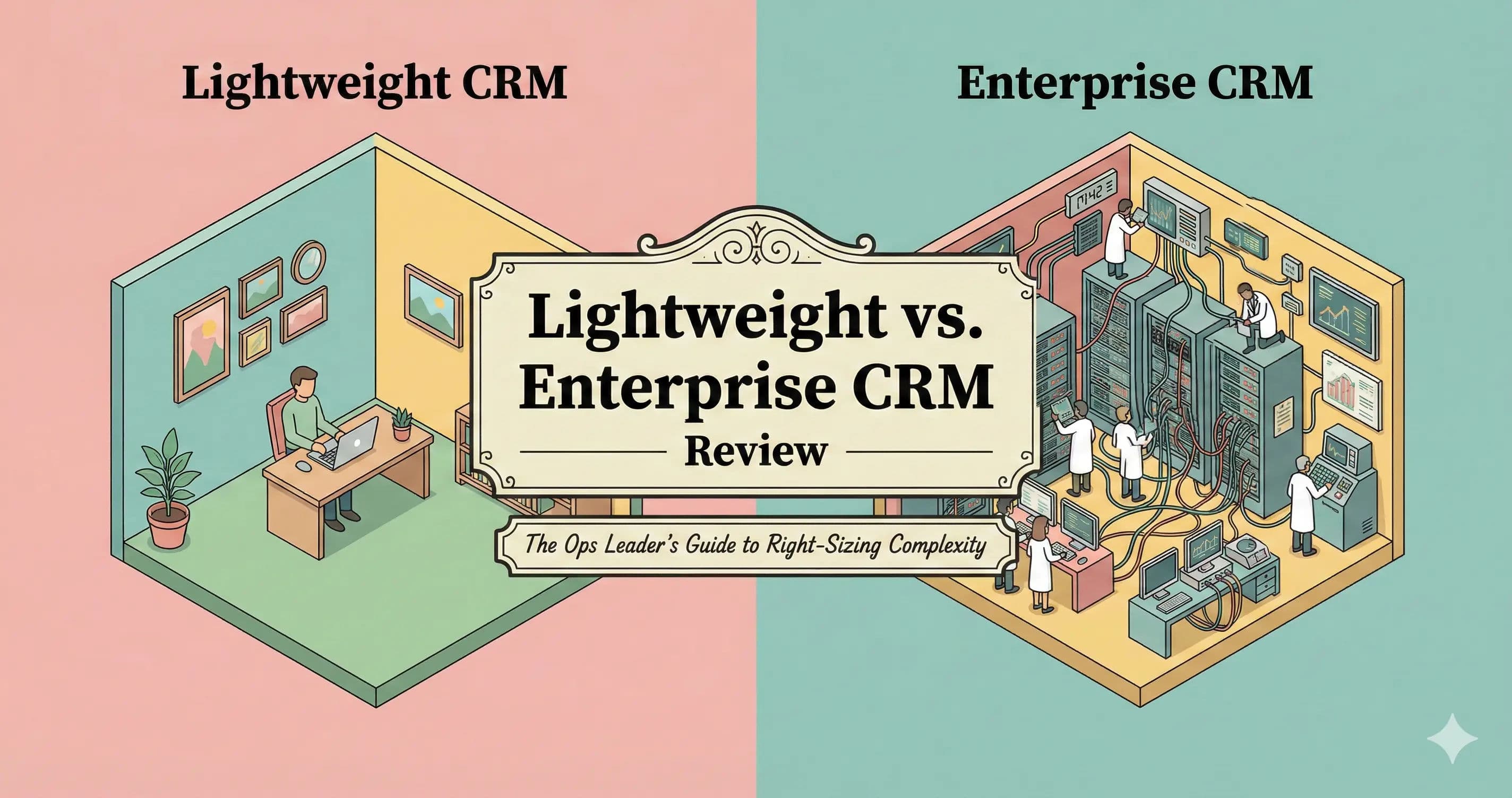
This article dissects the architectural and operational differences between lightweight and enterprise CRMs. We will move beyond the marketing fluff to analyze crm scalability vs complexity, Total Cost of Ownership (TCO), and the developer experience, using real-world examples from the current landscape including Capsule, Bigin by Zoho, Attio, Folk, HubSpot, Salesforce, and Microsoft Dynamics.
Key Takeaways
Right-Size Your Architecture: Lightweight CRMs offer rapid adoption and agility for fast-moving teams, while Enterprise CRMs provide the deep customization, governance, and security required for complex, scaled operations.
Beware the Hidden Costs: Total Cost of Ownership (TCO) extends far beyond licensing fees. Enterprise systems often require dedicated administrators, lengthy implementation timelines, and higher technical debt.
AI is a Differentiator: Lightweight systems typically use AI as an efficiency wrapper (e.g., email drafting), whereas Enterprise platforms leverage AI for deep predictive modeling and advanced analytics.
Plan Your Migration Triggers: Transition from lightweight to enterprise only when forced by strict compliance requirements, data silos, or a reporting ceiling that stifles operational visibility.
Avoid the Franken-stack: Scaling a lightweight CRM with too many third-party integrations can create a fragile hybrid system; recognize when it is time to upgrade rather than patch.
Software Covered in this Article
To help you understand CRM Software in the right context, this article refers to a carefully curated set of players:







Defining the Contenders: Lightweight vs. Enterprise Architectures
To make an informed decision, we must first define the fundamental architectural differences. What is CRM in enterprise architecture? In a mature enterprise architecture, a CRM acts as the central system of record for all customer data, integrating tightly with ERPs, marketing automation, and support systems to create a unified, master data model.
👉 Use Authencio.com to see which CRMs scale with you—and which don’t
When managing deal flow, the main differences between lightweight inbox CRMs and traditional platforms lie in data capture, workflow rigidity, and integration depth.
Lightweight and Inbox CRMs are designed with a "product-led" philosophy. Platforms like Folk, Attio, and inbox-native tools prioritize the end-user experience, speed of data entry, and visual pipeline management directly from a user's email client. The architecture is often opinionated, guiding you down a pre-built path for managing deal flow. Crucially, these modern tools are "API-first." For a technical Ops leader, this means you can trigger webhooks and build automations using standard Javascript or no-code tools like Zapier/Make without needing a certified specialist. They are designed to be implemented in days, not months.
Enterprise CRMs (traditional platforms like Salesforce and Microsoft Dynamics) are essentially relational databases with a user interface layered on top. They are designed to be "everything to everyone." For managing complex deal flow, their architecture allows for the creation of custom objects, intricate dependency rules, and granular Role-Based Access Control (RBAC). The developer experience here is vastly different. Customizing these platforms often requires knowledge of proprietary languages (like Apex) or complex declarative frameworks. The philosophy is "platform-first," where the CRM serves as a foundation for building bespoke applications rather than just tracking sales communications.
The Lightweight Advantage: Agility and Adoption
When evaluating the advantages of small team CRM vs enterprise CRM, the core benefits center on rapid deployment, high user adoption, and minimal administrative overhead. For high-growth startups and SMBs, a CRM's success hinges on adoption. If sales reps avoid a clunky enterprise interface, data integrity collapses. Lightweight CRMs prioritize intuitive UI/UX to prevent this.
Consider Folk. It operates like a spreadsheet-database hybrid with specific CRM functionalities. For a small sales team, the ability to drag and drop contacts, automatically enrich data, and sync emails in real-time outweighs the need for complex enterprise permission sets they will never use.

Capsule offers a straightforward approach to contact management by stripping away enterprise feature bloat. The Time to Value (TTV) is exceptionally low; a RevOps manager can configure the system, import data, and train a team in a single afternoon.

Bigin by Zoho removes the overwhelming complexity of full-scale enterprise suites while retaining essential pipeline management. In contrast to enterprise CRMs where administrative overhead acts as a brake on velocity, small team CRMs empower teams to move fast and focus purely on relationship nurturing.

The Reporting Ceiling
When conducting an enterprise analytics vs lightweight analytics tools comparison, the most significant trade-off for agility is the "reporting ceiling." Lightweight analytics tools excel at standard KPIs, but often lack robust multi-touch attribution or cross-object reporting.
Enterprise analytics vs lightweight analytics tools differ fundamentally in data architecture. Enterprise platforms allow Ops teams to answer complex questions natively—such as, "Show me the influence of Tier 2 marketing events on closed-won deals where the sales cycle was longer than 90 days."
Conversely, lightweight CRMs like Bigin or Capsule will hit a ceiling and fail to produce that report natively. Ops leaders are then forced to export CSVs or pipe data into external BI tools, creating a fragmented data strategy that breaks as volume grows.
The Enterprise CRM Powerhouse: Deep Customization and Governance
There comes a tipping point in every company's growth where agility must yield to governance. When you have 500 sales reps across three continents, selling multiple product lines in different currencies, a lightweight tool will buckle under the pressure. This is the domain of the Enterprise CRM.
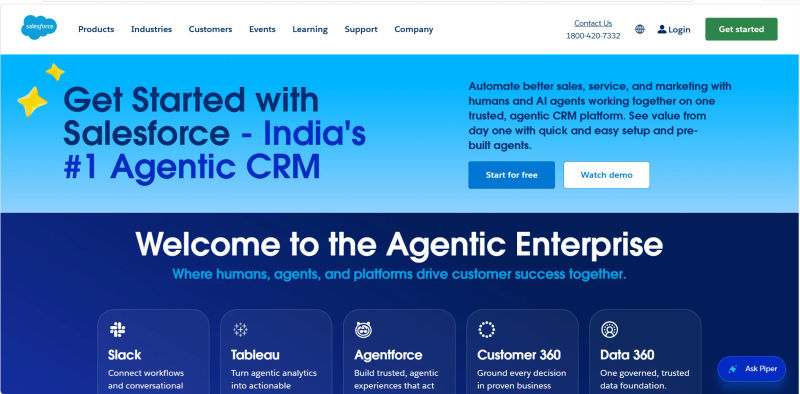
Salesforce remains the undisputed king of this category. Its dominance is not just due to its age, but its ecosystem. For an enterprise, the value lies in the AppExchange and the ability to customize every single pixel of the workflow. If your GTM motion requires a complex CPQ (Configure, Price, Quote) process where a quote must be approved by Legal, Finance, and Engineering based on different logic triggers, Salesforce handles this natively.
Microsoft Dynamics is the other titan, particularly for organizations already entrenched in the Microsoft ecosystem. Its strength lies in its unification of CRM and ERP (Enterprise Resource Planning). For a manufacturing company, seeing the supply chain data directly within the sales opportunity view is critical. Dynamics allows for this level of deep data integration, creating a "Single Source of Truth" that extends beyond sales and into operations and finance.
.webp?updatedAt=1783634317433&tr=w-800%2Cq-80%2Cf-auto%2Cc-at_max)
Security, Governance, and Compliance
Beyond customization, the primary driver for enterprise adoption is compliance. For Ops leaders in Fintech, Healthcare, or the public sector, regulations like FedRAMP, SOC2, HIPAA, and GDPR are non-negotiable.
When evaluating these platforms, a common question arises: how to compare government-grade crms for scalability and cost? The answer requires assessing the total cost of compliance infrastructure against user volume. Enterprise platforms offer granular field-level security and comprehensive audit logs—an immutable record of who changed what and when. While lightweight tools are improving, they rarely pass rigorous enterprise security reviews.
For an accurate government-grade crms scalability and cost comparison, organizations must weigh the high upfront licensing of enterprise systems (like Salesforce Government Cloud) against their ability to scale securely across thousands of users without performance degradation. If your General Counsel demands an audit trail of every export over 12 months, enterprise systems deliver; lightweight tools cannot.
The Hybrid Middle Ground: Scaling Without Breaking
Interestingly, the binary choice between "simple" and "complex" is disappearing. A new class of "Hybrid" or "Mid-Market" CRMs is emerging to bridge the gap. These tools attempt to offer the customizability of an enterprise tool with the UX of a lightweight one.
HubSpot is the prime example of this evolution. Starting as a marketing tool for SMBs, it has aggressively expanded into the enterprise space. It now offers custom objects, robust permissions, and enterprise-grade reporting, yet it retains a user interface that sales reps actually enjoy using. For many Ops leaders, HubSpot represents the "Goldilocks" zone—powerful enough to scale to IPO, but intuitive enough to avoid a mutiny from the sales floor.

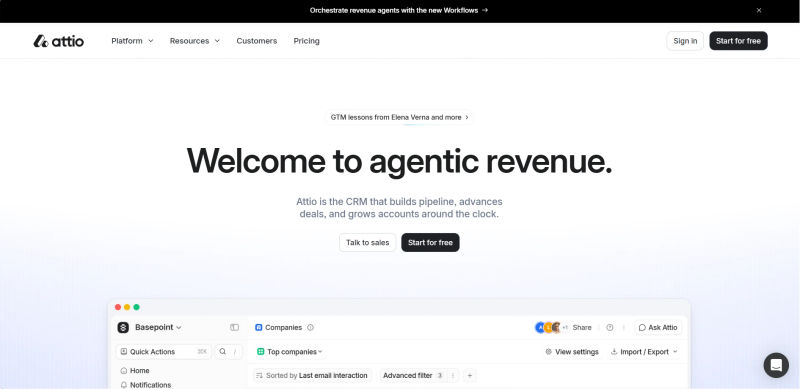
Attio represents the modern wave of this hybrid approach. It is built with a completely flexible data model that rivals Salesforce in terms of backend capabilities but presents it through a hyper-modern, fast UI. Attio allows Ops leaders to build custom CRM applications without writing code, effectively democratizing the power that was previously locked behind the Salesforce developer console.
The Hidden Costs of Hybrid Scaling
While the hybrid approach is attractive, Ops leaders must be wary of the "HubSpot Tax." Pricing models for these platforms often scale exponentially. While the entry price is low, costs can skyrocket as you hit contact limits or require "Enterprise" tier features like increased API limits, custom objects, or advanced permissions. It is not uncommon for a scaling company to find their HubSpot bill tripling in a single renewal cycle, suddenly rivaling the cost of a Salesforce implementation without the same level of infinite customizability.
🧠 Understand long-term CRM fit before committing on Authencio.com
The Role of AI in Modern CRM Selection
No CRM comparison in the current market is complete without addressing Artificial Intelligence. However, Ops leaders must distinguish between marketing hype and operational reality. The implementation of AI differs vastly between lightweight and enterprise categories.
1. Lightweight AI: The Efficiency Wrapper
In tools like Folk, Capsule, or Bigin, AI features are typically "wrappers" around Large Language Models (LLMs). They focus on individual user efficiency: drafting emails, summarizing long thread histories, or suggesting follow-up tasks. These features are excellent for reducing the manual toil of sales reps. They help a small team punch above its weight by automating administrative text generation.
However, they generally do not learn from your historical data to make strategic predictions.
2. Enterprise AI: Deep Predictive Modeling
Enterprise platforms like Salesforce (with Einstein) and Microsoft Dynamics (with Copilot) offer "Deep Predictive AI." Because these systems house vast amounts of structured historical data, their AI engines can do more than just write emails. They can analyze five years of closed-won opportunities to score leads based on propensity to buy. They can forecast revenue with high accuracy by analyzing pipeline velocity and deal slippage patterns.
For an Ops leader, the choice depends on your data volume. Predictive AI requires massive datasets to be accurate. If you are a seed-stage startup, Salesforce Einstein will not provide value because it has no history to learn from. In that case, the generative AI features of a lightweight tool are far more practical.
When evaluating these systems, Ops leaders must look beyond the feature list and analyze the structural impact on the organization.
3. Technical Debt and Implementation Timelines
One of the biggest hidden costs in CRM selection is technical debt. Implementing Salesforce or Microsoft Dynamics traditionally takes 3 to 9 months. Flawed initial architecture guarantees years of expensive refactoring.
However, achieving an enterprise crm deployment time under 60 days is feasible with strict scope control. A successful crm deployment time under 60 days enterprise rollout relies on out-of-the-box configurations rather than heavy customization. This phased crm implementation for enterprise agility ensures teams access core functionality rapidly without accumulating immediate technical debt.
In contrast, lightweight tools like Folk or Bigin incur zero initial technical debt because their rigid structures prevent over-customization. Yet, their debt appears later as an "Integration Tax." As operations scale, teams often hack together workarounds for missing native capabilities, creating a fragile "Franken-stack" liable to break.
4. Procurement and Legal Complexity
When comparing lightweight vs. enterprise procurement platforms, the trade-off is speed versus risk mitigation. Lightweight tools are often purchased via credit card with click-through Terms of Service, allowing teams to launch Attio or Capsule in 24 hours.
What are you giving up with simpler solutions? You sacrifice custom legal protections, guaranteed uptime Service Level Agreements (SLAs), tailored Data Processing Addendums (DPAs), and negotiated renewal pricing.
Enterprise procurement is a different beast. Purchasing Salesforce or Microsoft Dynamics triggers a 3-to-6-month cycle of security questionnaires and legal redlining. While this bureaucratic lag can be a dealbreaker for nimble Ops teams, it secures the strict governance, compliance guarantees, and financial predictability that lightweight agreements lack.
5. Total Cost of Ownership (TCO) Beyond the License Fee
Ops leaders often mistakenly compare only base license costs. True Total Cost of Ownership (TCO) hinges heavily on your deployment strategy.
When calculating TCO, weigh the trade-offs of self-implementing a CRM versus hiring an implementation partner:
Self-implementing: Saves upfront cash and builds internal expertise, but drains ops bandwidth, risks poor architecture, and delays time-to-value. This route is best suited for lightweight CRMs.
Hiring an implementation partner: Requires significant upfront capital (often $50k+) but ensures best-practice architecture, faster deployment, and prevents costly rebuilds. This is essential for enterprise systems.
Enterprise TCO also includes ongoing maintenance, such as a dedicated CRM Admin ($100k+ salary). Conversely, lightweight tools maintain a TCO that closely mirrors their sticker price.
6. Best Practices for CRM Implementation for Operations
Regardless of the tool selected, crm implementation for operations requires a strategic mindset.
Map Process Before Tech: Never use software to fix a broken process. Define your sales stages on a whiteboard first.
Define the "MVP": Do not try to launch with every feature enabled. Start with the Minimum Viable Product—contact syncing and basic pipeline tracking—to ensure adoption.
Invest in Enablement: The best CRM is useless if reps don't know how to use it. Budget time for weekly training sessions during the first month.
The Decision Matrix: Assessing Your Team's Maturity and Needs
Choosing between heavy enterprise platforms and lighter-weight tooling depends on organizational maturity:
The "Seed to Series A" Stage: With fewer than 20 reps, agility is your advantage. Iterate on sales stages weekly using lightweight tools like Folk, Bigin, or Capsule. Prioritize data capture and velocity over strict validation rules.
The "Scaling Up" Mid-Market Stage (Series B-C): You have defined processes and need custom objects for onboarding or partners. HubSpot or Attio provide complexity without requiring full IT support. How should a fast-growing mid-market company decide when it needs an enterprise tax platform vs lighter-weight tooling? The trigger is multi-jurisdictional compliance. When cross-border sales, multi-entity accounting, or manual tax reconciliations create audit risks and bottleneck finance, lightweight native CRM billing tools are no longer sufficient. You must integrate a dedicated enterprise tax platform to scale safely.
The "Enterprise / IPO" Stage: You require strict compliance, complex territory management, and complete audit trails, managed by a dedicated RevOps team. This is Salesforce or Microsoft Dynamics territory, where complexity costs are justified by risk mitigation.
Trigger Events for Migration:
Knowing when to upgrade to an enterprise CRM tier depends on specific operational thresholds:
Hiring a General Counsel: Signals a need for stricter data governance and audit logs.
Moving to Consumption-Based Pricing: Often requires complex CPQ capabilities that lightweight tools cannot handle.
Requirement for Field-Level Security: Necessary when you need to hide sensitive data from specific internal employees.
Global Expansion: Demands advanced multi-currency support and regional data residency controls.
Turn messy software choices into simple, evidence-backed recommendations
Strategy for Transitioning: Avoiding the 'Franken-stack' Trap
A common fear in CRM transitions is operational disruption. The real danger is the "Franken-stack"—forcing a lightweight tool to act like an enterprise one with dozens of plugins, or maintaining a bloated enterprise system your team barely uses.
If you want to replace an expensive enterprise CRM with something more lightweight for a small sales team, audit your actual feature usage. When migrating down, treat it as a strategic simplification, not a 1-to-1 lift-and-shift. Map only essential data (Accounts, Contacts, Deals) into the lightweight tool's flatter structure, which typically relies on tags rather than complex objects. Purge unused custom fields and stale records. Do not migrate the chaos.
Conversely, if you are outgrowing Bigin or Capsule and moving to Salesforce, you must shift from a flat data model to a relational one. Regardless of your direction, use the migration to enforce data hygiene.
Summary Comparison Table
Below is a CRM comparison summary to help Ops leaders visualize the trade-offs between the different categories.
Feature / Metric | Lightweight CRM (e.g., Folk, Capsule, Bigin) | Hybrid / Mid-Market (e.g., HubSpot, Attio) | Enterprise CRM (e.g., Salesforce, Dynamics) |
Primary Focus | User Experience & Speed | Balance of UX & Power | Governance & Customization |
Implementation Time | Days to Weeks | Weeks to Months | Months to Years |
Admin Requirement | None / Part-time Ops | Dedicated RevOps Lead | Full Team / Certified Admins |
Security & Compliance | Basic (GDPR compliant) | Advanced (SSO, some audit) | Enterprise (SOC2, HIPAA, Field-level) |
AI Capabilities | Generative Wrappers (Email/Tasks) | Mix of GenAI & Predictive | Deep Predictive Modeling |
Best For | SMBs, Startups, PLG | Scale-ups, Mid-Market | Global Enterprises, Complex Sales |
Hidden Costs | Integration limitations | Tiered pricing jumps (The "Tax") | Implementation & Maintenance |
Try AuthenCIO
Move to faster, smarter software evaluation with AI
Conclusion: Choosing a CRM That Scales Without Breaking
The battle between lightweight and enterprise CRMs is not about which software is "better" in a vacuum; it is about which software aligns with your current operational reality. A lightweight tool like Folk or Capsule can be a competitive advantage for a nimble team, allowing them to outmaneuver competitors bogged down by administrative heavy lifting. Conversely, Salesforce or Microsoft Dynamics can provide the structural integrity required to manage a global revenue organization.
For the Ops leader, the goal is to avoid over-optimizing too early or under-investing too late. Monitor your "Ops Headcount Ratio"—how many admins are required to support your users? If you need a full-time admin for a 10-person sales team, your system is too complex. If you have 100 reps and no admin, your system is a ticking time bomb of data rot.
Future-proofing your stack does not mean buying the biggest tool today; it means buying the tool that allows you to survive long enough to need the biggest tool tomorrow.