
Introduction
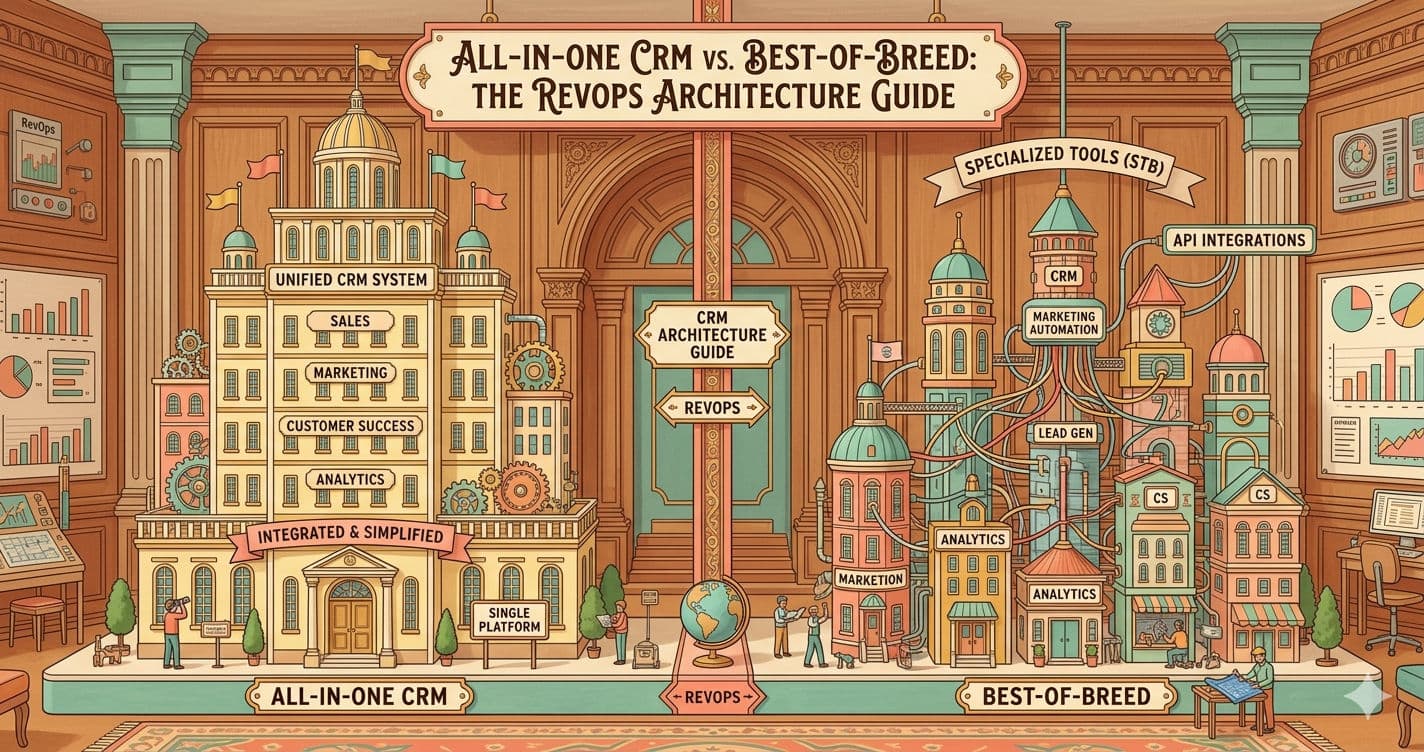
Finding the best CRM for agencies in 2026 requires balancing new business acquisition with exceptional client delivery. For operations leads and agency owners, the "Franken-stack" problem—where project management, billing, and sales tools fail to communicate—is a primary barrier to scaling. Recent operational audits suggest agencies lose nearly 15-20% of billable hours to manual data entry and context switching. As the market evolves, you need the best client management systems for agencies 2026 has to offer—platforms built specifically for the client relationship management that requires multi-tenant architecture.
Streamline your software evaluation process
Generic CRM definitions often waste your time. You don't need a digital rolodex; you need the best client management software for agencies freelancers 2026 offers to support pipeline velocity (the speed at which leads convert to revenue) and complex client lifecycle management. Whether you run a creative boutique, a high-volume SEO firm, or a full-service digital consultancy, the best CRM for agencies must handle white-labeling, complex retainer billing, and granular attribution modeling.
In this guide, we analyze the six top platforms to help you find the best CRM for agencies in 2026: HighLevel, HubSpot, Zoho, Pipedrive, Monday, and ActiveCampaign. We move beyond marketing brochures to evaluate API flexibility, hidden implementation costs, and real-world agency use cases.
Key Takeaways
Top Overall for Resellers: HighLevel stands out in 2026 as the ultimate white-label powerhouse, allowing agencies to package and resell CRM services directly to their clients.
Best for Scaling Operations: HubSpot remains the gold standard for growing agencies that require robust, enterprise-grade automation and deep inbound marketing integrations.
Best for Project-Driven Teams: Monday.com effectively bridges the gap between sales pipelines and complex project delivery, making it ideal for creative and digital agencies.
The 2026 AI Shift: Modern agency CRMs have evolved past simple contact databases. Expect built-in predictive analytics, automated outreach, and AI-driven pipeline management to be standard across the top platforms.
Top Software Picks
HubSpot — best for inbound marketing and sales automation
HighLevel — best for agency‑focused CRM and client management
Zoho CRM — best for affordable small business operations
Pipedrive — best for visual pipeline tracking and deal flow
Monday.com — best for project‑driven CRM and team collaboration
ActiveCampaign — best for email marketing and customer automatio
Software covered in this article
For learning and reference, this listicle presents a selective overview of best crms for agencies:





How We Chose These CRMs: Methodology & Criteria
Selecting software for an agency is different from selecting it for a product company. We evaluated these platforms based on a specific set of operational criteria critical to service-based businesses. Our methodology draws on data from G2 product reviews, vendor documentation, and operational benchmarks.
Key Selection Criteria:
Multi-Tenant Architecture & Sub-Accounts: Can the CRM segregate client data effectively? For agencies, data silos between clients are a feature, not a bug. Tools like HighLevel excel here by allowing you to create distinct sub-accounts for every client under one agency login.
Reduction of Manual Data Entry & Admin Work: Agencies lose countless billable hours to repetitive tasks. We specifically evaluated platforms to identify the best CRM for reducing manual data entry and admin work in 2025 and 2026. We prioritized tools with smart data capture, automated email/call logging, and auto-population of contact records to eliminate tedious administrative overhead.
Workflow Automation Engine: We looked for "if/then" logic that goes beyond simple email triggers. The best tools automate client onboarding, contract renewals, and reporting.
Integration Ecosystem: No CRM is an island. We prioritized platforms with robust APIs (Application Programming Interfaces) and native integrations with tools like Slack, QuickBooks, and Google Ads.
White-Labeling: The ability to rebrand the platform as your own adds a layer of professionalism and stickiness to your client retainer.
Data Portability: We assessed how easily an agency can export data. If you change strategies, you need to know you aren't locked in. We prioritized tools that allow CSV/JSON exports of all contact and deal history without holding data hostage.
AI Readiness: Beyond basic chatbots, we evaluated which platforms are integrating predictive analytics and AI agents to handle routine agency tasks like meeting summarization and sentiment analysis.
Reporting & Attribution: Agencies live and die by ROI reporting. We analyzed how easily these tools track lead source attribution and generate client-facing reports.
How to Choose a CRM for Your Agency: A Decision Framework
Before committing to a migration, which can be costly in terms of downtime and training, apply this decision framework to your agency's specific context.
1. Define Your Service Model
Are you a high-volume lead generation agency or a boutique creative consultancy?
Lead Gen/SEO: You need high-volume automation, telephony integration, and fast pipeline movement. HighLevel or ActiveCampaign are often superior here.
Creative/Dev: You need project management blended with sales. Monday or Zoho might fit better to bridge the gap between the sale and the deliverable.
2. Assess Technical Maturity
Does your team have a dedicated Ops Manager? Tools like HubSpot and Zoho offer immense power but often require a certified administrator to manage complex workflows and data hygiene. If you are a smaller team, Pipedrive offers a lower barrier to entry.
3. Calculate Total Cost of Ownership (TCO)
Look beyond the monthly subscription. Consider:
Implementation Fees: Enterprise tools often mandate onboarding packages costing thousands.
Seat Minimums: Does the price jump drastically as you add account managers?
Add-on Costs: Are reporting, API access, or phone credits charged separately?
4. Run a Pilot Program
Never roll out a new CRM to the whole agency on day one. Select a pilot team of 2-3 account managers. Measure success using these KPIs:
Time-to-Onboard: How long does it take to enter a new client and set up their dashboard?
Pipeline Velocity: Did the tool help close deals faster compared to the previous quarter?
User Adoption: Is the team actually logging in, or are they reverting to spreadsheets?
1. HighLevel: The All-in-One White-Label Powerhouse
HighLevel (or GoHighLevel) is built specifically for marketing agencies, featuring a "SaaS Mode" that allows users to white-label and resell the software. It is widely rated the best CRM for SEO agencies with automated ranking reports and client updates in 2025 and 2026. Additionally, its centralized dashboard makes it one of the best ad management tools for agencies handling multiple clients in 2025 and 2026, seamlessly consolidating cross-channel campaigns, pipeline tracking, and client communications into a single interface.
Standout Features
Unlimited Sub-Accounts: You can create a dedicated workspace for every client without extra licensing fees. This is critical for keeping client data secure and organized.
Snapshot Deployment: You can build a perfect setup (funnels, automations, email templates) and "snapshot" it to deploy instantly to new client accounts. This reduces onboarding time from days to minutes.
Unified Communication: It aggregates SMS, Email, Facebook Messenger, and Instagram DMs into a single conversation stream.
Built-in Funnel Builder: Replaces tools like ClickFunnels or Leadpages, integrated directly into the CRM.
Pros and Cons
Pros: Incredible value (flat pricing), native white label CRM for agencies, replaces multiple tools (calendar, funnel, email, SMS), strong community.
Cons: The UI can be overwhelming for beginners; support can vary in speed; strictly focused on marketing agencies rather than general business.
Best For: Marketing agencies and SEO firms that want to resell software and manage high-volume lead generation for local business clients.
**Agency Use-Case:**A local SEO agency with 50 dental clients uses HighLevel to automate appointment bookings. They charge each dentist a monthly retainer that includes access to a white-labeled version of the CRM (branded as the agency's own app), allowing dentists to see their leads and reply to SMS messages directly. This adds a sticky SaaS revenue stream to the agency's service model.
Integrations: Native Stripe integration for billing, Zapier, Shopify, and Google Ads.

2. HubSpot: Enterprise-Grade Automation for Growing Teams
HubSpot remains the inbound gold standard and the best CRM for digital marketing agencies in 2025 and 2026. According to market share data, HubSpot dominates the mid-market. It is the best CRM for digital agencies with project management and partner program needs. The HubSpot Partner Program offers significant benefits, including revenue share and training, while native project management tools align client deliverables with sales pipelines.
Standout Features
HubSpot Solutions Partner Program: Unlike other tools, HubSpot has a mature partner ecosystem. Agencies can earn up to 20% revenue share on software they sell to clients. Furthermore, partners get access to tier-based support and white-labeled sales collateral, making it easier to pitch complex inbound strategies.
Smart Content & CMS: HubSpot allows you to personalize website content based on CRM data, a powerful feature for agencies managing client websites.
Deals & Pipelines: The visual pipeline is intuitive, and the ability to require specific data points before moving a deal stage ensures data hygiene.
Operations Hub: This module allows for programmable automation (using JavaScript) to clean data and sync between disparate systems, solving the "Franken-stack" issue.
Pros and Cons
Pros: Extremely intuitive UI, massive integration marketplace, excellent training resources (HubSpot Academy), scales from free to enterprise.
Cons: Gets expensive quickly (marketing contacts and enterprise seats are pricey), contracts can be rigid, limited white-labeling compared to HighLevel.
Best For: Inbound marketing agencies and full-service digital agencies that need a robust, scalable infrastructure and can justify the premium price.
**Agency Use-Case:**A mid-sized B2B marketing agency uses HubSpot to manage complex client journeys. They utilize the "Workflows" feature to score leads based on whitepaper downloads and webinar attendance. When a lead reaches a score of 80, the CRM automatically assigns it to an account executive and creates a task in Slack, ensuring no high-value prospect slips through the cracks.
Integrations: Salesforce, Gmail/Outlook, Slack, Zoom, and thousands more via the App Marketplace.

3. Zoho CRM: Deep Customization for Niche Agencies
Zoho CRM is part of the massive Zoho One suite. It is best known for being highly customizable and budget-friendly. For agencies that have unique processes—such as a specific way of handling vendor procurement or media buying approvals—Zoho’s "Canvas" builder allows you to redesign the CRM interface to match your exact workflow.
Standout Features
Canvas Design Studio: A drag-and-drop interface editor that lets you completely redesign the look and feel of the CRM, improving adoption rates among creative staff who dislike standard data tables.
Zia AI: An AI assistant that predicts deal closure probability and suggests the best time to contact leads.
Blueprint: A process validation tool that ensures staff follow every step of your agency’s sales process (e.g., mandating a signed NDA before a proposal is sent).
Omnichannel Support: Manages support tickets, social media, and live chat within the CRM ecosystem.
Pros and Cons
Pros: Very affordable, highly customizable, part of a 40+ app ecosystem (Zoho One), strong automation capabilities.
Cons: The UI can feel dated or cluttered; setup requires significant configuration; support is sometimes slower than premium competitors.
Best For: Budget-conscious agencies or those with highly specialized workflows that require custom modules and fields.
**Agency Use-Case:**A specialized PR agency uses Zoho CRM to manage media relations. They customized the "Leads" module to track "Journalists" and created a custom "Blueprint" that enforces a specific follow-up cadence for press releases. They use Zoho Analytics to report on coverage secured versus pitch effort for each client.

Integrations: Google Workspace, Microsoft 365, Slack, Mailchimp, and extensive API access.
Find Perfect Software For Your Business
4. Pipedrive: Streamlining Sales Pipeline Management
If your agency’s primary pain point is sales chaos rather than marketing automation, Pipedrive is the specialist tool you need. It was built by salespeople, for salespeople, and focuses entirely on "activity-based selling." It forces your biz-dev team to focus on the actions (calls, emails, demos) that drive revenue.
Standout Features
Visual Sales Pipeline: The kanban-style board is the core of the product, offering unmatched clarity on where every deal stands.
Rotting Deals: Visual cues highlight deals that have sat idle for too long, prompting immediate action from the sales team.
Smart Contact Data: Automatically pulls public data about leads (like LinkedIn profiles) to enrich your contact records.
Sales Assistant: AI-powered tips to boost performance and suggest the next best action.
Pros and Cons
Pros: Extremely easy to use (low learning curve), mobile app is excellent, focuses purely on closing deals, affordable.
Cons: Limited marketing automation features (requires integrations), not ideal for post-sale project management, separate billing for some add-ons.
Best For: Sales-led agencies or lead generation firms that need to manage high velocity in their sales department without the bloat of a marketing suite.
**Agency Use-Case:**A video production agency uses Pipedrive to manage incoming inquiries. They have set up a pipeline with stages like "Scripting," "Shooting," and "Editing" to track the sales side of production. The "Rotting Deals" feature alerts the sales director if a proposal hasn't been viewed in 5 days, triggering a manual follow-up call.

Integrations: Trello, Asana, Slack, Microsoft Teams, and PandaDoc for proposals.
5. Monday.com: Bridging CRM and Project Management
Monday.com is widely recognized as the best CRM for creative agencies 2026. While technically a Work OS, its integrated capabilities make it one of the best agency management systems 2026 offers.
For many agencies, the disconnect between sales (CRM) and creative teams (Project Management) is a major friction point. Monday solves this by keeping everything in one visual database. By unifying client data and project execution, it stands out as the best agency management software 2026 for teams needing a single operational hub.
Standout Features
Unified Workspace: A deal won in the CRM board can automatically trigger the creation of a project board for the creative team, transferring all client notes and files instantly.
Visual Dashboards: Highly visual tracking of revenue, team capacity, and project status in one view.
Mirror Columns: Allows you to show data from one board (e.g., Client Contact Info) on another board (e.g., Project Deliverables) without duplicating data.
Automations: Intuitive "When this happens, do that" builder that requires zero coding.
Builder's Note:
While Monday is incredibly flexible, it is not an "out-of-the-box" CRM in the same way Pipedrive is. It requires a "builder" mindset. You will need to invest time upfront to define your board structures, column types, and automation logic. However, once built, it offers a custom fit that rigid CRMs cannot match.
Pros and Cons
Pros: Bridges the gap between sales and fulfillment, highly visual and colorful UI, flexible structure, excellent for collaboration.
Cons: Can become expensive as you add seats for all staff; reporting is good but less deep than dedicated Salesforce-style tools; not a "pure" CRM.
Best For: Creative and design agencies that want to eliminate the handoff friction between sales and operations.
**Agency Use-Case:**A branding agency uses Monday.com to manage the entire client lifecycle. When a lead moves to "Closed Won" in the Sales CRM board, an automation creates a new "Branding Project" board, assigns the Art Director, and notifies the finance team to send the deposit invoice—all without a single email being sent.
Integrations: Gmail, Outlook, Zoom, Slack, Dropbox, and Adobe Creative Cloud.

6. ActiveCampaign: Sophisticated Email Marketing and CRM
ActiveCampaign defines Customer Experience Automation (CXA). As a dedicated "product company," ActiveCampaign prioritizes feature velocity—a strength highlighted whether consulting a "product company" ActiveCampaign G2 or AEO report, or reviewing broader "product company" ActiveCampaign or "G2 - AEO insights".
While offering a functional sales CRM, its marketing automation engine is the core draw. In the ActiveCampaign vs HubSpot vs Salesforce vs Zoho CRM marketing automation growth 2025 2026 comparison, it rivals HubSpot and Salesforce in automation power while outpacing Zoho in usability. For agencies selling email marketing or retention services, it remains a top contender.
Standout Features
Site Tracking: Tracks exactly which pages a prospect visits on your (or your client's) website and triggers automations based on that behavior.
Predictive Sending: Uses machine learning to send emails at the exact time a specific contact is most likely to open them.
Split Action Automations: Allows you to A/B test entire workflow paths, not just individual emails.
Agency Partner Program: Offers a robust white-label option and account management tools for agencies managing multiple client instances.
Pros and Cons
Pros: Best-in-class automation builder, high deliverability rates, predictive sending, strong agency partner support.
Cons: The CRM portion is less visual and feature-rich than Pipedrive or HubSpot; reporting can be complex to set up; steep learning curve for advanced features.
Best For: Digital marketing agencies heavily focused on email marketing, retention, and complex nurture sequences.
**Agency Use-Case:**An e-commerce marketing agency uses ActiveCampaign to manage lifecycle marketing for Shopify clients. They use the "Site Tracking" feature to identify when a VIP customer visits the "Returns" page. This triggers an alert to the Customer Success Manager in the CRM to reach out proactively, preventing churn before it happens.
Integrations: Shopify, WooCommerce, WordPress, Salesforce, and Facebook Audiences.

Quick Comparison: Agency CRM Matrix
Below is an at-a-glance comparison of the top tools based on agency-specific criteria such as white-label capabilities, ecosystem maturity, and implementation effort.
Platform | Best For | White-Labelling | Setup Effort | Data Control | Pricing Model |
HighLevel | Marketing Agencies | Full | Medium | High | Flat monthly fee |
HubSpot | Enterprise | Limited | High | High | Per seat / Tiered |
Zoho CRM | Budget-Conscious | Moderate | High | Medium | Per user / Bundled |
Pipedrive | Sales-Focused | No | Low | High | Per user |
Monday | Ops & Creative | No | Medium | Medium | Per seat |
ActiveCampaign | Email Marketing | Moderate | Medium | High | Per contact / User |
The AI Shift: CRM in 2026
As we move further into 2026, the definition of a "good" CRM is shifting from a static "database" to an "active assistant." We are moving beyond simple text generation into the era of autonomous workflows. If you are evaluating the best agentic CRMs 2025 2026, the focus is on systems that actively execute tasks rather than just store data.
A major application of this AI shift is predictive analytics. If you need the best CRM for churn prevention reduction 2025 2026, Salesforce, HubSpot, and Zoho lead the market. These platforms deploy AI to monitor client communication sentiment, product usage, and engagement metrics. If a client’s email tone shifts from positive to frustrated, the CRM automatically flags the account as "At Risk" and triggers retention playbooks before a human account manager even notices. This proactive approach to churn reduction is becoming a baseline requirement for high-volume agencies.
Furthermore, automated meeting intelligence is reducing administrative overhead. Instead of an account manager spending 20 minutes typing up notes after a client call, AI integrations within HighLevel and Pipedrive can transcribe the call, extract action items, update the deal stage, and draft a follow-up email—all within seconds of the Zoom call ending. When evaluating these tools, ask not just what they automate today, but what their roadmap for AI agents looks like. The agency that adopts these tools first will enjoy a significant efficiency advantage, allowing staff to focus on strategy rather than data entry.
Navigating Common Agency CRM Challenges
Implementing a new CRM raises complex operational questions. Here is how successful agencies navigate the most common hurdles.
1. Ensuring Data Security in Multi-Tenant Environments
When managing multiple clients, data leakage is a massive risk. Agencies must prioritize CRMs with strict role-based access control (RBAC). For example, HighLevel’s sub-account structure physically separates client data, ensuring that a junior ad buyer for Client A cannot accidentally access the leads of Client B. Always verify if the CRM is SOC 2 compliant before migrating sensitive client data.
2. Managing Migration from Spreadsheets
The migration process is where adoption often fails. Clean data before importing by standardizing "Deal Stages" in spreadsheets. When evaluating the best crm import software for agencies 2025 or 2026, dedicated tools like Import2 or Trujay handle complex deduplication better than native features. However, if you want the best crm import software for agencies 2025 2026 built-in, Pipedrive and HubSpot offer excellent "smart imports" to map spreadsheet columns to CRM fields. Still, no tool fixes bad data. Garbage in, garbage out.
3. Handling Fractional Talent and Billing
Modern agencies often use fractional talent who need access to the CRM but shouldn't see sensitive financial data. Monday.com and Zoho excel here by allowing you to invite "Guest" users with restricted permissions. This allows freelancers to update task statuses without viewing the total contract value or the agency’s master pipeline.
4. Understanding White-Labeling Costs
True white-labeling—where the URL, login page, and logo are all yours—usually comes at a premium. While HighLevel includes this in their agency unlimited plan, platforms like HubSpot or Salesforce generally do not offer full white-labeling of the core interface. Be clear on whether you need the tool to look like your proprietary software or if you are comfortable with clients seeing the vendor's brand.
Try AuthenCIO
Move to faster, smarter software evaluation with AI
Best CRM for Executive Committees and C-Level Reporting
When selecting the best CRM for executive committees, C-level executives, or board of directors in 2025 and 2026, HubSpot and Salesforce consistently lead the pack. These platforms excel at distilling complex agency data into digestible, high-level dashboards that require zero technical expertise for stakeholders to interpret.
Board members and C-suite leaders do not need granular pipeline management; they need macro-level visibility into revenue forecasting, client retention rates, and resource allocation. HubSpot's Enterprise tier provides automated, presentation-ready reporting that can be scheduled and sent directly to executive inboxes. Meanwhile, Salesforce's Tableau integration offers unmatched data visualization for deep-dive board meetings, allowing executives to track year-over-year growth and profitability metrics in real-time.
For agencies looking for a lighter lift, Monday.com is an excellent alternative for C-level reporting. Its highly visual, widget-based executive dashboards allow leadership to monitor both sales pipelines and project delivery health in a single view, bridging the gap between revenue and operations.
Final Verdict: Top Agency CRMs
Choosing the "best" CRM depends entirely on your agency's growth stage and service delivery model. There is no one-size-fits-all, but there are clear winners for specific archetypes.
For the "Agency as a Software" Model: Choose HighLevel. Its ability to white-label and create unlimited sub-accounts makes it a revenue generator, not just a cost center. It is the superior choice for local lead gen and SEO agencies.
For Scaling Inbound Agencies: Choose HubSpot. If you can afford the TCO, the ecosystem and data integration provide a competitive advantage that is hard to beat. It unifies marketing, sales, and service better than any other platform.
For Sales-Driven Teams: Choose Pipedrive. If your agency relies on cold outreach and high-volume sales activity, Pipedrive’s visual focus will keep your sales team focused and productive.
For Creative & Ops Unity: Choose Monday. If your biggest pain point is the "messy middle" where sales details get lost before reaching the creative team, Monday closes that loop effectively.
Appendix: Agency CRM Migration Checklist
Moving to a new CRM is a significant operational undertaking. Use this checklist to ensure a smooth transition.
Appoint an Internal Champion: Designate one person (not the CEO) to be the "Super User." They will own the implementation, answer team questions, and drive adoption. Without a champion, usage will drop off after week one.
Audit Existing Data: Clean your current lists. Remove bounces, duplicates, and cold leads before exporting. Do not migrate dirty data.
Map Your Fields: Create a document mapping your old fields (e.g., "Company Size") to the new CRM's fields. Ensure data types match (dropdown vs. text field).
Define User Roles: Decide who needs admin access versus standard user access. Restrict export capabilities to protect your IP.
Set Up Integrations First: Connect your email (Outlook/Gmail) and calendar before importing data to ensure activity tracking starts immediately.
Import in Batches: Do not import 50,000 contacts at once. Import a test batch of 50 records, verify the data integrity, and then proceed.
Create Training Assets: Record short Loom videos showing your team how your agency uses the tool. Generic vendor videos often miss your specific workflows.