
Introduction
For years, Pipedrive has been a popular visual pipeline management software. Its intuitive drag-and-drop interface and straightforward deal tracking made it a default choice for small businesses and early-stage sales teams. However, as organizations grow, they often need to evaluate the business/productivity software company Pipedrive on competitors & alternatives to find platforms that support advanced automation and multi-dimensional reporting.
Streamline your software evaluation process
What starts as a simple, elegant solution often becomes a bottleneck. Scaling sales teams inevitably hit a wall when they require native marketing alignment, high-volume outreach, or complex workflows.
Many sales leaders fall victim to the "sunk cost fallacy"—hesitating to migrate because of the years of historical deal data already logged in their current system. But holding onto a restrictive platform costs significantly more in lost revenue, administrative busywork, and throttled growth.
If you are battling the hidden costs of forced upgrades, dealing with performance latency when managing over 10,000 active deals, or seeking a better Total Cost of Ownership (TCO), it is time to explore the best Pipedrive alternatives 2026 has to offer.
This guide breaks down the top Pipedrive competitors, helping you evaluate pricing, features, and scalability. Whether you need advanced automation, better visual pipelines, or budget-friendly options, this definitive guide will help you discover the best Pipedrive alternatives to scale your sales team effectively.
Key Takeaways
Why teams are leaving Pipedrive in 2026: Growing sales teams are increasingly frustrated by Pipedrive's "feature tax," strict seat minimums on advanced tiers, and lagging AI capabilities compared to modern CRMs.
Best for Automation & Outreach: Salesflare stands out for zero-touch data entry, while Close is the top choice for high-volume calling and email outreach.
Best for Visual Pipelines & Ecosystems: HubSpot remains the gold standard for aligning sales with marketing, and Copper integrates seamlessly for heavy Google Workspace users.
Best for Budget-Conscious Scaling: Zoho CRM offers the most feature depth per dollar, making it ideal for startups and mid-market teams looking to scale without forced upgrades.
🏆Top 12 Pipedrive Alternatives Ranked
HubSpot — Best for all-in-one sales and marketing automation.
Salesforce — Best for enterprise CRM customization and scalability.
Zoho CRM — Best for affordable, AI-powered sales management.
Salesflare — Best for automated data entry and B2B sales.
Freshsales — Best for AI-driven lead scoring and sales automation.
Close — Best for high-volume outbound sales and calling.
Monday.com — Best for customizable sales pipelines and workflows.
Copper — Best for Google Workspace-integrated CRM.
Nutshell — Best for simple CRM and team collaboration.
Insightly — Best for sales and project management integration.
Capsule — Best for simple contact and relationship management.
PipelinePRO — Best for affordable sales funnel tracking.
Software Covered in this Article
To help you understand CRM software in the right context, this article refers to a carefully curated set of leading CRM alternatives:












Quick Comparison: Top 12 Pipedrive Alternatives at a Glance
Tool | Best For | Pricing | Key Features |
Salesflare | Automated Data Entry | Starts at $39/user/month | Zero-touch data logging, email tracking, B2B enrichment |
Close | High-Volume Outreach | Starts at $49/user/month | Native predictive dialer, SMS, automated email sequences |
HubSpot | All-in-One Alignment | Free tier; Starts at $14/user/month | Breeze AI, inbound marketing, advanced reporting |
Salesforce | Enterprise Customization | Starts at $25/user/month | Unlimited scalability, complex routing, massive AppExchange |
Monday.com | Customizable Workflows | Starts at $12/user/month | Cross-department syncing, visual boards, custom logic |
Copper | Google Workspace Users | Starts at $29/user/month | Native Gmail integration, automated capture, G-Suite sync |
Nutshell | Stress-Free Collaboration | Starts at $19/user/month | Unlimited CRM contacts, simple automation, team focus |
Freshsales | AI-Powered Lead Scoring | Starts at $11/user/month | Freddy AI, built-in phone, automated lead assignment |
Zoho CRM | Scalability on a Budget | Starts at $20/user/month | Zia AI predictions, omnichannel support, deep ecosystem |
Capsule | Simple Relationship Mgmt | Starts at $22/user/month | Ultra-lightweight UI, basic pipeline tracking, low cost |
PipelinePRO | Flat-Fee Funnel Tracking | $67 one-time (core features) | Unlimited users, funnel builder, marketing automation |
Insightly | Project Management | Starts at $29/user/month | Post-sale delivery routing, custom dashboards, app integration |
*Note: All prices shown reflect typical monthly billing. Vendors often offer lower pricing for annual commitments, but those discounts are excluded here for easier comparison. Actual costs may vary depending on your requirements, usage volumes, and negotiated terms.
Visualize your sales success—compare Pipedrive alternatives for free on AuthenCIO.
Why Look for a Pipedrive Alternative in 2026?
While Pipedrive excels at basic deal tracking, limitations in Pipedrive scalability frustrate expanding organizations. If you need a CRM for companies outgrowing Pipedrive, you are likely hitting automation and reporting roadblocks. Finding the best replacement for Pipedrive CRM requires platforms handling complex workflows seamlessly. Whether seeking a Pipedrive alternative for growing teams, software better than Pipedrive, or the best CRM alternatives to Pipedrive for growing companies 2025 2026, these pain points drive the search for a better CRM for scaling sales teams.
1. The "Feature Tax" and Hidden Costs
Pipedrive’s entry-level pricing appears attractive, but scaling teams quickly realize that essential features—like mandatory custom fields, advanced reporting, or specific workflow automations—are gated behind the Professional or Power tiers. This "feature tax" drastically increases the per-user pricing, forcing you to pay premium rates just to access basic administrative controls.
2. Seat Minimums and Forced Upgrades
Another common frustration is the enforcement of seat minimums. Some Pipedrive tiers or add-ons require you to purchase licenses in blocks, forcing you to pay for seats you do not actually need. This artificially inflates your Total Cost of Ownership (TCO) and drains budgets that could be better spent on lead generation.
3. Performance Lag at High Volumes
Visual pipeline management software is highly effective until you have thousands of records. Sales Operations managers frequently report that Pipedrive's interface can suffer from performance lag and visual clutter when handling over 10,000 active deals. Scaling teams need a CRM that maintains speed, clarity, and rapid load times regardless of database size.
4. Limited Reporting Depth
For a sales CRM for decision makers, reporting is everything. Pipedrive’s native insights are visually appealing but lack the multi-dimensional depth required by enterprise teams. If you need to cross-reference deal velocity with specific marketing attribution sources across multiple global territories and currencies, Pipedrive often requires complex workarounds or expensive third-party Business Intelligence (BI) tools.
5. Falling Behind on AI Capabilities
When evaluating the top AI CRM tools in 2026 to clarify Pipedrive and alternatives, the gap is clear. While Pipedrive offers basic AI email summarization, competitors are pulling ahead. Automated deal sentiment analysis, predictive forecasting, and AI-driven lead-to-account matching are now standard in alternative platforms, leaving Pipedrive feeling dated for data-driven sales teams.
Pipedrive vs Competitors: Feature Comparison
Before diving into specific tools, it is crucial to understand the technical limitations that prompt a migration. Evaluating Pipedrive vs its competitors often comes down to backend infrastructure rather than frontend aesthetics.
1. API Call Limits and Integrations
As you scale, you connect more tools. A major bottleneck in Pipedrive is its API rate limits on lower tiers. If your team relies heavily on Zapier, Make, or custom webhooks to route leads, you may find your automations failing because you hit your hourly API cap. Many competitors offer significantly higher or unlimited API calls, ensuring your tech stack remains synchronized.
2. Native vs. Third-Party Add-ons
Pipedrive relies heavily on its marketplace for advanced functionality (like predictive dialers or robust document signing). While a large marketplace is beneficial, patching together five different third-party apps creates a fragile ecosystem. The best Pipedrive competitors in 2026 focus on native, all-in-one functionality to reduce integration failures and vendor sprawl.
Best Pipedrive Alternatives for Advanced Automation and Scaling
If you are wondering which CRM beats Pipedrive for email tracking and sales automation, you need a platform built for high-volume outreach and seamless data capture. While Pipedrive offers basic workflow automation, scaling sales teams often outgrow its capabilities, especially regarding granular email analytics and multi-step sequence automation.
The best CRM alternatives to Pipedrive for email tracking and sales automation in 2025 and 2026 include platforms like Salesflare, Close, HubSpot, and Salesforce. These tools eliminate manual data entry, provide real-time open and click tracking, and allow you to build complex, trigger-based sales sequences that Pipedrive's native feature set struggles to support without expensive third-party add-ons.
1. Salesflare: Best for Automated Data Entry
Pipedrive is famous for its visual pipeline, but it still relies heavily on sales reps manually logging their activities, emails, and meetings.
Salesflare takes a completely different approach, acting as an automated data entry machine tailored specifically for B2B sales teams. Eliminating CRM busywork is no longer a luxury—it is a necessity for maintaining pipeline hygiene.

Who is this best for? Salesflare is best for B2B sales teams and agencies that want zero-touch data entry and a CRM with advanced sales automation without sacrificing the visual pipeline experience.
Pricing (USD $): Starts at $39 per user/month. Unlike platforms that gate advanced features behind higher tiers, Salesflare includes comprehensive automation in its base tier.
Key Differentiators vs. Pipedrive:
Automated Contact Enrichment: Salesflare automatically gathers contact information, company roles, and social profiles from email signatures and public databases.
Native Email Tracking: Built-in email and link tracking provides real-time alerts when prospects engage with your outreach.
Migration Complexity Score: Low. Salesflare offers a straightforward import process for Pipedrive data, easily mapping standard fields and historical deal data.
2. Close: Best for High-Volume Outreach
While Pipedrive offers caller add-ons, it is fundamentally a visual board first and a communication tool second.
Close flips this dynamic. It is a powerhouse built specifically for high-velocity outbound sales teams. If your reps spend their days cold calling, sending bulk emails, and managing SMS outreach, Close provides a unified, lightning-fast interface.

Who is this best for? Close is best for high-volume outbound sales teams that need a built-in predictive dialer, SMS, and automated email sequencing natively in their CRM.
Pricing (USD $): Starts at $49 per user/month. While higher than Pipedrive’s entry tier, it eliminates the need to pay for separate calling and sequencing software.
Key Differentiators vs. Pipedrive:
Integrated Power Dialer: Close includes a native power and predictive dialer, allowing reps to make hundreds of calls a day without leaving the CRM.
Omnichannel Sequencing: You can build complex workflows that mix automated emails, SMS messages, and manual call tasks in one seamless view.
Migration Complexity Score: Medium. Moving historical call recordings and SMS logs from Pipedrive requires careful API mapping, though standard deal data moves easily.
3. HubSpot: Best for All-in-One Alignment
Pipedrive is a pure sales tool. When scaling companies try to force marketing automation into Pipedrive, the cracks begin to show.
HubSpot CRM is the ultimate all-in-one platform, seamlessly aligning marketing, sales, and customer service under one roof.

Who is this best for? HubSpot is best for scaling companies that need deep alignment between inbound marketing campaigns and their sales pipeline.
Pricing (USD $): Free foundational tier available. Paid Sales Hub starts at $14 per user/month, scaling up significantly for Enterprise features.
Key Differentiators vs. Pipedrive:
Marketing Alignment: HubSpot natively connects website analytics, form submissions, and marketing emails directly to the sales deal record.
Breeze AI Integration: HubSpot’s advanced AI capabilities offer automated deal sentiment analysis and predictive lead scoring that outpace native offerings.
Migration Complexity Score: Medium to High. Because HubSpot encompasses marketing and sales, mapping Pipedrive data requires a strategic exit strategy to ensure custom properties align correctly.
When evaluating Pipedrive vs HubSpot 2026, HubSpot wins decisively for teams executing complex inbound marketing motions.
4. Salesforce: Best for Enterprise Customization
No list of Pipedrive alternatives is complete without the industry giant. When analysts evaluate the business/productivity software company Pipedrive on Salesforce CRM alternatives, Pipedrive wins on immediate sales productivity. Salesforce, conversely, is an empty canvas engineered for complex enterprise operations.
Furthermore, when teams evaluate the customer success software company Pipedrive on alternatives to Salesforce, Pipedrive offers straightforward pipeline tracking for account managers, whereas Salesforce delivers a comprehensive ecosystem (Service Cloud) for dedicated customer success teams.
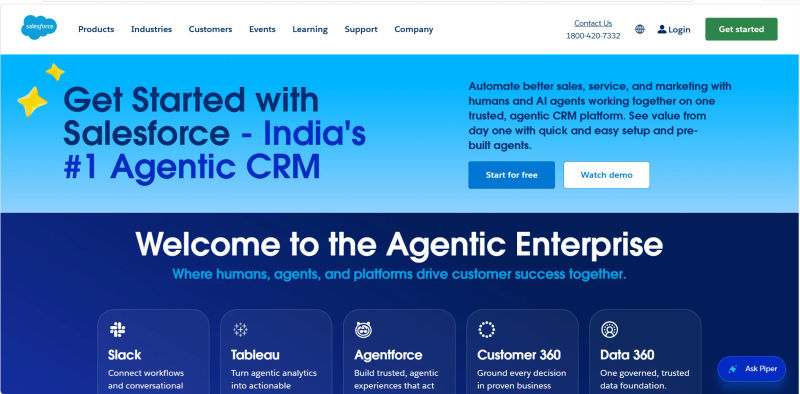
Who is this best for? Salesforce is best for enterprise-level organizations requiring limitless customization, complex territory management, and massive API scalability.
Pricing (USD $): Starts at $25 per user/month, but scaling teams typically require the Enterprise tier at $175+ per user/month.
Key Differentiators vs. Pipedrive:
Limitless Scalability: Salesforce handles millions of records and global territory hierarchies without breaking a sweat.
Hidden Implementation Costs: Scaling teams must account for hidden costs. You will almost certainly need a certified Salesforce consultant to configure the system.
Migration Complexity Score: Very High. Migrating from Pipedrive to Salesforce requires a dedicated implementation partner to map custom objects, APEX triggers, and security permissions.
Best Pipedrive Alternatives for Visual Pipeline Management
If your team is outgrowing Excel or Google Sheets, upgrading to a visual CRM is the most effective way to track deals in 2026. The best CRM alternatives to spreadsheets for sales pipeline management replace static rows with dynamic, drag-and-drop Kanban boards that make bottlenecks instantly visible.
While Pipedrive popularized the visual pipeline, many modern platforms now offer a CRM like Pipedrive but with greater flexibility and deeper insights. In a direct Pipedrive vs HubSpot vs Zoho CRM vs Freshsales pipeline visualization comparison, key differences emerge:
Pipedrive: Focuses on a traditional, straightforward Kanban view with visual "rotting deal" alerts.
HubSpot: Offers a cleaner UI with deep marketing data attached directly to deal cards, plus multiple pipeline views on lower pricing tiers.
Zoho CRM: Features "Canvas," a drag-and-drop design studio that lets you completely customize how deal cards and pipelines look, far exceeding Pipedrive's static layout.
Freshsales: Integrates AI-powered deal insights directly into the visual pipeline, using color-coded badges on the Kanban board to highlight deals with the highest probability of closing.
The tools categorized below excel specifically in visual pipeline management, offering intuitive interfaces that keep sales reps focused on moving deals forward without the clutter.
Find Perfect Software For Your Business
5. Monday.com: Best for Customizable Workflows
Monday.com did not start as a CRM, but its evolution into a sales platform has made it a top Pipedrive competitor. Pipedrive is highly rigid—it is built for standard sales processes.
Monday.com is the exact opposite. It is a highly flexible Work OS that allows you to build a visual pipeline that fits completely unique, non-traditional workflows.

Who is this best for? Monday.com is best for highly operational teams that need to merge visual sales pipelines with complex, post-sale project management.
Pricing (USD $): Starts at $12 per user/month.
Key Differentiators vs. Pipedrive:
Ultimate Customization: You can build boards that track deals, manage inventory, handle onboarding, and track marketing spend all in one unified view.
Cross-Departmental Syncing: Handing off a "Closed Won" deal to the fulfillment or customer success team is completely automated.
Migration Complexity Score: Medium. You will need to build your ideal board structure from scratch before importing Pipedrive CSV files.
6. Copper: Best for Google Workspace Users
If your entire company lives inside Google Workspace (Gmail, Calendar, Drive), forcing your reps to log into a separate CRM like Pipedrive creates unnecessary friction.
Copper is uniquely built specifically for Google Workspace. It lives directly inside Gmail, capturing data automatically and eliminating context switching.
.webp?updatedAt=1787637113863&tr=w-800%2Cq-80%2Cf-auto%2Cc-at_max)
Who is this best for? Copper is best for Google Workspace power users and relationship-based businesses that want their CRM to live natively inside Gmail.
Pricing (USD $): Starts at $29 per user/month.
Key Differentiators vs. Pipedrive:
Zero-Friction UI: Copper’s interface sits in your Gmail sidebar. Reps can update deal stages, add notes, and view pipelines without ever opening a new tab.
Automated Data Capture: Copper scrapes email signatures and calendar invites to automatically create and update contact records.
Migration Complexity Score: Low. Because it syncs directly with your existing Google data, transitioning from Pipedrive is mostly about mapping your visual deal stages.
7. Nutshell: Best for Stress-Free Collaboration
When evaluating the best CRM for small businesses in 2026, HubSpot, Pipedrive, Nutshell, and Copper frequently top the list. However, Pipedrive’s per-user pricing can quickly drain the budget of a growing business, especially when non-sales staff need access to view deal statuses.
Positioned closely alongside HubSpot and Copper as a premier choice for small businesses, Nutshell is designed to eliminate this friction. It offers a highly collaborative, user-friendly environment with straightforward pricing and no hidden limits on contact storage.

Who is this best for? Nutshell is best for small to mid-sized teams looking for stress-free collaboration, unlimited CRM contacts, and highly accessible customer support.
Pricing (USD $): Starts at $19 per user/month. Nutshell is highly transparent, avoiding the mandatory implementation fees common in other platforms.
Key Differentiators vs. Pipedrive:
Unlimited Contacts: Nutshell does not charge based on the size of your database, making it an affordable Pipedrive alternative for companies with massive lead lists.
Interactive Map View: Beyond the standard board view, Nutshell offers a unique map view to visualize where your leads are geographically located.
Migration Complexity Score: Low. Nutshell provides white-glove import assistance, ensuring your Pipedrive transition is seamless and requires minimal downtime.
8. Freshsales: Best for AI-Powered Lead Scoring
Freshsales (part of the Freshworks suite) takes the visual pipeline concept and supercharges it with built-in communication tools and aggressive AI lead scoring.
Where Pipedrive requires you to manually assess lead quality or use third-party tools, Freshsales uses its Freddy AI to automatically rank prospects based on engagement.

Who is this best for? Freshsales is best for teams that want AI-powered lead scoring and built-in phone/email capabilities without leaving the visual pipeline.
Pricing (USD $): Starts at $11 per user/month, making it highly competitive against Pipedrive’s entry tiers.
Key Differentiators vs. Pipedrive:
Freddy AI Lead Scoring: Freshsales automatically analyzes historical data and engagement metrics to score leads, helping reps focus only on high-intent prospects.
Built-in Telephony: Like Close, Freshsales offers native calling capabilities, reducing the need for disjointed tech stacks.
Migration Complexity Score: Low. Freshsales offers a dedicated Pipedrive migration tool that handles historical deal data and custom fields effortlessly.
Affordable Pipedrive Alternatives for Budget-Conscious Teams
When evaluating Pipedrive alternatives for startups in 2025 and 2026, the most critical factor is often the availability of a free tier or a low-cost entry plan. Because Pipedrive does not offer a free version, early-stage companies frequently look for an alternative Pipedrive startup solution that allows them to build their initial sales process without upfront software costs.
A direct Pipedrive free vs HubSpot free CRM vs Freshsales free vs Streak deal-tracking vergleich (comparison) highlights distinct advantages for budget-conscious teams:
Pipedrive: No free tier available (only a 14-day trial). The lowest paid tier lacks automation and limits custom fields.
HubSpot Free CRM: Offers unlimited users and up to 1,000,000 contacts. It is the most robust free option, though upgrading to paid sales hubs can become expensive as you scale.
Freshsales Free: Provides built-in chat, email, and basic contact management. It is ideal for teams that need integrated communication tools at zero cost.
Streak: Operates entirely inside Gmail. Its free tier is perfect for basic deal-tracking and pipeline management without the need to learn a new interface.
Beyond these free options, the following CRMs offer the best balance of affordable paid features and scalability for growing sales teams.
9. Zoho CRM: Best for Scalability on a Budget
If you are evaluating affordable Pipedrive alternatives based on Total Cost of Ownership (TCO), Zoho CRM is nearly impossible to beat. Pipedrive can become prohibitively expensive as you scale users and require advanced add-ons.
Zoho provides an enterprise-grade feature set, including advanced AI and deep ecosystem integrations, at a fraction of the cost.

Who is this best for? Zoho CRM is best for cost-conscious scaling businesses that want enterprise-level features and a massive suite of integrated business apps.
Pricing (USD $): Starts at $20 per user/month.
Key Differentiators vs. Pipedrive:
Zia AI: Zoho’s native AI assistant, Zia, provides predictive sales forecasting, anomaly detection, and macro suggestions that are highly advanced for the price point.
Hidden Implementation Costs: Similar to Salesforce, Zoho's low per-user price is slightly offset by the fact that scaling teams often need to hire a Zoho-certified developer to properly configure its vast, complex modules.
Migration Complexity Score: Medium. Zoho is highly customizable, meaning you must spend time configuring your modules before importing Pipedrive data to avoid messy formatting.
10. Capsule: Best for Simple Relationship Management
Sometimes, scaling doesn't mean you need more complex features; it means you need a system that remains fast and reliable as your data grows.
Capsule is the minimalist's answer to Pipedrive. While Pipedrive has added more bells and whistles over the years, Capsule has remained fiercely dedicated to being an ultra-lightweight, fast, and simple relationship manager.

Who is this best for? Capsule is best for teams that find Pipedrive too cluttered and want the simplest, fastest relationship management tool available.
Pricing (USD $): Starts at $22 per user/month. It is highly budget-friendly for lean operations.
Key Differentiators vs. Pipedrive:
Clean, Uncluttered UI: Capsule strips away unnecessary features, providing a lightning-fast interface that requires zero training to use.
Strong Accounting Sync: Capsule offers deep, native integrations with standard accounting software like Xero and QuickBooks for seamless invoicing.
Migration Complexity Score: Low. Its simplicity means Pipedrive data maps over effortlessly without worrying about complex automation rules breaking.
11. PipelinePRO: Best for Flat-Fee Funnel Tracking
Most CRMs, including Pipedrive, penalize you for growing by charging per-user fees. PipelinePRO disrupts this model by offering a comprehensive sales funnel and pipeline management tool with unlimited users.
It is designed for business owners who want to track the entire customer journey from ad click to closed deal.

Who is this best for? PipelinePRO is best for small business owners, solopreneurs, and marketing-heavy SMBs looking for a flat-fee, all-in-one sales funnel management system.
Pricing (USD $): $67 one-time fee for core access, with optional monthly upgrades for advanced automation.
Key Differentiators vs. Pipedrive:
Unlimited Users: Add as many sales reps, managers, and support staff as you want without increasing your baseline software cost.
Target Market Clarification: It is important to note that PipelinePRO is not an enterprise-grade solution for teams of 50+ reps. It is fundamentally built for lean teams that need landing page builders, SMS marketing, and calendar booking tools in one place.
Migration Complexity Score: High. Moving from a pure CRM like Pipedrive to a funnel-builder requires rethinking how you track lead attribution and custom fields.
12. Insightly: Best for Project Management Integration
For many B2B companies, winning the deal is only 10% of the work. The real challenge is delivering the project.
Pipedrive struggles with post-sale project management. Insightly bridges this gap perfectly, offering a robust sales CRM that natively converts closed deals into complex, multi-stage project management pipelines.

Who is this best for? Insightly is best for service-based businesses and agencies that need tight integration between their sales pipeline and project delivery.
Pricing (USD $): Starts at $29 per user/month.
Key Differentiators vs. Pipedrive:
Native Project Management: Automatically convert a "Won" opportunity into a project, carrying over all emails, files, and notes to the delivery team.
Advanced Custom Routing: Insightly offers complex lead routing and workflow automation that rivals enterprise tools.
Migration Complexity Score: Medium. You must map out your post-sale delivery stages alongside your sales stages before migrating Pipedrive data.
How to Choose the Right CRM for Your Sales Pipeline
Selecting the right visual pipeline management software requires looking past the marketing hype and focusing on your specific sales motion. There is no universally "perfect" CRM, only the one that best aligns with your team's daily workflow.
1. Assessing Per-User Pricing vs. Feature Depth
When evaluating alternatives, calculate your Total Cost of Ownership (TCO) over a 3-year period. Do not just look at the base per-user pricing. Ask yourself: Will we need to upgrade to a premium tier just to get API access or advanced reporting? Tools like Zoho CRM offer massive savings at scale, whereas Salesforce and HubSpot require significant budget allocation as your team grows.
2. Importance of Visual Pipeline Flexibility
Pipedrive users love the visual interface. If you are migrating away, ensure the new tool is the best CRM for visual sales tracking for your specific needs. Can you manage multiple currencies in one board? Can you build custom logic that automatically moves a deal stage based on an email reply? Tools like Monday.com and Freshsales excel in adding automation to the visual experience without cluttering the UI.
3. Evaluate Migration Complexity and API Limits
Before signing a contract, demand a sandbox environment. Test how easy it is to import historical deal data, custom fields, and communication logs. Furthermore, audit their API call limits. If a CRM throttles your API calls, your integrations with external marketing and billing tools will break during high-volume periods.
4. Mobile App Performance for Field Sales
Pipedrive’s mobile app is excellent, so any alternative must match that standard. Field sales reps require offline visual pipeline management. They need the ability to update deal stages, log meeting notes, and view contact history without a stable internet connection. When demoing a tool, always test the mobile interface extensively.
5. User Adoption Checklist
A tool's power is irrelevant if the UI is too complex for your reps to use daily. Use this checklist during your evaluation:
Does the core pipeline view require more than two clicks to update a deal stage?
Is the data entry automated, or will reps spend hours typing notes?
Does the platform integrate seamlessly with the email client (Gmail/Outlook) your team already uses?
Is the mobile app fully functional offline?
Does the vendor provide dedicated onboarding support for your sales team?
Try AuthenCIO
Move to faster, smarter software evaluation with AI
Conclusion: Which CRM Should Your Sales Team Choose?
Outgrowing Pipedrive is a sign of success. It means your sales processes have matured, your data requirements have deepened, and your team is ready for the next level of operational efficiency.
To summarize the best paths forward based on common scaling profiles:
The Budget Scaler: If you need enterprise-grade features, advanced AI, and deep ecosystem integrations without the premium price tag, Zoho CRM is your best option.
The Marketing-Heavy Scaler: If your growth relies on tight alignment between inbound website traffic, content marketing, and sales execution, HubSpot is the clear winner.
The Outbound Powerhouse: If your sales velocity is driven by raw outreach volume, cold calling, and SMS sequencing, Close provides an unmatched, unified interface.
Take the time to audit your current bottlenecks, map out your required features, and utilize free trials to ensure your next CRM empowers your team rather than restricting them.