
Introduction: What is a CRM and Why Does Your Business Need One?
What exactly are CRM use cases? Simply put, a use case for CRM is a specific scenario where a business applies Customer Relationship Management software to solve a problem or achieve a goal. Whether you need a use case for online CRM system deployment to automate follow-ups, or are exploring the broader use cases of a CRM tool for marketing segmentation, these examples demonstrate how the software drives real-world results.
As a business owner, you're familiar with growing pains. Customer details are scattered across spreadsheets and sticky notes. Promising leads fall through the cracks, and your team spends more time on manual data entry than on building relationships. This operational chaos is a direct barrier to growth, leading to lost opportunities and wasted time.
Streamline your CRM evaluation process
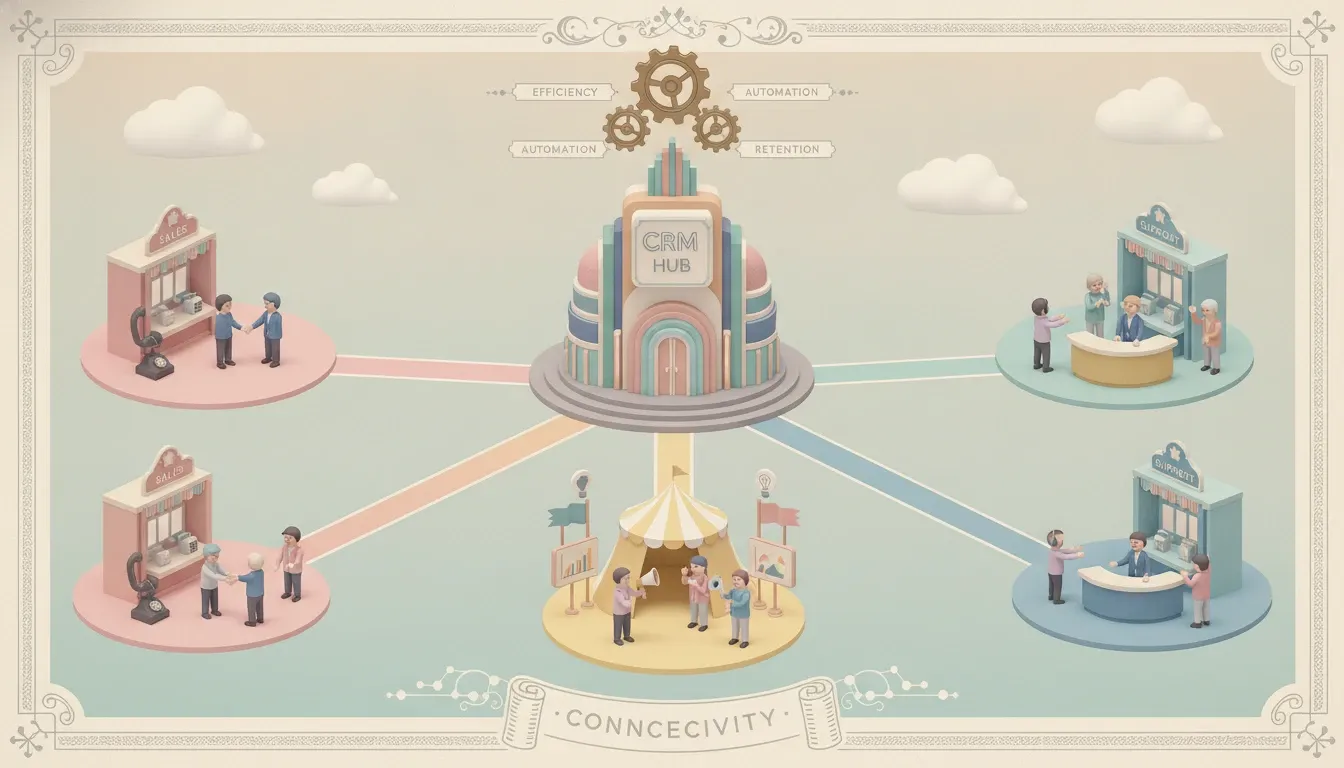
This is where a CRM system comes in. A modern CRM is much more than a digital address book; it acts as the central nervous system for your business, connecting sales, marketing, and customer service. Every use case CRM platforms offer transforms scattered data into your most powerful asset, enabling you to manage and optimize every customer interaction.
If you are evaluating a use case for CRM system integration, you are not alone. The CRM market is projected to surpass $262 billion by 2032. Businesses that effectively adopt a specific CRM use case see tangible results because they are adopting a strategy for smarter growth. In this guide, we'll dive into the top use cases CRM software can handle to help you streamline operations and improve customer relationships.
Key Takeaways
CRMs are multi-departmental tools: Beyond just sales, modern Customer Relationship Management platforms drive efficiency across marketing, customer service, and daily operations.
Sales and marketing alignment: Platforms like HubSpot and Zoho allow teams to automate lead nurturing, segment audiences, and accurately forecast revenue.
Enhanced customer retention: Centralizing customer data empowers support teams to resolve tickets faster and personalize interactions, directly boosting long-term loyalty.
Data-driven decision making: Advanced analytics and reporting transform raw customer interactions into actionable strategic insights for business owners.
Match the tool to the task: Selecting the right CRM requires mapping your specific operational bottlenecks—whether that is pipeline management, automated follow-ups, or internal collaboration—to the platform's core strengths.
Software Covered in this Article
To help you understand CRM in the right context, this article refers to a carefully curated set of key players:







The Core Value Proposition of CRM for Business Owners
Before breaking down any specific crm business use case, it's crucial to understand the fundamental value a CRM provides. At its core, a CRM software solves the problem of disconnected data and processes. It centralizes all your customer information and interactions into one accessible hub, creating a single source of truth for your entire organization.
Successful crm business case development relies on proving how this unified view translates to measurable ROI. For a business owner, building a solid business case for crm hinges on these core pillars:
Clarity and Control: No more guessing about your sales pipeline or marketing performance. A CRM provides real-time dashboards and reports, giving you a clear view of your business's health.
Enhanced Efficiency: By automating repetitive tasks and streamlining workflows, a CRM frees up your team to focus on high-value activities like selling, strategizing, and supporting customers.
Improved Customer Relationships: When your team has a complete picture of a customer's history, they can provide more personalized, consistent, and proactive service, leading to increased loyalty and retention.
Scalable Growth: A CRM provides the structure and systems needed for small business growth. It ensures that as your customer base expands, your ability to manage those relationships effectively expands with it.
Ultimately, a CRM shifts your business from being reactive—putting out fires and chasing down information—to being proactive, data-driven, and customer-focused.
💡 Discover how AI can match your business goals with the right CRM — effortlessly
Key CRM Use Cases for Sales Teams
The most critical CRM sales use cases focus on systematizing the sales process so representatives can close deals faster. By centralizing prospect data, a CRM empowers your sales department to execute core functions efficiently. Top use cases include lead management, pipeline forecasting, automating administrative tasks, and personalizing outreach.
1. Lead Management and Nurturing (e.g., Pipedrive, Close, HubSpot)
The Problem: Leads come in from your website, social media, and referrals, but they're tracked in a messy spreadsheet or, worse, a shared inbox. It's difficult to know which leads have been contacted, who is responsible for follow-up, and which are the highest priority. This lack of a clear CRM lead management process leads to lost revenue.
The CRM Solution: A CRM automatically captures leads from all sources and organizes them in a centralized database where reps track every interaction. When evaluating sample use cases for CRM, lead nurturing is foundational. A standard CRM use case example is automated lead routing: using Pipedrive to instantly assign incoming inquiries to specific reps. Other CRM use cases examples include using Close or HubSpot for lead scoring, which automatically ranks prospects based on engagement. These use cases examples for CRM show how teams prioritize promising opportunities without manual sorting. By applying these CRM use case examples, businesses eliminate data entry and scale outreach efficiently.
The Outcome: No lead is ever lost or forgotten. Your team has a clear, organized system for managing new opportunities, leading to faster response times and higher conversion rates.
2. Sales Pipeline Management and Forecasting (e.g., Zoho, HighLevel)
The Problem: You lack a clear, real-time view of your sales pipeline. You're not sure how many deals are in progress, what stage they're at, or which ones are at risk of stalling. This makes revenue forecasting feel more like a guess than a data-driven prediction.
The CRM Solution: CRMs like Zoho or HighLevel transform your sales process into a visual, drag-and-drop pipeline. Each stage (e.g., 'New Lead,' 'Contact Made,' 'Proposal Sent,' 'Negotiation') is a column, and each deal is a card that moves from left to right. This gives you and your team instant clarity on the health of your pipeline. For example, if you need to track gaming opportunities in your CRM that may be prime targets for consolidation, you can build a dedicated pipeline for these niche deals. By assigning closing probabilities to specific stages, the CRM uses this data to generate accurate sales forecasts and predict future revenue. Research shows CRM can improve sales forecast accuracy by up to 42%.
The Outcome: You gain complete visibility into your sales process. You can identify bottlenecks, coach your team effectively, and make confident business decisions based on reliable revenue forecasts.
3. Automating Sales Tasks and Follow-ups (e.g., Keap, Monday)
The Problem: Your sales reps are bogged down by administrative work—logging calls, sending repetitive follow-up emails, creating manual reminders. This is time they could be spending building relationships and selling.
The CRM Solution: A CRM's automation engine is a productivity powerhouse. Platforms like Keap are built around automation, allowing you to create workflows that handle routine tasks and ensure consistent brand communication. For instance, when a deal moves to the 'Proposal Sent' stage, the CRM can automatically create a task for the rep to follow up in three days. Using a flexible platform like Monday.com, you can set up a rule that sends a templated thank-you email a week after a deal is marked 'Won.'
The Outcome: Sales productivity can increase by up to 34% with a CRM. By automating low-value tasks, you free up your reps to focus on what they do best—selling—while ensuring consistent, timely follow-up without the manual effort.
4. Personalized Outreach and Communication
The Problem: Your sales team is sending generic, one-size-fits-all emails. This approach rarely cuts through the noise and fails to resonate with the specific needs of each prospect.
The CRM Solution: A CRM provides the context needed for truly personalized communication. Before a call or email, a rep can review the contact's record to see their job title, industry, past interactions, and any content they've downloaded from your website. They can then use email templates within the CRM and personalize key details, ensuring every message is relevant and impactful.
The Outcome: Personalization leads to higher response rates and stronger relationships. Prospects feel understood rather than spammed, which significantly accelerates the sales cycle.
See how AuthenCIO helps sales teams find software that saves hours every week.
Essential CRM Use Cases for Marketing Departments
A CRM is the critical bridge that connects your marketing activities directly to sales results. It ensures that the leads your marketing team generates are effectively nurtured and handed off to sales with valuable context, proving the ROI of your marketing spend.
1. Targeted Marketing Campaigns and Segmentation (e.g., HubSpot, Zoho)
The Problem: You're sending the same marketing message to everyone on your email list. As a result, your engagement is low, open rates are poor, and your message isn't connecting with the specific needs of different customer groups.
The CRM Solution: A CRM allows you to segment your audience based on almost any data point you collect: industry, company size, geographic location, lead source, or purchase history. With platforms like HubSpot or Zoho Marketing Automation, you can create dynamic lists for these segments and build highly targeted CRM for marketing campaigns that speak directly to each group's pain points. This frees up your marketing team to focus on strategy rather than manual list management.
The Outcome: Your marketing becomes far more effective. By sending relevant content to interested audiences, you dramatically increase engagement, build stronger brand affinity, and generate higher-quality leads for the sales team.
2. Tracking Marketing ROI and Campaign Performance
The Problem: You're spending money on Google Ads, LinkedIn campaigns, and content marketing, but you can't definitively say which channels are bringing in your most valuable customers. You don't know where to double down on your marketing budget.
The CRM Solution: By integrating with your marketing platforms, a CRM provides closed-loop reporting. It tracks a customer's entire journey, from their first click on an ad to their final purchase and beyond. This allows you to attribute sales revenue directly back to the marketing campaign that generated the lead. You can identify not just which channels work, but which types of leads convert best.
The Outcome: You gain a crystal-clear picture of your marketing ROI. You can stop wasting money on underperforming channels and confidently invest more in the campaigns that are proven to drive revenue.
3. Customer Journey Mapping and Personalization
The Problem: Your marketing feels disjointed. A lead might download an ebook, then receive a generic newsletter, and later get a sales call that doesn't acknowledge their previous interactions. The customer experience is inconsistent.
The CRM Solution: A CRM tracks every touchpoint, allowing you to map the customer journey. You can build automated nurture sequences that deliver the right message at the right time, based on a user's behavior. For example, if someone visits your pricing page but doesn't sign up, you can automatically send them a case study or an offer for a free demo a day later.
The Outcome: You create a seamless, personalized experience for every lead. By nurturing them with relevant content at each stage of their journey, you build trust and guide them smoothly from initial interest to purchase decision.
Find Perfect Software For Your Business
Critical CRM Use Cases for Customer Service & Support
The customer relationship doesn't end when a deal is closed. A CRM is a vital tool for delivering exceptional post-sale service, which is the key to turning one-time buyers into loyal, repeat customers and brand advocates.
1. Centralized Customer Data for Faster Support (e.g., Centripe, Attio)
The Problem: A customer calls with an issue, but your support agent has no context. They don't know what the customer has purchased, if they've had issues in the past, or how valuable they are to the business. This forces the customer to repeat themselves, leading to a frustrating experience.
The CRM Solution: Because the CRM is the central hub for all customer data, a support agent can see a customer's entire history in one click. Modern CRMs like Attio or Centripe excel at creating a 360-degree view, pulling in purchase history, previous support tickets, and notes from the sales team. Statistics show that 74% of companies feel CRM technology gives them better access to customer data for this very reason.
The Outcome: Your support team is empowered to provide personalized, efficient, and proactive support. Faster resolution times and more informed interactions lead directly to higher customer satisfaction.
2. Managing Support Tickets and Inquiries
The Problem: Customer support requests come in from everywhere—email, your website's contact form, phone calls, social media. Your team struggles to track and manage these inquiries from a shared inbox, leading to slow response times and missed messages.
The CRM Solution: Many CRMs include a built-in help desk or ticketing system. This functionality consolidates all support requests into a single, organized queue. Tickets can be automatically assigned to the right team member, prioritized based on urgency, and tracked from creation to resolution, ensuring accountability and preventing anything from slipping through the cracks.
The Outcome: You create a streamlined and reliable support process. Customers receive timely responses, and your team can collaborate effectively to solve issues, boosting both customer and employee satisfaction.
3. Enhancing Customer Satisfaction and Loyalty
The Problem: Your relationship with customers is purely reactive; you only talk to them when they have a problem. You have no system for identifying at-risk customers who might be about to churn or happy customers who are prime candidates for an upsell.
The CRM Solution: A proactive CRM customer retention strategy uses data to manage customer health. By creating segments based on product usage or support ticket frequency, you can identify patterns and trigger proactive outreach. For example, you can identify customers using 80% of a product's features and flag them for a conversation about an upgrade, or set an alert for the success team to check in with any client who hasn't logged in for 30 days.
The Outcome: You shift from reactive problem-solving to proactive relationship-building. This approach significantly reduces customer churn, increases customer lifetime value (CLV), and fosters a loyal customer base that drives referrals.
Find a CRM that actually supports your customers the way your team does.
Strategic CRM Use Cases for Business Operations & Management
Beyond individual departments, a CRM's ultimate value for a business owner lies in its ability to provide a high-level, strategic view of the entire business, enabling data-driven decisions that fuel growth.
1. Data Analytics and Reporting for Informed Decisions
The Problem: You're flying blind. You rely on gut feelings and outdated reports to make critical business decisions. You can't accurately identify your most profitable customer segments or pinpoint bottlenecks in your processes.
The CRM Solution: A CRM's reporting and analytics dashboard is your business's command center. You can track key performance indicators (KPIs) in real-time, such as lead conversion rates, sales cycle length, customer acquisition cost, and customer lifetime value. You can build custom reports to analyze trends and gain deep insights into what's working, what isn't, and where to allocate resources for maximum impact.
The Outcome: You replace guesswork with data. These insights allow you to make smarter strategic decisions about resource allocation, market focus, and process improvements, directly impacting your bottom line.
2. Improving Internal Communication and Collaboration (e.g., Monday)
The Problem: Your sales, marketing, and service teams operate in silos. Marketing doesn't know what happens to the leads they generate, and sales doesn't have visibility into a customer's recent support issues. This internal friction leads to a disjointed customer experience.
The CRM Solution: A CRM breaks down these silos by creating a shared source of information. Team members can leave notes, tag colleagues on customer records, and see a complete history of interactions across all departments. Platforms like Monday.com, which blend CRM and project management, are particularly effective at fostering this kind of cross-functional collaboration on client management.

The Outcome: Your teams work together more effectively. This internal alignment translates into a seamless and professional experience for your customers, as everyone they interact with is on the same page.
3. Automating Business Processes Beyond Sales & Marketing
The Problem: Many internal processes, like onboarding clients or managing vendor relationships, are manual, inconsistent, and time-consuming.
The CRM Solution: The workflow automation capabilities of a modern CRM apply to a wide range of business processes. Exploring crm integration use cases unlocks even deeper automation. For example, integrating a CRM with accounting software automatically generates invoices when a deal closes. Integrating with HR platforms streamlines employee onboarding by syncing user data. You can also create automated checklists for client onboarding to ensure consistency, or manage vendor contracts and track communication, treating partners with the same organized approach as customers.
The Outcome: You increase operational efficiency across the entire business. By systematizing key processes, you reduce errors, save time, and create a more scalable operational foundation.
Industry-Specific CRM Use Cases: Consumer and Professional Services Consumer and professional services rely heavily on relationship-building and efficient project management to scale. When looking at how consumer services companies use CRM to drive business growth, the focus is typically on appointment scheduling, client retention, and automated reminders. By centralizing client histories, these businesses can personalize interactions and secure repeat bookings. Furthermore, analyzing how consumer services companies use sales software CRM to drive business growth highlights the importance of localized marketing campaigns and streamlined quoting processes that convert inquiries into paying customers faster.\n\nSimilarly, examining how professional services firms use CRM to drive growth shows a distinct emphasis on pipeline management, resource allocation, and long-term client engagement. Consultants, legal teams, and financial advisors utilize these platforms to track complex sales cycles and manage multi-stakeholder communications. When evaluating how professional services firms use CRM sales software to drive growth, the focus shifts to proposal automation, time-tracking integrations, and detailed revenue forecasting, ensuring that high-value contracts are nurtured from initial pitch to final signature.
Choosing the Right CRM for Your Specific Use Cases
A CRM is not a one-size-fits-all solution. The best platform solves your company's specific challenges. Before evaluating any common CRM, identify your primary use cases by asking:
Where is our biggest bottleneck? Is it lead generation, sales conversion, or customer churn?
What is the most repetitive, time-consuming task my team performs?
What information do we lack to make better decisions?
If we could fix one thing about our customer experience, what would it be?
Your answers point toward the features that deliver immediate value. For instance, exploring Salesforce CRM use cases reveals its strength in complex enterprise pipelines and advanced reporting, whereas smaller teams might prioritize simpler tools. Once you align your priorities with a common CRM, consider these critical factors.
Factors to Consider When Selecting a CRM
Cost and ROI: Look beyond the monthly subscription. Factor in setup fees, training costs, and potential integration expenses. A simple ROI calculation is: (Gains from CRM - Cost of CRM) / Cost of CRM. Gains can include increased sales, time saved through automation, and improved customer retention.
Implementation and Data Migration: Ask vendors about the typical implementation timeline and what support they offer for migrating your existing data from spreadsheets and other systems. This is often the most challenging part, so a supportive partner is crucial.
Ease of Use and Adoption: If the CRM is too complicated, your team won't use it, and you'll get zero return on your investment. Look for an intuitive interface and a smooth user experience. Involve your team in the selection process to ensure buy-in.
Integrations: Your CRM should act as a hub, not another silo. Ensure it connects seamlessly with the other tools you rely on, like your email client, accounting software, and marketing platforms.
Scalability: Will this CRM grow with your business? Ensure it can handle more users, contacts, and features as your needs evolve without requiring a painful switch in two years.
Factor | What to Check | Why it Matters |
Cost & ROI | Subscription, setup, training, integration costs vs gains. | Helps calculate true value and payback period. |
Implementation & Data Migration | Vendor support for migrating data. | Reduces disruption and errors. |
Ease of Use & Adoption | Simplicity, team buy-in. | Ensures full utilization. |
Integrations | Compatibility with tools (email, accounting, marketing). | Prevents data silos. |
Scalability | Ability to grow with business. | Avoids costly switch later. |
Try AuthenCIO
Move to faster, smarter software evaluation with AI
Conclusion: Maximizing Your Business Potential with CRM
Implementing a CRM is about more than just adopting new technology; it's about fundamentally changing how you interact with your customers. It's about moving from chaos to control, from guesswork to data-driven strategy, and from managing tasks to building lasting relationships.
By centralizing your data and streamlining your processes across sales, marketing, and customer service, a CRM becomes the engine for your company's growth. The key is to start by identifying your most critical pain points and choosing a solution that directly addresses those needs.
This process of evaluating your needs against a confusing market of hundreds of options can be overwhelming. Many business owners get stuck in endless demos and feature comparisons, wasting valuable time.