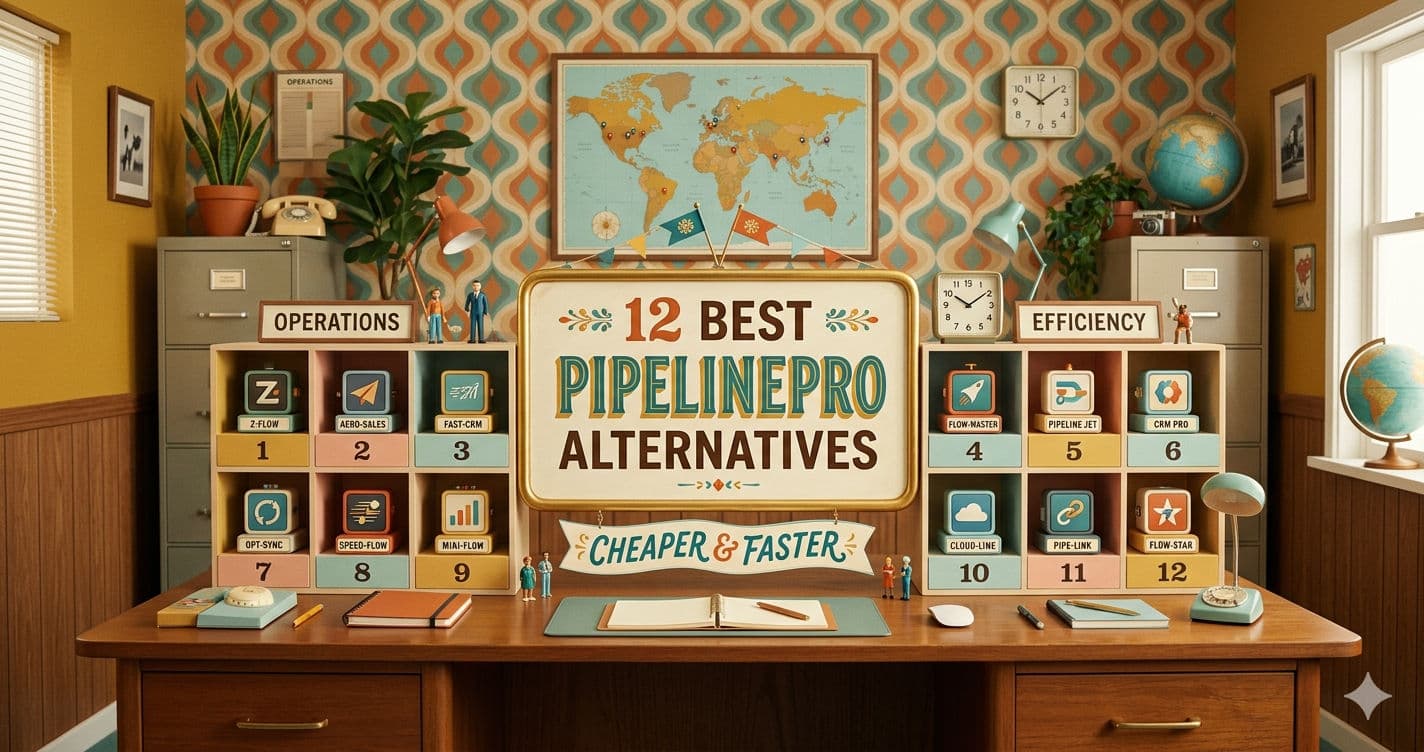

Introduction
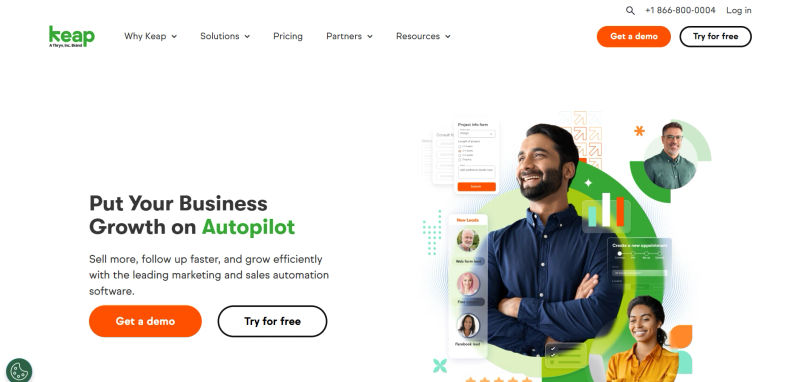
If you are a solopreneur or small business owner, you likely started using Keap (formerly Infusionsoft) with the dream of putting your business on autopilot. However, for many, that dream quickly turns into a daily battle with a clunky interface, steep learning curves, and restrictive pricing. If you are searching for a reliable Keap alternative, you are not alone.
Streamline your software evaluation process
It is no secret why the legacy platform earned the nickname "Confusionsoft" in the industry. The psychological cost of software overwhelm is real—the sheer dread of logging into a complex system often prevents business owners from launching the campaigns they need to grow. This complexity is exactly why so many users are actively looking for the best Infusionsoft alternative to streamline their operations.
Finding the top Keap alternatives in 2026 is no longer just about saving money; it is about reclaiming your time. You are likely paying premium enterprise prices—often starting at $249 per month just for the basic tiers—while struggling with a campaign builder that feels stuck in the past. When evaluating Keap competitors, you will find modern platforms that eliminate feature fatigue, ensuring you only pay for the tools you actually use.
In 2026, you do not have to settle for software that requires you to hire an expensive certified consultant just to launch a simple email sequence. The market is now flooded with simpler, more affordable CRM and marketing automation platforms that feature AI-assisted workflow creation tailored specifically to your unique business model.
Key Takeaways
Complexity and Cost are Driving the Shift: Small businesses and solopreneurs are moving away from Keap in 2026 in favor of CRMs that offer simpler interfaces and more transparent, affordable pricing.
Top All-in-One Replacements: ActiveCampaign and HubSpot stand out as the best overall alternatives, offering powerful marketing automation and user-friendly scaling without Keap's steep learning curve.
Best for Creators and E-commerce: If your business relies on digital products or courses, platforms like Kajabi and Kartra provide specialized, integrated suites that outperform Keap's standard sales pipelines.
Budget-Friendly Powerhouses: Brevo and Zoho CRM offer robust multi-channel messaging and deep customization at a fraction of Keap's monthly cost.
Audit Before You Migrate: To avoid overpaying for your next CRM, audit your current Keap tags, contacts, and automations to identify exactly which features you need before exporting your lead data.
Software Covered in this Article
To help you understand CRM software in the right context, this article refers to a carefully curated set of leading CRM alternatives:













Quick Comparison: Top 12 Keap Alternatives at a Glance
Review our definitive best CRM for small businesses 2026 comparison including Keap. The table below highlights core features and pricing for the best Keap alternatives 2026 has available.
Tool | Best For | Pricing | Key Features |
PipelinePRO | High-Conversion Sales Funnels | Starts at $25/mo | Visual pipelines, integrated calendar, SMS |
ActiveCampaign | Intuitive Marketing Automation | Starts at $15/mo | Visual builder, predictive sending, CRM |
Brevo | Affordable Multi-Channel Messaging | Starts at $9/mo | WhatsApp, shared inbox, unlimited contacts |
HubSpot | User-Friendly All-in-One Scaling | $14/mo | Free CRM, Breeze AI, 1,800+ integrations |
Ontraport | Advanced Business Process Automation | Starts at $99/mo | Data routing, dynamic content, payments |
Customization and Deep Integrations | $14/mo | Zia AI, omnichannel support, analytics | |
Kartra | Integrated Digital Marketing Suites | Starts at $59/mo | Video hosting, checkouts, page builder |
Kajabi | Content Creators and Course Sellers | Starts at $179/mo | Native LMS, course builder, communities |
ClickFunnels | Direct Response Sales Pipelines | Starts at $97/mo | Funnel hubs, AI page building, A/B testing |
Pipedrive | Activity-Based Sales Management | Starts at $19/mo | Kanban boards, AI sales assistant, goals |
Zero-Input B2B Lead Tracking | Starts at $39/user/month | Automated data entry, relationship scoring | |
Mailchimp | Simple Automation and Email Growth | $13/mo | Generative email AI, fast launch, templates |
*Note: Prices reflect typical monthly billing. Annual discounts are excluded for easier comparison. Actual costs vary based on requirements, usage, and negotiated terms.
End automation overwhelm—compare Keap alternatives for free on AuthenCIO's neutral platform.
Why Small Businesses are Moving Away from Keap in 2026
Keap is undeniably powerful, but its architecture was originally designed for a different era of digital marketing. Today's solopreneurs demand agility, transparent pricing, and intuitive design. Here is why the search for Keap competitors has surged this year.
1. The High Cost of Complexity
Keap's pricing structure is a major friction point. The Pro plan starts at $249 per month for just two users and 1,500 contacts. As your list grows, the costs scale aggressively.
Furthermore, the platform's complexity often forces small businesses to hire "Keap Certified Partners" at high hourly rates just to make basic changes to a sales funnel or troubleshoot a broken automation sequence.
2. Feature Fatigue and Outdated Interfaces
Many small businesses experience feature fatigue with Keap. You are paying for an enterprise-level ecosystem when you might only need a simple pipeline and email follow-ups.
Furthermore, Keap's campaign builder lacks the visual fluidity and mobile responsiveness found in modern alternatives. Users often complain about the "clutter factor" and the sheer number of clicks required to execute simple tasks.
3. The Data Decay Dilemma
Research shows that CRM contact data decays at roughly 30% per year. People change jobs, abandon email addresses, and move on.
Keap lacks native, automated data verification to combat this decay, leading to high bounce rates that undermine your automation efforts. Modern, affordable CRM for small business options are increasingly integrating AI-driven data cleansing to ensure your outreach remains effective.
5-Point Checklist: Auditing Your Current Keap Usage
Before you jump ship, you need to understand exactly what you are leaving behind. Use this 5-point checklist to audit your current Keap setup and identify which features are truly essential for your operations.
Audit Your Active Campaigns: Log into Keap and review your campaign builder. How many sequences have actually triggered in the last 90 days? You will likely find that only a handful of core automations are driving your revenue.
Evaluate Your Contact List: Export your contacts and analyze engagement. Given the 30% annual data decay rate, how many of your contacts are actually active? Trimming dead weight can drastically lower your costs when you switch platforms.
Assess Your Integration Reliance: List the third-party tools you connect to Keap (e.g., Stripe, Canva, Calendly). Check if your potential alternatives offer native, plug-and-play integrations for these tools without requiring Zapier.
Calculate Your True Monthly Spend: Add up your base Keap subscription, the cost of any third-party integration tools, and what you pay consultants or certified partners to manage the system. This is your true baseline budget.
Review Team Adoption and Dread: Ask yourself and your team: How long does it take to train a new hire on Keap? If the learning curve is stealing time from revenue-generating work, it is time to move on.
Find an intuitive CRM for your small business with AuthenCIO's comparison tool.
Deep Dive: The 12 Best Keap Alternatives for Solopreneurs
Finding the right CRM for solopreneurs requires matching the software to your primary business motion. Here is a detailed comparison of the top platforms available in 2026.
1. PipelinePRO – Best for High-Conversion Sales Funnels
Who is this best for?
Service-based solopreneurs and local businesses that need to visualize their sales process from lead capture to closed deal without getting bogged down in complex marketing logic.

Keap vs. PipelinePRO
While Keap offers a generic CRM list view that can feel overwhelming, PipelinePRO focuses entirely on a highly visual, drag-and-drop sales pipeline. It strips away the clutter, allowing you to see exactly where every prospect is in the buying journey. PipelinePRO also offers transparent pricing without the aggressive contact-based scaling that makes Keap so expensive.
2026 AI Feature: PipelinePRO now includes an AI-driven copy generator specifically trained on high-converting SMS and email follow-up scripts, drastically reducing your time to launch.
Key Features:
Highly visual drag-and-drop sales pipelines.
Integrated calendar and appointment booking.
Native two-way SMS and email messaging.
Unlimited contacts on core plans.
2. ActiveCampaign – Best for Intuitive Marketing Automation
Who is this best for?
E-commerce brands and digital marketers who rely heavily on behavioral triggers, advanced segmentation, and highly personalized email journeys.

Keap vs. ActiveCampaign 2026
When looking at Keap vs ActiveCampaign 2026, the biggest differentiator is the visual automation builder. Keap's campaign builder can feel disjointed and requires multiple clicks to view logic steps. ActiveCampaign offers a seamless, highly responsive visual canvas that makes building complex if/then logic incredibly intuitive. Furthermore, ActiveCampaign's UI speed and mobile responsiveness outpace Keap significantly.
2026 AI Feature: ActiveCampaign's AI Predictive Sending analyzes individual subscriber habits to deliver emails exactly when each person is most likely to open them, maximizing engagement.
Key Features:
Industry-leading visual automation builder.
Deep e-commerce integrations (Shopify, WooCommerce).
Site tracking and behavioral event logging.
Built-in CRM with lead scoring capabilities.
3. Brevo – Best for Affordable Multi-Channel Messaging
Who is this best for?
Budget-conscious small businesses that need to reach customers across email, SMS, and WhatsApp without worrying about list size limits.

Keap vs. Brevo
Brevo (formerly Sendinblue) completely flips Keap's pricing model. While Keap charges you based on the number of contacts in your database, Brevo offers unlimited contacts and charges only based on the volume of emails you send. If you have a massive list but only email them occasionally, Brevo will save you thousands of dollars a year. It also features native WhatsApp integration, which Keap lacks out-of-the-box.
2026 AI Feature: Brevo features an AI Send Time Optimization engine and an AI subject line generator that practically guarantees higher open rates for non-copywriters.
Key Features:
Pay-per-email pricing with unlimited contacts.
Native WhatsApp and SMS campaign management.
Shared team inbox for centralized customer communication.
Plug-and-play integrations with Canva and Stripe.
4. HubSpot – Best for User-Friendly All-in-One Scaling
Who is this best for?
Growing small businesses that want a free starting point but need a powerful, unified platform for marketing, sales, and customer service as they expand.

Keap vs. HubSpot
HubSpot is the king of user experience. While Keap has a steep learning curve, HubSpot is renowned for its intuitive interface and extensive, free educational resources. HubSpot's App Marketplace features over 1,800 native integrations, meaning you rarely have to rely on third-party connectors. You can start with HubSpot's free CRM and only pay for the marketing or sales hubs when you actually need those specific features.
2026 AI Feature: HubSpot's Breeze AI acts as a co-pilot across the entire CRM, automatically drafting emails, summarizing long email threads, and even generating blog content.
Key Features:
Free, robust foundational CRM.
1,800+ native integrations.
World-class human-led support and community forums.
Unified dashboard for sales, marketing, and service.
Find Perfect Software For Your Business
5. Ontraport – Best for Advanced Business Process Automation
Who is this best for?
Data-driven businesses, membership site owners, and service providers who need deep, custom relational databases and advanced payment routing.

Keap vs. Ontraport
Ontraport is perhaps the closest direct competitor to Keap in terms of sheer power, but it organizes that power much better. While Keap struggles with complex custom objects, Ontraport thrives on them. You can build entire web apps, membership portals, and highly customized client portals directly within Ontraport without needing external software.
2026 AI Feature: Ontraport utilizes AI Dynamic Content, which automatically rewrites landing page copy and email text in real-time based on the specific tags and behaviors of the user viewing it.
Key Features:
Advanced custom objects and relational databases.
Built-in membership site hosting.
Sophisticated payment gateway routing and dunning.
Visual campaign builder with deep tracking metrics.
6. Zoho CRM – Best for Customization and Deep Integrations
Who is this best for?
Solopreneurs and small teams looking for a highly customizable, budget-friendly CRM that integrates seamlessly with a massive suite of native business apps.

Keap vs. Zoho CRM
If you are a small business owner looking for quick time-to-value and marketing automation, Keap is the better choice. Keap provides pre-built campaigns and an intuitive visual builder out of the box, whereas Zoho CRM has a steeper learning curve and requires more setup time (often needing supplementary tools like Zoho Campaigns) to match Keap's native marketing capabilities.
However, Zoho CRM wins on pure all-in-one affordability and customization. Starting at just $14 per user per month, it provides a massive feature set that rivals Keap's $249 tier. While Keap forces you to adapt to its workflow, Zoho CRM is highly modular. You can rename modules, build custom layouts, and tailor the entire UI to match your exact business terminology.
2026 AI Feature: Zia, Zoho's conversational AI assistant, allows you to ask voice or text questions like, "What is my sales forecast for this week?" and instantly generates custom reports.
Key Features:
Highly affordable per-user pricing model.
Seamless integration with the Zoho One suite (invoicing, docs, etc.).
Advanced omnichannel communication (email, phone, social).
Deep customization of fields, modules, and layouts.
7. Kartra – Best for Integrated Digital Marketing Suites
Who is this best for?
Coaches, consultants, and digital product creators who want to cancel their separate subscriptions for video hosting, helpdesks, and page builders.
.webp?updatedAt=1787543184699&tr=w-800%2Cq-80%2Cf-auto%2Cc-at_max)
Keap vs. Kartra
Kartra is designed to eliminate software bloat. With Keap, you still need to pay for Vimeo for video hosting, Zendesk for support tickets, and Leadpages for landing pages. Kartra includes all of these natively. Its behavior-based automation is deeply tied to video engagement—for example, you can automatically tag a lead if they watch exactly 50% of your sales video, a feature Keap cannot do without complex workarounds.
2026 AI Feature: Kartra's AI Behavior Tracking automatically scores leads based on their interaction with your videos, pages, and emails, alerting you when a prospect is hot.
Key Features:
Native secure video hosting with behavioral tagging.
Built-in helpdesk and ticketing system.
High-converting checkout pages with order bumps.
Done-for-you, plug-and-play campaign templates.
8. Kajabi – Best for Content Creators and Course Sellers
Who is this best for?
Knowledge entrepreneurs, course creators, and community builders who need a premium platform to host and sell digital products.

Keap vs. Kajabi
If you sell online courses, Keap requires you to integrate with a third-party Learning Management System (LMS) like Thinkific or Teachable. Kajabi is a purpose-built LMS with marketing automation layered on top. It provides a flawless, premium user experience for your students that Keap simply cannot replicate. The interface is clean, modern, and entirely focused on digital product delivery.
2026 AI Feature: Kajabi's AI Creator Hub can instantly generate course outlines, landing page copy, and email marketing sequences based on a single topic prompt.
Key Features:
Premium native course hosting and LMS.
Built-in community and podcast hosting.
Seamless one-click upsells and payment processing.
Intuitive website and landing page builder.
9. ClickFunnels – Best for Direct Response Sales Pipelines
Who is this best for?
E-commerce physical product sellers and direct response marketers whose primary goal is driving traffic through highly optimized, multi-step sales funnels.
Keap vs. ClickFunnels
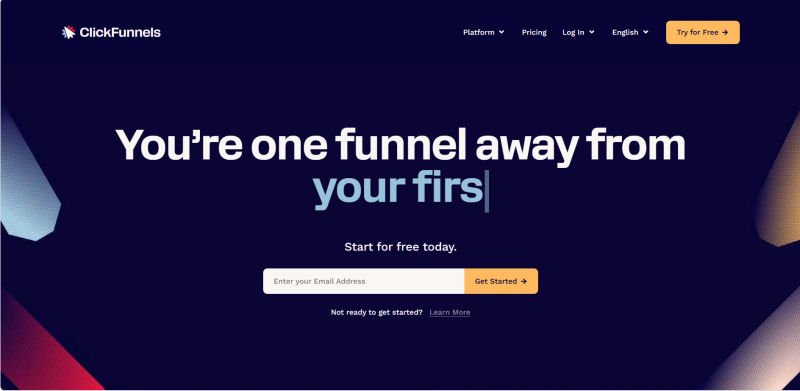
Keap is a CRM that happens to build pages; ClickFunnels is a page-building powerhouse that happens to have a CRM. ClickFunnels 2.0 introduced the "Funnel Hub" concept, allowing you to build your entire website, blog, and sales funnels in one place. If your business model relies on tripwires, upsells, downsells, and order bumps, ClickFunnels offers a much faster time-to-launch than Keap.
2026 AI Feature: ClickFunnels integrates an AI Page Builder that instantly designs high-converting landing pages based on your industry and target audience parameters.
Key Features:
Industry-leading drag-and-drop funnel builder.
Global products and seamless order bumps.
Built-in A/B split testing for pages and emails.
Visual funnel flow mapping.
10. Pipedrive – Best for Activity-Based Sales Management
Who is this best for?
B2B solopreneurs and small sales teams who need a hyper-focused, visual tool to manage their daily sales activities and pipeline stages.

Keap vs. Pipedrive
Between Keap and Pipedrive, which CRM provides a faster time-to-value for small business owners? Pipedrive wins easily. Its intuitive setup lets you build a pipeline and track deals on day one, whereas Keap often requires weeks of complex onboarding.
Pipedrive is the antidote to Keap's clutter. Instead of focusing on complex marketing automation, Pipedrive focuses on activity-based selling. Its visual Kanban board is incredibly fast, ensuring you always know exactly what action to take next to move a deal forward. If you aren't ready to fully replace your current setup, you can use a Pipedrive Infusionsoft by Keap integration (via Zapier or third-party sync tools) to automatically pass contacts between the platforms. This lets you manage active sales deals in Pipedrive while keeping Keap for email marketing.
2026 AI Feature: Pipedrive's AI Sales Assistant analyzes your win/loss data and proactively suggests which deals in your pipeline have the highest probability of closing today.
Key Features:
Lightning-fast visual Kanban pipelines.
Activity-based goal tracking and reminders.
Seamless email synchronization and tracking.
Highly rated, responsive mobile application.
11. Salesflare – Best for Zero-Input B2B Lead Tracking
Who is this best for?
Agencies and B2B consultants who despise manual data entry and want a CRM that practically updates itself.

Keap vs. Salesflare
The biggest complaint about Keap is the amount of manual data entry required to keep contact records updated. Salesflare solves this by connecting to your email inbox, calendar, and social media accounts to automatically gather contact details, company information, and email signatures. It logs meetings and phone calls with zero input required from you.
2026 AI Feature: Salesflare utilizes an AI Relationship Scoring system that monitors your communication frequency and alerts you if a high-value client relationship is starting to cool off.
Key Features:
100% automated data entry and contact enrichment.
Automated email sequencing and tracking.
Visual drag-and-drop sales pipelines.
Deep integration with Gmail and Outlook.
12. Mailchimp – Best for Simple Automation and Email Growth
Who is this best for?
Beginner solopreneurs, local retailers, and creatives who need to launch simple newsletters and basic autoresponders in under an hour.

Keap vs. Mailchimp
When comparing Keap vs Mailchimp, Keap provides a complex, sales-driven CRM with deep pipeline automation, while Mailchimp is a lightweight CRM focused on email marketing. You do not need a consultant to use Mailchimp. It is perfect for businesses that just need to capture leads and send automated welcome sequences rather than manage complex sales pipelines.
Intuit Mailchimp on Corporate LMS
To evaluate the prompt expansion company Intuit Mailchimp on corporate learning management systems (LMS): it does not offer native LMS capabilities. It lacks course hosting, curriculum management, or employee grading. However, it easily integrates with third-party LMS platforms to trigger automated emails based on student enrollment or course progress.
2026 AI Feature: Mailchimp's Intuit Assist generative AI creates on-brand email designs, writes copy, and suggests audience segments with a single click.
Key Features:
Incredibly intuitive drag-and-drop email editor.
Pre-built customer journey templates.
Built-in social media posting and ad management.
Extensive library of plug-and-play integrations.
HubSpot vs ActiveCampaign vs Keap vs Ontraport: 2026 All-in-One Marketing Automation Comparison
When evaluating the best all-in-one marketing platform 2026, HubSpot, ActiveCampaign, Keap, and Ontraport consistently dominate the conversation. A definitive HubSpot vs ActiveCampaign vs Keap vs Ontraport comparison 2025 or 2026 all-in-one marketing automation CRM reveals distinct strengths for each tool depending on your business size, budget, and technical expertise.
To choose between the best all-in-one marketing automation platforms 2026 (HubSpot, ActiveCampaign, Keap, Ontraport), you must align the software with your primary growth bottleneck:
HubSpot: The best all-in-one marketing platform for scaling businesses that want a highly intuitive, user-friendly interface with free foundational CRM tools.
ActiveCampaign: The clear winner for advanced, behavior-based email marketing. It wins the Keap vs Ontraport vs ActiveCampaign vs HubSpot for small business CRM marketing automation debate when complex, multi-step automation logic is your top priority.
Keap: Ideal for service-based solopreneurs needing simple invoicing, appointment scheduling, and basic pipeline management without a steep learning curve.
Ontraport: The powerhouse for data-driven businesses, membership sites, and custom web apps. It offers deeper page-building, custom objects, and payment routing than its competitors.
Ultimately, any HubSpot vs ActiveCampaign vs Keap vs Ontraport comparison all-in-one marketing 2025 or 2026 comes down to your daily workflow. Choose HubSpot for frictionless scaling, ActiveCampaign for granular email logic, Keap for solopreneur client management, or Ontraport for complex data and payment routing.
The Switch: How to Migrate from Keap Without Losing Lead Data
The anxiety of being "locked in" to a complex ecosystem is the number one reason small businesses delay switching CRMs. However, moving away from Keap does not have to be a nightmare. Use this Switching Framework to ensure a smooth transition with minimal data loss.
Step 1: Clean Your Data Before Exporting
Do not migrate dead weight. Given the 30% annual data decay rate, use Keap's reporting tools to identify contacts who have not opened an email in the last 12 months. Tag them for deletion or archive them. Only export your engaged, active list.
Step 2: Standardize Your Tags and Custom Fields
Keap is notorious for tag bloat. Before exporting, consolidate your tags into clear categories (e.g., Prospect, Customer, Churned). Create a spreadsheet mapping your Keap custom fields to the default fields in your new CRM.
Step 3: Export in Batches
Export your Keap contacts as CSV files. If you have a massive database, export them in batches based on their primary tag to make the import process into the new system easier to verify.
Step 4: Rebuild Core Automations in a Sandbox
Do not try to migrate every single legacy sequence. Identify your top three revenue-generating automations. Most modern alternatives offer free trials or sandbox environments. Rebuild these three core sequences in the new visual builder to test the logic before importing your contacts.
Step 5: Run a Parallel Test
Import a small test list of contacts into your new CRM. Run them through your newly built sequences to ensure emails fire correctly, tags are applied, and integrations (like Stripe or Canva) function flawlessly. Once verified, import the rest of your list and officially disconnect Keap.
Get a vendor-neutral breakdown of Keap vs its top competitors on AuthenCIO.
Decision Guide: How to Choose the Right Alternative for Your Workflow
Choosing the right software requires an honest assessment of your business model. Do not just look at the price tag; look at the primary use case.
1. When to Choose a Sales-Focused CRM
If your business relies on booking calls, sending proposals, and moving deals across a board, you need a sales-focused tool. Pipedrive, PipelinePRO, and Salesflare are your best options. They eliminate marketing bloat and focus on visual pipeline management.
2. When to Choose an All-in-One Platform
If you are tired of duct-taping different software together and paying multiple subscriptions, look at HubSpot, Zoho CRM, or Kartra. These platforms offer unified dashboards that handle everything from support tickets to video hosting.
3. When to Choose Simple Marketing Automation
If your primary goal is to capture leads via a landing page and send automated email sequences, you need simple marketing automation software. ActiveCampaign, Brevo, and Mailchimp offer the best balance of intuitive visual builders and powerful delivery engines.
4. Why You Might Actually Stay with Keap
To provide a balanced perspective, Keap is not entirely without merit. If you have already invested heavily in custom API webhooks, have deep e-commerce logic tied to Keap's legacy order forms, or run a highly complex affiliate program through their native tools, the cost of migrating might outweigh the benefits. If the system is currently generating predictable revenue and your team is fully trained, staying put might be the most profitable decision.
Try AuthenCIO
Move to faster, smarter software evaluation with AI
Conclusion: Which Keap Alternative is Right for You in 2026?
Ending your reliance on overly complex, expensive software is one of the most liberating decisions you can make for your business. The 2026 software landscape proves that you do not need to sacrifice power for simplicity.
Whether you choose the intuitive visual builder of ActiveCampaign, the all-in-one scalability of HubSpot, or the sales-focused pipelines of PipelinePRO, there is an affordable CRM for small business tailored exactly to your needs.
Audit your current usage, identify your primary business motion, and take advantage of free trials to test the waters. It is time to stop fighting your software and start focusing on your growth.