
Introduction
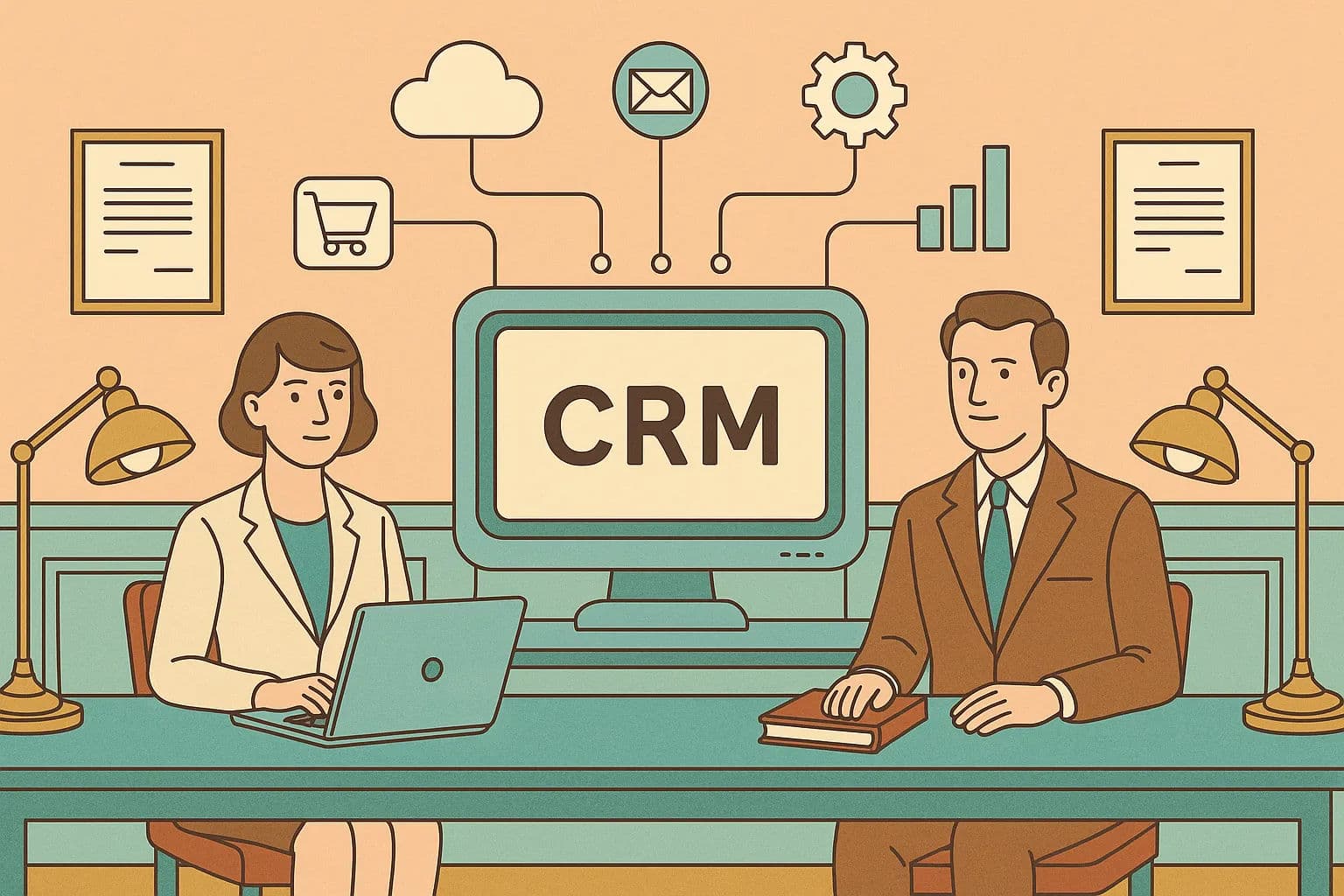
In this CRM integration guide 2025, we detail how your CRM only becomes a growth engine when it connects to the rest of your stack—ERP, marketing automation, support, billing, e‑commerce, communications, and analytics. Done right, CRM system integration gives every team a reliable, 360-degree view and eliminates the swivel‑chair work that slows revenue.
Streamline your software evaluation process
CRM integration isn’t just an IT project; it’s a critical business capability. Recent 2025 industry data reveals that 54% of revenue teams cite poor technology integration as their biggest operational hurdle—proof that disconnected systems cause real friction and cost.
Key Takeaways
Strategic alignment is critical: Successful CRM integration requires defining clear business outcomes and involving stakeholders across departments before selecting tools or mapping data.
Data quality drives ROI: Establishing a single source of truth (Golden Record) and prioritizing data observability prevents errors from propagating across connected systems like ERPs, marketing automation, and customer support platforms.
Security by design: Compliance and data security must be foundational, not an afterthought, especially when syncing sensitive customer information across multiple third-party applications.
Iterative implementation wins: Starting with high-impact, low-complexity use cases allows teams to prove value quickly, manage integration complexity, and scale operations efficiently.
Software Covered in this Article
To help you understand CRM in the right context, this article refers to a carefully curated set of key players:






The Cost of Disconnected Systems: Data Silos and Inefficiency
Data silos create conflicting “truths” across sales, marketing, and service.
Manual entry wastes hours and introduces errors that cascade into poor decisions.
Leads stall because reps lack inventory or pricing context from ERP.
Support teams ask customers to repeat details because ticket history isn’t visible in CRM.
Market context: CRM adoption is nearly ubiquitous among firms with 10+ employees, and cloud CRMs now dominate. Vendors keep investing in open APIs and marketplaces to support business system integration CRM at scale, and the US provider landscape is robust and growing (see IBISWorld and Dialectica overviews). The takeaway: integration is now table stakes.
Following are some of the many use cases:
1. Achieving a Unified Customer View (360-Degree)
Combine Freshdesk ticket history with Salesforce opportunities, Pipedrive activities, and HubSpot campaigns.
Surface ERP order status, invoice payments, and subscriptions on CRM account records.
Result: one pane of glass for every interaction, ownership, and lifecycle milestone.
2. Streamlining Operations and Cycle Times
Auto-create deals and tasks: a HubSpot or HighLevel lead can create a Zoho deal and Monday tasks instantly.
Automate quote‑to‑cash: a Pipedrive “Closed Won” triggers ERP order creation, notifies finance, and starts onboarding.
Result: fewer manual steps, faster approvals, tighter handoffs across teams.
3. Improving Data Accuracy and Reporting
Define a system of record for each field (e.g., ERP owns invoice status, CRM owns contact role).
Use two‑way sync only where needed; prefer single ownership to reduce collisions.
Result: trustworthy dashboards, predictable pipeline, and better forecast accuracy.
👉 Discover smarter CRM integration—Let AuthenCIO guide your business!
Key Systems to Connect
Connecting your CRM to the rest of your tech stack transforms it from a standalone database into a central revenue engine. When evaluating CRM integration best practices, core systems should be prioritized based on their direct impact on data visibility, customer experience, and operational efficiency.
Before diving into specific platforms, apply these foundational best practices for connecting fundamental business systems:
Establish a system of record: Define which platform acts as the master source of truth for specific data objects (e.g., ERP for billing, CRM for contact details).
Map data flows purposefully: Only sync data that is actionable in the receiving system to prevent database bloat and API limit exhaustion.
Standardize data formats: Ensure fields like dates, currencies, and country codes match across platforms prior to integration.
The following subsections detail the most critical business systems to integrate with your CRM.
1. ERP (Enterprise Resource Planning)
Connect: orders, invoices, payments, inventory, shipping, subscriptions.
Why: sales needs accurate pricing and availability; service needs order status.
Example: “Closed Won” in CRM creates an ERP sales order; ERP returns order status and invoice paid date to CRM.
2. Accounting and Financials
Connect: quotes, invoices, refunds, credit limit, DSO, collections status.
Why: faster cash, fewer write‑offs, smarter upsell/renewal timing.
Example: invoice issued in accounting updates the CRM opportunity; when paid, renewal likelihood increases automatically.
3. Marketing Automation (MAP)
Connect: leads, campaigns, engagement, lead score, UTM/campaign IDs, consent.
Why: clean MQL→SQL handoff, attribution, suppression during sales cycles.
Example: HubSpot nurtures MQLs, promotes SQLs to Salesforce with score and last-touch; closed‑loop revenue attribution completes the feedback loop.
4. Customer Service and Support
CIO teams evaluating customer service platforms must prioritize bidirectional API connectivity and real-time webhooks to connect with existing CRM and ERP systems.
Connect: Tickets, SLAs, CSAT, CRM account records, and ERP data (order history, billing, entitlement tiers).
Why: Sales sees churn risk before renewals; agents access full financial and account context without system switching.
Example: Freshdesk tickets link to CRM contacts, while ERP integration surfaces shipping delays or RMA statuses directly in the agent's view.
5. E‑commerce Platforms
Connect: orders, products, returns, carts, loyalty, AOV, LTV.
Why: personalization, replenishment, and VIP segmentation.
Example: abandoned carts create tasks for SDR follow‑up on high‑value baskets and trigger tailored emails.
6. Communication and Collaboration
Connect: email/calendar sync, call logs/recordings (VoIP), chat transcripts, Slack/Teams alerts, project boards (e.g., Monday).
Why: work happens where teams live; faster resolution and accountability.
Example: A VIP ticket escalation auto‑creates a Slack channel with account context and assigns a Monday task with due dates tied to SLA.
7. BI and Analytics
Connecting your CRM to a data warehouse (Snowflake, BigQuery) enables unified reporting and predictive scoring.
Comparing Sync Tools: When evaluating HubSpot vs Fivetran vs Segment vs Salesforce for CRM to data warehouse sync:
Fivetran: Best for automated, multi-source ELT replication into a warehouse.
Segment: Ideal for real-time event tracking and routing behavioral data.
Salesforce/HubSpot Native Syncs: Good for basic, single-platform exports, but lack multi-source transformation capabilities.
Best Practices for Integrating ERP, CRM, and Analytics Platforms:
Centralize Data: Avoid point-to-point CRM-to-ERP connections for reporting. Replicate raw CRM (pipeline) and ERP (financials) data into a central data warehouse.
Standardize ELT: Use Fivetran or Airbyte to extract and load data, then transform it centrally (e.g., using dbt) to model revenue attribution.
Visualize: Feed the transformed, merged data into BI dashboards (Looker, Power BI, Tableau).
Integrating Value Chain, Location Intelligence, and Specialized Systems
Integrating the broader value chain into your CRM requires specialized middleware and direct API connectors to bridge the gap between sales and operations. Tools for integrating value chain with CRM systems—such as MuleSoft, Boomi, and Workato—excel at connecting supply chain management (SCM) software and vendor portals directly to platforms like Salesforce or Dynamics 365. For service-based organizations, the integration of CRM and PSA (Professional Services Automation) is equally critical. Connecting PSA platforms like Certinia (formerly FinancialForce) or OpenAir with your CRM ensures a seamless handoff from closed-won opportunities to project delivery, resource allocation, and automated billing.
When expanding into spatial data, what should enterprises evaluate when choosing location intelligence for seamless CRM platforms ecosystem integration and data visualization? Decision-makers must prioritize native mapping capabilities, bidirectional data syncing, and high-performance spatial analytics. Solutions like Esri ArcGIS or Carto offer robust APIs that embed directly into CRM dashboards. This allows field sales and service teams to visualize customer density, optimize routing, and analyze regional market trends without ever leaving the CRM environment.
Finally, for multi-location businesses, local search visibility directly impacts customer acquisition. If you are looking for recommendations for enterprise local search platform integrations with CRM, industry leaders like Yext, Uberall, and SOCi are top choices. Integrating these platforms with your CRM allows marketing teams to accurately track local lead attribution. By piping local search engagement data—such as Google Business Profile clicks, localized form submissions, or reviews—directly into the CRM, organizations can trigger automated localized follow-ups and align regional marketing spend with actual sales data.
Integration Methods and Patterns
Core definitions and patterns:
iPaaS (Integration Platform as a Service): Cloud middleware with real-time sync connectors. Zapier and Make.com handle lightweight automation, while MuleSoft and Boomi manage complex, high-volume enterprise orchestration.
Data Pipelines: Fivetran and Stitch specialize in batch or near real-time replication from CRMs to centralized data warehouses.
Event-driven & Webhooks: Systems react to events via webhooks or message queues. When connecting a CRM to real-time operational systems, an IT director should prioritize guaranteed delivery (dead-letter queues), payload security (signature verification), and low-latency processing to prevent race conditions.
CDC (Change Data Capture): Stream database changes to downstream systems for real-time sync.
Idempotency: Designing operations so retrying requests doesn’t create duplicates.
Method | What It Is | Pros | Cons | When To Use |
Native connectors | Built‑in vendor apps (e.g., HubSpot↔Salesforce, Freshdesk↔Zoho) | Fast, low setup, supported | Limited customization, roadmap constraints | Common use cases, SMB/mid‑market quick wins |
iPaaS | Middleware with connectors and visual logic | Rapid build, retries, monitoring, multi‑app orchestration | Subscription costs, potential vendor lock‑in, tier limits | Cross‑app workflows, RevOps agility |
Custom API | Direct API build (SDKs, serverless, microservices) | Full control, performance, custom logic | Higher dev/maintenance, handle auth/rate limits/versioning | Complex/regulated flows, high scale/SLAs |
Event‑driven | Webhooks/queues (Kafka/SQS/PubSub) | Real‑time, decoupled, scalable | More architecture, ops overhead | Time‑sensitive updates, many consumers |
Data warehouse + ETL/ELT | Copy data to analytics store | Unified analytics, history, ML | Not transactional; batch‑oriented | Reporting, attribution, 360 analytics |
Build vs. Buy: If speed and standardization matter, start with native or iPaaS. If you need bespoke logic, strict security, or high throughput, budget for custom/API or enterprise middleware. Many teams blend patterns: native for simple syncs, iPaaS for orchestration, and APIs for edge cases.
👉 Let AI recommend the right integration approach for your tech stack.
Tools and Platforms
In the first half of any integration project, assess your existing ecosystem. Zoho, Salesforce, HubSpot, Pipedrive, Monday, Freshdesk, CRMOne, and HighLevel offer varying marketplaces, APIs, and webhook depth.
When determining how to evaluate integrations and automation in all-in-one business management platforms for small teams, compare the platform's native features against the complexity of connecting disparate systems. All-in-ones reduce integration overhead but require validating API openness in case you outgrow built-in tools. Following integrating CRM with other startup tools best practices, prioritize native marketplace apps first, use middleware (like Zapier or Make) for quick automations, and reserve custom API builds for mission-critical workflows.
Salesforce AppExchange and HubSpot App Marketplace: Broad native coverage.
Zoho Flow: Lightweight automations across its suite.
Pipedrive’s Marketplace: Core sales flows.
Monday’s GraphQL API: Project sync.
Freshdesk’s APIs: Map tickets to contacts.
HighLevel’s API: Marketing/sales automations.
CRMOne: All‑in‑one simplicity; validate third-party openness.
Keep an eye on API limits, webhook reliability, sandbox availability, and audit logging—these often determine real‑world success.


Planning Your CRM Integration Strategy: A Step‑by‑Step Approach
When exploring best practices for CRM integrations, beginners should prioritize one core rule: never start with the technology. The most effective approach relies on a structured, phased strategy that aligns business objectives with data governance before connecting any systems. Jumping straight into API keys and middleware without a plan often leads to messy data silos and broken workflows.
To build a scalable and reliable architecture, follow this step-by-step framework designed to guide beginners and operations teams alike through a successful CRM integration.
1. Define outcomes and stakeholders
Objectives: “Reduce quote‑to‑cash by 20%,” “Increase MQL→SQL by 15%,” “Cut ticket resolution time by 25%.”
Stakeholders: sales, marketing, service, finance, operations, IT/security, data/RevOps. Assign a RACI (Responsible, Accountable, Consulted, Informed).
KPIs: cycle time, data freshness SLA, sync success rate, conversion rates, CSAT/NPS, revenue impact.
2. Inventory systems, data, and events
Map core objects: Account/Company, Contact, Lead, Opportunity, Product, Order, Invoice, Ticket.
Data domains and source of truth: e.g., ERP→Invoices; CRM→Contacts; MAP→Consent.
Constraints: API limits, auth (OAuth/API key), PII handling, data residency, compliance.
3. Choose the integration pattern Text‑based decision tree:
Need a quick, standard connection? → Native connector.
Need multi‑step logic across 3+ apps with retries/alerts? → iPaaS.
Need custom logic, high volume, or strict SLAs? → Custom API/middleware.
Primary goal is analytics/unified reporting? → Warehouse + ETL/ELT.
4. Data mapping and workflow design
Ownership: define system of record per field.
Transformations: normalize phone/country/currency; align picklists; time zones.
Sync direction: one‑way vs. two‑way; near real‑time (webhooks) vs. batch.
Governance: permissioning, PII minimization, consent capture, retention.
Simple field‑mapping template:
Entity: Account/Company
- External ID (ERP) -> CRM External ID (read-only)
- Account Name (CRM) <-> Customer Name (ERP)
- Billing Address (ERP) -> CRM Billing Address
- Credit Status (Accounting) -> CRM Risk Flag

Entity: Contact
- Email (CRM) <-> Email (MAP)
- Opt-in Consent (MAP) -> Consent Flag (CRM)
- Role (CRM) -> Role (Helpdesk)

Entity: Opportunity/Deal
- Stage (CRM) -> Order Creation Trigger (ERP)
- Amount (CRM) -> Quote Amount (Accounting)
5. Build, test, and pilot
Build in sandboxes with representative test data.
Test: unit, end‑to‑end, negative (bad payloads), and load tests.
Pilot with a small cohort; gather feedback; iterate before broad rollout.
Document flows, endpoints, field maps, error codes, and runbooks.
6. Operate and optimize
Observability: dashboards for sync success rate, latency, error counts, data drift.
Alerts: failures to Slack/Teams; on‑call for critical flows.
Change control: version mappings, release notes, rollback plans.
Continuous improvement: retire low‑value syncs; add events as processes evolve.
Find Perfect Software For Your Business
Design the Data Model: Ownership, Golden Records, and Consent
MDM (Master Data Management): establish authoritative sources for entities.
Golden record: the best, deduped version of a customer across systems. Define conflict resolution (e.g., last‑write‑wins only for non‑authoritative fields).
Identity resolution: deterministic (IDs/emails) and probabilistic (name/company) matching.
Deduplication: pre‑clean before sync; enforce unique keys; merge policies with audit trails.
Consent management: store consent source, timestamp, and purpose (GDPR/CCPA). Ensure suppression propagates across systems.
High‑Impact Use Cases by Team
Sales: Quote‑to‑cash linking CRM→CPQ→ERP; inventory visibility to avoid out‑of‑stock deals; renewal/expansion playbooks.
Marketing: MAP↔CRM lifecycle, lead scoring, campaign ROI, segment sync to ad platforms.
Support/CS: Ticket sync with SLAs; proactive outreach based on product usage anomalies.
Finance: Invoice/payment status in CRM; credit holds reflected in deal risk; automated revenue recognition triggers.
Operations: Inventory and fulfillment signals on deals; RMA/returns linked to accounts.
E‑commerce: Abandoned carts into CRM tasks for high‑AOV segments; replenishment reminders.
Telephony/Comms: Call logs, recordings, and transcripts into CRM activities; Slack/Teams alerts on high‑impact events; Monday tasks for cross‑functional follow‑up.
Data Quality, Observability, and Error Handling
Validation rules: prevent bad data at the source; enforce formats/picklists.
Schema drift detection: alert on unexpected fields or value changes.
Monitoring: track latency, data freshness SLA, error rate, and MTTR (mean time to recover).
Error handling: retries with exponential backoff; dead‑letter queues for failed events; idempotency keys to avoid duplicates.
CDC and audit trails: enable forensic analysis and compliance reporting.
💡 Curious which integrations matter most? Compare options with AuthenCIO.
Security and Compliance by Design
Auth: OAuth scopes, short‑lived tokens, rotate API keys, SSO (SAML/OIDC), SCIM for user provisioning.
RBAC (role‑based access control): least privilege; field‑level permissions; IP allowlists.
PII minimization: move only what’s necessary; mask/salt where possible.
Data residency and retention: align with contracts and regulations.
Compliance frameworks: GDPR, CCPA, SOC 2—conduct DPIAs (Data Protection Impact Assessments) for high‑risk flows; maintain audit logs and incident response playbooks.
Addressing Common Challenges in CRM Integration
1. Overcoming Data Silos and Discrepancies
Establish a single source of truth and enforce it via mapping and permissions.
Use unique external IDs and make them read‑only downstream.
Periodically reconcile records with warehouse checks.
2. Managing Integration Complexity
Avoid point‑to‑point sprawl; prefer hub‑and‑spoke (iPaaS) or event bus.
Modularize flows; document dependencies; keep logic close to the source system when practical.
3. Ensuring User Adoption and Training
Involve users early; co‑design screens and processes.
Deliver value where they work (embedded widgets, Slack alerts, Monday boards).
Provide just‑in‑time training and quick reference guides; measure adoption.
4. Budgeting for Integration Costs and Maintenance
Account for licenses, API overages, storage/egress, plus internal staff (developers, RevOps, QA) and ongoing support.
Plan for refactors as vendors change APIs and your processes evolve.
5. Vendor Management (Hidden Complexity)
Track each vendor’s API limits, roadmap, and deprecation policies.
Escalation paths and SLAs matter—especially for mission‑critical flows.
Not sure what to choose? Talk to an expert at AuthenCIO and get practical answers!
Best Practices for Successful CRM Integration
Connecting a CRM to an ERP, marketing automation platform, and billing software requires strict data governance. The core CRM integration best practices for enterprises running multiple business systems shift the focus from simple point-to-point connections to a scalable, API-led architecture.
When defining CRM integration best practices for enterprises with multiple business systems, prioritize these architectural principles before executing specific department-level workflows:
Establish a System of Record (SoR): Explicitly define which platform owns specific data domains to prevent overwrite conflicts. For example, the CRM owns prospect data, while the ERP owns finalized financial records.
Adopt API-Led Connectivity: Utilize middleware (such as an iPaaS) to create reusable APIs rather than hardcoding fragile, direct integrations between every application.
Implement Centralized Governance: Form an integration Center of Excellence (CoE) to standardize data models, oversee security protocols, and manage API lifecycles.
By adhering to these foundational CRM integration best practices, enterprises multiple systems architectures can reduce technical debt and ensure data integrity across the entire technology stack.
1. Prioritize Data Security and Compliance
Bake in OAuth, RBAC, encryption, and auditing from day one; don’t retrofit later.
2. Ensure Data Consistency and Accuracy
Define ownership; validate at entry; sanitize via transformations; reconcile regularly.
3. Involve Stakeholders Across Departments
Run a RACI; align on definitions (e.g., what is an SQL? what is a churned customer?).
4. Start Small and Scale Up
Pilot one high‑impact use case; prove value; templatize; expand with guardrails.
5. Document Your Integration Processes
Maintain field maps, sequence diagrams, error catalogs, and runbooks—treat the integration like a product.
Building a Business Case for CRM Integration
Problem framing: quantify revenue leakage and costs from manual work, errors, and slow cycles (e.g., missed deals from lack of inventory visibility).
Benefits model: estimate gains from faster lead response, higher conversion, reduced DSO, fewer support contacts, and improved retention.
Cost model: include software (CRM/iPaaS/middleware), development time, RevOps/admin time, security/compliance reviews, training, and ongoing maintenance.
ROI example: If integration reduces average quote‑to‑cash by 5 days and improves win rate by 3%, model the impact on monthly cash flow and bookings.
Executive narrative: tie metrics to strategic goals—growth, margin, risk reduction—and define milestones and KPIs to track monthly.
Measure What Matters: KPIs and ROI
Data pipeline: data freshness SLA, sync success rate, error rate, MTTR.
Funnel: MQL→SQL conversion, lead response time, pipeline velocity.
Sales ops: quote cycle time, win rate, forecast accuracy.
CS/support: first response time, resolution time, CSAT/NPS, ticket deflection.
Finance: DSO, renewal rate, expansion ARR, cost‑to‑serve.
Dashboard tip: include leading indicators (latency, freshness) alongside outcome metrics (ARR, NPS) to correlate integration health with business impact.
🚀 Try AuthenCIO’s platform to make integration decisions faster and smarter
Real‑World Examples: CRM Integration in Action
1. Salesforce Integration with ERP Systems: Manufacturing SMB
Before: Sales closed deals in CRM, then emailed ops; customers called for order status.
Integration: Salesforce ↔ ERP with event‑driven updates; Closed‑Won auto‑created orders; ERP sent order status and invoice paid flags back.
After: Order timeline visible on accounts; proactive customer notifications at shipment.
Impact: 18% fewer “where’s my order?” calls; 9% DSO improvement; 12% shorter sales cycle.
2. HubSpot & Pipedrive with Freshdesk: SaaS Mid‑Market
Before: Marketing nurtured accounts already in expansion; CSMs lacked campaign context; renewal forecasts were guesses.
Integration: HubSpot campaigns and scores synced to Pipedrive; Freshdesk ticket health rolled into a renewal risk score; product usage events enriched CRM.
After: Playbooks suppressed conflicting outreach; reps saw risk spikes; upsell sequences triggered on usage milestones.
Impact: 15% faster lead‑to‑SQL; +7 CSAT points; 11% lift in expansion ARR in two quarters.
3. Zoho & HighLevel with E‑commerce: Retail Use Case
Before: Email blasts ignored purchase history; abandoned carts handled ad hoc; VIPs got generic offers.
Integration: E‑commerce orders/carts synced to Zoho; segments on AOV/recency/category; HighLevel and HubSpot orchestrated journeys.
After: VIP/replenishment campaigns personalized; high‑value cart tasks for SDRs.
Impact: 22% email‑driven revenue increase; 28% high‑value cart recovery; 10% repeat purchase uplift.
4. Monday.com as a Project Integration Hub
Pattern: Deals in any CRM (Salesforce, Pipedrive, HubSpot, Zoho) spawn Monday project boards with tasks, owners, and due dates.
Benefit: clean handoffs from sales to onboarding/implementation with real‑time status visible back in the CRM.

Vendor Selection Checklist and Neutral Guidance
Use this integration‑first lens when evaluating CRMs and tools:
API coverage and limits: endpoints, bulk operations, composite APIs, rate limits, pagination.
Webhooks/events: reliability, retries, filtering, payload richness.
Native connectors: breadth, quality, and roadmap cadence.
iPaaS ecosystem: availability of robust connectors and governance features.
Data model: custom objects/fields, associations, performance with scale.
Security: SSO, SCIM, RBAC, field‑level permissions, audit logs, data residency.
Observability: built‑in monitoring, error logging, alerting, health dashboards.
Sandbox/support: non‑prod environments, SLAs, escalation paths, solution architects.
TCO and contracts: licenses, per‑task overages, storage/egress, professional services, and internal staffing.
Lock‑in and portability: export tools, API completeness, event bus support, warehouse friendliness.
Questions to ask vendors:
Which system is the system of record for contacts, accounts, products, and invoices?
How are deletes/merges handled across systems? Soft vs. hard deletes?
What are webhook limits, retry policies, and idempotency guarantees?
How are API changes versioned and communicated?
What monitoring and alerting is included out of the box?
Can we restrict data by region and enforce retention policies?
Quick‑Start Playbooks (Mini How‑Tos)
Playbook 1: CRM + MAP (e.g., HubSpot ↔ Salesforce)
In MAP: define lifecycle stages, build scoring, enable webhooks on key events (form submit, MQL).
In CRM: create fields for score, lifecycle, last campaign; set validation rules.
In iPaaS/native: map fields, set idempotency keys (email + ext ID), configure retries.
Test: lead creates in MAP → syncs to CRM with correct associations; closed‑loop attribution back to MAP.
Playbook 2: CRM + ERP (e.g., Salesforce ↔ ERP)
In ERP: expose order/invoice endpoints and webhooks.
In CRM: create objects/fields for order status and invoice events.
In middleware: event‑driven flow—Closed‑Won → Create Order; ERP → Order/Invoice updates back to CRM.
Test: currency/price normalization, partial shipments, refunds, and merges.
Playbook 3: CRM + Support (e.g., Zoho/HubSpot/Pipedrive ↔ Freshdesk)
In Support: enable ticket webhooks; map contact/account keys to CRM IDs.
In CRM: surface ticket widgets on account/contact/opportunity.
In iPaaS: bi‑directional sync for ticket associations; SLA breach → Slack alert + CRM task.
Test: merge scenarios; permission checks; PII minimization.
Playbook 4: B2C CRM Sync Tutorial (e.g., B2C CRM ↔ E‑commerce)
In E‑commerce: enable webhooks for customer creation, order status updates, and cart abandonment.
In CRM: configure custom objects for purchase history; set unique identifiers (email/phone).
In iPaaS/native: map fields, establish real‑time sync for high‑volume transactional data, handle guest checkouts.
Test: guest purchase → creates/updates CRM profile; abandoned cart → triggers CRM workflow/campaign.
The Future of CRM Integration: AI, Automation, and Beyond
AI‑driven automation: next‑best‑action and predictive scoring rely on clean, connected data.
Composable architectures: mix best‑of‑breed services with your CRM without monolithic rewrites.
Real‑time streams: CDC and event buses reduce latency from hours to seconds.
Privacy‑by‑design: consent‑aware journeys, fine‑grained data contracts, and stronger governance.
Try AuthenCIO
Move to faster, smarter software evaluation with AI
Conclusion
Treat CRM integration as an operating discipline, not a one‑off project. Start with clear outcomes, choose the right pattern for each use case, design for data quality and security, and measure impact relentlessly. Pilot, learn, and scale with guardrails.
Ready to evaluate CRMs and tools through an integration‑first lens? If you want vendor‑neutral help comparing platforms against the criteria above, consider using an objective selection resource.