
Introduction
Choosing or switching your Customer Relationship Management (CRM) platform is one of the most critical technology decisions a business can make. The right CRM can boost revenue by 29% and productivity by 34%, according to research from DesignRush. Yet, many CRM projects fail due to unclear requirements, feature overload, and a mismatch between the software and the daily workflows of sales, marketing, and support teams.
This jargon-free CRM buying guide provides a comprehensive checklist and a clear process for defining CRM selection criteria. We'll cover what to look for in a CRM, from core features to total cost, so you can make an evidence-based decision that drives adoption and delivers real business value.
Streamline your software evaluation process
This guide is for you if you're a sales leader, operations manager, marketer, or founder tasked with selecting a CRM. We'll use practical examples from popular platforms like HubSpot, Salesforce, Zoho CRM, Pipedrive, Monday CRM, and others to illustrate key concepts without playing favorites.
Key Takeaways
Start with user stories, not feature lists: Define exactly what your sales, marketing, and support teams need to accomplish daily before evaluating specific CRM capabilities.
Use a weighted scorecard: Prioritize core functionalities like pipeline management, data governance, and reporting over flashy but non-essential add-ons.
Calculate Total Cost of Ownership (TCO): Look beyond the base subscription price to account for implementation, data migration, premium integrations, and future scaling costs.
Involve cross-functional stakeholders early: Ensure high adoption rates by gathering input from IT (for security and APIs), sales leadership, and frontline users during the evaluation phase.
Software Covered in this Article
To help you understand CRM in the right context, this article refers to a carefully curated set of key players:







Self-Assessment: How Deep Should You Go?
Before you dive in, use this quick guide to tailor your evaluation process:
Company Size: - SMB (1-50 employees): Focus on ease of use, speed to value, and total cost of ownership.
Mid-Market (51-500 employees): Balance features with scalability, integrations, and customization.
Enterprise (501+ employees): Prioritize security, governance, compliance, and extensibility.
Process Complexity: - Simple: A single sales pipeline and basic marketing emails.
Moderate: Multiple pipelines, lead routing rules, and some automation.
Complex: Multi-currency, territory management, advanced approvals, and deep integrations.
Compliance Needs: - Standard: General data privacy best practices.
Regulatory: Specific needs like GDPR, CCPA, HIPAA, or SOC 2 are non-negotiable.
Your 7-Step CRM Selection Quick-Start
Pressed for time? A structured CRM selection checklist is the fastest way to streamline your evaluation. Follow this 7-step quick-start guide to build your criteria and choose the right platform:
Define Business Outcomes: What must improve? (e.g., reduce lead response time to <1 hour, improve forecast accuracy to ±10%).
Align Stakeholders: Interview Sales, Marketing, Support, and IT to gather their top 3-5 needs for the checklist.
Prioritize with MoSCoW: Classify each requirement on your CRM selection checklist as a Must-Have, Should-Have, Could-Have, or Won't-Have.
Create a Weighted Scorecard: Assign weights to checklist categories (e.g., Ease of Use: 25%, Integrations: 20%) to reflect your priorities.
Run Scripted Demos: Don't watch a generic sales pitch. Make vendors perform your key workflows live, using your checklist to score them objectively.
Validate with a Pilot: Select your top 1-2 vendors for a 14-day trial with a small group of real users and data.
Calculate 3-Year TCO: Factor in licenses, add-ons, implementation, admin time, and potential uplifts.
How to Use This CRM Evaluation Checklist and Scorecard
A structured CRM software evaluation prevents you from being swayed by flashy demos. Compile your needs into a formal CRM requirements document. Using a CRM requirements template to build your CRM evaluation checklist ensures an objective decision. Here is how to build your framework.
1. Translate Goals into User Stories
To build a formal CRM specification, translate your CRM business requirements (and broader CRM transformation business requirements) into testable user stories instead of abstract feature lists.
Here is a practical CRM requirements example:
Goal: Improve SDR efficiency.
User Story: As an SDR, I can create a lead from an inbound email in one click.
Acceptance Criteria: The process must take under 10 seconds, run a duplicate check automatically, and populate the lead source from the connected inbox.
2. Build Your Weighted Scorecard
Not all requirements are equal. Use weights to quantify what matters most. Add columns for a Risk Score (how likely is this to fail?) and a Dependency Score (does this rely on other systems?).
Sample Weighting Scenarios:
SMB: Ease of Use (25%), TCO (25%), Core Sales Process (20%), Integrations (15%), Reporting (10%), Security (5%).
Enterprise: Security & Compliance (25%), Integrations & API (20%), Governance & Scalability (20%), Sales Process (15%), Reporting (10%), Ease of Use (10%).
Use a simple 1-5 scoring system, and remember the golden rule: if you didn't see it proven in the demo or trial, you can't score it.
3. Involve a Cross-Functional Team Early
Silos kill CRM adoption. Create a small evaluation team and distribute a CRM requirements gathering questionnaire to systematically collect needs from these key stakeholders:
Sales (SDRs/AEs): Daily workflows, mobile access, pipeline visibility.
Marketing: Lead capture, attribution, segmentation, email deliverability.
Customer Success/Support: Ticket management, handoffs, knowledge base.
Operations (RevOps/Sales Ops): Data hygiene, routing, reporting, automation.
IT/Security: SSO, permissions, data residency, compliance.
Use the questionnaire responses to identify overlapping requirements and build consensus before evaluating vendors.
The Core CRM Features Checklist
Use this CRM features checklist to define your core CRM software requirements. A comprehensive CRM requirements checklist helps establish the exact requirements for a CRM system. By mapping these CRM criteria, you can build a reliable CRM system checklist to validate your essential CRM requirements and finalize your ultimate CRM checklist.
1. Data Model & Record Management
Must-Haves: - Standard Objects: Contacts, Accounts (Companies), Deals (Opportunities).
Custom Fields & Page Layouts: Ability to add fields and tailor views by role (e.g., SDR view vs. AE view).
Object Relationships: Clear support for one-to-many (one company, many contacts) and many-to-many relationships.
Multi-Currency & Multi-Language: Support for global currencies with up-to-date exchange rates and multiple interface languages if you operate internationally.
Nice-to-Haves: - Custom Objects: Ability to create new objects unique to your business (e.g., Subscriptions, Projects). Platforms like Salesforce and Attio are known for flexibility here, while HubSpot and Zoho CRM offer it in higher tiers.
Formula Fields: Fields that calculate values automatically (e.g., commission).
Demo Test: In under 5 minutes, ask the vendor to create a custom field, add it to the AE page layout but hide it from the SDR layout, and confirm the change.
2. Pipeline & Opportunity Management
Must-Haves: - Multiple Pipelines: Separate, customizable stages for different processes (e.g., New Business vs. Renewals vs. Partnerships).
CRM Workflow Template Rules: Establish automated criteria and triggers for pipeline stages to ensure consistent opportunity management across your sales team.
Required Fields by Stage: Enforce data quality by making certain fields mandatory before a deal can advance.
Quoting & Products: A product catalog with price books and the ability to generate quotes (CPQ) or proposals.
Nice-to-Haves: - Subscription/Recurring Revenue Tracking.
Visual pipeline views (Kanban boards), a strength of tools like Pipedrive and Monday CRM.
Demo Test: Ask the vendor to move a deal to the “Proposal Sent” stage. The system should block the move until a primary contact and quote are attached, verifying your CRM workflow template rules function correctly.
3. Activity & Task Management
Must-Haves: - Email & Calendar Sync: Deep, reliable two-way sync with Google Workspace and Microsoft 365.
Activity Logging: Automatically log emails, calls, and meetings to the correct records.
Task Management: Create, assign, and manage tasks with due dates and reminders.
Scheduling Links: Native or integrated meeting booking tools.
Nice-to-Haves: - Automated reply and out-of-office detection to pause sequences.
Demo Test: Send an email from your own Gmail/Outlook client to a test contact. Verify it appears on their CRM record within 30 seconds.
4. Lead Capture & Routing
Must-Haves: - Web Forms & Chat: Native tools to capture leads from your website.
Lead Routing: Rules-based assignment (e.g., round-robin, territory-based).
Duplicate Detection: Rules to identify and merge duplicate leads and contacts.
Nice-to-Haves: - Progressive Profiling on forms.
Routing based on working hours or out-of-office status.
Demo Test: Submit a test web form. Confirm a new lead is created, assigned to the correct rep via a round-robin rule, and that a second submission with the same email is flagged as a duplicate.
Find Perfect Software For Your Business
5. Marketing & Sales Engagement
When you create a checklist to evaluate solutions for marketing automation tools, assess them across three core pillars: features, integration, and governance.
Must-Have Features:
Email Marketing: Segmentation tools, templates, and campaign builders.
Sales Sequences/Cadences: Automate multi-step outreach with email, call, and task steps.
Optimization: A/B Testing and Lead Scoring.
Integration Requirements:
Data Sync: Native bi-directional syncing with core CRM data.
Deliverability: Support for authentication (DKIM, SPF, DMARC) to ensure emails land in the inbox. HubSpot and Keap are strong in integrated marketing.
Governance & Compliance:
Consent Management: Robust tracking for GDPR, CAN-SPAM, and TCPA.
Telecom Compliance: For SMS, verify support for 10DLC registration. For calling, discuss STIR/SHAKEN compliance and regional laws on call recording.
Nice-to-Haves: Integrated Calling & SMS (power dialers and text messaging). Close and HighLevel build their workflows around this.
Demo Test: Ask the vendor to show you their domain authentication settings. Then, build a 3-step sequence and enroll a test contact.
6. Customer Support & Service
Must-Haves: - Ticketing/Case Management: A shared inbox to manage customer requests from email, chat, and web forms.
SLAs (Service Level Agreements): Rules to track and escalate tickets based on response and resolution times.
Nice-to-Haves: - Knowledge Base: A self-service help center for customers.
CSAT/NPS Surveys: Tools to measure customer satisfaction. Zendesk is a leader in service, with platforms like Salesforce Service Cloud and Zoho Desk offering tightly integrated solutions.
Demo Test: Send an email to the support address. Confirm a ticket is created, an auto-reply is sent, and an SLA timer begins.
7. Reporting & Analytics
Must-Haves: - Custom Reports & Dashboards: Ability to build, filter, and share dashboards for different roles (rep, manager, exec).
Pipeline & Forecasting Reports: Track pipeline health, stage conversion rates, and forecast accuracy.
Historical Snapshotting: Ability to report on how your pipeline has changed over time.
Nice-to-Haves: - Multi-Touch Attribution: Reports that connect marketing activities to closed deals.
BI Connectors: Direct integration with tools like Power BI, Tableau, or a data warehouse.
Demo Test: Ask the vendor to build a dashboard showing deals created this quarter by source and their current stage. Test the report's load time with a large dataset.
Governance, Security, and TCO Checklist
These non-functional requirements are often overlooked but are critical for scalability, security, and budget predictability.
1. Integrations & API
Must-Haves: - Native Marketplace: A robust app marketplace with pre-built, vetted integrations (Salesforce AppExchange and HubSpot App Marketplace are prime examples).
Key Integrations: Seamless connection to your essential tools (accounting, e-signature, data enrichment, ERP).
Well-Documented API: A modern REST API with clear documentation, rate limits, and sandbox environments.
Nice-to-Haves: - Webhook and event streaming support for real-time data flows.
Demo Test: Connect your calendar and a Slack account. Post a “Closed-Won” deal alert to a Slack channel, merging in the deal name and amount.
2. AI & Productivity Features
Must-Haves: - Data Privacy & Control: Clear policies on how your data is used for AI model training, with opt-out capabilities. Ask about data residency and sub-processors.
Practical Use Cases: AI-powered call/meeting summaries, email writing assistance, and data hygiene suggestions.
Nice-to-Haves: - Predictive Lead/Deal Scoring and “Next Best Action” recommendations.
Cost controls and monitoring for AI usage.
Demo Test: Ask the vendor to show the audit trail for an AI-generated summary and demonstrate how to disable the feature for a specific user role.
Compare your unique requirements instantly with AuthenCIO’s AI-powered match!
3. Security & Compliance
Must-Haves: - User Permissions: Role-based access control and field-level security.
Authentication: Single Sign-On (SSO) via SAML/OIDC and Multi-Factor Authentication (MFA).
Certifications: SOC 2 Type II report, ISO 27001 certification.
Audit Logs: A searchable log of user actions, logins, and administrative changes.
GDPR/CCPA Tools: Features for managing consent and processing data subject requests (DSRs).
Nice-to-Haves: - Data Residency Options: Ability to choose where your data is stored (e.g., US or EU).
Bring Your Own Key (BYOK) encryption.
Demo Test: Ask to see their trust center documentation. In the demo, enforce SSO for a test user and run an audit report showing who changed a specific field and when.
4. Data Governance & Migration
Must-Haves:
CRM Data Audit Checklist: Before migrating, execute a CRM data audit checklist to ensure data hygiene. This should include standardizing field formats, archiving obsolete records, and verifying data accuracy.
Data Import Tools: A wizard for mapping and importing CSV files with error handling.
Deduplication Strategy: Clear rules for identifying, blocking, and merging duplicate records.
Data Export: The ability to easily export all your core data and files.
Nice-to-Haves:
Sandbox Environments: Isolated environments for testing changes before deploying to production. This is standard for enterprise platforms like Salesforce and Microsoft Dynamics 365.
Demo Test: Provide a test CSV of 100 contacts (with 10 known duplicates) and ask the vendor to import it, showing how their deduplication logic works.
5. Pricing & Total Cost of Ownership (TCO)
Must-Haves: - Transparent Pricing: Clear per-user costs and feature breakdowns by tier.
Full Cost Disclosure: Ask explicitly about add-on costs for API access, data storage, sandboxes, support tiers, and mandatory onboarding fees.
3-Year TCO Calculation: Your spreadsheet should include: - License fees (with projected annual uplift of 7-10%).
All add-on costs.
One-time implementation and data migration costs (partner or internal).
Integration/middleware subscription fees (e.g., Zapier).
Internal admin time (FTE cost).
Here is a table summarizing the above points:
Feature Category | Must Haves | Nice-to-Haves | Demo Test Example |
Data Model & Record Management | Contacts, Accounts, Deals; Custom fields & page layouts; Object relationships; Multi-currency & language support | Custom objects; Formula fields | Add custom field, restrict access, check layout changes in minutes |
Pipeline Management | Multiple pipeline stages; Customizable stage names; Bulk stage updates; Stage-specific fields | Flexible pipeline views; Probability assignment | Create a new pipeline, adjust stage properties |
Activity, Task & Calendar | Task assignment/reminder; Activity tracking (emails, calls, notes); Calendar view integration | Task dependencies; Automated task creation | Assign a task and validate calendar sync |
Lead Capture & Qualification | Web forms; Email parsing; Lead source tracking; Duplicate detection | Lead scoring; Progressive profiling | Submit test lead via web form, review record enrichment |
Reporting, Dashboards & Analytics | Standard KPIs (pipeline, conversion, leaderboards, activity); Custom report builder; Real-time dashboards | Forecasting; Scheduled email reports | Build a win-rate report with custom filters |
Email, Comms & Automation | Template library; Email sync; Mail-merge; Multi-step automation (trigger, action, delay) | SMS channel; Sequence analytics | Run automation, verify triggered action and logs |
Integrations & APIs | Native connectors (Google, Office 365, Slack, Zoom); REST API docs; Instant data sync; Bulk import/export | Webhooks; Data warehouse integration | Connect CRM to Slack, validate data push |
AI, Predictive & Recommendations | Native AI lead scoring; Predictive pipeline/close date; Automated fields populated | Generative AI summaries; Conversation analysis | Activate AI scoring, compare demo records |
Security, Governance | Role-based access; Field-level permissions; Audit logs; SSO (Google, MS, Okta); Data encryption | Custom password policies; Access time restrictions | Change user role and verify field restrictions |
Migration, Data Import/Export | Mapping for fields/types; Bulk CSV/XLS import/export; Merge duplicates; Validate data integrity | Migration assistants; API-powered transfer | Import sample contacts, check mapping and error log |
Admin, Support & TCO | Knowledge base; In-app onboarding; Dedicated support SLAs; Usage analytics | Community forum; Customizable billing | Access resources, test onboarding tour |
Want clarity on CRM total cost? Let AuthenCIO break it down for you.
Use-Case Specific Checklists
Tailor your must-haves to your business model.
For Startups/SMBs: Prioritize speed-to-value, ease of use, and predictable costs. Look for built-in templates and low administrative overhead. (e.g., Pipedrive, Monday CRM, Keap, CRMOne).
For Sales-Led Teams: Focus on workflow automation, integrated dialers/SMS, and activity reporting. (e.g., Close, HighLevel, Salesforce Sales Cloud).
For Marketing-Led Teams: Prioritize lead capture, nurturing, segmentation, and attribution reporting. (e.g., HubSpot, Keap).
For Service-First Businesses: The ticketing system, knowledge base, and SLA management are paramount. (e.g., Zendesk, HubSpot Service Hub).
For Enterprise/IT: Governance, security, scalability, and a rich API/ecosystem are non-negotiable. (e.g., Salesforce, Microsoft Dynamics 365).
Examples: Mapping Needs to Popular CRMs
This is not a recommendation, but a way to map common strengths to different platforms. Use your scorecard to validate the fit for your business.
Marketing & Sales Alignment: HubSpot is known for its user-friendly interface, tightly integrated Hubs, and embedded AI tools (like Breeze) that streamline campaign creation and sales outreach.

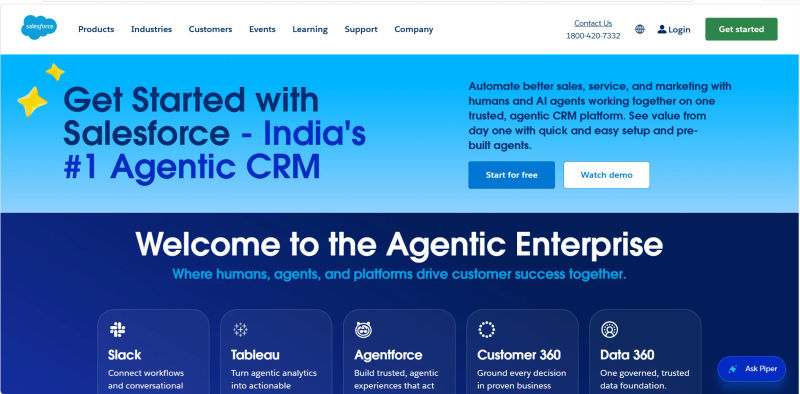
Deep Customization & Scale: Salesforce offers unparalleled customization, robust enterprise governance, and advanced AI agent capabilities (Agentforce) backed by Data Cloud.
Microsoft Stack Integration: Microsoft Dynamics 365 provides seamless integration with Outlook, Teams, and the Power Platform, heavily augmented by Copilot for automated data entry and insights.
.webp?updatedAt=1783634317433&tr=w-800%2Cq-80%2Cf-auto%2Cc-at_max)
All-in-One Value: Zoho CRM (often as part of the Zoho One suite) offers a broad feature set and built-in AI (Zia) at a highly competitive price point.

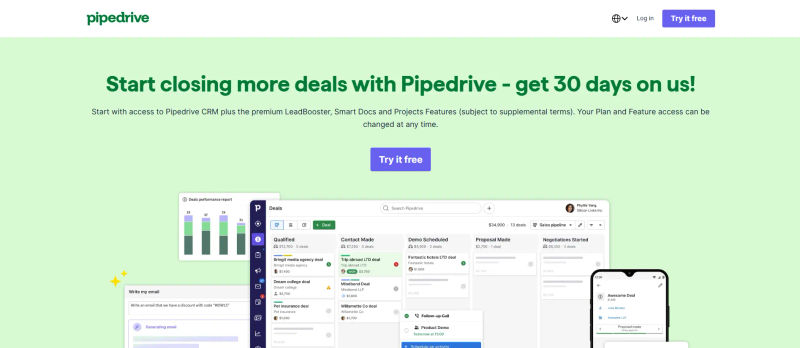
Pipeline Simplicity: Pipedrive focuses on a clean, visual sales pipeline that drives high rep adoption, now enhanced with AI-driven revenue forecasting.
Work Management & CRM: Monday CRM combines CRM workflows with project management, making it ideal for complex post-sale handoffs and cross-functional collaboration.

Flexible Data Models: Attio provides a highly flexible, modern data model that adapts to unique business processes, favored by startups for its AI-native architecture.

Common Pitfalls to Avoid
Buying for Edge Cases: Don’t choose a CRM based on a feature your team will use once a quarter. Prioritize daily, high-impact workflows.
Ignoring Data Migration: A messy data migration will kill user trust from day one. Budget time and resources for data cleansing before you move.
Underestimating Change Management: The best CRM will fail without proper training, a clear rollout plan, and internal champions.
Skipping a Real-World Pilot: Demos look perfect. A pilot with your actual data and a few skeptical users will reveal the truth.
Missing Hidden Costs: Ask about API limits, storage overages, support tiers, and contract renewal uplift caps before you sign.
How to Choose a CRM: Shortlist, Run Trials, and Decide
Build a Shortlist (3-5 Vendors): Use your must-have requirements to eliminate options quickly.
Run Scripted Demos: You are in control. Provide vendors with a demo script of your top 5 workflows and score them live.
Conduct a 14-Day Pilot: Involve 5-10 users from different roles. Give them specific tasks to complete, like creating a deal, logging a call, and building a report.
Review Security & Legal: While the pilot runs, have your IT and legal teams review the vendor's security documentation, certifications, and Data Processing Agreement (DPA).
Decide and Negotiate: Use your final scorecard and TCO analysis to make a data-backed decision. Negotiate terms like renewal caps and support SLAs.
CRM Implementation & Setup Checklist
If you are starting from scratch, a sensible CRM setup checklist ensures your data, pipelines, and automations align with your actual sales process before you invite users. A phased implementation prevents overwhelming your team and minimizes messy data. Follow this foundational checklist to get your CRM up and running:
Data & Contacts: Define standard and custom fields for Contacts, Companies, and Deals. Clean and deduplicate your legacy data before importing, ensuring all fields map correctly to your new system.
Pipelines & Stages: Map your exact sales process to your deal stages. A standard pipeline typically includes: Lead Captured, Discovery Call, Proposal Sent, Negotiation, and Closed Won/Lost. Keep stages objective and tied to specific actions rather than vague feelings (e.g., "Proposal Sent" instead of "Interested").
Automations & Workflows: Start with high-impact, low-complexity automations. Set up basic lead routing rules, automated welcome emails for new form submissions, and task reminders for stagnant deals to keep reps on track.
Integrations: Connect your daily tech stack immediately. Sync your email clients, calendar scheduling tools, and website form builders to ensure seamless data flow and prevent manual double-entry.
User Permissions & Training: Define role-based access (e.g., admin, manager, rep) to protect data integrity. Finally, conduct hands-on training sessions focused on the daily workflows your team will actually use.
Other Considerations
How do I estimate the 3-year TCO for a CRM? Sum the costs of software licenses (including annual price increases), required add-ons, one-time implementation/migration fees, integration middleware (e.g., Zapier), and the cost of an internal administrator or partner for ongoing maintenance.
How do we run a CRM pilot without disrupting the business? Select a small, representative group of users. Use a copy of your recent data, not live production data. Set clear success criteria and a firm end date. Treat it as a test, not a full migration, to manage expectations.
What's the difference between a CRM and marketing automation? A CRM is primarily a system of record for customer data and sales activities. Marketing automation focuses on top-of-funnel activities like email campaigns, lead nurturing, and scoring. Many platforms, like HubSpot, combine both, while others require integrating best-of-breed tools.
Try AuthenCIO
Move to faster, smarter software evaluation with AI
Conclusion
Choosing the right CRM is a strategic exercise, not a shopping trip. By starting with business outcomes, building a detailed requirements checklist, and using a structured evaluation process, you can cut through the marketing hype. A weighted scorecard and a hands-on pilot will empower you to select a platform that your team will actually use—and that will become the engine for your company's growth.
Ready to organize your evaluation and compare vendors side-by-side?