
Introduction
The landscape of Customer Relationship Management (CRM) has undergone a radical transformation over the last half-decade. By 2026, the global CRM market is projected to exceed $53 billion, yet the conversation among Operations Managers and IT Directors has shifted away from simple contact storage toward building a robust internal crm. The modern enterprise no longer needs a digital Rolodex; it requires a "Business Operating System" capable of complex workflow orchestration. To understand this shift, organizations must evaluate the current market landscape for low-code customer experience automation platforms regarding scalability and backend crm integration capabilities.
Streamline your software evaluation process
In this environment, Assembly CRM has emerged not merely as a database, but as a low-code application platform (LCAP) designed to bridge the gap between rigid legacy systems and bespoke internal tools. As highlighted in recent internal tool & workflow reviews, the challenge for operations teams is no longer just about data entry—it is about data utility. The rise of composable MarTech stacks means that an internal crm must function as the central nervous system of an organization, routing data between marketing automation platforms, data warehouses, and support ticketing systems with minimal latency.
However, the reliance on legacy systems has birthed a massive amount of technical debt. Organizations often find themselves maintaining "spaghetti code"—patches upon patches of integrations that break whenever a field is updated.
This review provides a definitive technical analysis of Assembly CRM in 2026. We will dismantle its architecture, evaluate its pricing model against the Total Cost of Ownership (TCO), and benchmark its capabilities against industry stalwarts like Salesforce and HubSpot, as well as modern challengers like Attio and Monday. We specifically address the needs of internal tooling users who prioritize API extensibility, schema flexibility, and automation logic over out-of-the-box sales pipelines.
Key Takeaways
Internal Tooling First: Assembly is best suited for Ops teams building custom "Business OS" platforms rather than standard sales pipelines.
Headless Architecture: Its API-first design allows for robust custom front-ends, distinguishing it from rigid legacy competitors.
Complex Logic: The automation engine supports recursive loops and Javascript injection, surpassing standard "If-This-Then-That" builders.
Cost Transparency: While license fees are competitive, TCO calculations must account for automation run overages and API throughput costs.
Security Focus: 2026 updates have brought enterprise-grade SOC2 compliance and granular field-level permissions, addressing previous security concerns.
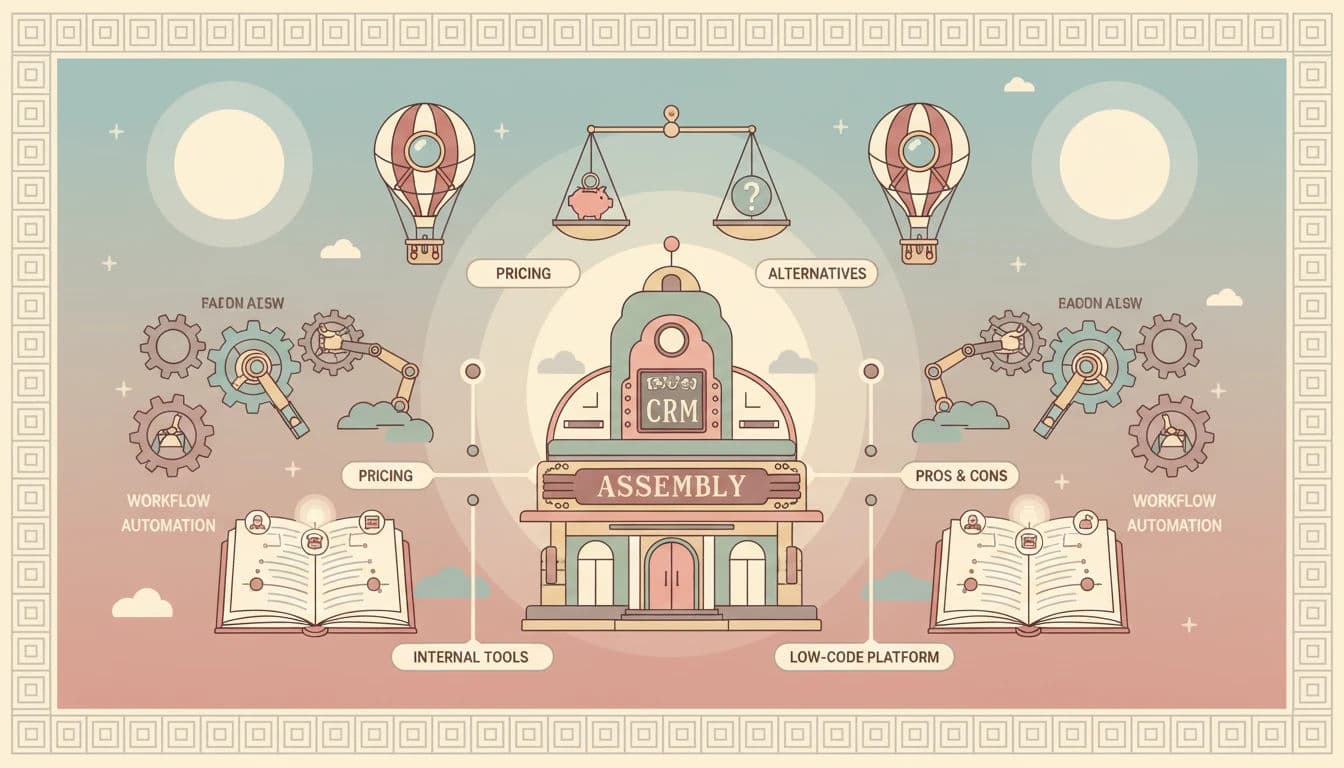
The Pros and Cons of Assembly
Why Operations Teams Prefer Assembly
1. Unmatched Flexibility & Lead Management: When analyzing the advantages disadvantages enterprise lead management automation crm 2025 or 2026, traditional platforms offer quick setup but force rigid routing rules. Assembly allows modeling any business entity—from shipping containers to complex enterprise leads—providing the programmable infrastructure needed for bespoke automation.
2. Developer Experience & Search Workflows: Operations teams frequently analyze the pros and cons of generic crms for search workflows. While basic indexing is simple to deploy, the pros and cons of using generic crms for search workflows highlight severe limitations in multi-relational filtering. Assembly bypasses the typical pros and cons of using generic crm for search workflows by leveraging a GraphQL API for precise, high-performance data retrieval.
3. Speed of Iteration: In a high-growth environment, business processes change overnight. Modifying a workflow or adding a new data field in Assembly is instantaneous and does not require a certified administrator, unlike the complex change management processes often required for Salesforce.
Potential Drawbacks and Technical Limitations
1. The "Black Box" Problem: While the automation engine is powerful, debugging failed workflows can sometimes be opaque. When a complex automation involving multiple webhooks fails, the error logs can occasionally be generic, forcing Ops Managers to contact support rather than solving it self-serve.
2. Vendor Lock-in: Because Assembly allows for such deep customization and unique schema definitions, migrating away from it is significantly harder than migrating away from a standard CRM. Once you have built complex Python logic and custom components into the fabric of your Assembly instance, extracting that business logic to a new tool is not just a data migration—it is a complete software rebuild.
3. Mobile Limitations: While the desktop experience is robust, the mobile app is primarily a consumption tool. Complex editing of custom objects or modifying workflows on the fly via mobile is currently limited, which can be a hindrance for field operations teams.
4. Internal vs. External Orchestration: Teams must weigh the pros and cons of building orchestration internally versus externally. Internal orchestration offers total infrastructure control and zero vendor lock-in, but suffers from high development costs and drains engineering resources. External orchestration (like Assembly) provides rapid deployment, pre-built integrations, and offloaded maintenance, but introduces subscription costs, reliance on vendor uptime, and the lock-in risks mentioned above.
Best for: Operations and IT teams seeking scalable, AI‑assisted workflow automation across departments.
Verdict: A flexible, enterprise‑grade CRM solution that bridges automation and customization for modern business operations.
Software covered in this article
To help you understand Assembly CRM in the right context, this article refers to a carefully curated set of key competitors:









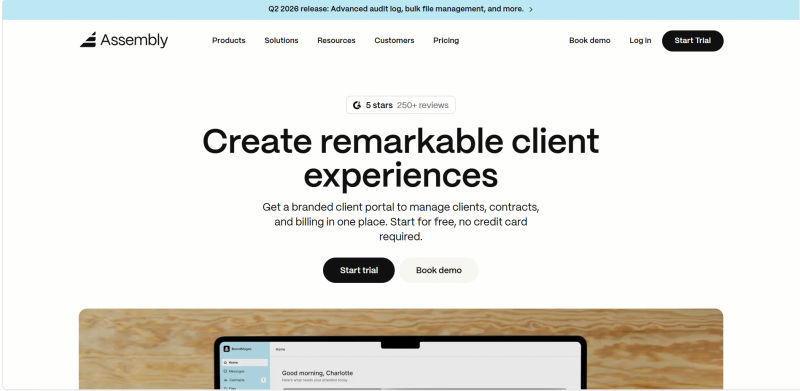
What is Assembly CRM? Redefining Internal Tooling
At its core, Assembly CRM represents a philosophical departure from the "record-centric" view of traditional CRMs. Instead of forcing businesses into predefined modules—Leads, Contacts, Accounts—Assembly adopts an object-oriented approach that allows Operations teams to define the data schema from the ground up. This flexibility positions it closer to a database-as-a-service (DBaaS) wrapped in a user-friendly UI than a standard sales tool.
Headless CRM Capabilities and Data Governance
For 2026, Assembly has leaned heavily into "Headless CRM" capabilities. This architecture decouples the backend data repository from the frontend presentation layer, allowing developers to build custom internal tools on top of Assembly’s infrastructure without being constrained by its native interface. This is crucial for organizations that need to deploy specialized dashboards for logistics, inventory management, or vendor procurement processes that do not fit the standard sales mold.
In a headless setup, data governance becomes paramount. Assembly addresses this through strict state management protocols. Unlike standard APIs that might allow race conditions when multiple custom tools update a record simultaneously, Assembly’s 2026 architecture utilizes optimistic locking and versioning at the API level.
This ensures that if a logistics dashboard and an inventory bot try to update stock levels at the same millisecond, the conflict is resolved via a deterministic rule set defined in the schema, preventing data corruption. This level of transactional integrity is typically found in SQL databases, not SaaS CRMs.
The platform's emphasis on "API-first design" ensures that it plays nicely within a heterogeneous tech stack. Unlike legacy giants that often create data silos through restrictive API rate limits or proprietary query languages, Assembly aims to democratize data access. It supports high-volume data synchronization with external data warehouses like Snowflake or BigQuery, addressing a common pain point for scaling companies: the inability to run complex analytics on CRM data. To solve this, the vendor offers managed ETL for CRM deal records with automatic conflict resolution, eliminating the need for expensive third-party ETL (Extract, Transform, Load) middleware.
Key Features for Operations Teams
1. Advanced Workflow Automation and Logic
The true power of Assembly lies in its automation engine, which rivals dedicated workflow orchestration tools like Monday or specialized automation platforms. In 2026, the standard for CRM automation has moved beyond simple "If This, Then That" triggers. Operations teams now require event-driven architectures that can handle multi-stage approvals, conditional branching, and recursive logic loops.
Assembly’s automation builder allows for granular control over business logic. For instance, an Ops Manager can configure a workflow that triggers not just on a field change, but on a specific API webhook payload.
This allows for seamless integration with tools like Pipedrive or Freshworks, where a support ticket status change in one system can instantly update a custom object in Assembly, recalculate a client's health score, and slack a notification to the account manager—all in sub-second latency.
Compared to the visual automation builders in HubSpot, which are user-friendly but occasionally rigid, Assembly offers a "code-optional" environment. You can build workflows visually, but you can also inject Javascript or Python snippets for edge-case logic. This feature significantly reduces technical debt by preventing the creation of "spaghetti" workflows—massive, unmanageable webs of visual triggers that become impossible to debug.
2. Security, Compliance, and Auditability
For IT Directors, the flexibility of a low-code CRM often raises red flags regarding security. Assembly has addressed this in its 2026 release by implementing a rigorous security framework designed for enterprise compliance. The platform is now fully SOC2 Type II compliant and offers GDPR-ready data residency options.
Beyond the certifications, the granular permission model is where it shines for internal tooling. Assembly allows for Field-Level Security (FLS) that is conditional based on record state. For example, a "Contract Value" field can be editable by a Sales Rep when the deal is in "Draft" stage, but become Read-Only (locked) once the status moves to "Legal Review," accessible only by the Legal team. This dynamic permissioning prevents accidental data tampering during critical workflow stages.
Furthermore, the Audit Log capabilities have been expanded. Every API call, schema change, and record update is logged with a timestamp, IP address, and user agent. This provides a forensic trail that is essential for operations teams managing sensitive data, ensuring that "shadow IT" changes to the schema can be traced back to the source.
3. Custom Internal Tooling and Developer Experience (DX)
The "Build vs. Buy" debate is central to modern operations strategy. Assembly positions itself as the middle ground. Its Component Library allows teams to assemble custom interfaces for specific internal roles.
For example, a Customer Success Manager might need a view that aggregates usage data from Attio, billing history from Stripe, and support tickets from Zendesk.
For developers, Assembly provides a robust CLI (Command Line Interface) and SDKs for Node.js and Python. This allows engineering teams to manage Assembly schema changes as code, integrating CRM configuration into their standard CI/CD pipelines. You can write a migration script locally, test it against a sandbox environment, and deploy it to production programmatically. This "Infrastructure as Code" approach to CRM management is a game-changer for teams tired of manually clicking through settings menus in Salesforce.
Assembly CRM Pricing 2026: Detailed Plan Breakdown
Assembly’s 2026 pricing reflects platform utility over seat counts, lowering the total cost of ownership tco logistics process orchestration platform vs siloed workflow automation tools. If you are asking, "our cfo asked for lower tco and faster changes in workflows; which customizable crm platforms allow in-house admins to adjust entities, fields, and reports without vendor services?", Assembly is the answer.
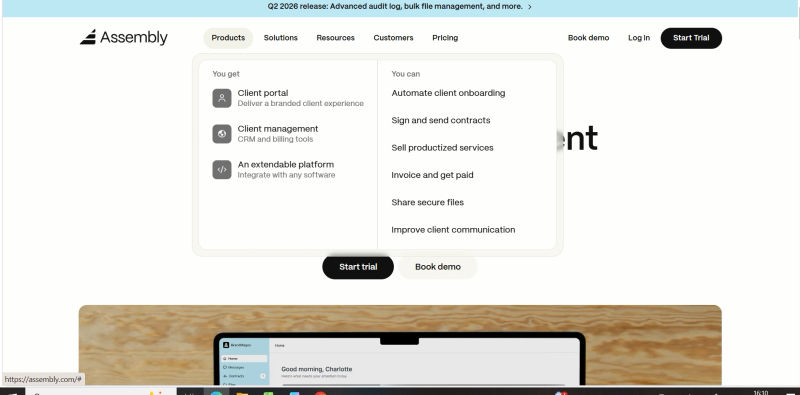
Assembly client portal pricing 2026 uses a predictable flat-rate add-on. For large-scale deployments, the Assembly services enterprise plan provides custom SLAs and dedicated support.
Find Perfect Software For Your Business
The Hidden Cost of Automation Overages
While the base license fees are competitive, operations teams must be wary of the consumption-based limits on the lower tiers. The "Growth" plan includes 25,000 automation runs per month. For a high-velocity operation triggering workflows on every order update, shipping notification, and inventory check, this limit can be hit surprisingly fast.
Overage fees in 2026 are charged at approximately $0.002 per run beyond the limit. While seemingly small, a runaway recursive loop or a misconfigured webhook listener can rack up hundreds of dollars in overages overnight. It is critical to configure "circuit breakers" in your workflows to prevent infinite loops.
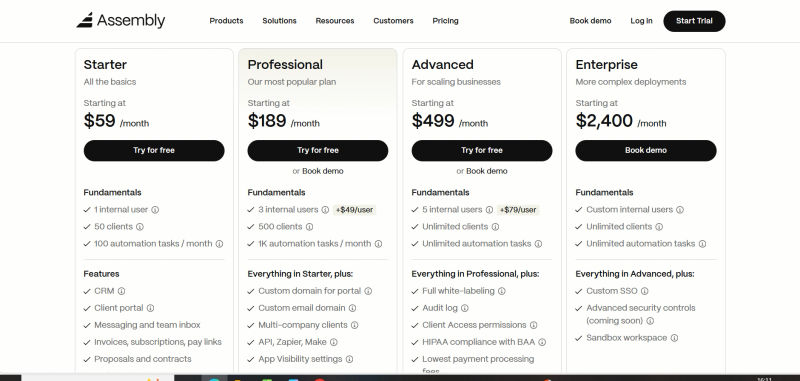
Below is a breakdown of the current pricing tiers:
Plan | Price | Best For | Features |
Starter | $59 / user / month | Small Ops Teams & Startups | Custom Objects (up to 5), Basic Workflow Automation (500 runs/mo), Standard API Access, Kanban & List Views, Email Integration, Mobile App Access, Basic Role Permissions |
Professional | $189 / user / month | Scaling SMBs & Mid-Market | Unlimited Custom Objects, Advanced Logic Engine, Webhooks, 25,000 Automation runs/mo, Snowflake/BigQuery Connectors, Role-Based Access Control (RBAC), Python/JS Logic Injection |
Advanced | $449 / user / month | Data-Heavy Operations | Unlimited Automations, Dedicated API Throughput, Sandbox Environment, Audit Logs, SSO (SAML/Okta), Priority Support, Custom Component Builder, Field-Level Security |
Enterprise | Custom (Starts at $2,400/mo) | Large Organizations | Dedicated Instance, HIPAA/SOC2 Compliance Reports, Dedicated Success Manager, Custom SLA, On-premise deployment options, Unlimited API calls, Data Residency Choice |
Note: All prices shown reflect typical monthly billing. Vendors often offer lower pricing for annual commitments, but those discounts are excluded here for easier comparison. Actual costs may vary depending on your requirements, usage volumes, and negotiated terms.
Dedicated Technical Support & Services
Assembly CRM separates its core platform support from its specialized marketing and automation services. If your operations team requires dedicated technical support for CRM marketing automation separate from the main platform, Assembly offers specialized Service Level Agreements (SLAs) through their "Ops-Assist" tier. This ensures that complex marketing workflows do not bottleneck your standard internal tool troubleshooting.
This decoupled support model provides several distinct advantages for enterprise teams:
Specialized Marketing Engineers: Access to support staff trained specifically in marketing automation logic, webhook routing, and lead scoring, rather than general platform troubleshooting.
Isolated Ticketing: Issues with marketing drip campaigns or third-party integrations are routed to a separate queue, preventing them from impacting the resolution times of core database or internal tool outages.
Custom Integration Assistance: Dedicated representatives assist with connecting external marketing tools to Assembly's headless architecture without compromising overall data governance.
By decoupling these services, Assembly ensures that teams heavily invested in marketing automation receive tailored, rapid-response technical support without being forced to upgrade to an expensive, enterprise-wide SLA for the entire core platform.
Assembly CRM vs. The Competition: 2026 Alternatives
When evaluating Assembly competitors, operations teams typically want the best low-TCO CRM alternative to legacy systems. Assembly reduces total cost of ownership by eliminating the bloat of traditional platforms. However, finding the right fit depends on your specific technical ecosystem. Here is how Assembly stacks up against the major players in 2026.
Explore internal-operations-focused CRMs and see how Assembly compares — free on Authencio.
1. Assembly vs. Legacy Giants: Salesforce and HubSpot
When considering Salesforce alternatives 2026, Assembly stands out for agility. Salesforce remains the undisputed king of enterprise customization. If your organization requires granular permission sets, territory management, and an ecosystem of thousands of AppExchange partners, Salesforce is the safer bet.
However, this comes at the cost of agility. Implementing changes in Salesforce often requires a specialized developer or consultant. Assembly offers 80% of that customization power at 20% of the complexity and cost.
HubSpot has evolved significantly, but it remains rooted in marketing and sales alignment. If your primary goal is tracking the buyer's journey from an inbound lead to a closed deal, HubSpot’s native integration between Marketing Hub and Sales Hub is unbeatable. However, for internal operations—such as managing vendor onboarding or inventory tracking—HubSpot’s rigid object structure can be limiting compared to Assembly’s open canvas.
2. Assembly vs. Modern Competitors: Attio, Monday, and Zoho
Attio is Assembly’s closest direct competitor in the "modern, data-driven CRM" space. Attio excels in UI/UX and automatic data enrichment, making it incredibly fast to set up. However, Assembly currently holds the edge in complex workflow orchestration and backend logic capabilities. Attio is often preferred by product-led growth (PLG) teams, while Assembly finds a home in operations-heavy sectors.
Monday.com started as project management software and morphed into a CRM. It is fantastic for visual workflow tracking and team collaboration. However, when it comes to relational data depth and handling millions of records, Monday can struggle with performance. Assembly’s backend is better suited for high-volume datasets that exceed the typical project management scope.
Zoho is the value king. It offers an incredible breadth of features—from finance to HR tools—at a very low price point. However, the user interface can feel dated, and the integration between its various apps can be clunky. Assembly offers a more cohesive, albeit more focused, experience.
3. Assembly vs. Internal Tool Builders: Retool and Appsmith
A common dilemma for Ops teams is whether to buy a flexible CRM like Assembly or build a completely custom tool using Retool or Appsmith. These platforms are pure UI builders that sit on top of your own database (Postgres, MySQL, etc.).
If you have a strong engineering team and want absolute control over every pixel of the interface and every line of the SQL query, Retool is the superior choice. However, you are responsible for maintaining the database, hosting, security, and integration logic.
For instance, a frequent technical question is: are changes made through Retool reflected immediately in Zendesk FAQ integrations? The answer is no—not automatically. Because Retool is just a UI layer, changes only reflect in Zendesk if your developers explicitly build a real-time API push or webhook trigger. Assembly offers a "middle path"—providing the database, security, native real-time integrations, and basic UI out of the box, while still allowing for significant customization. Choose Retool if you are building a product; choose Assembly if you are building a process.


Niche Alternatives: Pipedrive, Freshworks, and Capsule
For teams strictly focused on sales velocity, Pipedrive is superior. Its visual pipeline management is purpose-built for closing deals, whereas Assembly requires configuration to achieve the same flow. Freshworks (Freshsales) is a strong contender if your operations are heavily tied to customer support, offering tight integration with Freshdesk. Capsule remains a viable option for small businesses that need simplicity above all else, but it lacks the automation firepower required for scaling operations.
Use Case Scenarios: When to Choose Assembly
To make this actionable, let’s look at specific scenarios where it makes sense to assemble CRM workflows using this platform over the alternatives.
Scenario A: The Logistics & Operations Scale-Up A company manages a fleet of delivery vehicles and needs to track drivers, vehicle maintenance schedules, and route efficiency. A standard sales CRM like Pipedrive has no concept of a "Vehicle" object. Salesforce could handle it but would cost a fortune in implementation. Assembly allows the team to create "Vehicle," "Driver," and "Route" objects, link them relationally, and automate maintenance reminders based on mileage data fed via API. This is the ideal Assembly use case.
Scenario B: Complex Vendor Onboarding & Document Assembly A manufacturing firm deals with hundreds of suppliers, each requiring different compliance checks, document uploads, and approval stages. A simple sales CRM cannot handle the document collection workflow or the conditional logic required for different supplier types (e.g., raw materials vs. packaging). By acting as a document assembly CRM, Assembly allows the Ops team to build a "Supplier Portal" using its API, where vendors upload docs directly into a custom object, triggering an automated approval sequence for the compliance team.
Scenario C: The Custom Marketplace A business connects freelance designers with enterprise clients. They need to track portfolios, project milestones, payments, and client feedback. The relational complexity here is high. Monday might handle the project tracking, but the database requirements for managing thousands of freelancer profiles suggest Assembly is the better fit for the "system of record."
Scenario D: Assembly Services Use Cases For B2B providers managing multi-step installations or physical service deliveries, standard CRMs often fail. Common assembly services use cases require tracking technicians, equipment inventory, and client site constraints simultaneously. Assembly handles this by linking custom "Technician," "Inventory," and "Site" objects, automating dispatch schedules and generating service reports.
Implementation Strategy: Moving from Traditional CRMs to Assembly
Migrating to Assembly requires a shift in mindset. It is not just a data dump; it is a re-architecture of your business logic. A successful migration involves:
Step 0: Data Sanitization Before you even touch Assembly, you must clean your legacy data. Years of using Salesforce or Zoho likely resulted in duplicate records, inconsistent formatting, and "dead" fields. Use this opportunity to run scripts that normalize phone numbers, validate emails, and merge duplicates. Importing dirty data into Assembly’s strict schema will only result in automation errors later.
Step 1: Audit & Map Map out your entity relationships. What data points are actually critical? 2026 is the year to abandon "digital hoarding." Define your objects: do you need a separate object for "Invoices," or can that be a field on the "Deal" object?
Step 2: Logic Translation Document your current workflows. If you have an Apex trigger in Salesforce that updates a field, how will that look in Assembly’s automation engine? Use this opportunity to refactor inefficient logic rather than simply copying bad processes into a new tool.
Step 3: Permissions Review Assembly’s permission model is robust but different. Ensure you have a clear SOC2 compliance checklist for who can access and edit sensitive operational data. Set up your Role-Based Access Control (RBAC) before inviting users.
Step 4: Parallel Run For critical operations, run Assembly in parallel with your legacy system for two weeks. Validate data integrity and API latency. Ensure that your new webhooks are firing correctly and that the "circuit breakers" on your automations are functioning.
Try AuthenCIO
Move to faster, smarter software evaluation with AI
Conclusion & Final Verdict
As we navigate 2026, Assembly CRM stands out as a formidable tool for Operations teams that feel constrained by traditional sales software. It is not just a CRM; it is a toolkit for operational efficiency. It successfully bridges the gap between the rigidity of Salesforce and the chaos of spreadsheets.
However, it is not a silver bullet. If your organization lacks technical DNA or simply needs a plug-and-play solution for a sales team, other options like HubSpot or Pipedrive may offer a faster time-to-value. But for teams that view their internal operations as a competitive advantage—who want to build custom tools, orchestrate complex workflows, and eliminate data silos—Assembly is a best-in-class solution.
The decision ultimately rests on your "Build vs. Buy" philosophy. If you are ready to build a tailored operating system for your business, Assembly provides the foundation.