.webp&w=64&q=75)
Introduction
While monday.com is widely known for work management, many teams initially adopt it as a lightweight CRM. However, as sales pipelines and operational complexities grow in 2026, sales leaders often find its native CRM capabilities too limited for advanced customer relationship management. If you are outgrowing monday.com's sales tracking, you need a dedicated CRM alternative that balances robust pipeline management with task execution.
Streamline your software evaluation process
Over the past year, industry data indicates a 23% uptick in user migration away from monday.com. The primary culprits? Steep price hikes, forced seat minimums, and frustrations over automation limitations when handling complex sales cycles and operational dependencies.
Decision-makers are increasingly suffering from disconnected data silos. When your CRM does not seamlessly communicate with your delivery teams, manual data entry becomes a costly bottleneck. To solve this, modern teams are shifting toward flexible CRM alternatives that natively bridge the gap between sales tracking, customer data management, and project execution.
Operations heads need a unified Single Source of Truth. They require platforms with robust automation engines, mature API documentation for custom CRM integrations, and transparent pricing—making free plan comparisons essential for teams looking to migrate their sales operations without upfront risk.
Whether you are looking for a powerful CRM alternative, a developer-friendly agile tool, or a highly customizable database, the market has evolved. The top CRM and work management platforms of 2026 are integrating Agentic AI—intelligent algorithms that autonomously update deal statuses, allocate resources, and trigger cross-platform workflows—drastically reducing manual overhead for sales and project teams alike.
Key Takeaways
Best monday.com CRM Alternatives: If you are moving away from monday sales CRM, HubSpot is the top choice for integrated sales pipelines and marketing alignment, while Airtable provides the best database-driven flexibility for custom CRM builds.
Top All-in-One Work Management: ClickUp and Asana lead for general project management, offering deeper customization, native docs, and advanced workflow automation compared to monday.com.
Enterprise & Complex Projects: Wrike and Smartsheet are the top choices for large-scale resource management, spreadsheet-based governance, and enterprise-grade security.
Budget & Simplicity: Trello and Basecamp remain the most accessible options for smaller or remote teams needing straightforward task tracking without a steep learning curve.
Top Monday.com software alternatives
ClickUp — best for all‑in‑one project and task management
Asana — best for workflow automation and cross‑team collaboration
Wrike — best for enterprise‑grade resource planning and governance
Trello — best for visual task boards and simplicity
Airtable — best for database‑style project organization
Smartsheet — best for spreadsheet‑driven project tracking
Notion — best for flexible documentation and project linking
HubSpot — best for CRM‑integrated project workflows
Zoho Projects — best for cost‑efficient task automation
Teamwork — best for client‑service project billing and tracking
Jira — best for agile software development and issue tracking
Basecamp — best for remote‑team communication and task clarity
Software Covered in this Article
To help you understand CRM software in the right context, this article refers to a carefully curated set of leading CRM alternatives:








.webp?tr=w-112%2Cq-80%2Cf-auto%2Cc-at_max)


Summary of Findings: Top-Rated monday.com Competitors
Before diving into the granular details of each platform, use this decision matrix to quickly identify which tool aligns with your team's primary use case, budget, and required CRM integration level.
Tool | Best For | Pricing | Key Features |
ClickUp | All-in-One Customization | Starts at $10/user/month | Deep automations, custom hierarchies, native docs |
Asana | Workflow Automation | Starts at $13/user/month | Goal tracking, portfolio management, fast onboarding |
Wrike | Enterprise Resource Management | Starts at $10/user/month | Advanced capacity planning, cross-tagging, risk tracking |
Trello | Simple Kanban Visualizations | Starts at $5/user/month | Intuitive boards, Butler automation, lightweight UI |
Airtable | Database-Driven Workflows | Starts at $24/user/month | Relational databases, Interface Designer, AI insights |
Smartsheet | Spreadsheet-Based Governance | Starts at $9/user/month | Cell-linking, advanced reporting, strict data governance |
Notion | Connected Documentation | Starts at $12/user/month | Wiki building, block-based architecture, integrated AI |
HubSpot | Integrated CRM & Sales | Starts at $14/seat/month | Native CRM, marketing automation, seamless PM handoff |
Zoho Projects | Scalable SMB Management | Starts at $4/user/month | Deep Zoho ecosystem integration, time tracking |
Teamwork.com | Client-Facing Operations | Starts at $14/user/month | Client billing, profitability tracking, external permissions |
Jira | Agile Software Development | Starts at $8/user/month | Sprint planning, issue tracking, CI/CD integrations |
Basecamp | Remote Team Simplicity | $15/user/month or $299 flat | Flat pricing, centralized communication, zero feature bloat |
*Note: All prices shown reflect typical monthly billing. Vendors often offer lower pricing for annual commitments, but those discounts are excluded here for easier comparison. Actual costs may vary depending on your requirements, usage volumes, and negotiated terms.
Optimize your work management—compare monday.com alternatives for free on AuthenCIO.
Free Plan Comparison: monday.com vs. HubSpot vs. Airtable vs. Notion
When searching for the best free tools for flexible workflows project management crm 2026 monday hubspot airtable notion, the decision comes down to sheer adaptability. Teams frequently need a definitive hubspot free crm vs monday.com free vs airtable free vs notion comparison customization flexibility 2025 2026 to determine which zero-cost tier scales best with their unique processes.
For international users querying, "vergleiche monday.com free mit hubspot free crm, airtable free und notion für flexible workflows. du musst ein ranking von beste bis schlechteste erstellen.", we have structured exactly that.
Here is the ultimate monday.com free vs hubspot free crm vs airtable free vs notion flexible workflows ranking, ordered from most adaptable to most restricted:
1. Notion (Best for Infinite Customization): Notion takes the top spot in any hubspot vs monday.com vs airtable vs notion free plans comparison customizability. Its free plan offers a virtually limitless blank canvas, allowing users to build interconnected databases, wikis, and kanban boards tailored to highly specific project workflows without hitting immediate paywalls.
2. Airtable (Best for Relational Data Workflows): Ranking second, Airtable's free tier provides exceptional database-driven adaptability. It allows unlimited bases with up to 1,000 records each, making it far superior to monday.com for complex data linking, custom fields, and grid-based project management.
3. HubSpot Free CRM (Best for Sales-Project Alignment): While not a traditional project tracker, HubSpot excels in customer-centric workflow adaptability. It easily wins for sales pipelines, contact management, and basic task tracking, though it lacks the general project flexibility of Notion or Airtable.
4. monday.com (Most Limited Free Plan): Coming in last for free-tier flexibility is monday.com. While its paid plans are industry leaders, the monday.com free plan is heavily restricted to just two users and basic board views. It simply lacks the customizability and scale required for growing teams relying entirely on free software.

Deep Dive: The Best monday.com Alternatives for Every Use Case
1. ClickUp – Best for All-in-One Productivity and Customization
Who is this best for? Operations heads and project managers who need a highly customizable, all-in-one platform that adapts to complex workflows and CRM processes without requiring multiple third-party integrations.
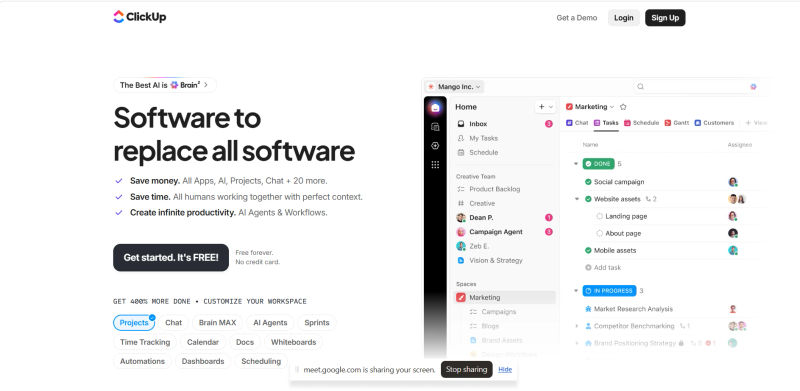
The monday.com Comparison & Support: While monday.com offers a visually appealing interface, it often forces teams into rigid pricing structures and seat minimums. ClickUp solves this by offering a granular, flexible architecture. For instance, monday.com's paid plans can cost roughly $1,200 for 10 users annually, whereas ClickUp averages around $840 for the same headcount on its standard tier, significantly lowering your Total Cost of Ownership (TCO).
Crucially, if you are searching for a monday.com alternative with better support, ClickUp stands out in 2026. The platform has overhauled its customer service infrastructure, offering 24/7 live chat on paid tiers, dedicated success managers for Business and Enterprise clients, and guaranteed faster resolution times. This ensures your team is fully supported during the native monday.com import process and beyond.
CRM & Work Management Balance: ClickUp bridges the gap between CRM and project management through highly adaptable custom fields, relationship linking, and dashboard widgets. You can easily build a CRM-via-template that automatically triggers project workflows the moment a lead status changes to "Closed-Won," eliminating manual data entry entirely.
2026 Pricing Reality: ClickUp remains aggressive with its pricing, offering a robust free tier and paid plans starting at $7 to $12 per user/month, completely avoiding the forced seat minimums that plague enterprise software.
Key Pros & Cons:
Pro: Exceptional customization and a deep automation engine for CRM workflows.
Pro: Highly cost-effective for scaling teams with no hidden seat minimums.
Pro: Top-tier customer service, making it the ideal monday.com alternative with better support.
Con: The sheer volume of features can cause "Feature Bloat" fatigue during initial onboarding.
Con: System latency can occasionally occur when handling boards with over 10,000 items.
2. Asana – Best for Team Collaboration and Workflow Automation
Who is this best for? Decision-makers who prioritize intuitive task clarity, rapid user adoption, and structured cross-functional collaboration over endless customization. Teams needing better visual project mapping will benefit from its advanced scheduling views.
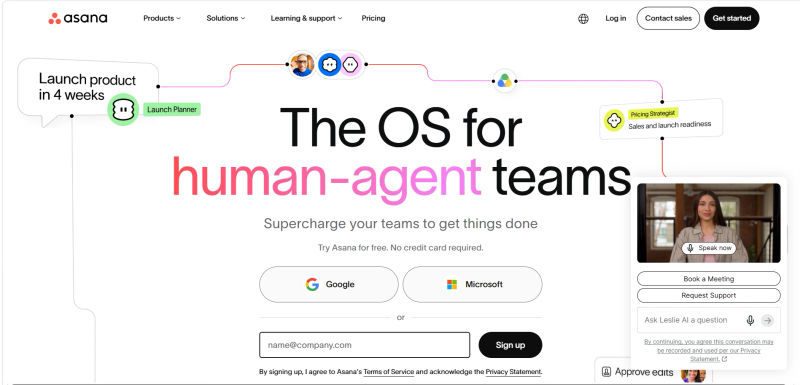
The monday.com Comparison: Asana leads the market in organic interest because it successfully balances power with simplicity. When evaluating monday.com competitors with integrated collaboration, Asana stands out by embedding communication directly into task threads, significantly reducing reliance on external chat apps. Additionally, for managers looking for the best tools with stronger timeline features than monday.com, Asana delivers. Its Gantt-style timelines provide superior visual project mapping, critical path analysis, and dependency management compared to monday.com's blockier views. If your team is overwhelmed by the structural maintenance required in monday.com, Asana's clean UI reduces cognitive load while maintaining robust operational logic. Like ClickUp, Asana features a native monday.com importer to minimize migration friction.
CRM & Work Management Balance: While Asana is not a native CRM, its API maturity makes it a highly viable CRM alternative for operational fulfillment. It integrates flawlessly with platforms like Salesforce and HubSpot. Operations heads can configure automated workflows where a closed deal in a CRM instantly populates a client onboarding template in Asana, seamlessly bridging the gap between sales and project delivery.
2026 Pricing Reality: Starting at $13 per user/month, Asana is a premium tool. However, its transparent pricing and the time saved on training often offset the higher per-seat cost.
Key Pros & Cons:
Pro: Industry-leading user interface that drives rapid team adoption.
Pro: Advanced portfolio visibility and stronger timeline features for tracking multiple high-level initiatives.
Con: Lacks native time-tracking on lower-tier plans.
Con: Not suitable as a standalone CRM without third-party integrations.
3. Wrike – Best for Enterprise-Grade Resource Management
Who is this best for? PMOs and enterprise operations heads who manage complex, multi-departmental projects requiring advanced capacity planning and risk tracking.
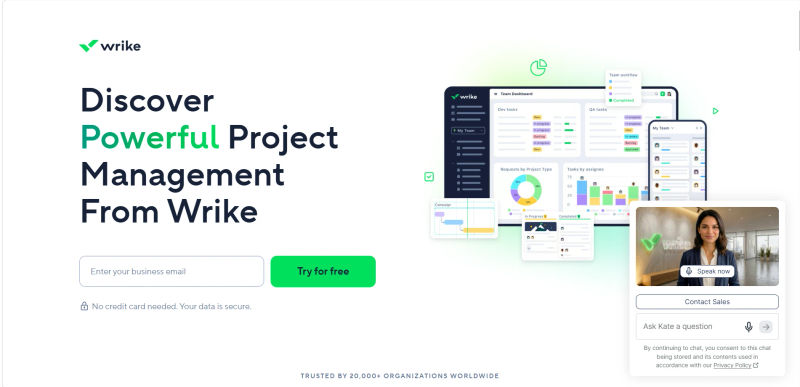
The monday.com Comparison: monday.com struggles when projects involve deep, multi-layered dependencies and strict resource allocation. Wrike is built specifically for this level of enterprise complexity. It offers superior cross-tagging, allowing a single task to live in multiple workflows without duplicating data—a critical feature for maintaining a Single Source of Truth.
Additionally, Wrike boasts strict SOC2 and GDPR compliance, which is non-negotiable for enterprise decision-makers.
CRM & Work Management Balance: Wrike excels at handling high-volume data. While it relies on integrations for sales CRM functionalities, its ability to manage the post-sale delivery pipeline is highly effective. It easily handles the operational bottlenecks that occur when delivery teams are overbooked.
2026 Pricing Reality: Wrike's professional plans start at $10 per user/month. Decision-makers should note that advanced resource management features require higher-tier enterprise plans, which demand custom quotes.
Key Pros & Cons:
Pro: Advanced resource management and capacity planning tools.
Pro: Enterprise-grade security certification audits (SOC2, GDPR compliance).
Con: The interface can feel overly technical and rigid for simple use cases.
Con: Steep learning curve for average team members.
4. Trello – Best for Simple Kanban Visualizations
Who is this best for? Small to mid-sized teams that need a lightweight, highly visual task management system without the overhead of complex project governance.
The monday.com Comparison: If your team only uses a fraction of monday.com's features, you are overpaying. Trello strips away the feature bloat, offering a pure, refined Kanban experience. It is an effective antidote to software fatigue, allowing users to manage workflows intuitively with drag-and-drop simplicity.
CRM & Work Management Balance: Trello is not a CRM. However, through its "Power-Ups" (integrations), you can connect it to lightweight CRMs. It is best used for tracking the visual stages of a pipeline rather than holding dense, relational customer data.
2026 Pricing Reality: Trello is incredibly budget-friendly. With a strong free tier and standard plans starting at just $5 per user/month, it is a low-risk investment for operations heads looking to cut software bloat.
Key Pros & Cons:
Pro: Zero learning curve; teams can be fully operational in minutes.
Pro: Butler automation engine handles repetitive tasks effortlessly.
Con: Lacks the structural depth required for enterprise portfolio management.
Con: Not suitable for complex CRM data flows.
5. Airtable – Best for Database-Driven Project Workflows
Who is this best for? Operations leaders who require the flexibility of a relational database combined with the collaborative features of a modern project management tool.
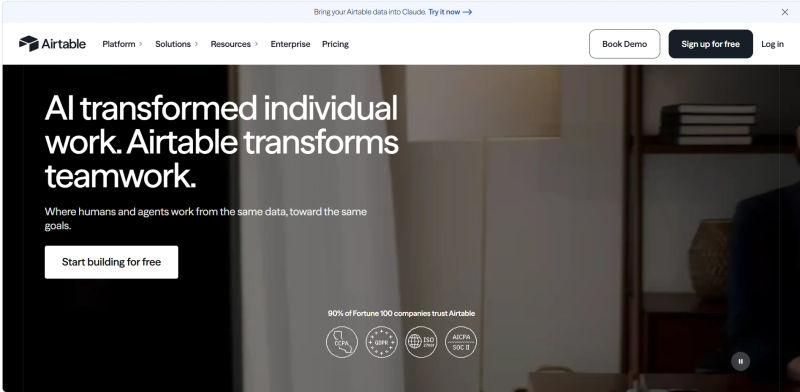
The monday.com Comparison: While monday.com uses a spreadsheet-like interface, it is fundamentally a task manager. Airtable is a true relational database. If your operational bottleneck involves linking multiple distinct datasets (e.g., matching a roster of 500 freelancers to 1,000 active client deliverables), Airtable handles this relational logic far better than monday.com.
CRM & Work Management Balance: Airtable is exceptional for building a custom, native CRM hybrid. You can design exact data flows, linking client profiles directly to project deliverables. Furthermore, its "Interface Designer" allows you to hide features and data your team doesn't use, drastically reducing cognitive load.
2026 Pricing Reality: Starting at $24 per user/month for the Team plan, Airtable is an investment. Decision-makers must also factor in the implementation cost and learning curve; setting up complex relational databases often requires a dedicated admin or external consultant.
Key Pros & Cons:
Pro: Highly capable of building custom relational databases and CRM hybrids.
Pro: Interface Designer allows for custom, role-specific dashboards.
Con: Higher price point compared to standard task managers.
Con: Significant implementation time and learning curve.
6. Smartsheet – Best for Spreadsheet-Based Project Governance
Who is this best for? Enterprise decision-makers and PMs whose teams are highly accustomed to Excel but need advanced project governance, automation, and real-time collaboration.
The monday.com Comparison: monday.com abstracts the spreadsheet experience into colorful boards. Smartsheet leans into the spreadsheet format, offering strict, cell-level data governance and complex formula capabilities. If your team resists anything without rows and columns, Smartsheet provides a familiar interface backed by enterprise power, complete with verified SOC2 and GDPR compliance.
CRM & Work Management Balance: Smartsheet is frequently used to manage massive datasets, including CRM exports. It bridges the gap by allowing deep cell-linking across multiple sheets, ensuring that when a sales figure is updated in one document, it reflects across all operational delivery trackers.
2026 Pricing Reality: Plans start at $9 per user/month. However, Smartsheet's true value unlocks at the enterprise tier, which includes advanced security and administrative controls.
Key Pros & Cons:
Pro: Powerful formula engine and cell-linking capabilities.
Pro: Exceptional reporting and dashboarding for executive stakeholders.
Con: The UI is clinical and lacks the visual appeal of modern alternatives.
Con: Less intuitive for creative or agile development teams.
Find Perfect Software For Your Business
7. Notion – Best for Connected Documentation and Task Tracking
Who is this best for? Teams that need to tightly couple their internal knowledge base (wikis, SOPs, documentation) directly with their daily task execution.

The monday.com Comparison: monday.com treats documents as an afterthought or an attachment. Notion treats documents as the foundational architecture. Every task in Notion is a fully functional document. If your operational bottleneck is that team members cannot find the context or SOPs required to complete a task, Notion solves this elegantly.
CRM & Work Management Balance: Notion is highly flexible and can be templated into a lightweight CRM. In 2026, Notion's integration of Agentic AI allows for automated project status updates and intelligent summarization of client meeting notes, making it a capable hybrid tool for smaller operations.
2026 Pricing Reality: Starting at $12 per user/month, Notion is highly affordable. It eliminates the need to pay separately for a task manager and a knowledge base tool.
Key Pros & Cons:
Pro: Seamless integration of documentation and task management.
Pro: Highly customizable block-based architecture.
Con: Can become disorganized without strict internal governance.
Con: Lacks native, advanced reporting capabilities out of the box.
8. HubSpot – Best for Integrated CRM and Sales-Project Alignment
Who is this best for? Operations heads and sales leaders seeking an affordable crm for hybrid teams that natively merges sales pipelines with post-sale project delivery. It eliminates the friction of switching platforms between closing a deal and onboarding a client.

The monday.com Comparison: When evaluating monday crm alternatives, HubSpot is the superior choice for organizations prioritizing customer relationship management over generic task tracking. While monday.com relies on CRM templates built on top of a work management core, HubSpot is an industry leader in inbound CRM built specifically for sales and marketing alignment. If your primary pain point is the handoff between sales and service delivery, HubSpot's Service and Operations Hubs provide a seamless, native bridge that monday.com cannot easily replicate.
CRM & Work Management Balance: HubSpot eliminates the need to integrate separate sales and project tools. A closed deal automatically generates a project pipeline, assigns hybrid delivery teams, and tracks all client communications in one unified timeline, ensuring remote and in-office staff stay perfectly aligned.
2026 Pricing Reality: HubSpot stands out as an affordable crm for hybrid teams because its core CRM features are completely free, supporting unlimited users. This allows distributed teams to manage basic pipelines at zero cost. Premium operational features require paid seats starting around $15/month per user, though enterprise hubs scale significantly in price. TCO calculations must factor in these scaling costs as your team grows.
Key Pros & Cons:
Pro: Acts as a single source of truth for customer data, sales, and project delivery.
Pro: The free core CRM makes it highly accessible for hybrid and remote teams.
Con: Can become expensive as you scale into premium enterprise hubs.
Con: Project management features lack the deep granularity of dedicated PM tools.
9. Zoho Projects – Best for Scalable SMB Project Management
Who is this best for? Small to mid-sized businesses already utilizing the Zoho ecosystem, or those seeking an incredibly budget-friendly, scalable project management solution.
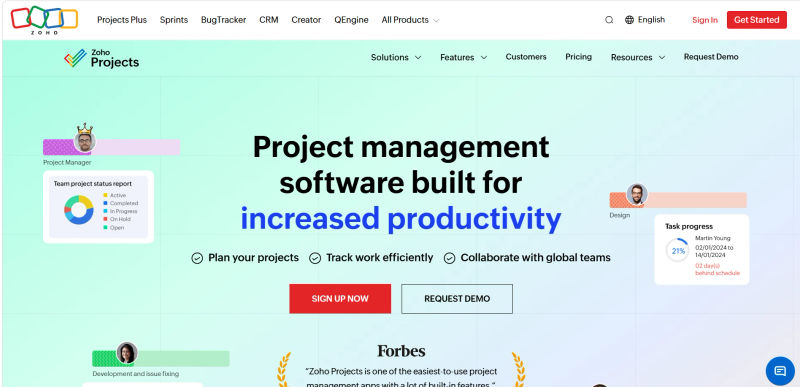
The monday.com Comparison: monday.com's per-user scaling costs can quickly drain an SMB's budget. Zoho Projects offers a highly capable alternative at a fraction of the cost. It provides essential features like Gantt charts, time tracking, and task dependencies without the premium price tag.
CRM & Work Management Balance: Zoho Projects integrates natively with Zoho CRM. For operations heads looking for a unified suite, this is a massive advantage. Lead data flows into project workflows seamlessly, providing a robust operational bridge without the need for complex API setups.
2026 Pricing Reality: Zoho Projects is highly cost-effective, with premium plans starting as low as $4 per user/month. It is one of the most budget-friendly options on the market for the feature set provided.
Key Pros & Cons:
Pro: Excellent value and low Total Cost of Ownership.
Pro: Flawless integration with Zoho CRM and the broader Zoho suite.
Con: The user interface feels slightly dated compared to modern competitors.
Con: Customer support response times can vary.
10. Teamwork.com – Best for Client-Facing Project Operations
Who is this best for? Agencies, professional services, and operations heads who need to manage client-facing projects, track billable hours, and monitor profitability natively.

The monday.com Comparison: monday.com requires extensive workarounds and third-party apps to handle complex client billing and profitability tracking. Teamwork.com is purpose-built for client operations. It allows you to grant external permissions easily, so clients can view progress without seeing internal communications.
CRM & Work Management Balance: Teamwork.com integrates well with major CRMs and offers its own CRM module. The true value for operations heads is the financial bridge: tracking the exact time spent on a task and converting it directly into a billable invoice within the same platform.
2026 Pricing Reality: Starting at $14 per user/month, Teamwork.com is competitively priced, especially considering it includes native time tracking and billing features that usually require separate software subscriptions.
Key Pros & Cons:
Pro: Native time tracking, budgeting, and profitability reporting.
Pro: Excellent granular permissions for external client access.
Con: The interface can feel cluttered due to the density of financial tools.
Con: Mobile app parity is lacking for advanced reporting features.
11. Jira – Best for Agile Software Development Teams
Who is this best for? Engineering leads, product managers, and agile development teams requiring strict issue tracking, sprint planning, and CI/CD pipeline integrations.
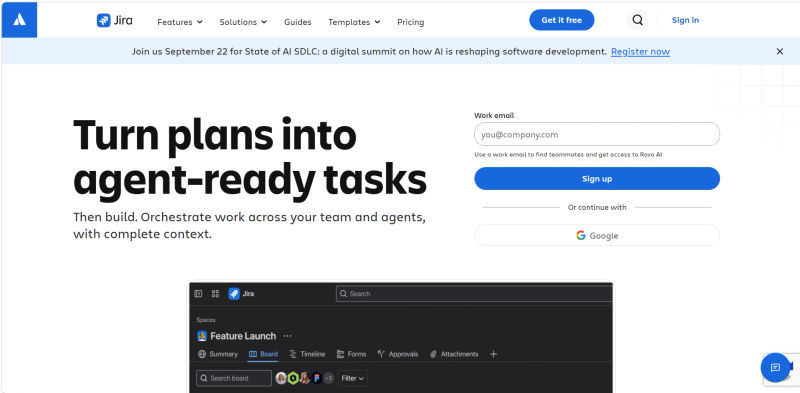
The monday.com Comparison: When operations leaders ask what are good monday.com replacements for agile dev, Jira remains the undisputed industry standard. While monday.com offers "monday dev" for software teams, it lacks Jira's technical granularity for complex bug tracking and release management. Thanks to its 2026 UI updates, Jira has also become the most user friendly alternative to monday dev for non‑technical product managers. These interface enhancements give cross-functional leaders clear visibility into sprint progress without sacrificing the deep agile ecosystem developers require.
CRM & Work Management Balance: While Jira is not a standalone CRM, it is highly effective for aligning technical products with customer data. It integrates seamlessly with tools like Zendesk or Salesforce via API, ensuring customer-reported bugs logged in your CRM flow directly into the engineering sprint backlog. This bridges the gap between customer support and product development.
2026 Pricing Reality: Jira offers a robust free tier for up to 10 users. Standard paid plans start at $8 per user/month, making it highly scalable for growing development teams.
Key Pros & Cons:
Pro: The industry standard for agile development and sprint management.
Pro: Deep integrations with GitHub, GitLab, and CI/CD tools.
Con: Primarily focused on technical workflows rather than general business or sales use.
Con: Advanced configuration can be complex, often requiring dedicated administration.
12. Basecamp – Best for Remote Teams Seeking Simplicity
Who is this best for? Remote operations heads and business owners who want to eliminate software sprawl, reduce cognitive load, and pay a predictable flat fee regardless of team size.
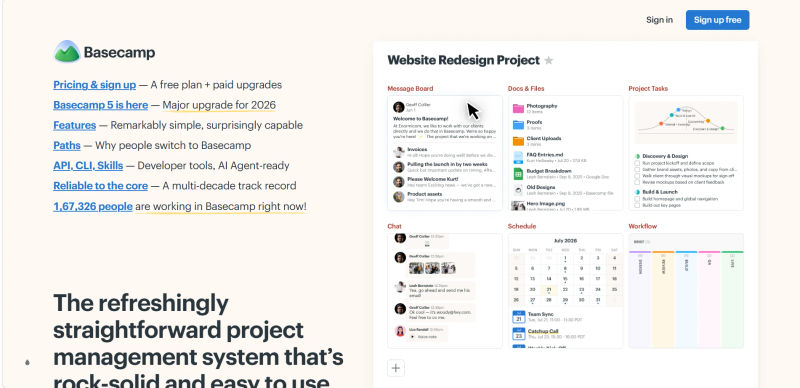
The monday.com Comparison: monday.com thrives on complexity and visual data manipulation. Basecamp is the exact opposite. It replaces internal chat, task boards, and document storage with one simple, text-forward interface. If your team is suffering from feature bloat fatigue, Basecamp forces a simpler, more asynchronous way of working.
CRM & Work Management Balance: Basecamp completely ignores the CRM race. It is strictly for team communication and project execution. Operations heads choose Basecamp when they want their CRM to live in a dedicated tool and their team collaboration to live in a distraction-free zone.
2026 Pricing Reality: Basecamp offers a unique pricing model: $15 per user/month, or a flat $299/month for unlimited users. For large teams, this flat-rate pricing dramatically lowers TCO and eliminates the anxiety of adding new seats.
Key Pros & Cons:
Pro: Flat-rate pricing option is highly cost-effective for large teams.
Pro: Drastically reduces cognitive load and software fatigue.
Con: Lacks advanced project management features like Gantt charts or dependencies.
Con: No native CRM capabilities or complex data visualization.
Decision Guide: How to Choose the Right Tool for Your Operations
Choosing the right monday.com alternative in 2026 requires moving past surface-level marketing fluff and evaluating how a platform impacts your bottom line and daily operational friction.
1. Balancing Task Management with CRM Capabilities
For operations heads, the most critical decision is determining the required relationship between your CRM and your project management tool.
The Native CRM Hybrid: If your primary pain point is the handoff between sales and delivery, prioritize platforms like HubSpot or Airtable. These tools allow you to maintain a Single Source of Truth where client data and project deliverables exist in the exact same ecosystem.
The API Bridge: If you already have an entrenched CRM (like Salesforce) and simply need a better execution tool, look for platforms with mature API documentation and robust automation engines. ClickUp and Asana excel here, allowing you to build automated workflows that pull CRM data into project boards without manual entry.
2. Scalability and Pricing Considerations for 2026
Rigid pricing structures that force you to pay for features or seats you don't need are a primary reason teams leave monday.com. When calculating your Total Cost of Ownership (TCO), you must account for:
Seat Minimums: Ensure the platform allows you to scale user by user, rather than forcing you into arbitrary tiers (e.g., jumping from 25 to 50 seats when you only need 26).
Implementation Time: A tool like Trello or Asana has a near-zero implementation cost due to fast onboarding. Conversely, setting up a relational database in Airtable or migrating legacy data into Jira will require significant upfront time and potential consulting fees.
Feature Consolidation: Can the new tool replace other subscriptions? Notion might replace your wiki software, and Teamwork.com might replace your time-tracking app, offsetting their monthly costs.
Try AuthenCIO
Move to faster, smarter software evaluation with AI
Conclusion: Finding Your Ideal monday.com Alternative
Transitioning away from monday.com is a strategic move to future-proof your operations. The landscape in 2026 offers highly specialized tools designed to solve specific bottlenecks—whether that is eliminating feature bloat, bridging the gap between sales and project delivery, or escaping punitive pricing models.
To ensure a smooth transition, operations heads should use the following Operational Requirements Checklist before making a final decision:
Data Migration: Does the tool offer a native monday.com importer to reduce transition friction?
Security Compliance: Does the platform hold verified SOC2 or GDPR certifications?
CRM Integration Level: Does the tool offer a native CRM, or will it require an API bridge to connect with your sales data?
Total Cost of Ownership: Have you factored in implementation costs, seat minimums, and potential consultant fees?
AI Capabilities: Does the platform utilize Agentic AI to automate repetitive status updates and resource allocation?
Your ideal platform depends entirely on your team's unique operational DNA. Database lovers will thrive in Airtable, agile developers need Jira, and teams seeking all-in-one customization will find a home in ClickUp.
By prioritizing your primary use case and carefully calculating your Total Cost of Ownership, you can secure a platform that drives efficiency, aligns your departments, and scales seamlessly with your business. For the best project management tools for decision makers, look no further than data-backed comparisons.