
Introduction
In the high-stakes landscape of 2026, the gap between a profitable trade business and one barely breaking even is defined by operational efficiency. With the cost of skilled labor rising and supply chain disruptions inflating the price of parts, the tolerance for administrative waste has vanished. Local service teams can no longer afford the friction of paper-based dispatching, whiteboard scheduling, or delayed cash flow. Today, robust field service management software is as critical to a technician's toolkit as their drill or multimeter.
Streamline your software evaluation process
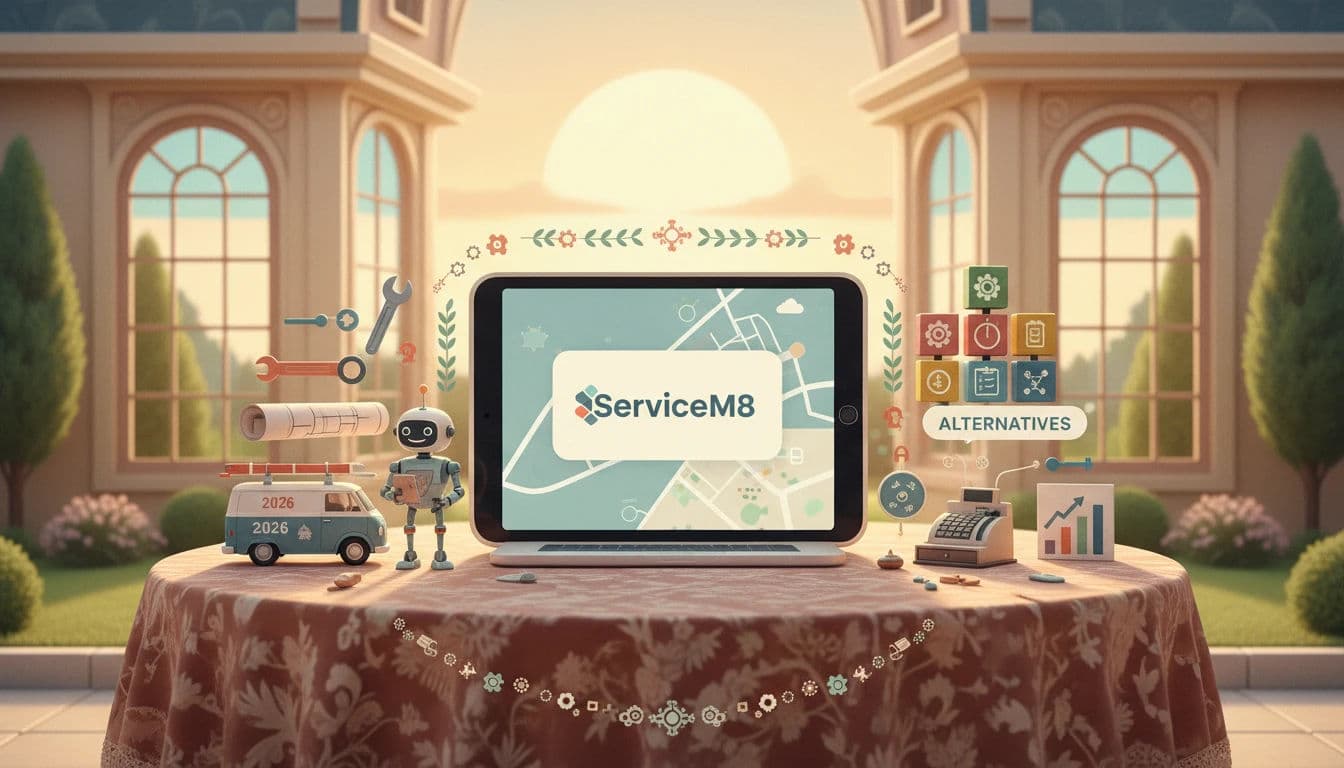
Customers now expect a seamless, Uber-like experience: instant booking confirmations, real-time technician tracking, and digital invoices sent the moment the job is done. For trade businesses—whether in HVAC, plumbing, electrical, or cleaning—the operational backbone must connect the office to the field in real-time. ServiceM8 has long positioned itself as the premier job management solution for Apple-centric businesses, promising to eliminate the "empty schedule" problem and streamline complex workflows.
However, the SaaS market has evolved significantly. While ServiceM8 dominates the iOS niche, competitors have sharpened their offerings. Thryv has doubled down on marketing automation, Zoho offers unparalleled customization, and platforms like HubSpot and Monday.com are increasingly being adapted for service workflows. This comprehensive review dissects ServiceM8’s 2026 capabilities, analyzing its "Smart Scheduling" AI, its financial integrations, and how it stacks up against top alternatives. We will guide you through the noise to help you decide if ServiceM8 is the right engine for your business growth.
Key Takeaways
ServiceM8 Overview: A robust, iOS-exclusive field service management platform tailored for trade and service businesses seeking operational efficiency.
2026 Market Context: Rising labor costs and supply chain disruptions have made streamlined dispatching and digital job tracking essential for profitability.
Core Strengths: Simplifies job scheduling, invoicing, and client communication through automation and mobile-first design.
Efficiency Gains: Reduces administrative waste and paper-based workflows, enabling faster quote-to-cash cycles and improved customer satisfaction.
The Good and The Bad: ServiceM8 Pros & Cons
Every software platform has trade-offs. ServiceM8 is highly specialized, which is both its greatest strength and its most significant limitation.
Pros
Apple Ecosystem Optimization: The iOS app is widely regarded as the gold standard for field service usability. It utilizes native iOS features like ARKit for measuring spaces and high-quality image capture, providing a smooth user experience that web-wrapped apps often fail to deliver.
Rapid Implementation: Compared to complex ERPs, ServiceM8 is relatively quick to deploy. A motivated business owner can often configure the basics—company details, email templates, and accounting integration—over a weekend.
Visual Asset Management: For trades that manage equipment (boilers, AC units, security systems), ServiceM8’s asset management module allows technicians to scan a QR code on a unit and instantly see its entire service history. This improves first-time fix rates and builds customer trust.
Unlimited Users: The pricing model encourages growth without punishing you for adding more apprentices or admin staff.
Cons
No Android App: This remains the single biggest barrier to adoption. If your technicians use Android devices, ServiceM8 is effectively a non-starter. You must supply company iPhones or iPads, which increases hardware acquisition costs.
Learning Curve for Non-Tech Staff: While the app is intuitive for digital natives, veteran technicians accustomed to paper may find the strict workflow enforcement (e.g., "You cannot close this job without a photo") frustrating initially. Training is required to ensure adoption.
Add-on Fatigue: While the base plans are reasonable, essential features like "Knowledge Base," "Franchise Management," or specific automations can sometimes be treated as add-ons or require higher tiers, creeping up the monthly spend.
Best for: Trade and local service businesses aiming to reduce admin time and improve job tracking.
Verdict: A reliable, efficiency‑focused platform that modernizes field service management with smart automation and mobile accessibility.

Software covered in this article
To help you evaluate crm in the right context, this article compares it against a carefully curated set of competitors:









Core Capabilities: Job Management and Scheduling Workflows
At the heart of any effective FSM platform is the ability to manage the work order lifecycle—from the initial customer call to the final technician sign-off. ServiceM8 excels in this domain by treating "Job Management" not as a static database entry, but as a dynamic, living workflow. In 2026, the platform’s dispatch board remains its crown jewel, offering a visual, map-based interface that allows dispatchers to drag and drop jobs onto technician schedules with intuitive ease.
1. Intelligent Dispatching and Route Optimization
For service businesses, route optimization is a direct line to fuel savings and improved Service Level Agreement (SLA) compliance. ServiceM8’s scheduling engine has evolved beyond simple distance calculations. The 2026 "Smart Scheduling" algorithms now account for historical traffic patterns and real-time road conditions to suggest the most efficient route. This ensures that when a dispatcher assigns an emergency call-out, the software isn't just picking the closest technician effectively, but the one who can actually arrive fastest.
This capability significantly increases "wrench time"—the billable hours a technician spends fixing a problem rather than sitting in gridlock. Unlike Monday.com, which often requires third-party plugins to visualize geographic data effectively, ServiceM8’s map view is native. Dispatchers can see exactly where a technician is in the queue, allowing for proactive communication with clients regarding arrival windows. For businesses managing recurring maintenance contracts, the system automates reminders and queueing, ensuring seasonal service calls—like boiler checks or AC tune-ups—are never missed.
2. Field Mobility and Offline Syncing
A critical pain point for field teams is the "dead zone"—basements, rural properties, or commercial plant rooms where cellular data is non-existent. ServiceM8’s mobile app is architected specifically for this reality. It stores data locally on the device, allowing technicians to access job history, view asset data, and complete work without an active internet connection.
Once the device reconnects to a signal, the app performs a robust background sync, updating the office dashboard instantly. This reliability is often where web-first platforms like Freshworks or Bigin struggle; while they are excellent for sales and support, their mobile wrappers can lag when handling heavy offline data entry. ServiceM8 allows technicians to capture high-resolution photos, annotate diagrams, and record voice notes directly into the job card, ensuring the "truth" of the job site is preserved regardless of connectivity.
3. Trade-Specific Compliance and Forms
In 2026, compliance is not optional. One of ServiceM8's most powerful features is its "Forms" module, which enforces standardization across the fleet. This goes beyond simple checkboxes. For an electrical contractor, the system can force a technician to complete a specific "Safe Work Method Statement" (SWMS) before the job clock can start.
Similarly, plumbing teams can integrate Gas Safety Certificates directly into the workflow. The app can require mandatory photo evidence of a finished installation—timestamped and geotagged—before a job can be marked as "Complete." This functionality reduces the risk of liability claims and eliminates the need for return visits due to poor documentation. While Pipedrive is fantastic for managing the sales pipeline, it lacks this depth of operational compliance, making ServiceM8 the superior choice for trades where safety documentation is part of the product.

Financial Workflows: Quoting, Invoicing, and Payments
The quote-to-cash cycle is where many service businesses experience friction. Delayed invoicing leads to poor cash flow, and manual reconciliation consumes valuable administrative hours. ServiceM8 integrates these financial workflows directly into the job management process, aiming to reduce the "Time to Invoice" metric from days to minutes.
1. Multi-Option Quoting and On-Site Sales
ServiceM8 empowers technicians to transition from fixers to sales-enablers. The app supports multi-tier quoting, allowing a technician in the field to present a client with "Good, Better, Best" options on an iPad. For instance, an HVAC technician can quote a basic repair alongside a full system replacement and a premium maintenance package. This psychological pricing strategy often leads to higher average ticket values.
Competitors like Nutshell, while excellent for managing sales relationships and email marketing, lack this specific field-centric presentation layer designed for face-to-face upselling. The ability to generate, present, and get a signature on a quote while standing in the customer's living room is a massive conversion driver.
2. Automated Invoicing and Payment Collection
Once a job is marked complete, ServiceM8 can trigger an automated invoice sent via email or SMS. The integration with payment gateways (like Stripe and Square) allows customers to pay immediately via credit card on their mobile device. While these gateways do charge transaction fees (typically around 1.75% to 2.9% + 30¢ per transaction), the cost is often outweighed by the elimination of chasing late payments.
For larger projects, such as a full home rewire or a bathroom renovation, ServiceM8 supports progress invoicing. This allows businesses to bill for a deposit, a rough-in stage, and a final completion stage, all tracked under a single job number. This level of financial granularity is vital for cash flow management on multi-day jobs. Furthermore, the 2026 updates have streamlined the reconciliation process with accounting platforms like Xero and QuickBooks Online. The integration is two-way and seamless: a payment collected in the field is automatically matched in the general ledger, saving hours of bookkeeping time.
Find Perfect Software For Your Business
ServiceM8 Pricing 2026: Detailed Plan Breakdown
ServiceM8 utilizes a unique pricing model that combines a base subscription with a "job credit" system in some regions, or tiered plans based on feature access and job volume. A significant advantage of ServiceM8 is its unlimited user model on most plans. Unlike Salesforce or Zoho, where costs scale linearly with every new hire, ServiceM8 charges based on the volume of work (jobs) you process. This makes it incredibly cost-effective for businesses with large field crews but moderate job volumes.
Below is a breakdown of the typical plan structures for 2026. Note that pricing can vary by region, so businesses should verify exact local costs.
Plan | Price | Best For | Features |
Free | $0/mo | Solo operators needing basic tools to manage up to 30 jobs a month | - All Essential Features |
Starter | $29/mo | Small teams starting to systemise operations with low monthly job volumes (up to 50 jobs) | - All Essential Features |
Growing | $79/mo | Growing businesses managing a higher volume of jobs (up to 150 jobs per month) | - All Essential Features |
Premium | $149/mo | Established businesses needing capacity for up to 500 jobs per month | - All Essential Features |
Premium Plus | $349/mo | Larger operations needing 1500+ jobs per month and advanced capacity | - All Essential Features |
Note: All prices shown reflect typical monthly billing. Vendors often offer lower pricing for annual commitments, but those discounts are excluded here for easier comparison. Actual costs may vary depending on your requirements, usage volumes, and negotiated terms.

It is important to note that while the entry price is low, the "Premium" tier is often the starting point for serious businesses because it unlocks critical features like Asset Management and Recurring Jobs. If your business relies on servicing equipment over time (e.g., commercial refrigeration), the lower tiers will likely be insufficient.
Field Service Alternatives to ServiceM8
If the iOS exclusivity or specific workflow limitations of ServiceM8 do not align with your business needs, the 2026 market offers several robust alternatives. Here is how they compare.
1. Thryv and Zoho: All-in-One Business Management
Thryv is a strong contender for small businesses that need a heavy focus on marketing and online presence alongside job management. Unlike ServiceM8’s pure operational focus, Thryv excels in reputation management, social media scheduling, and automated review generation. If your primary pain point is getting customers rather than just dispatching them, Thryv offers a more holistic "small business OS."
Zoho, specifically through the Zoho FSM and Zoho CRM ecosystem, offers unparalleled customization. It is platform-agnostic (iOS and Android) and integrates with the massive Zoho suite. It is ideal for tech-savvy businesses that want to build custom workflows, though it requires a steeper learning curve than ServiceM8’s out-of-the-box simplicity. Zoho is often the best CRM for HVAC and plumbing companies that need to manage complex commercial contracts alongside residential service.
2. HubSpot and Freshworks: Advanced Sales and Marketing Integration
HubSpot is primarily a marketing and sales powerhouse. While its "Service Hub" has improved, it lacks the deep, map-centric dispatching and asset management capabilities of ServiceM8. However, for service businesses with a long sales cycle (e.g., commercial solar installations or high-end remodeling), HubSpot’s ability to nurture leads before they become jobs is superior. It is best used in conjunction with a dedicated FSM tool or by teams where "sales" is the dominant function.
Freshworks (Freshdesk/Freshsales) offers a similar value proposition. It is excellent for multi-channel support (chat, email, phone) and sales pipelines. If your service business is more "helpdesk" oriented (e.g., IT support) rather than "van-based" (e.g., plumbing), Freshworks is often a better fit due to its ticketing architecture.
3. Monday.com and Pipedrive: Visual Project and Pipeline Management
Monday.com is a Work OS that can be customized to look like a dispatch board. It is visually stunning and highly flexible for project-based work (e.g., landscaping projects lasting weeks). However, it lacks the native field service features like live GPS tracking of vans or industry-specific price books. It requires significant setup to mimic what ServiceM8 does natively.
Pipedrive is a laser-focused sales CRM. It is exceptional for managing the bid and quote process but offers zero functionality for dispatching a technician or managing a work order. It is often used by service businesses to manage the sales team, syncing won deals to a separate FSM tool like ServiceM8 or Jobber for execution.
4. Bigin and Nutshell: Simplified CRM for Growing Teams
Bigin (by Zoho) and Nutshell are excellent entry-level CRMs for small teams. Bigin offers a pipeline-centric view that is great for tracking jobs as they move through stages (e.g., New -> Quoted -> Scheduled -> Invoiced). Nutshell provides robust email marketing integration and sales reporting. Both are more affordable and easier to adopt than enterprise tools but lack the deep field service specificities—like route optimization or mobile job cards—found in ServiceM8. They are better suited for the office team managing relationships rather than the field team turning wrenches.
Technical Jargon Decoded: API Integrations and SaaS Scalability
For growing businesses, the "stickiness" of a CRM often comes down to its connectivity. ServiceM8 offers a robust API (Application Programming Interface), allowing developers to build custom connections between the CRM and other software. This is crucial for scalability. For example, as a business grows, it might need to push data from ServiceM8 into a dedicated inventory management system or a custom BI dashboard.
Scalability also involves user management. ServiceM8 handles the transition from a single user to a team of 20+ reasonably well. However, for enterprise-level operations with hundreds of technicians, the lack of hierarchy complexity (compared to enterprise FSM tools) can become a bottleneck. The platform is firmly rooted in the SMB (Small and Medium Business) sector. When evaluating SaaS scalability, consider the API rate limits and whether the platform supports "webhooks"—automated messages sent from apps when something happens—to trigger workflows in other tools, ensuring your tech stack acts as a cohesive ecosystem rather than a collection of silos.
Try AuthenCIO
Move to faster, smarter software evaluation with AI
Conclusion: Is ServiceM8 the Right Fit for Your 2026 Strategy?
ServiceM8 remains a dominant force in the 2026 field service landscape, particularly for businesses already invested in the Apple ecosystem. Its mastery of visual dispatching, robust offline capabilities, and seamless financial integrations make it a top-tier choice for plumbers, electricians, and HVAC technicians who need to bring order to their daily operations. The platform effectively solves the problems of double-handling data and invisible field staff.
However, it is not a one-size-fits-all solution. If your fleet relies on Android devices, or if you require heavy marketing automation (like Thryv) or complex project management (like Monday.com), you may find better value elsewhere. Ultimately, the decision should rest on your specific workflow requirements: do you need a sales tool that can schedule, or a scheduling tool that can sell? ServiceM8 is unapologetically the latter.
Next Steps: Transitioning to ServiceM8
If you decide ServiceM8 is the right path, follow this checklist for a smooth transition:
Audit Your Hardware: Ensure all field staff have iPhone or iPad devices (Model 12 or newer recommended for 2026 features).
Clean Your Data: Export your client list and price book to CSV, removing duplicates before importing.
Map Your Workflow: Define your job stages (e.g., Quote > Work Order > Invoice) to match the software configuration.
Setup Accounting: Link Xero or QuickBooks immediately to test the two-way sync.
Pilot Test: Run the system with one senior technician for a week before rolling it out to the whole fleet.