.webp&w=64&q=75)
Introduction
For many trade business owners, ServiceM8 has been a reliable starting point for digitizing operations. However, as your business grows, finding a robust field service CRM alternative becomes an urgent priority. If you are wondering which ServiceM8 alternative is best for your team, the answer depends on whether you need advanced sales pipelines, Android compatibility, or commercial project tracking.
Streamline your software evaluation process
When your team expands and hits that critical tipping point of 5+ vans or 10+ technicians, the cracks in a foundational system start to show. You might be experiencing the frustration of double-handling data between your field CRM and your office accounting software, or struggling to track technician productivity and billable hours accurately.
Perhaps you are missing out on commercial bids because your software lacks advanced project management, phased invoicing, or robust inventory tracking. Furthermore, ServiceM8's strict iOS-only ecosystem forces businesses to purchase expensive Apple hardware for every new hire—an "Apple Tax" that quickly eats into profit margins.
Today's decision-makers need more than just a digital diary; they need a comprehensive mobile CRM that automates customer communications, provides deep financial clarity, and scales without friction. You are no longer just looking to learn about software options—you need to choose a field service CRM that will actively drive your business forward, reduce "days-to-pay," and eliminate administrative bottlenecks.
Key Takeaways
Best Overall for Residential Trades: Jobber and Housecall Pro stand out as the top alternatives, offering superior automation, customer communication, and built-in marketing tools for growing teams.
Best for Commercial and Enterprise: If you are outgrowing ServiceM8 due to complex project management or large-scale dispatch needs, ServiceTitan and SimPRO provide the heavy-duty infrastructure required.
Niche-Specific Strengths: Tradify is ideal for sole traders and electricians seeking simplicity, while Workiz excels for high-volume, rapid-dispatch businesses like locksmiths and junk removal.
Core Reasons to Switch: Growing businesses typically leave ServiceM8 to find better pricing scalability for larger crews, deeper two-way sync with accounting software (like Xero and QuickBooks), and more reliable offline mobile capabilities for field technicians.
🏆 Top Software Picks
ServiceTitan — Best for large trade businesses needing advanced reporting and operational control.
SimPRO — Best for complex commercial projects, estimating, and progress billing.
Jobber — Best for residential service teams needing streamlined scheduling and invoicing.
Housecall Pro — Best for home-service businesses combining job management and marketing.
FieldEdge — Best for HVAC businesses needing dispatching and accounting integration.
Commusoft — Best for compliance-heavy plumbing, heating, and maintenance work.
Workiz — Best for high-volume service calls and integrated phone management.
Fergus — Best for job costing and profit-margin tracking.
Tradify — Best for small trade teams needing simple quoting and accounting.
RazorSync — Best for technician scheduling, GPS tracking, and offline work.
Thryv — Best for combining customer management, marketing, and payments.
ServiceM8 — Best for small, Apple-based trade businesses.
Software Covered in this Article
To help you understand CRM software in the right context, this article refers to a carefully curated set of leading CRM alternatives:











.webp?tr=w-112%2Cq-80%2Cf-auto%2Cc-at_max)
Quick Comparison: Top 12 ServiceM8 Alternatives at a Glance
Tool | Price | Best For | Key Features |
Jobber | Starts from $35/mo | Residential teams needing automation | Client hub, automated quoting, optimized routing |
Housecall Pro | Custom Pricing | All-in-one marketing and sales | Review generation, service agreements, pipeline tracking |
ServiceTitan | Custom Pricing | Large-scale commercial & HVAC | Enterprise reporting, multi-day jobs, deep inventory |
SimPRO | Custom Pricing | Complex project management | Phased billing, advanced estimating, asset maintenance |
Tradify | Starts from $47/user/mo | Electricians & sole traders | Quick quoting, timesheets, seamless Xero integration |
FieldEdge | Custom Pricing | Heavy dispatch & HVAC | Live QuickBooks sync, visual dispatch board, service plans |
Workiz | $225 - $325/mo | High-volume calls & locksmiths | Built-in phone system, ad tracking, dynamic scheduling |
Thryv | Starts from $99/month | Integrated customer experience | Lead management, CRM, automated payment reminders |
RazorSync | Starts from $90 /mo | Simple scheduling & GPS tracking | Offline mode, technician tracking, straightforward dispatch |
Commusoft | Custom Pricing | Compliance-heavy gas & heating | Gas certificates, SLA tracking, supplier integrations |
Fergus | Starts from $5.3/user/mo (till dec) | Financial clarity & profitability | Margin tracking, visual job boards, supplier invoice sync |
ServiceM8 | Starts from $29/mo | Apple-exclusive solo operators | iOS native, simple dispatch, basic quoting |
*Note: All prices shown reflect typical monthly billing. Vendors often offer lower pricing for annual commitments, but those discounts are excluded here for easier comparison. Actual costs may vary depending on your requirements, usage volumes, and negotiated terms.
Best ServiceM8 Alternatives for Residential and Commercial Trades
1. Jobber: Best for Residential Service Teams Needing Automation
Who is this best for? Jobber is the premier ServiceM8 alternative for growing residential service businesses—such as local plumbing and electrical teams—that want to automate their daily workflows and provide a highly polished, modern customer experience.

Overview: While ServiceM8 provides a solid baseline for dispatching, Jobber elevates the entire customer journey.
If your trade business is scaling and you need to reduce the administrative burden on your office staff, Jobber’s automated quoting, follow-ups, and invoicing are game-changers in 2026.
It allows your dispatchers to focus on growth rather than chasing unapproved estimates.
Key Features:
Automated Client Communications: Trigger "on-my-way" text messages and post-job review requests without manual input from dispatchers.
Self-Serve Client Hub: A dedicated portal for homeowners to view job history, approve estimates, and process credit card payments instantly.
Drag-and-Drop Routing: Optimize daily routes for your field technicians to save on fuel and reduce windshield time.
Time to Go-Live: 2 to 5 days. Data migration via CSV is straightforward.
Contract & Support: Month-to-month options available. Support is highly rated, offering live chat and phone assistance.
Where it beats ServiceM8: Jobber offers a vastly superior customer-facing experience.
Its automated follow-ups prevent unapproved quotes from falling through the cracks.
Crucially, Jobber fully supports Android devices, eliminating the need to force your entire field team onto expensive iPhones.
Where it falls short: Jobber’s inventory management is relatively basic.
It is not designed for commercial contractors who need to track thousands of individual parts across multiple warehouses or manage complex, multi-month phased projects.
2. Housecall Pro: Best for All-in-One Marketing and Sales Features
Who is this best for? Housecall Pro is built for trade business owners who want to aggressively grow their revenue through integrated marketing, upselling, and automated review generation.

Overview: Housecall Pro focuses heavily on the revenue-generating side of your business.
If you are frustrated by the lack of sales tools in basic CRMs, this platform bridges the gap between field service management and digital marketing.
It empowers your technicians to sell better in the field with tiered pricing presentations that psychology shows increase average ticket sizes.
Key Features:
Integrated Marketing Tools: Send automated email and postcard campaigns directly to past customers to drive repeat business.
Service Agreement Management: Easily sell and track recurring maintenance contracts, a crucial feature for HVAC and plumbing businesses.
Sales Proposal Tool: Create visual, "Good, Better, Best" multi-option quotes on a tablet that naturally increase the average ticket size.
Time to Go-Live: 3 to 7 days. The onboarding team assists with importing customer lists.
Contract & Support: Offers annual discounts but monthly billing is available. Priority phone support is locked behind higher pricing tiers.
Where it beats ServiceM8: When comparing ServiceM8 vs Housecall Pro, Housecall Pro wins decisively on marketing and sales enablement.
The ability to automatically ask for Google reviews after a 5-star job is built directly into the workflow, helping you dominate local SEO.
Where it falls short: Housecall Pro's pricing scales up quickly as you add more users and require advanced features, making it a significant financial commitment compared to entry-level tools.
3. ServiceTitan: Best for Large-Scale Commercial and HVAC Operations
Who is this best for? ServiceTitan is the undisputed heavyweight champion for large, rapidly scaling, or enterprise-level trade businesses (typically 10+ trucks) that need granular reporting and deep operational control.
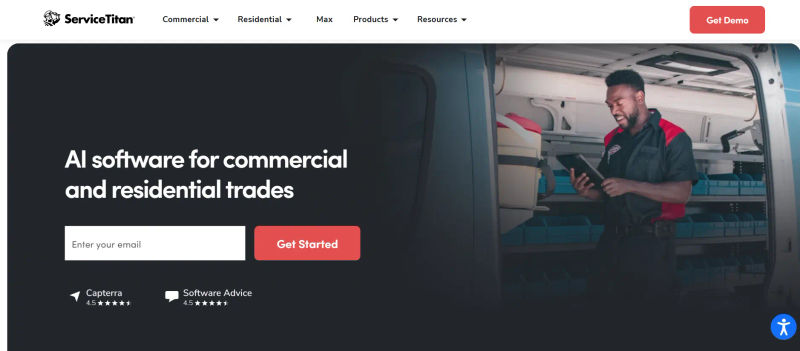
Overview: Focusing on ServiceTitan vs ServiceM8 for growing teams is like comparing a commercial jet to a single-engine Cessna.
ServiceTitan is a massive, comprehensive platform designed to handle complex multi-day jobs, massive inventory lists, and intricate payroll structures.
It is the tool you choose when you need to optimize every single dollar of profit across a large organization.
Key Features:
Advanced Dispatching: AI-driven scheduling that assigns the right technician to the right job based on skill set and real-time location.
Deep Inventory and PO Management: Track parts from the supplier to the warehouse, to the truck, and finally to the customer's invoice.
Enterprise-Grade Reporting: Custom dashboards that track technician conversion rates, revenue per hour, and marketing ROI down to the penny.
Time to Go-Live: 2 to 4 months. This is a massive implementation requiring dedicated staff time.
Contract & Support: Long-term annual or multi-year contracts. You receive a dedicated account manager.
Where it beats ServiceM8: ServiceTitan offers unmatched depth in reporting, commercial project management, and inventory tracking.
It is built to handle the complexities that simply break smaller software platforms.
Where it falls short: The learning curve is incredibly steep.
Implementing ServiceTitan can take months, and the premium custom pricing puts it out of reach for small or newly established trade businesses.
4. SimPRO: Best for Complex Project Management and Estimating
Who is this best for? SimPRO is the ideal solution for commercial electrical, plumbing, and security contractors who handle long-term projects, phased billing, and complex asset maintenance.
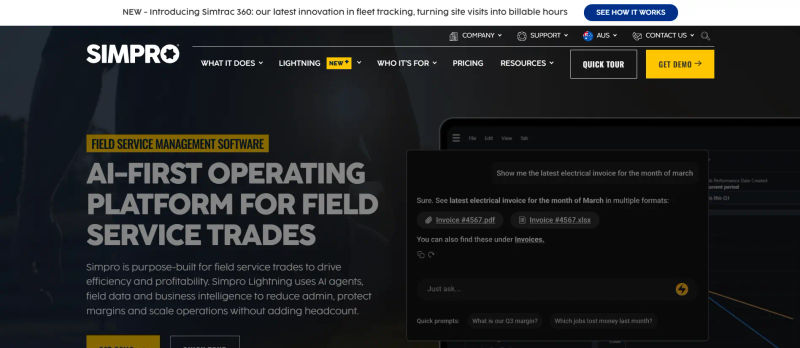
Overview: If your business model relies on winning large commercial bids and managing projects over several weeks or months, SimPRO vs ServiceM8 for commercial projects is an easy decision.
SimPRO is built specifically for project-based trades, offering deep estimating tools that calculate labor, materials, and margins with pinpoint accuracy.
Key Features:
Phased Invoicing: Bill clients accurately based on project milestones or percentage of completion (progress claims).
Asset Maintenance: Track and schedule recurring maintenance for specific commercial assets (e.g., HVAC units in an office building).
Pre-Build Estimating: Create highly detailed estimates using pre-built assemblies and live supplier pricing.
Time to Go-Live: 4 to 8 weeks. Requires structured training for estimators and project managers.
Contract & Support: Typically annual contracts. Comprehensive onboarding team provided during the transition.
Where it beats ServiceM8: SimPRO’s ability to handle complex project management and progress billing is lightyears ahead of ServiceM8.
It provides the financial guardrails needed to ensure large commercial jobs remain profitable from start to finish.
Where it falls short: Because it is so robust, SimPRO’s user interface can feel clunky and overwhelming for field technicians who just want to quickly log their hours and move to the next job.
5. Tradify: Best for Electricians and Sole Traders Seeking Simplicity
Who is this best for? Tradify is the perfect fit for sole traders, small electrical teams, and businesses that want an incredibly easy-to-use app without a massive learning curve.
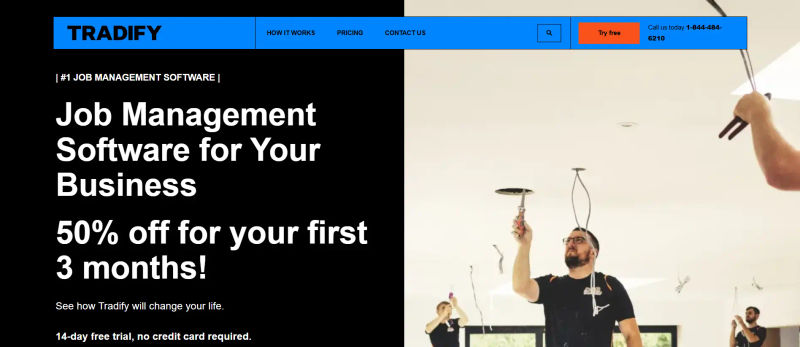
Overview: If you are looking for Tradify alternatives for sole traders, you likely value speed and simplicity.
Tradify is designed to get you out of the office and back on the tools.
It focuses heavily on rapid quoting, easy timesheet management, and seamless integration with accounting software, making it a favorite among electricians and plumbers.
Key Features:
Rapid Quoting: Import supplier price lists to build accurate quotes in minutes, straight from your mobile device.
Job Tracking: A simple, visual dashboard to see exactly what stage every job is at, from "To Do" to "Invoiced."
Accounting Integrations: Flawless two-way sync with Xero, QuickBooks, and MYOB to eliminate double data entry.
Time to Go-Live: 1 to 3 days. Extremely fast setup with minimal training required.
Contract & Support: Flexible month-to-month terms. Support is primarily via email and phone.
Find Perfect Software For Your Business
Where it beats ServiceM8: Tradify offers a much smoother experience for Android users and boasts one of the most reliable native accounting integrations on the market.
It is also incredibly intuitive, meaning your team will face almost zero downtime during the switch.
Where it falls short: Tradify lacks the advanced marketing automation and complex project management features found in tools like Housecall Pro or SimPRO.
6. FieldEdge: Best for HVAC Teams with Heavy Dispatch Requirements
Who is this best for? FieldEdge is highly recommended for HVAC businesses and service teams that require intense, fast-paced dispatching and deep integration with QuickBooks.
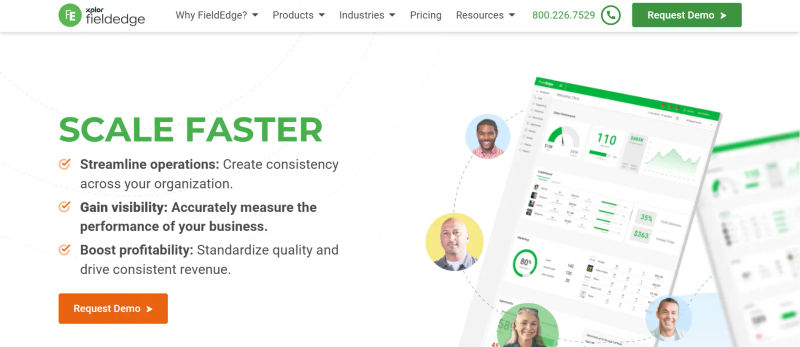
Overview: FieldEdge was built with the HVAC industry in mind.
It excels in environments where emergency calls are frequent and dispatchers need to make split-second routing decisions.
Its standout feature is its live, real-time sync with QuickBooks, which ensures your office staff and field technicians are always looking at the exact same financial data.
Key Features:
Dynamic Dispatch Board: A highly visual, drag-and-drop board that makes managing a fleet of trucks effortless.
Service Agreement Tracking: Automatically schedule recurring maintenance and track the profitability of your service plans.
Live QuickBooks Sync: Eliminates the need for batch syncing; data updates instantly across both platforms.
Time to Go-Live: 3 to 6 weeks. The QuickBooks integration requires careful mapping by an onboarding specialist.
Contract & Support: Annual contracts are standard. Phone support is robust and industry-specific.
Where it beats ServiceM8: The dispatching capabilities and the live, error-free QuickBooks integration make FieldEdge a much safer bet for businesses processing a high volume of daily invoices and emergency work orders.
Where it falls short: FieldEdge is a premium product with a price tag to match, and its interface can feel slightly dated compared to newer, more modern CRMs.
7. Workiz: Best for High-Volume Service Calls and Locksmiths
Who is this best for? Workiz is the ultimate mobile CRM for locksmiths, junk removal services, and any trade business that relies heavily on incoming phone calls and rapid, same-day service.

Overview: When evaluating Workiz vs ServiceM8 for locksmiths or high-volume trades, Workiz stands out due to its integrated communication suite.
It features a built-in phone system that records calls, tracks which marketing campaigns are driving the most leads, and allows dispatchers to book jobs directly from the call screen.
Key Features:
Integrated Phone System: Make, receive, and record customer calls directly within the software.
Ad Tracking: Assign unique phone numbers to different marketing campaigns to see exactly which ads yield the best ROI.
Tech Tracking: Customers receive an Uber-style tracking link to see exactly when their technician will arrive.
Time to Go-Live: 3 to 7 days. Porting existing phone numbers can add a few days to the process.
Contract & Support: Monthly and annual options. Live chat and phone support are highly responsive.
Where it beats ServiceM8: Workiz entirely replaces the need for a third-party VOIP phone system.
Its ability to tie phone calls directly to specific jobs and marketing spend provides incredible visibility into your customer acquisition costs.
Where it falls short: The focus on rapid, single-day jobs means Workiz is not well-suited for trades that require long-term project management or phased billing.
8. Thryv: Best for Integrated Customer Experience and Small Business CRM
Who is this best for? Thryv is best for small trade businesses seeking a robust CRM alternative that handles the entire customer relationship lifecycle, lead management, and automated marketing alongside basic job scheduling.

Overview: Thryv operates primarily as a comprehensive small business CRM rather than a pure field service tool. For teams prioritizing customer acquisition and retention over complex dispatching, Thryv consolidates lead tracking, multi-channel communications, and automated follow-ups into a single dashboard.
Key Features:
Centralized CRM Inbox: Manage emails, text messages, social media, and web chat leads from one screen to ensure zero missed inquiries.
Lead Nurturing & Marketing: Build automated email and SMS campaigns to re-engage past clients and drive repeat business.
Automated Payment Reminders: Set up automated sequences that politely chase clients for unpaid invoices, reducing your days-to-pay.
Client Portal: Provide customers with a dedicated login to view estimates, pay invoices, and schedule future appointments.
Time to Go-Live: 1 to 2 weeks. Setting up the CRM pipelines and communication templates requires initial configuration.
Contract & Support: Custom pricing with varying contract lengths. 24/7 support is a major selling point.
Where it beats ServiceM8: Thryv functions as a true CRM alternative, offering a much broader suite of lead management, marketing automation, and customer relationship tools designed to acquire new customers and ensure you get paid on time.
Where it falls short: Because it is a generalist small business tool, Thryv lacks deep, trade-specific features like complex inventory management, multi-day dispatching, or advanced job costing found in specialized platforms.
9. RazorSync: Best for Simple Scheduling and Field Technician Tracking
Who is this best for? RazorSync is ideal for mid-sized teams that need robust GPS tracking, strong offline capabilities, and a straightforward approach to scheduling without unnecessary bells and whistles.

Overview: RazorSync is a workhorse among field service scheduling apps.
It doesn't have the flashiest interface, but it excels at the core fundamentals of field service management.
It is particularly strong in areas with poor cellular reception, allowing technicians to continue updating job notes and capturing signatures offline, which then sync automatically when a connection is restored.
Key Features:
Advanced GPS Tracking: Monitor your fleet's location in real-time and view historical route data to improve efficiency.
True Offline Mode: Full functionality for field workers even when they are completely out of range of cell towers or Wi-Fi.
Customer Portal: Allows clients to request service, view past invoices, and update their information.
Time to Go-Live: 2 to 5 days. The system is relatively straightforward to deploy.
Contract & Support: Monthly and annual billing. Support is available via phone and a ticketing system.
Where it beats ServiceM8: RazorSync’s offline mobile capabilities are significantly more reliable for teams that frequently work in rural areas or deep inside commercial buildings where reception is dead.
Where it falls short: The user interface is functional but lacks the modern, intuitive design that newer competitors offer, which can slightly increase the initial learning curve for office staff.
10. Commusoft: Best for Compliance-Heavy Gas and Heating Businesses
Who is this best for? Commusoft is specifically engineered for HVAC, gas, heating, and plumbing businesses that must adhere to strict industry compliance, safety certificates, and service level agreements (SLAs).
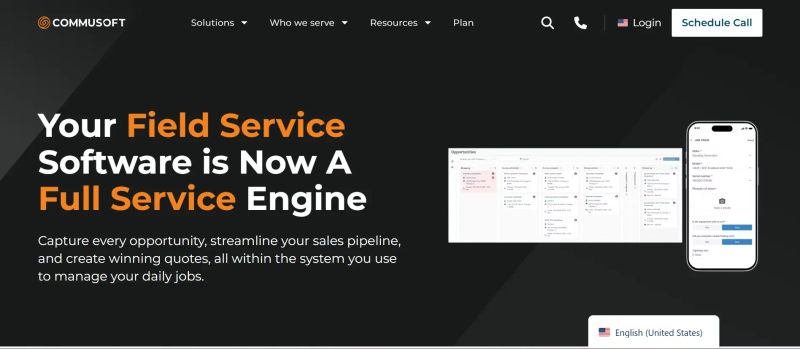
Overview: Comparing Commusoft vs ServiceM8 for HVAC and gas engineers highlights a clear divide in industry specialization.
Commusoft is deeply tailored to compliance.
It allows your technicians to complete mandatory gas safety certificates digitally on-site, ensuring your business never falls foul of regulatory requirements.
Key Features:
Digital Certificates: Access a massive library of industry-standard safety and compliance forms that can be filled out on mobile.
SLA Management: Track response times meticulously to ensure you meet the contractual obligations of your commercial clients.
Supplier Integrations: Direct links to major plumbing and heating suppliers for automated parts ordering and price checking.
Time to Go-Live: 2 to 4 weeks. Customizing safety certificates and SLAs takes dedicated setup time.
Contract & Support: Annual contracts. Support includes dedicated onboarding for compliance setup.
Where it beats ServiceM8: For compliance and certification, Commusoft is in a league of its own.
It removes the risk of lost paperwork and ensures every job meets legal safety standards before the technician leaves the site.
Where it falls short: The software is highly specialized, meaning trades outside of plumbing, heating, and electrical will find many of the features irrelevant to their daily operations.
11. Fergus: Best for Financial Clarity and Profitability Tracking
Who is this best for? Fergus is the best choice for trade business owners who want microscopic visibility into their profit margins, labor costs, and supplier invoices on every single job.
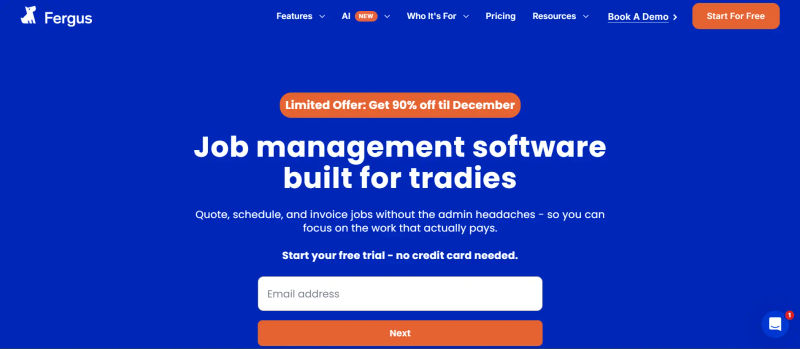
Overview: Created by a former plumber, Fergus is obsessed with your bottom line.
It is designed to stop the financial "leaks" that plague growing trade businesses.
By integrating directly with your suppliers, Fergus pulls in material costs in real-time, allowing you to see exactly how much profit you are making (or losing) while the job is still active.
Key Features:
Visual Job Board: A Kanban-style board that tracks the financial health and progress of every job in your pipeline.
Supplier Invoice Sync: Automatically matches supplier invoices to the correct job, eliminating manual data entry.
Margin Tracking: Real-time alerts if a job is approaching its budget limit for labor or materials.
Time to Go-Live: 1 to 2 weeks. Setting up supplier integrations is the primary hurdle.
Contract & Support: Month-to-month flexibility. Excellent support from industry veterans.
Where it beats ServiceM8: Fergus provides unparalleled financial clarity.
While ServiceM8 helps you do the job, Fergus ensures you actually make money doing it by exposing hidden costs and tracking exact profitability per technician.
Where it falls short: The intense focus on financial tracking means your team must be disciplined about logging every single minute and material; otherwise, the reporting loses its value.
12. ServiceM8: When Does it Still Make Sense to Stay?
Who is this best for? ServiceM8 remains a viable option for solo operators or very small teams (1-3 people) who are already fully invested in the Apple ecosystem and have simple, straightforward job cycles.

Overview: It is important to acknowledge that ServiceM8 is not a bad tool; it is simply built for a specific scale.
If you are a solo plumber who runs your entire life off an iPhone and an iPad, ServiceM8 is incredibly cheap, fast, and easy to use.
Its native iOS design means the app is highly responsive and utilizes Apple's hardware features brilliantly.
Key Features:
Native iOS App: Lightning-fast performance on iPhones and iPads.
Built-in Camera Features: Easily annotate photos and attach them directly to job cards.
Simple Dispatching: A clean, easy-to-understand interface for assigning daily tasks.
Time to Go-Live: 1 day. You can download the app and start quoting immediately.
Contract & Support: Monthly billing. Support is largely self-serve and ticket-based.
Where it beats the alternatives: For pure Apple users, the app performance speed and battery drain efficiency on older mobile devices are exceptional.
It is also one of the most affordable entry-level options on the market.
Where it falls short: The lack of an Android app is a massive bottleneck for hiring.
Furthermore, as soon as you need advanced reporting, multi-day project management, or complex inventory tracking, you will outgrow ServiceM8 entirely.
Key Factors to Consider When Switching from ServiceM8
Choosing the best software to replace ServiceM8 requires prioritizing CRM-specific capabilities and seamless data migration.
You must evaluate how an alternative manages customer relationships, centralizes communication history, and securely transfers your existing client records without data loss.
Here are the critical CRM features and migration protocols to scrutinize during your software demos.
1. Mobile App Performance and Offline Capabilities
The software you choose is only as good as your field technicians' ability to use it.
If the app is clunky, drains battery life rapidly, or crashes, your team will simply stop using it.
True Offline Mode: Trade teams frequently work in areas with poor reception—such as rural locations, basements, or deep inside commercial concrete structures. Ensure the app allows technicians to view job details, capture customer signatures, and add notes entirely offline.
Reliable Data Sync: Once the device reconnects to a network, the data must sync automatically to the office without creating duplicate entries or losing photos.
Cross-Platform Support: Moving away from ServiceM8 means you can finally hire technicians who use Android devices, but you must verify that the Android version of the new software is just as robust as the iOS version.
2. Integration with Accounting Software (Xero, QuickBooks)
One of the primary reasons businesses leave basic CRMs is the headache of double-handling data between the field app and the office accounting software.
When evaluating alternatives, do not just ask if they integrate; ask how they integrate.
Two-Way Sync: You need a reliable, two-way integration. If an invoice is marked as paid in QuickBooks, it must automatically update in your job management software, and vice versa.
Tax Code Mapping: Look closely at how each tool handles tax codes, inventory items, and customer data mapping to prevent accounting errors.
Batch vs. Live Sync: Platforms like FieldEdge offer live syncing, while others batch sync overnight. Choose the one that fits your bookkeeper's workflow.
Join 8,000+ businesses using AuthenCIO to find the right job management software.
3. Pricing Scalability for Growing Field Teams
High monthly costs that eat into profit margins are a common pain point as more staff members are added to a platform.
You must understand the "hidden costs" of your new software.
Pricing Models: Does the platform charge per user, per truck, or per job? If you hire three seasonal workers for the summer, will your software subscription double?
Premium Support Tiers: Ask sales reps about support access. Will you have access to phone support during an emergency, or are you relegated to a slow, ticket-only system?
Implementation Fees: Enterprise tools often require significant upfront implementation fees and long-term contracts. Ensure you calculate the ROI based on hours saved per technician to justify the cost.
4. Managing Staff Buy-in
Changing software is a mutiny risk if the field techs hate the new interface.
Do not fall for the illusion of a "seamless" switch—there will always be a pain period.
To ensure a manageable transition, involve your lead technicians in the demo process.
If the user interface for the field technicians is overly complex or requires too many clicks to close a job, adoption rates will plummet.
A structured migration plan that includes dedicated training days will save you weeks of frustration.
Try AuthenCIO
Move to faster, smarter software evaluation with AI
Conclusion: Which ServiceM8 Alternative Should You Choose?
Upgrading your job management software is a critical decision that will dictate the efficiency and profitability of your trade business for years to come.
ServiceM8 is a fantastic starting point, but 2026 demands more robust, scalable solutions for growing teams.
If you are a residential service team focused on customer experience, Jobber or Housecall Pro will deliver the automation you need.
If you are tackling complex commercial projects and need deep financial clarity, SimPRO and Fergus are unmatched.
For heavy dispatch environments, FieldEdge leads the pack, while Tradify remains the champion for sole traders seeking simplicity.
Next Steps: 3-Point Migration Checklist
Export Your ServiceM8 Customer List: Ensure your current data is clean and backed up in a CSV format.
Audit Your Job History: Decide how much historical job data you actually need to migrate to the new system versus keeping in an archive.
Request a Sandbox Demo: Never sign a contract without having your lead dispatcher and top technician test the software in a live, interactive environment.
Identify your biggest operational bottleneck—whether it is double data entry, poor customer communication, or a lack of profitability tracking—and choose the tool that directly solves that problem.