
Introduction
In 2026, the primary bottleneck for SMB Marketing Managers is no longer traffic generation—it is execution speed and conversion rate optimization (CRO). The modern marketing landscape is defined by the developer dependency crisis. If you have to wait two weeks for an engineering ticket to clear just to launch a simple squeeze page or update a headline for a seasonal promotion, you have already lost the campaign. The market moves too fast, and the "first-mover advantage" has shifted to the "fastest-iterator advantage."
Streamline your software evaluation process
For small to medium-sized businesses (SMBs), the challenge is balancing this need for speed with the demand for data integrity. You are likely operating with a lean team, a finite budget, and a mandate to prove ROI on every dollar spent. You need a tool that empowers generalists to build high-converting assets without touching a line of code, yet integrates seamlessly into a complex, privacy-first data stack.
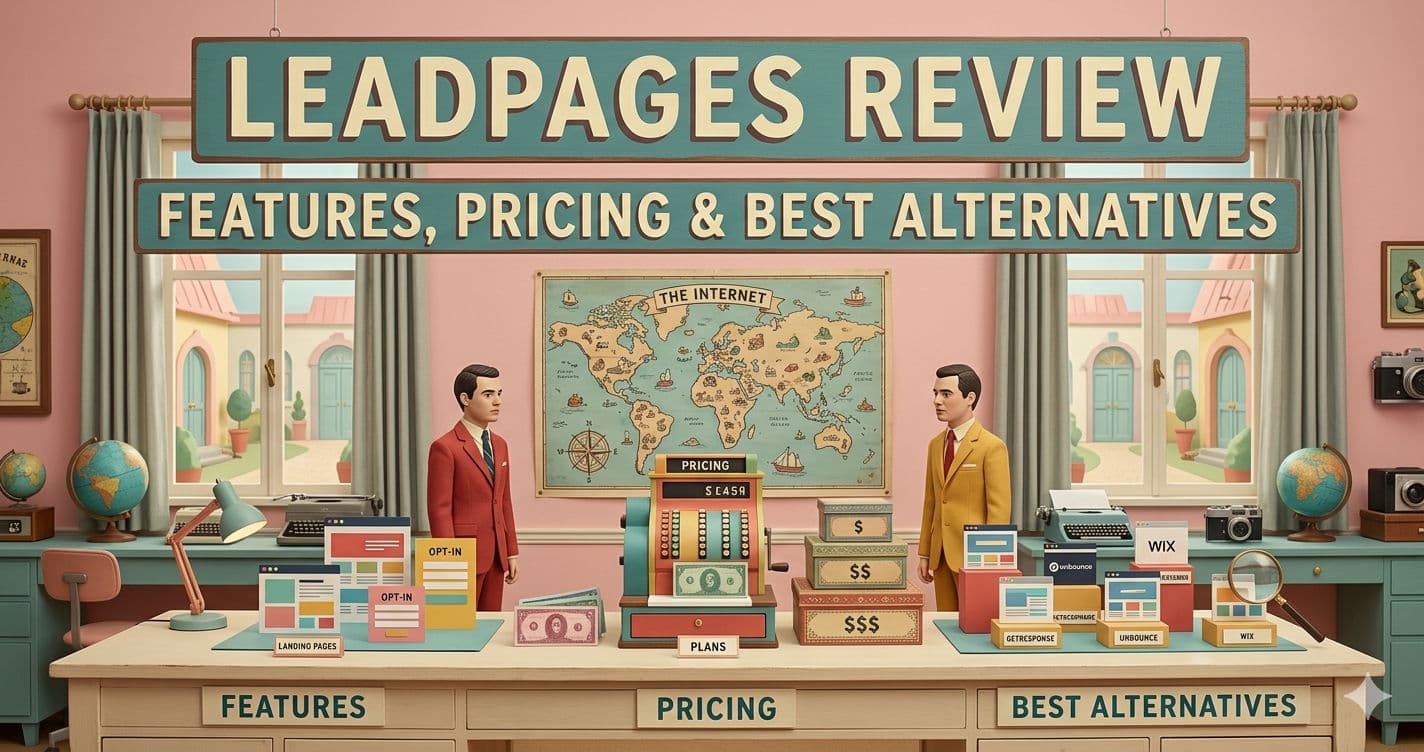
If you are searching for a definitive Leadpages review, you need to know exactly how it performs in today's landscape. This comprehensive Leadpages review 2026 analyzes the platform specifically through the lens of conversion rate optimization. While older Leadpages reviews might highlight its basic simplicity, our updated analysis explores whether it has kept pace with modern enterprise-grade demands. With competitors leveraging advanced generative AI and headless architectures, do recent Leadpages reviews 2026 still position it as the optimal choice for a resource-constrained yet ambitious marketing team?
This comprehensive guide moves beyond surface-level marketing claims. We will dissect the platform's 2026 capabilities, evaluate its Total Cost of Ownership (TCO), and compare it against heavyweights like Unbounce and Instapage. Our goal is to provide a rigorous, objective assessment to help you decide if this tool belongs in your SMB Marketing Tech Stack.
Key Takeaways for the 2026 Marketing Manager
Speed vs. Power: Leadpages remains the fastest "idea-to-live" platform, ideal for teams lacking dedicated design resources, though it sacrifices the pixel-perfect customization of enterprise tools.
AI Reality Check: While AI Landing Page Generation 2026 features are present, they require human oversight to avoid generic copy; they are efficiency boosters, not replacements for strategy.
Privacy First: The platform has adapted to GDPR and CCPA 2026 standards, but relies heavily on integrations for first-party data management.
The Growth Ceiling: Most businesses will face a scalability wall at approximately 10,000 leads/month, where the lack of deep behavioral analytics may necessitate a migration.
Ecosystem Fit: Leadpages functions best not as a standalone tool, but as the intake layer of a stack that includes tools like Hello Bar, VWO, and Proof.
The Professional Verdict: Pros and Cons
For marketers evaluating their conversion rate optimization stack, finding a definitive breakdown of Leadpages pricing, features, pros, and cons in 2026 is critical. At its core, Leadpages delivers an accessible landing page builder tailored for small to medium-sized businesses. It balances affordable entry-level pricing with essential CRO features like AI-assisted copywriting, pop-ups, and real-time optimization scoring. However, enterprise users may find its advanced customization and complex A/B testing capabilities restrictive compared to premium alternatives. Here is the professional verdict on where the platform excels and where it falls short.
Pros
Speed to Market: You can go from concept to live URL in under 30 minutes. The template library is categorized by conversion goal, reducing "analysis paralysis."
Mobile Responsiveness: In 2026, Leadpages templates are mobile-first. They render exceptionally well on mobile devices without requiring manual tweaking of breakpoints, a common headache with custom coding.
Affordability: Compared to enterprise competitors, the TCO is low, especially when factoring in the included hosting and unlimited traffic on all plans.
Cons
Customization Limits: The structured editor prevents design errors but restricts total creative freedom. If your brand guidelines require pixel-perfect positioning or complex custom JavaScript interactions, the builder will feel restrictive.
Analytics Depth: The dashboard is sufficient for top-level metrics but lacks granular attribution modeling. You will need to integrate with GA4 or Conversion Wax for deeper insights.
Best for: Solopreneurs and marketers needing fast, conversion‑ready landing pages.
Verdict: A strong choice for AI‑driven page creation and SEO control without complex setup.

Software covered in this article
To help you evaluate Leadpages in the right context, this article compares it against a carefully curated set of competitors:









Why Leadpages Remains a Staple for SMBs
Despite the influx of complex, AI-native solutions, Leadpages continues to hold significant market share. The primary driver is its ability to democratize web development. In an era where technical talent is expensive and often siloed, Leadpages serves as a force multiplier for the marketing department.
For the mid-sized business, the platform acts as a critical bridge. It offers significantly more conversion firepower than standard website builders (like Wix or Squarespace) but avoids the steep learning curve and five-figure implementation costs associated with enterprise experience platforms. It positions itself as the "high-velocity" option—perfect for testing new market segments, validating product concepts, or running webinar funnels with minimal overhead.
Furthermore, the platform has pivoted to address the 2026 requirement for "holistic connectivity." It is no longer acceptable for a landing page to be a data dead-end. Leadpages has doubled down on its integration capabilities, ensuring that lead data flows seamlessly into CRMs and email marketing platforms. This focus on interoperability makes it a viable component of a modular stack, allowing managers to plug in specialized tools without breaking the attribution pipeline.
Ready to compare Leadpages with other leading CRO platforms? Try AuthenCIO for free!
Key Features: Beyond Simple Landing Pages
When evaluating Leadpages features, basic drag-and-drop building is just a commodity. The platform's true value lies in its conversion-focused tools that minimize funnel friction. For those analyzing Leadpages pricing and features 2026 or reading Leadpages pricing features reviews 2026, a major differentiator is the built-in hosting. In a Leadpages vs Rackspace CDN comparison, Leadpages eliminates the need for external content delivery networks by including lightning-fast, secure hosting natively, maximizing the ROI of your Leadpages pricing features 2026 investment.
1. AI-Powered Builder and Copy Assistant
The core builder has evolved to include AI Landing Page Generation 2026 capabilities. This feature allows users to input a URL or a brief product description, and the system generates a fully structured landing page complete with copy and imagery.
Reality Check: While the AI generation is impressive for overcoming "blank page syndrome," it is not a silver bullet. In our testing, the AI-generated copy often leans towards generic marketing platitudes. It provides a solid structural skeleton—correctly placing the H1, sub-headline, and CTA—but a skilled Marketing Manager will still need to refine the messaging to ensure it resonates with the specific audience persona. It is an efficiency tool, not a strategy replacement.
2. The Leadmeter: Real-Time Optimization
Updated for 2026 standards, the "Leadmeter" acts as an always-on CRO consultant. As you build your page, it analyzes 14 data points—including readability, CTA contrast, and form length—to predict the page's likely conversion performance. For a busy manager, this provides an immediate quality assurance check before a campaign goes live, reducing the reliance on gut instinct and ensuring baseline best practices are met.
3. Conversion Tools: Pop-Ups and Alert Bars
Leadpages is not limited to standalone pages. Its "Pop-Up" and "Alert Bar" functionalities allow marketers to inject conversion opportunities into existing websites or blogs. These utilize advanced trigger logic (exit-intent, time-on-site, scroll depth) to capture leads at the moment of highest intent. While specialized tools like Hello Bar offer deeper customization for top-of-funnel capture, Leadpages provides a sufficiently robust native solution for most SMB needs, consolidating the toolset.
4. Analytics and A/B Testing
Data is the lifeblood of modern marketing. Leadpages offers a simplified analytics dashboard focusing on unique visitors, conversion rates, and earnings per click. The platform’s A/B testing engine (available on Pro plans and above) allows for split testing of headlines, images, and button colors. While it lacks the multivariate complexity of VWO, it provides the essential testing framework required to iterate on campaigns effectively.

Data Privacy & Compliance in 2026
In the wake of the global tightening of data privacy laws (including the 2026 updates to GDPR and stricter state-level regulations in the US), a landing page builder must be more than just a design tool—it must be a compliance engine.
Leadpages has adapted by integrating robust consent management features directly into its forms and cookies. The platform allows for granular control over how data is collected and stored, which is critical for avoiding legal exposure.
However, a key challenge for 2026 is the management of first-party data silos. Leadpages collects data efficiently, but it is not a Customer Data Platform (CDP). To maintain a compliant SMB Marketing Tech Stack, you must ensure that the consent flags collected on Leadpages are accurately passed to your CRM and email tools. Leadpages supports this through hidden fields and native integrations, but it requires a proactive setup by the marketing team. If you are operating in highly regulated industries (finance, healthcare), you may need to layer a dedicated consent management platform (CMP) on top of your Leadpages assets to ensure full auditability.
Find Perfect Software For Your Business
Leadpages Pricing 2026: A Detailed Breakdown
Wondering how much does Leadpages cost? The Leadpages pricing official 2026 tiers are Standard ($49/mo) and Pro ($99/mo), plus a Leadpages pricing 2026 official custom tier. These Leadpages pricing plans 2026 (or Leadpages pricing 2026 plans) scale efficiently.
To lower your Leadpages cost and Leadpages price, annual billing provides a 39% Leadpages discount 2026. For a Leadpages deal 2026, use the 14-day trial. Regarding pricing Leadpages remains highly competitive.
Plan | Price | Best for | Features |
Pro | $29/mo | Solo creators publishing pages with AI in the loop | 25 pages, 1 custom domain + SSL, Custom slugs, API access, 5 GB storage, 1 blog, 12K AI credits/mo |
Business | $49/mo | Small teams and agencies publishing at volume | 50 pages, 2 custom domains + SSL, 2 blogs, 12-month analytics retention, 20K AI credits/mo, Custom slugs & API access, Forms + webhooks |
Grow | $49/mo | Solo marketers and small teams starting CRO | Unlimited traffic & unlimited pages, 4 custom domains + SSL, A/B testing (manual), Dynamic text replacement, Lead enrichment (2K IP/mo), 40,000 AI credits / month, 12 months analytics retention |
Optimize | $99/mo | Growing teams and performance marketers | Unlimited pages, Smart Traffic (AI routing), Click + scroll heatmaps, Auto-personalization, 10 active integrations, 80,000 AI credits / month, 24-month analytics retention |
*Note: All prices shown reflect typical monthly billing. Vendors often offer lower pricing for annual commitments, but those discounts are excluded here for easier comparison. Actual costs may vary depending on your requirements, usage volumes, and negotiated terms.

The Hidden Costs of Ownership
When calculating the Total Cost of Ownership (TCO), Marketing Managers must look beyond the sticker price.
Middleware Costs: While Leadpages has many native integrations, complex workflows often require a connector like Zapier or Make. If you are processing high volumes of leads, the cost of these third-party automation tools can easily equal your Leadpages subscription.
Premium Assets: While the template library is vast, some of the highest-converting, modern designs are premium assets that require a one-time purchase.
Domain Hosting: While Leadpages hosts the page, you still need to purchase and renew your custom domains through a registrar, which is a small but necessary line item.
Support & Scalability: The Growth Ceiling
For an SMB, the question isn't just "does it work now?" but "will it work when we scale?" Leadpages is excellent for the growth phase, but it does have a ceiling.
Support Reality: In 2026, Leadpages continues to offer tiered support. Standard users are relegated to email support, which can have turnaround times of 12-24 hours. For a team launching a critical campaign, this latency can be frustrating. Pro users get priority access, but true 24/7 live phone support is reserved for the Advanced tier.
The 10,000 Lead Wall: We typically see businesses outgrow Leadpages when they surpass 10,000 leads per month or when their marketing operations require complex, multi-touch attribution models. At this stage, the lack of deep behavioral analytics and the inability to create truly dynamic, database-driven content (like programmatic SEO pages) becomes a bottleneck. This is usually the inflection point where companies migrate to a headless CMS or an enterprise solution like Adobe or Sitecore, despite the massive increase in cost.
Leadpages vs. The Competition: 2026 Alternatives
Compare Leadpages against its primary rivals in the SMB Marketing Tech Stack. If you need a cheaper alternative to Leadpages for conversion rate optimization, Landingi provides lower pricing, while Unbounce and Instapage serve higher-budget campaigns.
1. Leadpages vs Unbounce
Unbounce remains the heavyweight champion for technical marketers and PPC specialists. Its "Smart Traffic" feature, which uses AI to route visitors to the variant most likely to convert them based on their demographic data, is superior to Leadpages' standard A/B testing. Unbounce also offers a "Classic" builder that allows for absolute pixel positioning. However, this power comes at a steeper price point and a significantly steeper learning curve. If your team has design resources and a high ad spend, Unbounce may offer a better ROI on ad dollars. For smaller teams needing agility, Leadpages wins on ease of use.
2. Leadpages vs Instapage
When evaluating leadpages vs instapage, the core difference is scale. Leadpages is built for budget-conscious SMBs needing quick, simple conversions. Conversely, Instapage positions itself as the enterprise solution for personalization.
Instapage's standout feature is "AdMap," which visualizes the connection between ad campaigns and landing pages to ensure perfect message match for Conversion Rate Optimization (CRO). It also offers robust collaboration tools for large teams to leave comments on designs.
Ultimately, Leadpages vs Instapage comes down to budget: Instapage is significantly more expensive. If you are not running large-scale, segmented paid media campaigns requiring hundreds of unique landing pages, Instapage is likely overkill for your budget.
3. Leadpages vs Landingi
Landingi is the closest direct competitor to Leadpages. It caters heavily to agencies and SMBs, offering a very similar drag-and-drop experience. Landingi often edges out Leadpages in terms of design flexibility and the sheer volume of templates available. It also offers a "light" plan that is very competitive. However, Leadpages generally offers better platform stability and a more polished integration ecosystem for US-based tech stacks, whereas Landingi is often favored by European markets due to its origins and specific data handling features.
The Broader CRO Ecosystem: Integrations & Complementary Tools
A landing page builder does not exist in a vacuum. In 2026, the most successful Marketing Managers view Leadpages as the "hub" that connects various specialized "spokes."
Behavioral Analytics: While Leadpages has built-in testing, it is not a behavioral analytics platform. Integrating VWO allows you to run multivariate tests that go beyond simple A/B splits. Similarly, Conversion Wax can provide heatmaps and session recordings, showing you exactly where users are rage-clicking or dropping off—data that Leadpages' native dashboard won't show you.
Social Proof: Trust is the currency of the 2026 web. Integrating Proof onto a Leadpages landing page can significantly lift conversions by displaying real-time notifications of recent sign-ups. This leverages the psychological trigger of FOMO (Fear Of Missing Out).
Advanced Functionality: For features Leadpages doesn't support natively, such as complex quote calculators or user-generated content feeds, POWR plugins are essential. Because Leadpages supports HTML widgets, you can embed POWR apps to extend functionality without hiring a developer.
Top-of-Funnel Capture: While Leadpages handles the destination, tools like Hello Bar are essential for capturing traffic on your main blog or homepage, driving that traffic to your Leadpages funnels.
Try AuthenCIO
Move to faster, smarter software evaluation with AI
Conclusion: Your 30-Day ROI Roadmap
Is Leadpages the right investment? If you are an SMB Marketing Manager prioritizing speed and independence from IT, the answer is likely yes. To ensure you get value immediately, follow this 30-day roadmap:
Week 1: Migration & Setup. Purchase the Pro plan. Port your top 3 performing lead magnets to Leadpages templates. Set up your custom domain and integrate your email service provider (ESP).
Week 2: The Traffic Test. Launch your first campaign. Use the Leadmeter to optimize the layout before publishing. Drive paid or organic traffic to these new pages.
Week 3: Optimization. After 500 visits, look at the analytics. Launch an A/B test on the headline of your lowest-performing page. Install Conversion Wax (free trial) to watch user session recordings.
Week 4: Scale & Systematize. If the ROI is positive, create a "Master Template" in Leadpages that aligns with your brand guidelines. This allows you to spin up future campaigns in minutes, not hours.
Leadpages is a tool that respects your time. In the high-velocity market of 2026, that is often the most valuable feature of all.