
Introduction
In the digital landscape of 2026, traffic acquisition costs remain stubbornly high. For small business owners and solopreneurs, the strategy has shifted from paying for more clicks to maximizing the value of existing visitors using a dedicated conversion rate optimization tool. This is the realm of Conversion Rate Optimization (CRO), where deploying the right conversion rate optimization tools can transform your website's performance.
Streamline your software evaluation process
A persistent myth suggests that effective CRO requires an enterprise budget and complex conversion optimization software. This is false. The democratization of marketing technology has delivered high-value, low-cost conversion optimization tools designed specifically for lean operations. Whether you need a simple conversion optimization tool for A/B testing or comprehensive conversion rate tools for user behavior analysis, today's "no-code" solutions allow you to install and manage them without writing a single line of programming.
If you are running a small business, you do not need the feature bloat of Fortune 500 platforms. You need agility, ease of use, and immediate insights. You need tools that plug into your existing website and start generating data and leads within minutes.
This guide details the five best free conversion rate optimization software tools available in 2026. We will dissect their features, analyze their free tier limits, address privacy compliance, and show you exactly how to stack them to build a powerful optimization engine without spending a dime.
Key Takeaways
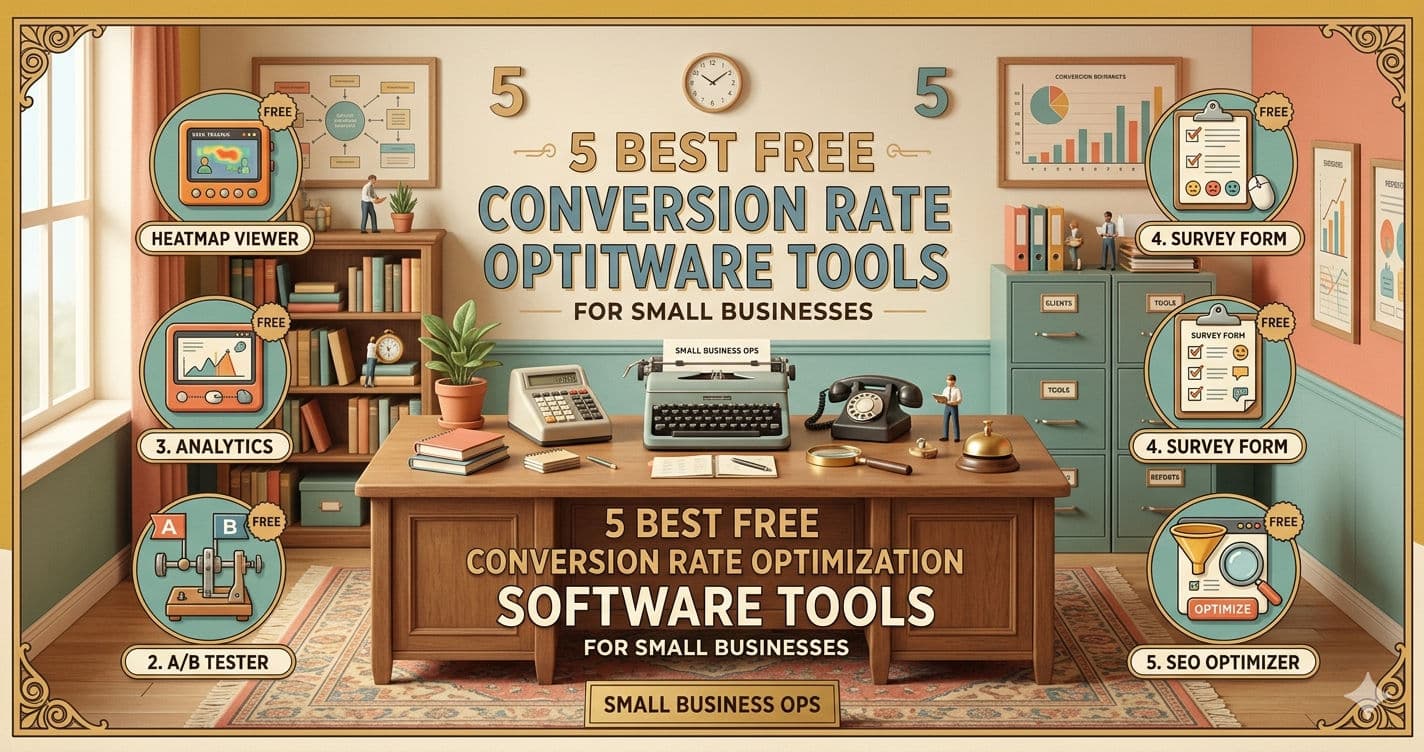
Top Free Software: If you are looking for the best conversion rate optimization tools, our top free picks for small businesses are Hello Bar (lead capture), POWR (versatile plugins), Hotjar (heatmaps), Conversion Wax (funnel optimization), and Outgrow (interactive content).
Solopreneur-Friendly: The best conversion rate optimization tools 2025 2026 has to offer prioritize "lean optimization." This means you get no-code integrations, lightweight scripts that won't slow down your site, and strict GDPR/CCPA data compliance—all on their free tiers.
Zero-Cost Stack: You do not need an enterprise budget to increase your conversion rates. By combining behavioral analytics (Hotjar) with interactive lead generation (Hello Bar or Outgrow) via Google Tag Manager, you can build a highly effective, data-driven CRO stack for exactly $0.
Top Software Picks
The best CRO software for small business must be free and easy to integrate. Here are the best CRO tools for small businesses 2026:
Hello Bar — best for lead‑capture pop‑ups and CTA banners
POWR — best for customizable website conversion widgets
Hotjar — best for heatmaps and user‑behavior insights
Conversion Wax — best for A/B testing and funnel optimization
Outgrow — best for interactive quizzes and calculators
Software covered in this article
For learning and reference, this listicle presents a selective overview of best free conversion rate optimization software for small business:





Why Free CRO Tools Are Sufficient for Solopreneurs
When operating under strict budget constraints, finding the best free cro tools for startups is critical for early-stage growth. The software market has matured significantly. In the past, "free" often meant unusable interfaces and zero data retention. Today, the "Freemium" model has evolved, and companies like Hello Bar, Hotjar, and POWR provide immense value upfront to acquire long-term customers.
For solopreneurs or startups with website traffic under 10,000 visitors a month, these platforms deliver the core functionality needed to optimize conversions without draining capital. As your traffic grows, upgrading to cheap cro tools for startups allows you to scale your tech stack gradually. Conversely, jumping straight into Enterprise tools can be detrimental at this stage, introducing steep learning curves and unnecessary costs that lead to "analysis paralysis."
1. The Concept of 'Lean Optimization' in 2026
"Lean Optimization" is the philosophy of doing more with less. It focuses on the 20% of activities that drive 80% of the results. In CRO, this means:
Quick Wins: Fixing broken forms, improving page speed, and clarifying headlines.
Agile Testing: Running simple A/B tests on your main call-to-action (CTA).
Direct Feedback: Listening to user polls rather than guessing based on complex attribution models.
2. Navigating the 'Watermark Dilemma'
One common anxiety for small business owners is the branding often found on free tools (e.g., "Powered by Hello Bar"). Does this look unprofessional? In 2026, the answer is largely no. Consumers are accustomed to the software ecosystem.
In fact, for a small business, utilizing recognizable, trusted third-party tools can actually serve as a subtle trust signal. It shows you are using established technology rather than a buggy, home-brewed solution. The value of the data you gather—knowing exactly why customers aren't buying—far outweighs the aesthetic cost of a small logo in the corner of a popup.
Starting out on a budget? Explore and compare free conversion optimization tools on AuthenCIO.
In-Depth Review of Top Free CRO Tools
To help you find the best conversion rate optimization software, we evaluated the market's best-rated conversion optimization software based on actual free-tier value. The following conversion rate optimization software reviews detail our top five performers. These tools cover the entire spectrum of CRO: lead capture, A/B testing, user behavior analysis, social proof, and interactive content.
1. Hello Bar: The Industry Standard for Lead Capture
Hello Bar remains a staple in the CRO toolkit for 2026. While it started as a simple notification bar, it has evolved into a comprehensive lead capture suite. For small businesses, the ability to direct traffic and capture emails without intrusive interruptions is critical.
Best For: Capturing email leads and directing traffic to specific landing pages.
The Free Tier Advantage: Hello Bar’s free plan is generous for small sites, typically allowing for up to 5,000 views per month. You get access to their core modalities: the top bar, the modal (popup), and the slider.
Key Features for Solopreneurs:
Exit-Intent Technology: This is a game-changer. Hello Bar detects when a user's mouse moves toward the browser tab to close it and triggers a popup. This "Hail Mary" attempt often recovers 10-15% of abandoning visitors.
Targeting Rules: You can set rules to show specific bars only on specific blog posts. This relevance increases conversion rates significantly.
Setup & Mobile Readiness:
Time to Value: ~10 Minutes. Simple script installation or WordPress plugin.
Mobile-First: The bars are fully responsive and compliant with Google's interstitial rules, ensuring you don't get penalized for mobile popups.
Actionable Use Case: If you run a service-based business, use a simple top bar that says, "Book your free consultation today – Only 3 slots left for March." Link it directly to your calendar. This creates urgency and reduces the friction of finding the contact page.

2. POWR: Versatile Plugins for Every Conversion Goal
POWR is an ecosystem of over 60 website apps that integrate with almost any CMS (Wix, Shopify, WordPress, Squarespace). For a non-technical founder, POWR is a lifesaver because it removes the need to hire a developer for functionality upgrades. It serves as an excellent entry point into **low-cost **marketing automation by connecting forms directly to your email lists. For e-commerce businesses, it consistently ranks among the best cro tools for upselling and cross-selling 2025 2026.
Best For: Adding specific functionality like countdown timers, social feeds, complex forms, and targeted sales widgets without coding.
The Free Tier Advantage: POWR allows you to use free versions of all their apps. The trade-off is usually a small watermark and some limitations on the number of form submissions per month. However, for a site getting off the ground, these limits are rarely hit immediately.
Key Features for Solopreneurs:
Upselling and Cross-Selling: POWR's popup and slider widgets are highly effective for e-commerce and sales. You can configure them to trigger targeted product recommendations at checkout or on product pages, driving immediate cross-sells and upsells to increase your average order value.
Countdown Timers: Scarcity is one of the strongest psychological triggers. Adding a POWR countdown timer to a special offer page can increase conversions by creating a genuine deadline.
Multi-Step Forms: Long forms kill conversions. POWR allows you to build multi-step forms that ask for information in bite-sized chunks, reducing abandonment rates.
Setup & Mobile Readiness:
Time to Value: ~5 Minutes. Plug-and-play integration with most website builders.
Mobile-First: All plugins are designed to stack vertically on mobile devices, ensuring usability remains high on small screens.
Actionable Use Case: Use the POWR "Social Feed" plugin to aggregate your best Instagram user-generated content (UGC) and display it on your product page. In 2026, social proof is a primary conversion driver; seeing real people use your product builds trust faster than any copy you could write.

3. Hotjar: Visualizing User Behavior with Heatmaps
Quantitative data (Google Analytics) tells you what is happening. Qualitative data (Hotjar) tells you why. Hotjar visualizes user behavior, helping you understand why visitors are bouncing or ignoring your CTA.
Best For: Understanding user experience (UX) issues and gathering feedback.
The Free Tier Advantage: Hotjar’s "Basic" plan is free forever. It typically captures up to 35 daily sessions. While this sounds low, for a small business, 35 recordings a day provides plenty of insight. You don't need to watch 1,000 recordings to spot a broken button.
Key Features for Solopreneurs:
Heatmaps: See exactly where people click, move, and scroll. If you see a "cold" blue area on your pricing section, you know users aren't even reaching it.
Session Recordings: Watch real-time playbacks of users navigating your site. You might discover that mobile users are struggling to close a popup because the "X" button is off-screen.
Incoming Feedback: A small widget that sits on the side of the screen asking, "How would you rate your experience?" It allows unhappy users to vent to you rather than leaving without a trace.
Setup & Mobile Readiness:
Time to Value: ~5 Minutes. Single script installation.
Mobile-First: Hotjar automatically detects mobile sessions and generates specific "touch" heatmaps (taps vs. clicks).

Actionable Use Case: Install Hotjar and let it run for a week. Look at the "Scroll Map" of your homepage. If only 25% of visitors are scrolling down to your "Testimonials" section, move that section higher up the page. This simple layout change ensures your social proof is actually seen.
Find Perfect Software For Your Business
4. Conversion Wax: Streamlining Your Funnel Optimization
Conversion Wax has gained popularity among solopreneurs for its focus on "Nudge Marketing." It replicates the bustling atmosphere of a physical store by showing notifications of recent activity, leveraging the psychological principle of social proof.
Best For: Social proof notifications and FOMO (Fear Of Missing Out) generation.
The Free Tier Advantage: Conversion Wax offers a free tier that supports small traffic volumes (typically up to 1,000 unique visitors or a set number of impressions). It allows you to display "Recent Sales" or "Live Visitor Count" popups.
Key Features for Solopreneurs:
Recent Activity Popups: A small notification in the corner saying, "Julie from Texas just purchased the Starter Pack." This validates the buying decision for hesitant visitors.
Stock Counters: Displaying "Only 3 items left in stock" triggers loss aversion. Conversion Wax automates this display based on your inventory or manual settings.
Setup & Mobile Readiness:
Time to Value: ~10 Minutes. Quick configuration of notification rules.
Mobile-First: Notifications are designed to be unobtrusive on mobile, often appearing at the top or bottom edge to avoid covering main content.
Actionable Use Case: If you sell digital products or courses, use the "Live Visitor Count" feature on your sales page. Seeing that "15 other people are viewing this offer right now" creates a sense of competition and urgency that pushes the user to checkout.

5. Outgrow: Boosting Engagement with Interactive Content
Static content is losing its effectiveness in 2026. Users want to participate. Outgrow allows you to create calculators, quizzes, and recommendations that engage users and capture leads at a much higher rate than static PDF downloads. It acts as a form of low-cost marketing automation by segmenting users based on their answers.
Best For: Lead generation through interactive value.
The Free Tier Advantage: Outgrow’s model often includes a free trial or a limited free tier for freelancers. This usually allows for a specific number of leads per month or a limited number of content pieces. For a solopreneur, one high-performing calculator is all you need.
Key Features for Solopreneurs:
Calculators: "How much can you save?" or "ROI Calculator." These tools provide personalized value to the user in exchange for their email address.
Outcome Quizzes: "Which product is right for you?" This acts like a virtual salesperson, guiding the user to the correct purchase while segmenting them in your email list.
Setup & Mobile Readiness:
Time to Value: ~45 Minutes. Requires time to build the logic and questions.
Mobile-First: Templates are responsive, ensuring calculators are easy to tap and scroll through on smartphones.
Actionable Use Case: If you are a fitness coach, instead of a "Subscribe to Newsletter" box, build a "BMI & Calorie Deficit Calculator" with Outgrow. To see the results, the user enters their email. The conversion rate on these tools can be 30-40%, compared to 2% for standard forms.

Comparison of Free CRO Software Plans and Features
When evaluating the best cro software for small businesses 2025 2026, the goal is finding the best value conversion optimization software that scales with your growth. To help you future-proof your tech stack without upfront costs, we have compiled a comparison of the free plans for these top tools.
Plan | Price | Best For | Features |
Hello Bar Starter | Free, Starts at $39.00/mo | Lead Capture & Announcements | 5,000 views/mo, Exit Intent, Basic Design Customization, Email Integration, Mobile Responsive, GDPR Compliance. |
POWR Free | Free, Starts at $4.83/mo | Website Functionality Plugins | Unlimited views (branded), 60+ Plugins access, Basic Forms, Social Feed, PayPal Button, Cloud updates. |
Hotjar | Free, Starts at $39.00/mo | User Behavior Analytics | 35 daily sessions, Heatmaps (Click/Move/Scroll), Recordings, Incoming Feedback Widget, Surveys, Data retention (limited). |
Conversion Wax | Free, Starts at $19.00/mo | Social Proof & Nudges | 1,000 notifications/mo, Recent Sales Popups, Live Visitor Counter, Stock Counter, Basic Analytics, Standard Design. |
Outgrow | Free, Starts at $14.00/mo | Interactive Lead Gen | 4 Content Pieces, ~1000 Leads/mo (varies), Calculators, Quizzes, Embed Anywhere, Basic Lead Notification. |
*Note: All prices shown reflect typical monthly billing. Vendors often offer lower pricing for annual commitments, but those discounts are excluded here for easier comparison. Actual costs may vary depending on your requirements, usage volumes, and negotiated terms.
Privacy and Data Compliance (GDPR/CCPA)
Before you start installing tracking scripts, we must address a critical aspect of modern digital business: privacy. In 2026, regulations like GDPR (Europe) and CCPA (California) are strictly enforced, even for small businesses.
Most of the tools listed above (especially Hotjar and Hello Bar) drop "cookies" on your visitors' browsers to track their behavior. To stay compliant and avoid fines, you must:
Update Your Privacy Policy: Explicitly state that you are using these third-party tools to improve user experience.
Use a Cookie Consent Banner: You cannot just track people secretly. You need a banner that asks for permission before these scripts fire.
Check Tool Settings: Tools like Hotjar have specific "Privacy" settings that allow you to mask keystrokes (so you don't record credit card numbers) and suppress IP addresses. Always enable these features to protect your customers' data.
Using these tools is legal and safe, provided you are transparent with your audience.
How to Build a CRO Stack for $0
The magic happens when you combine these tools. You don't have to choose just one. In fact, a robust CRO strategy requires a stack that covers research, hypothesis, testing, and action. Here is how to build a "Solopreneur Starter Stack" for zero dollars:
Step 1: The Research Layer (Hotjar) Install Hotjar first. Let it run for two weeks. Watch recordings to see where people get stuck. Look at heatmaps to see what they are ignoring. Identify a specific problem, for example: "People are reading the blog post but not seeing the newsletter signup at the bottom."
Step 2: The Action Layer (Hello Bar & Outgrow) Based on the problem, choose a solution. If they aren't seeing the bottom signup form, install a Hello Bar that floats at the top of the screen so it's always visible. Alternatively, replace the static form with an Outgrow quiz titled "Test Your Knowledge" to make it more engaging.
**Step 3: The Testing Layer ** Don't just guess that the Hello Bar will work. Create two versions of the Hello Bar—one red, one blue—or test two different headlines. Run the experiment until you have statistical significance.
Step 4: The Nudge Layer (Conversion Wax) Once the user is on the signup page or checkout page, ensure they convert by using Conversion Wax to show that others are doing the same. This reduces anxiety at the final mile.
By layering these tools, you create a sophisticated optimization ecosystem that rivals agencies charging five figures, all while maintaining a lean budget.
Start optimizing your website by choosing the best free tool through AuthenCIO.
Key Features to Look for in Free Software
When evaluating free tools in 2026, you must look beyond the price tag. Some free tools can actually cost you money in the long run if they slow down your site or hold your data hostage. Here are three critical factors to vet:
1. Ease of Integration (No-Code First)
As a solopreneur, you likely do not have a developer on retainer. Look for tools that offer "One-Click Install" for WordPress, Shopify, or Google Tag Manager. If a tool requires you to edit your theme's PHP files or insert complex JavaScript manually, it might be too risky. All the tools listed above excel in this area, offering plugins or simple header scripts.
2. Script Weight and Site Speed
Every tool you add to your website adds code that the user's browser must load. This is called "script weight." If you add too many heavy tools, your page load speed will drop. Since Google uses Core Web Vitals as a ranking factor, a slow site hurts your SEO.
Tip: Tools like Hotjar are asynchronous, meaning they load in the background without stopping the rest of your site from showing up. Always check the tool's documentation for "performance" or "speed impact." If you are worried about conflicts, install one tool at a time and test your site speed on Google PageSpeed Insights.
3. Data Export Capabilities
Data is only useful if you can analyze it. Some free tools trap your data inside their dashboard. Look for tools that allow you to export your leads (CSV or Excel) or integrate with your email marketing software (like Mailchimp or ConvertKit). For example, Hello Bar allows you to sync leads directly to your email provider, which is essential for automation.
How to Choose the Right CRO Tool for Your Solopreneur Journey
Selecting the best tools for conversion rate optimization depends entirely on your current business stage and traffic levels. Do not try to install everything at once. When evaluating the best cro software, use this decision matrix to guide your choice based on your specific bottleneck:
Scenario A: High Traffic, Low Leads If you have plenty of visitors (over 2,000/mo) but nobody is signing up, you have a conversion problem. The best cro tools for this situation focus on capturing attention.
Primary Tool: Hello Bar (to make the offer visible).
Secondary Tool: Google Optimize (to test different offers).
Scenario B: Low Traffic, High Bounce Rate If people land on your site and leave immediately (under 10 seconds), you have a relevance or UX problem.
Primary Tool: Hotjar (to see why they leave immediately).
Secondary Tool: POWR (to add engaging elements like sliders or videos to keep them interested).
Scenario C: Good Leads, Low Sales If people sign up but don't buy, you have a trust problem.
Primary Tool: Conversion Wax (to show social proof).
Secondary Tool: Outgrow (to nurture them with a calculator showing the cost of not buying your solution).
Implementation Strategy: Getting Started Without Technical Overhead
The biggest hurdle for small business owners is often the technical implementation. Here is a fail-safe strategy to get started today without breaking your website.
The Google Tag Manager (GTM) Method
In 2026, the standard for adding tools is Google Tag Manager. It is a free container that sits on your website. You install GTM once, and then you add all other tools (Hotjar, Hello Bar) inside GTM.
Create a GTM Account: It’s free and takes 2 minutes.
Install the GTM Snippet: You copy one piece of code into your website header. You never have to touch your website code again.
Add Tags: When you sign up for Hotjar, they will give you a "Tracking ID." In GTM, you create a new tag, select "Hotjar," paste the ID, and click publish.
Pro Tip: If you are intimidated by GTM, search for "2-minute GTM setup for beginners" on YouTube. It is easier than it looks and is the safest way to manage your marketing stack. This method is safer because if a tool breaks or slows down your site, you can disable it in GTM instantly without logging into your website backend.
Try AuthenCIO
Move to faster, smarter software evaluation with AI
Final Thoughts on Maximizing Your 2026 Growth
Whether you search for the best conversion rate optimisation software or standard CRO platforms, the goal is continuous improvement. For the small business owner in 2026, the barrier to entry has never been lower. You have access to enterprise-grade conversion rate optimisation tools—A/B testing, heatmaps, AI-driven popups—completely for free.
The key to success is not the technology itself, but your strategy. A heatmap is useless if you don't analyse it. An A/B test is useless if you don't act on the results. To get the most out of these conversion optimisation tools, start small. Pick one platform from the list above that addresses your biggest pain point, install it, gather data for two weeks, and make one change.
That one change could be the difference between a stagnant month and your best quarter yet. You don't need a budget to grow; you just need the curiosity to test and the right free tools to support you.