
Introduction
The mobile video production landscape has evolved at a blistering pace. In 2027, with the release of the iPhone 18 and 19 Pro models featuring DSLR-rivaling sensors and the global rollout of Wi-Fi 7, the barrier between mobile and traditional broadcast quality has officially vanished.
Streamline your software evaluation process
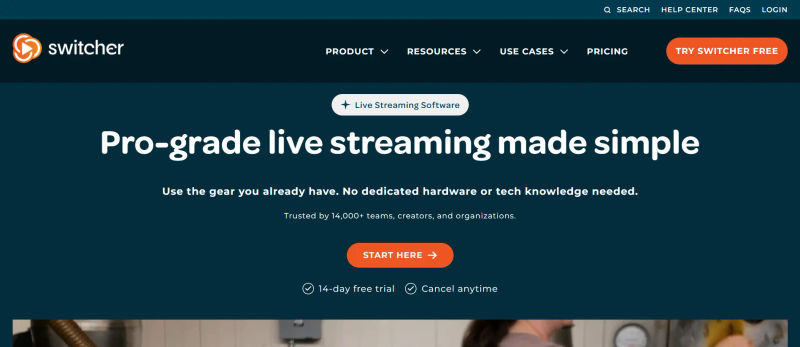
For creators and production teams looking to capitalize on this hardware revolution, Switcher Studio remains one of the most talked-about iOS-exclusive multi-camera production suites on the market. But does it actually justify its premium subscription in a world flooded with versatile streaming alternatives?
Our 2027 verdict is clear: Switcher Studio is still the undisputed champion for creators who are deeply entrenched in the Apple ecosystem and need unparalleled mobile agility. It transforms iPads and iPhones into a cohesive, wireless broadcast studio, completely eliminating the nightmare of cable management and the need to haul bulky hardware or expensive capture cards to every shoot.
However, its strict "walled garden" approach means that if your team relies on mixed-OS hardware or demands the raw processing power of a dedicated desktop rig, Switcher Studio will quickly become a bottleneck.
This review strips away the marketing fluff to evaluate Switcher Studio's real-world performance, 2027 feature updates, and how it stacks up against industry heavyweights. We will help you determine if this tool is the right investment for your specific production needs or if you should look elsewhere.
Key Takeaways
Switcher Studio continues to dominate 2027 mobile production by transforming iPhones and iPads into a wireless, broadcast-quality studio.
New features like Wi-Fi 7 integration, AI-assisted auto-switching, and native vertical video make it a powerhouse for physical, on-location shoots.
While it eliminates the nightmare of bulky hardware and cable management, it remains strictly locked to the Apple ecosystem.
Compared to desktop heavyweights like OBS Studio or vMix, it trades raw processing power and cross-platform flexibility for unmatched agility and portability.
Switcher Studio Review — Professional Multi-Camera Live Streaming for iOS
The Pros
Multi-camera production: Turns multiple iPhones and iPads into wireless camera sources, allowing creators to produce professional-looking live broadcasts.
Wireless camera connectivity: Connects compatible iOS devices over a local Wi-Fi network, reducing the need for expensive camera equipment and complicated cabling.
Real-time switching: Lets producers switch between camera angles, making live events, interviews, demonstrations, and presentations more engaging.
Built-in graphics and overlays: Supports logos, lower thirds, titles, and other visual elements to create branded broadcasts.
Multistreaming capabilities: Allows users to distribute live content to multiple social media platforms and streaming destinations.
Remote guest support: Makes it possible to include remote participants in live productions without requiring everyone to be physically present.
Cloud-based recording and editing: Helps teams capture broadcasts and repurpose recorded content for later publishing.
E-commerce and event applications: Supports product demonstrations, virtual events, and live shopping workflows for businesses and creators.
The Cons
Apple ecosystem dependency: Its iOS-focused approach limits flexibility for teams that primarily use Android devices.
Requires multiple devices: Producing sophisticated multi-camera broadcasts means investing in several compatible iPhones or iPads.
Network reliability matters: Wireless camera connections depend on a stable local network, particularly during demanding live productions.
Learning curve for advanced production: Managing multiple camera feeds, overlays, and live switching requires practice.
Limited professional editing capabilities: Users needing advanced post-production, color grading, and detailed audio editing will need additional software.
Subscription costs: Businesses with larger production requirements should evaluate whether the available features justify the ongoing investment.
Verdict: Switcher Studio is a capable iOS-based live production platform that makes multi-camera broadcasting more accessible without traditional broadcasting equipment.
Best For: Content creators, churches, educators, event organizers, and small production teams using Apple devices for professional live streaming.
Software Covered in this Article
To help you understand Switcher Studio in the right context, this article refers to a carefully curated set of leading alternatives:








Switcher Studio Alternatives at a Glance
Switcher Studio is strongest for wireless, multi-camera productions entirely within the Apple ecosystem. The table below compares it with leading alternatives so you can quickly identify the right tool for your workflow, budget, and production environment.
Tool | Best For | Pricing | Key Features | Use Cases |
Switcher Studio | iOS Multi-Cam | Starts from $45/mo | Wireless iOS sync, AR overlays, Vertical video | Mobile podcasts, live selling, on-the-go events |
StreamYard | Browser Streaming | Starts from $18.99/mo | Remote guests, easy browser branding | Webinars, remote interviews, simple podcasts |
Restream | Multi-streaming | $239 (one - time) | Multi-platform distribution, unified chat | Broad reach broadcasting, gaming streams |
OBS Studio | Budget Desktop | Free | Open-source, infinite customization | Gaming, complex desktop setups, budget studios |
vMix | Pro Broadcast | $60 - $1200 (Lifetime) | 4K streaming, instant replay, NDI mastery | Esports, TV-level production, large live events |
Wirecast | Pro Desktop | Starts from $59/mo | Advanced audio routing, unlimited inputs | Church streams, corporate events, news broadcasts |
Ecamm Live | Mac Users | Starts from $20/mo | Deep Mac integration, 4K, virtual camera | Studio podcasts, Mac-based creators, tutorials |
ManyCam | Virtual Camera | Starts from $59/yr | Webcam effects, basic switching, PIP | Online teaching, Zoom presentations, casual streams |
*Note: All prices shown reflect typical monthly billing. Vendors often offer lower pricing for annual commitments, but those discounts are excluded here for easier comparison. Actual costs may vary depending on your requirements, usage volumes, and negotiated terms.
Switcher Studio Core Features: What Makes It Stand Out?
When evaluating Switcher Studio for professional use, you have to look beyond the basic ability to switch camera angles. In 2027, the software has matured significantly, leveraging the latest iOS hardware to deliver features that used to require a dedicated production truck.
1. Seamless iOS Multi-Cam Setup 2027 and ISO Recording
The core appeal of Switcher Studio is its ability to wirelessly sync up to nine iOS devices. In the past, this was a recipe for dropped frames and latency.
However, with the integration of Wi-Fi 7 compatibility, bandwidth and latency issues have been drastically reduced. When paired with a dedicated Wi-Fi 7 router, your iOS multi-cam setup 2027 can pull high-bitrate feeds from multiple iPhone 18 Pro models with near-zero latency.
The software utilizes advanced NDI (Network Device Interface) and SRT (Secure Reliable Transport) protocols, ensuring that even in high-interference environments, your camera feeds remain stable.
Crucially for post-production, Switcher Studio excels at ISO recording. While the main iPad streams a 1080p composite to your destination, the software can trigger local 4K ISO recordings on each individual iPhone.
This "Director's Cut" mode ensures that even if a wireless feed drops during the live broadcast, you have pristine, full-resolution files saved locally on each device for editing later.
2. Advanced AI-Assisted Auto-Switching and Thermal Impact
One of the most significant upgrades for 2027 is the introduction of AI-assisted auto-switching. Leveraging the local Neural Engine on modern iPads, Switcher Studio can automatically cut to different camera angles based on active audio levels or facial recognition.
In our stress tests, this feature proved remarkably accurate for roundtable podcasts, effectively replacing the need for a dedicated technical director.
However, this local processing comes at a cost. Running continuous AI-assisted switching alongside multiple wireless video decodes places immense strain on the iPad's processor.
In real-world stress tests, this leads to rapid battery drain and significant thermal throttling over a four-hour stream. To maintain peak performance, a 2027-ready mobile kit must include MagSafe cooling fans for the iPhones and active cooling mounts for the central iPad, alongside high-capacity power banks.
3. Remote Guest Integration and Director Communication
Switcher Studio's "Remote Guest" feature has been overhauled to take full advantage of global 5G and satellite internet networks. You can now bring in up to five remote guests simultaneously.
The 2027 update includes localized audio processing, which automatically handles mix-minus routing to prevent the dreaded echo effect that plagues many mobile streams.
Furthermore, Switcher Studio has improved its director communication tools. It now features an integrated tally light system on the iPhone screens, letting your on-camera talent know exactly which lens is live.
It also includes an IFB (Interruptible Foldback) audio channel, allowing the iPad operator to speak directly into the earpieces of the camera operators or talent without that audio bleeding into the main broadcast.
4. Native Vertical Video, AR Overlays, and Asset Management
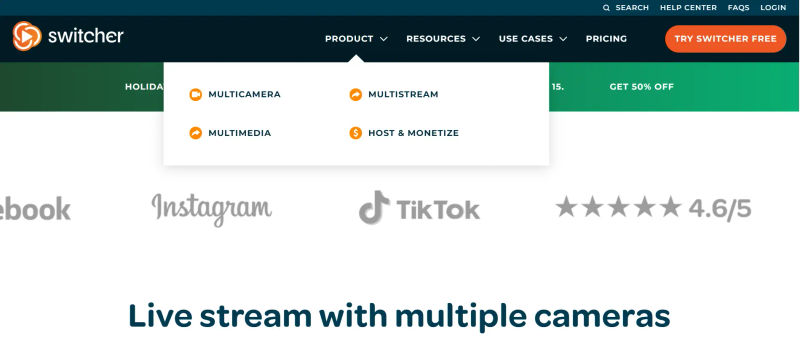
Recognizing the dominance of TikTok, Instagram Reels, and YouTube Shorts, Switcher Studio offers a completely native vertical video production workspace. The entire UI and graphics engine are optimized for 9:16.
The 2027 graphics engine supports 3D overlays and AR elements, allowing you to import 3D product models and manipulate them live on stream.
Asset management is handled via the Switcher Cloud, which syncs your logos, lower thirds, and B-roll across devices. However, this introduces an asset ownership concern.
If you pause or cancel your subscription, you lose access to the Switcher Cloud. Creators must be diligent about maintaining local backups of all production assets, as the software does not offer a grace period for cloud storage retrieval once a subscription lapses.
Find Perfect Software For Your Business
Pricing and Value for Money in 2027
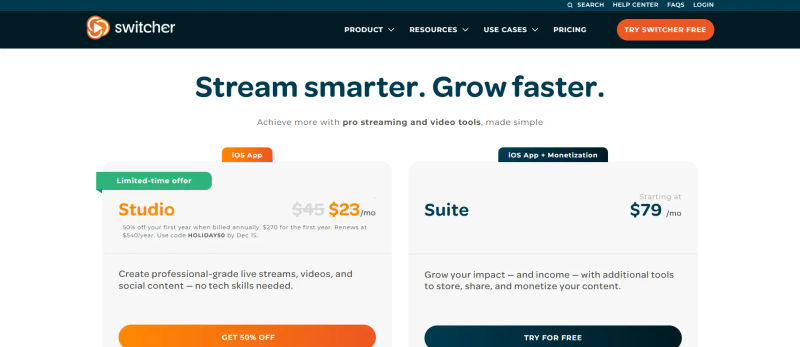
Switcher Studio uses a subscription-based pricing model, which may feel less appealing to creators who prefer a one-time software purchase. However, its current plans are designed around two distinct production needs: Studio for individual creators and smaller teams, and Suite for businesses that need deeper distribution, hosting, and monetization tools.
The Studio plan costs $65 per month when billed monthly, or $45 per month when billed annually. It includes multi-camera filming and streaming, real-time editing, branding tools, customizable graphics, analytics, support, and multistreaming to two platforms at once.
For teams that need more reach and monetization, the Suite plan costs $99 per month billed monthly or $79 per month billed annually. It includes everything in Studio while expanding multistreaming to up to 20 platforms, increasing Switcher Cloud storage to 1,000 assets, adding a video library of up to 100 videos, and unlocking embedding, custom video players, ticketing, pay-to-watch content, and subscriptions.
Switcher Studio also offers a $35 Studio 7-Day Pass, which provides access to the Studio plan’s features for a single event. This is a practical option for creators who produce occasional live events but do not want a recurring monthly commitment.
The value case becomes clearer when you compare Switcher Studio with a traditional hardware-based production setup. Replicating its wireless multi-camera workflow would typically require a hardware switcher, capture cards, cables, monitors, and crew communication equipment—an investment that can easily exceed $1,500 before accounting for setup time and portability.
Switcher Studio instead turns the iPhones and iPads you already own into a coordinated production studio. The subscription pays for the software ecosystem that connects those devices, manages wireless switching, enables real-time editing, and simplifies live distribution.
For a solo creator, the Studio plan may still feel like a meaningful recurring expense, especially if live production is occasional. But for a small business running regular live shopping streams, a mobile podcast team, or an agency producing client events, the time saved on setup, teardown, and cable management can make the subscription a strong return on investment.
The Suite plan is particularly compelling for businesses that treat live video as a revenue channel rather than simply a broadcast tool. Its monetization features—ticketing, subscriptions, pay-to-watch content, shoppable streams, and Shopify integration through Cartr—make it more than a production app; it becomes a complete live-commerce and content-distribution platform.
Switcher Studio also offers a 14-day free trial, allowing creators to test multi-camera syncing, streaming quality, and workflow fit before committing to a paid plan.
For creators already invested in the Apple ecosystem, Switcher Studio’s pricing is less about buying software and more about replacing a bulky, cable-heavy production rig with a portable, wireless studio.
Switcher Studio vs. Browser-Based Tools
When deciding on a production suite, many creators weigh Switcher Studio against popular browser-based tools like StreamYard and Restream. While they all facilitate live streaming, their core philosophies and ideal use cases are fundamentally different.
1. Switcher Studio vs. StreamYard
StreamYard is the undisputed king of simplicity for remote interviews and webinars. Because it runs entirely in the browser, guests don't need to download an app; they just click a link and join.
It handles branding, lower thirds, and screen sharing with incredible ease.
However, StreamYard falls short when you need multiple physical camera angles in the same room. If you are shooting a live cooking show in your kitchen and want an overhead shot, a wide shot, and a close-up, StreamYard cannot natively sync three iPhones wirelessly.
Switcher Studio is built exactly for this physical, multi-angle environment. Choose StreamYard for remote, talking-head podcasts; choose Switcher Studio for dynamic, physical, on-location shoots.
2. Switcher Studio vs. Restream
Restream is primarily a multi-streaming distribution platform. Its main strength lies in taking a single video feed and broadcasting it simultaneously to dozens of platforms (YouTube, Twitch, LinkedIn, X, etc.) while aggregating all the chat feeds into one window.
Restream does have a web-based studio similar to StreamYard, but it lacks advanced multi-camera switching capabilities.
Switcher Studio actually integrates with Restream. You can use Switcher Studio to produce your high-quality, multi-camera mobile feed, and then send that feed via RTMP to Restream for mass distribution.
They are complementary tools rather than direct competitors, though if your only goal is to push a simple webcam feed to multiple platforms, paying for Switcher Studio is unnecessary overkill.
Switcher Studio vs. Desktop Heavyweights
For production teams that require maximum power, desktop software is the traditional route. Comparing a mobile app to desktop heavyweights requires understanding the trade-off between portability and processing muscle.
3. Switcher Studio vs. OBS Studio
OBS Studio is the open-source behemoth of the streaming world. It is completely free, infinitely customizable, and supports virtually every plugin and hardware device in existence.
It also seamlessly integrates with mobile-adjacent gear like OBSbot PTZ (Pan-Tilt-Zoom) cameras, which are highly popular among solo creators. However, OBS requires a powerful PC or Mac, capture cards for every camera, and a steep learning curve to master audio routing and scene building.
Switcher Studio is the antithesis of OBS. It is closed, paid, and strictly iOS-only. But it is also incredibly intuitive and requires zero cables.
If you are streaming a local event, setting up an OBS rig is a logistical headache. Switcher Studio allows you to hand three iPhones to friends and produce a broadcast from your iPad instantly.
4. Switcher Studio vs. vMix and Wirecast
vMix (PC only) and Wirecast (PC/Mac) are enterprise-grade production suites used by television networks and massive esports tournaments. They handle complex tasks like instant replay, deep NDI routing, PTZ camera control, and massive multi-channel audio mixing.
Switcher Studio cannot compete with vMix or Wirecast in raw power. If you are producing a massive corporate conference with dozens of inputs, graphics, and audio buses, you need vMix or Wirecast.
Switcher Studio is designed for the tier just below that—professional, high-quality streams that demand a smaller footprint and faster deployment.
5. Switcher Studio vs. Ecamm Live and ManyCam
Ecamm Live is arguably Switcher Studio's closest philosophical competitor, but it is strictly Mac-based. Ecamm Live offers a beautifully intuitive interface, deep integration with Apple hardware, and stunning 4K quality.
Crucially, in 2027, Ecamm Live can easily ingest wireless iPhone feeds via NDI, bridging the gap between desktop power and mobile camera quality. If your studio is built around a Mac Studio or MacBook Pro, Ecamm Live is often the better, more powerful choice.
Switcher Studio wins only when you must be entirely untethered from a desktop OS.
ManyCam is primarily a virtual camera and basic switching tool. It is excellent for adding effects, PIP (Picture-in-Picture), and multiple webcam feeds into Zoom or Microsoft Teams.
It is not a full-fledged live production suite like Switcher Studio and lacks the robust wireless iOS syncing capabilities required for professional broadcasts.
Real-World Use Cases: Who Should Actually Use Switcher Studio?
To help you make a concrete decision, let's look at the specific use cases where Switcher Studio excels in 2027, and the pain points it successfully solves.
1. The Live Commerce and Social Seller
For creators selling products live on TikTok, Instagram, or proprietary e-commerce platforms, Switcher Studio is a game-changer. The native vertical video support, combined with the ability to easily switch to a macro-lens iPhone for product close-ups, creates a highly engaging shopping experience.
The 2027 AR tools allow sellers to overlay dynamic pricing graphics and 3D product models directly onto the stream, driving higher conversion rates without needing a complex desktop setup.
2. The Mobile Podcaster and The Audio Sync Challenge
Managing multi-camera audio sync without a dedicated sound engineer is a massive pain point for podcasters. The "Audio Sync Challenge" arises when combining wireless video feeds with wireless microphones (like DJI Mic 2 or Rode Wireless PRO), which inherently process data at different speeds, leading to noticeable lip-sync drift.
Switcher Studio solves this by allowing you to route a high-fidelity external audio interface (like a RodeCaster Pro II) directly into the main iPad. The software includes built-in latency compensation tools that automatically delay the master audio to perfectly match the wireless video feeds coming from the iPhones.
You get professional XLR audio paired with multi-angle video, all recorded locally in 4K for post-production editing.
3. Live Sports and On-the-Go Event Producers
For sports streamers, the ability to place wireless cameras at the goal line, the sidelines, and the announcer's booth provides a broadcast quality that was previously impossible for grassroots sports organizations.
However, live sports introduce severe Wi-Fi range limitations in stadium environments. Standard Wi-Fi routers cannot push a signal from the press box to the opposite goal line.
Switcher Studio thrives here only when paired with modern Wi-Fi 7 mesh networks or dedicated point-to-point wireless bridges, which offer the range and bandwidth necessary to maintain 4K streams across a football field without dropping frames.
Troubleshooting Matrix: Navigating the Wireless Walled Garden
Even with 2027 technology, relying entirely on wireless iOS devices presents unique challenges. Here is a troubleshooting matrix for the most common issues professional streamers face with Switcher Studio:
Wireless Interference in Crowded Spaces: If you are in a convention center with thousands of competing signals, your iPhone feeds will stutter. Solution: Deploy a dedicated Wi-Fi 7 router with DFS (Dynamic Frequency Selection) channels. Never rely on the venue's public Wi-Fi to sync your cameras.
Thermal Throttling and Battery Drain: Filming in 4K 60fps while transmitting video wirelessly will overheat an iPhone in under 45 minutes. Solution: Equip all camera devices with MagSafe active cooling fans and tether them to high-capacity PD (Power Delivery) power banks.
Audio Drift over Long Broadcasts: Wireless video and USB audio can slowly drift out of sync over a multi-hour stream. Solution: Use Switcher Studio's internal audio delay slider during soundcheck, and periodically check sync during breaks. Hardwire your primary audio source directly into the main iPad.
Ecosystem Lock-In: A co-host or guest brings an Android device to act as a B-roll camera. Solution: Switcher Studio cannot natively ingest Android camera feeds over the local network. You must use the "Remote Guest" web link feature for non-Apple devices, which relies on internet bandwidth rather than local Wi-Fi.
Try AuthenCIO
Move to faster, smarter software evaluation with AI
Final Verdict: Should You Invest in Switcher Studio?
In 2027, Switcher Studio remains the premier choice for creators and businesses that demand professional multi-camera production without the anchor of traditional desktop hardware. Its masterful utilization of the iOS ecosystem, seamless wireless syncing, and powerful new AI and AR features make it an incredibly potent tool for live sellers, mobile podcasters, and on-location event producers.
However, it is not a one-size-fits-all solution. If your production relies heavily on remote guests rather than physical camera angles, a browser-based tool like StreamYard is more cost-effective.
If you require ultimate control, instant replay, and cross-platform compatibility, desktop heavyweights like vMix, OBS Studio, or Wirecast are necessary. And if you are a dedicated Mac user who doesn't mind cables, Ecamm Live offers a more robust desktop experience with NDI integration.
Ultimately, Switcher Studio is an investment in agility. If your workflow values speed, portability, and leveraging the powerful Apple cameras already in your pocket, the subscription is well worth the price of admission.
It represents the pinnacle of mobile broadcasting for creators who need to move fast and stream flawlessly.
Next Steps for New Users:
Verify your iPad has a recent Neural Engine for AI features.
Upgrade to a dedicated Wi-Fi 7 router for your production kit.
Invest in MagSafe cooling solutions for your iPhones.
Test your audio latency with a local recording before going live.