
Introduction: The Importance of an Authenticated Visual Portfolio
In the current era of creative freelancing, your visual portfolio is the primary engine for your business. With the saturation of AI-generated content in 2027, authentic, human-led design showcases are more critical than ever. Creative directors and decision-makers are actively seeking authenticated portfolios that demonstrate real-world problem-solving, flawless digital experiences, and premium value.
Streamline your software evaluation process
For freelance designers, photographers, and visual artists, the way your work is presented online directly influences the caliber of clients you attract and the rates you can command.
A poorly optimized website with slow-loading images, clunky mobile navigation, and generic layouts can instantly deter a high-paying decision-maker. Conversely, a seamless, high-resolution visual showcase communicates professionalism and meticulous attention to detail.
Today's clients expect to view intricate design case studies and high-resolution photography without experiencing pixelation or lag. Furthermore, they expect the process of reviewing and approving work to be integrated directly into your digital presence.
As technology advances, generic website builders are no longer sufficient for top-tier creatives. You need platforms specifically engineered for high-resolution image rendering, secure client proofing, and absolute mobile responsiveness. In this comprehensive guide, we will explore the 12 best portfolio website builders of 2027, helping you eliminate technical complexity and build a client-ready showcase that elevates your creative career.
Key Takeaways
For creatives who need to make a rapid, informed decision, here are the most critical takeaways from our 2027 rankings:
Best for UI/UX Customization: Webflow remains the undisputed champion for low-code design, offering unparalleled control over interactions and 3D hosting.
Best for Client Handoffs: Format.com and Pixpa lead the pack for photographers needing integrated, password-protected proofing galleries.
Best All-in-One Business Tool: Squarespace offers the most seamless no-code experience for creatives who also need scheduling and invoicing capabilities.
Best for Budget and Ecosystem: Adobe Portfolio provides the most cost-effective solution for designers already utilizing the Creative Cloud suite.
🏆Top 12 Portfolio Builders for Designers in 2027
Webflow — Best for advanced design customization.
Squarespace — Best for all-in-one creative websites.
Format.com — Best for photography portfolios and client proofing.
Pixpa — Best for affordable portfolios and client galleries.
Wix — Best for flexible drag-and-drop design.
Adobe Portfolio — Best for Adobe Creative Cloud users.
Pagecloud — Best for visual editing and layout freedom.
SmugMug — Best for high-resolution photography and image protection.
Zenfolio — Best for photography sales and client management.
Carbonmade — Best for creative and experimental portfolios.
Cargo — Best for unconventional portfolio designs.
VisualCV — Best for combining portfolios and professional resumes.
Software Covered in this Article
To help you understand Video and Design Software in the right context, this article refers to a carefully curated set of key players:








Key Features to Look for in a Portfolio Website Builder
Before diving into the specific platforms, it is crucial to understand the foundational features that separate a mediocre portfolio from a client-winning visual experience. When evaluating the best design portfolio platforms in 2027, prioritize these four core elements:
1. High-Resolution Image Rendering
Your work is visual, which means image quality cannot be compromised. The best portfolio builders for designers utilize advanced content delivery networks (CDNs) and modern image compression algorithms, specifically supporting next-generation formats like WebP and AVIF.
These technologies ensure that your high-resolution files—whether they are 4K photographs, intricate vector illustrations, or multi-layered UI/UX mockups—render with perfect color accuracy and sharpness on retina and OLED displays. The platform must balance visual fidelity with rapid page loading speeds to maintain optimal performance.
2. Integrated Client Proofing and Feedback Galleries
For freelance photographers and brand designers, the portfolio website should also serve as a functional business tool. Client proofing galleries allow you to create hidden, password-protected environments where clients can view initial drafts, favorite specific images, and leave direct feedback.
This seamless "client handoff" experience eliminates the need for messy email chains and third-party file-sharing services. A platform that offers robust proofing tools demonstrates to your clients that you have a streamlined, professional workflow.
3. Flawless Mobile Responsiveness
In 2027, the majority of initial portfolio views occur on mobile devices. Creative directors often review links on their smartphones during commutes or between meetings. Therefore, mobile responsiveness is no longer optional.
The ideal website builder must offer templates that automatically adapt to any screen size, ensuring that touch-friendly navigation, swipeable image carousels, and readable typography are perfectly optimized. Furthermore, the platform should be capable of handling emerging trends like interactive 3D model hosting and AR integration without crashing mobile browsers.
4. SEO and Discoverability
A beautiful portfolio is entirely useless if potential clients cannot find it. Your chosen builder must prioritize Search Engine Optimization (SEO) and discoverability. This includes maintaining high Core Web Vitals scores for image-heavy pages, offering easy integration for custom domains (which rank significantly better than subdomains), and ensuring WCAG accessibility compliance.
The ability to edit meta tags, alt text, and URL structures is mandatory for ranking in local or niche design searches.
In-Depth Reviews: The 12 Best Portfolio Builders
Navigating the sea of available website builders can be overwhelming. To help you make an informed decision, we have rigorously evaluated the market to identify the top tools specifically tailored for creative professionals. Below is our detailed analysis of the 12 best platforms in 2027, focusing on image rendering, client interactions, mobile design, and critical limitations.
1. Format.com: The Gold Standard for Visual Storytelling
Format.com remains the gold standard for visual storytelling, particularly for freelance photographers and traditional designers. Built exclusively for creatives, the platform strips away unnecessary bloat to focus purely on portfolio presentation.
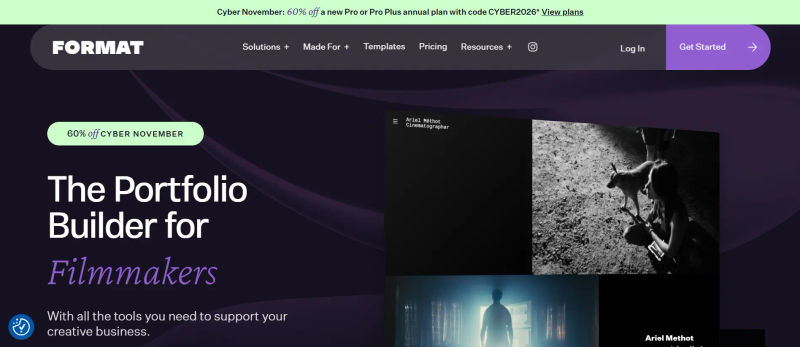
High-Resolution Image Rendering: Format.com excels in preserving the integrity of your uploads. Its proprietary image optimization ensures that heavy RAW conversions load instantly without losing their crispness on high-density displays.
Integrated Client Proofing: The platform offers one of the most intuitive client proofing workflows on the market. You can quickly generate private, password-protected galleries where clients can download watermarked proofs, leave comments, and curate their favorite shots.
Mobile Responsiveness: Format’s templates are natively mobile-responsive, utilizing smart lazy-loading so that image-heavy pages do not drain mobile data or slow down the browsing experience.
Limitations to Consider: While excellent for portfolios, Format's e-commerce capabilities are relatively basic. If you plan to sell hundreds of physical products or complex digital downloads, you may outgrow its native store features.
2. VisualCV: Best for Hybrid Portfolio-Resumes
While traditionally known as a resume builder, VisualCV has evolved into a powerful hybrid platform for corporate designers, UX researchers, and art directors who need to blend visual portfolios with detailed career histories.
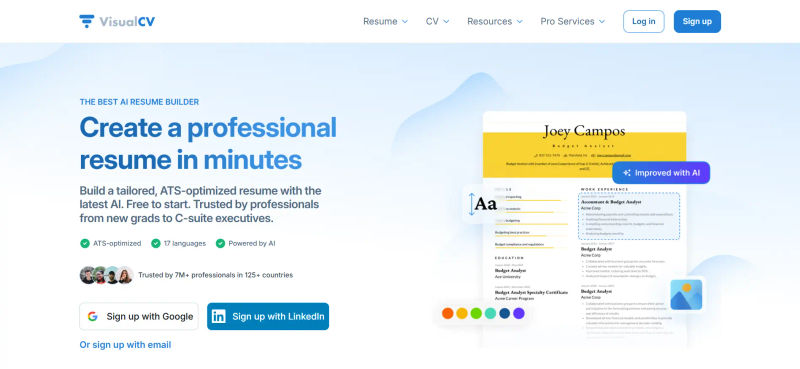
High-Resolution Image Rendering: VisualCV supports high-quality PDF and image embeds, ensuring that your case studies and wireframes are presented clearly alongside your professional milestones.
Integrated Client Proofing: While it lacks traditional photography proofing, it offers secure, trackable link sharing. You can see exactly when a recruiter or creative director opens your portfolio and which case studies they spend the most time viewing.
Mobile Responsiveness: The platform guarantees that your hybrid portfolio-resume is perfectly formatted for mobile screens, ensuring typography remains legible without zooming.
Limitations to Consider: VisualCV is not built for heavy video rendering or motion graphics. Motion designers and animators will find the platform's media hosting capabilities too restrictive for their specific needs.
3. Pagecloud: Superior Visual Editing Experience
Pagecloud is a visual website builder that bridges the gap between drag-and-drop simplicity and professional design control, making it a favorite for graphic designers who want absolute layout freedom.
High-Resolution Image Rendering: Pagecloud offers uncompressed image hosting options, allowing designers to showcase their vector graphics and high-res photography exactly as intended without aggressive backend compression.
Integrated Client Proofing: You can easily build custom, hidden pages for client presentations. While it doesn't have native photo-proofing software, its flexible architecture allows for easy integration with third-party feedback tools.
Mobile Responsiveness: Pagecloud’s standout feature is its dedicated mobile layout editor. Unlike platforms that auto-generate a mobile site, Pagecloud lets you manually adjust the mobile view, ensuring your visual hierarchy remains intact.
Limitations to Consider: The sheer amount of visual freedom can result in a steep learning curve for users who prefer structured, foolproof templates. It requires a good eye for spatial design to avoid cluttered layouts.
4. Webflow: Unmatched Design Flexibility
Webflow is the ultimate low-code powerhouse for UI/UX designers, web designers, and digital agencies. It offers unmatched design flexibility, allowing creatives to build complex, multi-layered case studies and inject custom CSS.
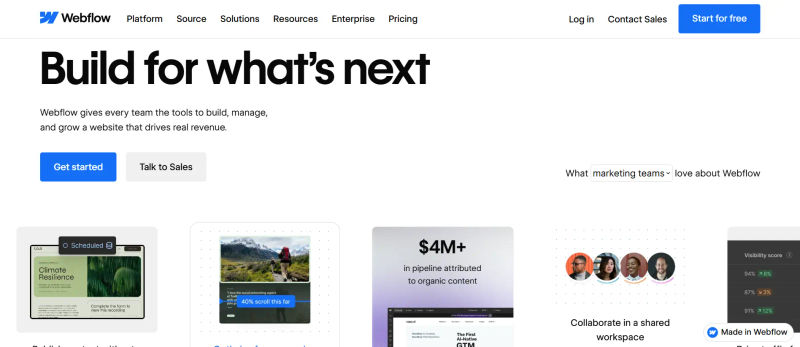
High-Resolution Image Rendering: Webflow gives you complete control over image optimization, supporting next-gen formats like AVIF and WebP. You can manually adjust compression settings to balance quality and Core Web Vitals.
Integrated Client Proofing: Webflow’s CMS allows you to build custom client portals from scratch. You can design bespoke, password-protected staging areas tailored exactly to your agency's branding.
Mobile Responsiveness: With its visual canvas, Webflow provides breakpoint control down to the exact pixel. You can ensure that interactive 3D models and complex animations degrade gracefully on mobile devices.
Limitations to Consider: The platform has a notoriously steep learning curve. It requires a foundational understanding of web development principles, making it less ideal for traditional photographers seeking quick setups.
5. Squarespace: Best All-In-One Solution
Squarespace continues to be the best no-code, all-in-one solution for creative freelancers who want a beautiful portfolio paired with robust business tools like scheduling, invoicing, and e-commerce.

High-Resolution Image Rendering: The platform’s Fluid Engine ensures that images are automatically resized and optimized for various screen sizes while maintaining excellent visual fidelity on retina displays.
Integrated Client Proofing: Squarespace offers native member areas and private pages, which can be utilized for client handoffs and private galleries, though it is slightly less specialized than dedicated photography platforms.
Mobile Responsiveness: Every Squarespace template is rigorously tested for mobile performance. The responsive design is automatic, meaning your portfolio will look stunning on a smartphone with zero extra effort.
Limitations to Consider: The primary drawback is the high switching cost. If you decide to migrate your portfolio to another platform in the future, exporting complex layouts and large image galleries is notoriously difficult and manual.
6. Pixpa: Best Value for Photographers
Pixpa is a highly cost-effective, feature-rich platform designed specifically for photographers and visual artists. It combines portfolio creation, client galleries, and e-commerce into one seamless interface.
High-Resolution Image Rendering: Pixpa utilizes a global CDN to deliver high-resolution images rapidly, ensuring that global clients experience no lag when viewing your work.
Integrated Client Proofing: This is where Pixpa shines. It features a dedicated client gallery module where clients can review, favorite, and even purchase digital downloads or prints directly from the proofing page.
Mobile Responsiveness: The platform is built with a mobile-first philosophy. The client galleries function like native mobile apps, allowing clients to swipe through proofs effortlessly on their phones.
Limitations to Consider: Pixpa’s third-party app integrations are somewhat limited compared to giants like Wix or Squarespace. If you rely heavily on niche marketing plugins, you may find the ecosystem slightly restrictive.
7. SmugMug: Top Choice for Image Protection
For professional photographers who prioritize image protection and high-volume storage, SmugMug remains an industry leader in 2027. It is built to protect your copyright while showcasing your work beautifully.
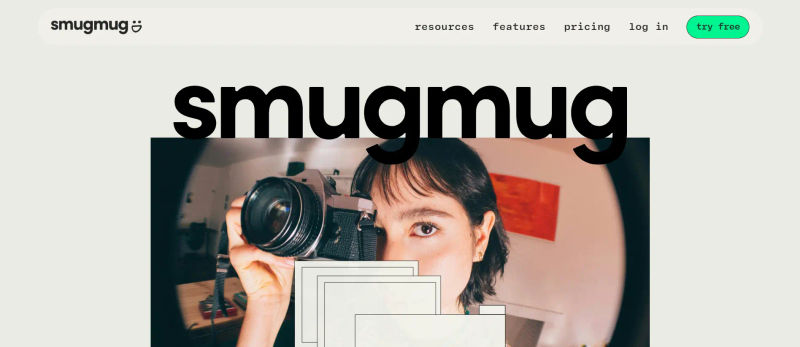
High-Resolution Image Rendering: SmugMug offers unlimited high-resolution storage. It never compresses your original files, meaning your portfolio displays the absolute highest quality versions of your images.
Integrated Client Proofing: SmugMug provides extensive privacy controls, custom watermarking, and password-protected client galleries. Clients can securely review images and order professional lab prints directly through the platform.
Mobile Responsiveness: The SmugMug mobile experience is highly refined, offering fast-loading, swipeable galleries that make mobile client proofing a breeze.
Limitations to Consider: The design templates, while clean, are relatively rigid. Designers looking to create highly customized, asymmetrical layouts will find SmugMug's structural constraints frustrating.
Find Perfect Software For Your Business
8. Wix: Most Versatile Drag-and-Drop Builder
With the introduction of Wix Studio, Wix has elevated its offering for professional designers. It provides a highly versatile drag-and-drop environment combined with advanced AI design capabilities.

High-Resolution Image Rendering: Wix has vastly improved its image rendering engine for 2027, utilizing AI-assisted curation to automatically sharpen and optimize images for the web without manual intervention.
Integrated Client Proofing: Through the Wix App Market, creatives can add dedicated client proofing apps, allowing for secure feedback loops and private project handoffs.
Mobile Responsiveness: Wix now offers responsive AI, which automatically structures your desktop design into a perfectly optimized mobile layout, saving hours of manual adjustment.
Limitations to Consider: Similar to Squarespace, Wix has high switching costs. Migrating a portfolio of 500+ images away from Wix to a different CMS is a tedious process that often results in lost SEO rankings if not handled perfectly.
9. Adobe Portfolio: Best for Creative Cloud Users
Included free with Adobe Creative Cloud subscriptions, Adobe Portfolio is the most convenient option for designers and illustrators already entrenched in the Adobe ecosystem.
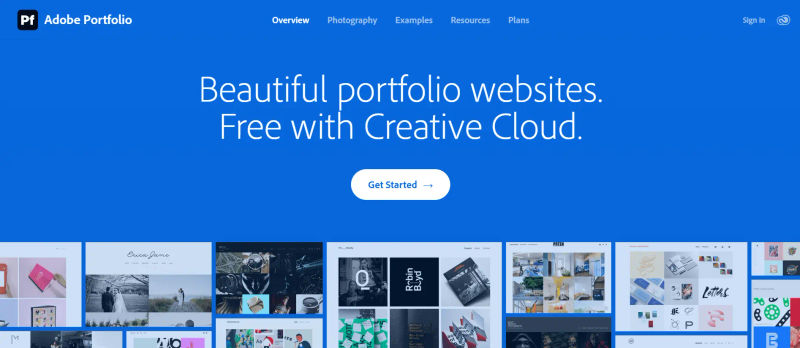
High-Resolution Image Rendering: Because it integrates directly with Lightroom and Behance, Adobe Portfolio ensures that your high-res exports are displayed flawlessly, maintaining the exact color grading you applied in post-production.
Integrated Client Proofing: While it lacks advanced proofing features, it allows for password-protected pages, making it easy to share sensitive case studies or unreleased work with potential clients.
Mobile Responsiveness: The platform offers a curated selection of clean, minimalist themes that are inherently mobile-responsive, ensuring your work takes center stage on any device.
Limitations to Consider: The platform is entirely tethered to your Creative Cloud subscription. If you ever decide to cancel your Adobe membership, your portfolio website will be taken offline immediately.
10. Carbonmade: Best for Creative Personalities
Carbonmade is the go-to builder for illustrators, animators, and creative personalities who want a vibrant, no-code platform that breaks away from traditional, sterile portfolio layouts.
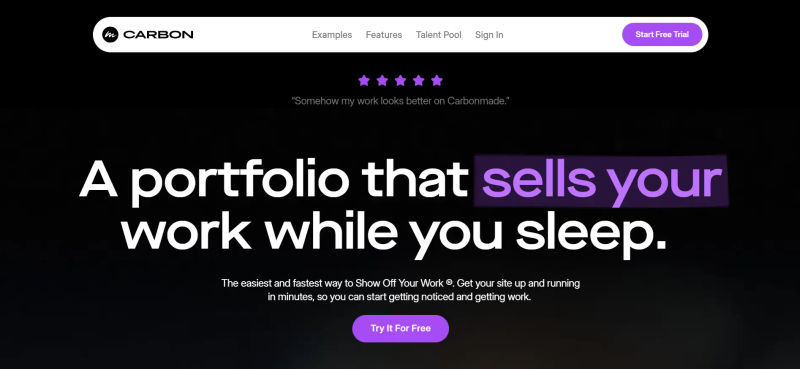
High-Resolution Image Rendering: Carbonmade handles colorful, high-contrast illustrations and looping video/GIFs exceptionally well, ensuring vibrant colors pop on modern OLED screens.
Integrated Client Proofing: Carbonmade focuses more on public presentation than private proofing. However, you can easily lock specific projects behind a password for exclusive client viewing.
Mobile Responsiveness: The platform’s block-based builder guarantees that its quirky, dynamic layouts translate perfectly to mobile, keeping the user experience fun and engaging.
Limitations to Consider: The playful, highly stylized nature of Carbonmade templates may not resonate with corporate clients. It is not the ideal choice for traditional UX researchers or corporate brand strategists.
11. Zenfolio: Built for Professional Photography Sales
Zenfolio is engineered specifically for professional photography businesses, focusing heavily on client management, automated workflows, and high-volume photography sales.
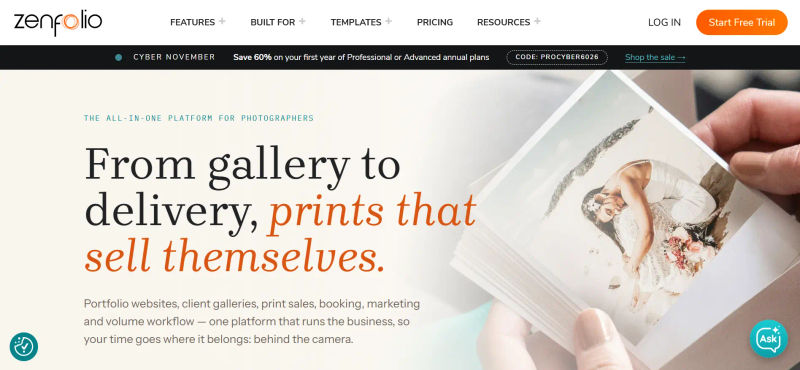
High-Resolution Image Rendering: Zenfolio optimizes massive image files for quick web viewing while keeping the high-resolution originals secure on their servers for client downloads and print fulfillment.
Integrated Client Proofing: Zenfolio offers one of the most advanced client proofing systems available. It includes automated email campaigns reminding clients to review their galleries, favorite images, and complete their purchases.
Mobile Responsiveness: The client-facing galleries are highly optimized for mobile, allowing clients to easily review wedding or commercial shoots on the go.
Limitations to Consider: The robust feature set comes with a steeper price tag and a complex backend. Beginners or casual freelancers may find the sheer volume of sales and marketing tools overwhelming.
12. Cargo: Best for Experimental Designers
Cargo (also known as Cargo Collective) is the platform of choice for experimental designers, avant-garde artists, and typography enthusiasts who want to push the boundaries of web design.
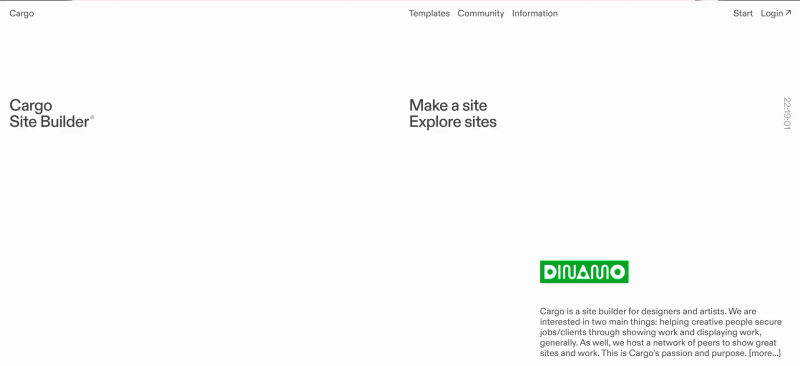
High-Resolution Image Rendering: Cargo supports a wide array of file types and high-res images, allowing for brutalist design elements and overlapping visual assets without performance drops.
Integrated Client Proofing: Cargo is built for public exhibition rather than private proofing. However, its unique architecture allows designers to create hidden URLs for sharing experimental drafts with clients.
Mobile Responsiveness: Cargo’s templates are uniquely responsive, often utilizing creative scaling and stacking techniques to ensure that even the most unconventional layouts remain usable on mobile devices.
Limitations to Consider: The brutalist, avant-garde UI that Cargo champions can easily alienate traditional clients who prioritize standard usability. It is a niche tool for a very specific type of creative audience.
The 2027 Creative Stack: Integrating Portfolios with Business Tools
In 2027, a portfolio website rarely operates in isolation; it must function seamlessly within your broader "Creative Stack." To truly land high-paying clients, your portfolio builder needs to integrate with the tools you use to run your freelance business.
For instance, connecting your portfolio to Customer Relationship Management (CRM) software like HoneyBook allows you to embed lead capture forms directly onto your contact page, automatically funneling inquiries into a structured pipeline. Similarly, integrating project management tools like Notion can help you track which case studies are generating the most interest.
When choosing a platform, consider how easily it allows you to embed third-party analytics, invoicing links, and scheduling calendars. A beautiful site that cannot capture a lead or process a client inquiry is merely a digital gallery, not a business asset.
2027 Portfolio Pricing Comparison Table
To help you quickly evaluate the best design portfolio platforms, we have compiled a comparison table highlighting the most popular plans, exact pricing, storage limits, and core features for each builder.
Plan | Price | Best For | Storage & Bandwidth | Features |
Format.com | Starts from $4/month | Photographers & Visual Artists | 100GB Storage, Unmetered Bandwidth | Client proofing, 1500 high-res images, custom domain, mobile-optimized themes, Lightroom integration |
VisualCV | Starts from $22/month | Corporate Designers & UX | 5GB Storage, Unmetered Bandwidth | Hybrid portfolio-resume, PDF embeds, trackable sharing links, custom domain, mobile formatting |
Pagecloud | Starts from $26/month | Graphic Designers | Unlimited Storage, Unlimited Bandwidth | Visual editing, uncompressed image hosting, custom mobile layouts, source code access, hidden pages |
Webflow | Starts from $25/month | UI/UX Designers & Agencies | 50GB Storage, 100GB Bandwidth | Advanced CMS, custom CSS/interactions, AVIF/WebP support, custom client portals, pixel-perfect mobile control |
Squarespace | Starts from $25/month | Freelance Creatives | Unlimited Storage, Unlimited Bandwidth | Fluid Engine design, mobile-responsive templates, basic metrics, custom domain, SSL security |
Pixpa | Starts from $9/month | Budget-Conscious Photographers | 3GB Storage, Unmetered Bandwidth | Built-in client galleries, global CDN image delivery, mobile-first design, e-commerce, 500 gallery images |
SmugMug | Starts from $34.22/month | High-Volume Photographers | Unlimited Storage, Unlimited Bandwidth | Custom watermarking, password-protected galleries, zero compression, print fulfillment, right-click protection |
Wix | Starts from $17/month | Versatile Designers | 50GB Storage, Unmetered Bandwidth | Responsive AI, advanced image sharpening, app market access, drag-and-drop builder, custom domain |
Adobe Portfolio | Starts from $10/month | Creative Cloud Users | Unlimited Storage, Unmetered Bandwidth | Free with CC, Behance integration, Lightroom syncing, password-protected pages, minimalist themes |
Carbonmade | Starts from $9.99/month | Illustrators & Animators | 50 Projects, Unmetered Bandwidth | No-code block builder, vibrant color rendering, GIF/video support, password-protected projects, quirky templates |
Zenfolio | Starts from $9/month | Photography Businesses | Unlimited Storage, Unlimited Bandwidth | Automated client workflows, advanced proofing, secure high-res storage, print sales, mobile-optimized galleries |
Cargo | $19/month | Experimental Designers | 6GB Storage, Unmetered Bandwidth | Brutalist templates, custom HTML/CSS, high-res overlap support, hidden URLs, unconventional mobile scaling |
*Note: All prices shown reflect typical monthly billing. Vendors often offer lower pricing for annual commitments, but those discounts are excluded here for easier comparison. Actual costs may vary depending on your requirements, usage volumes, and negotiated terms.
How to Choose the Right Professional Portfolio Software for Freelancers
Selecting the right platform from this list requires a strategic assessment of your specific creative niche, your technical comfort level, and your budget. The most cost-effective professional portfolio software for freelancers is not necessarily the cheapest one; it is the one that saves you time, enhances your client workflow, and ultimately helps you win better contracts.
1. For Photographers Prioritizing Client Handoffs
If your primary goal is to share high-resolution images and manage client approvals, platforms like Format.com, Pixpa, and Zenfolio should be at the top of your list. These builders have client proofing galleries baked into their core architecture, saving you the expense of subscribing to separate proofing software.
Pixpa offers incredible value for budget-conscious freelancers, while Zenfolio provides robust automation for high-volume photography businesses that need to process print orders seamlessly.
2. For UI/UX and Web Designers Requiring Customization
If you need to demonstrate your understanding of web design principles, a cookie-cutter template will not suffice. Webflow is the undisputed champion for designers who want granular, low-code control over interactions, CMS structures, and responsive breakpoints.
While it carries a steeper learning curve, it allows you to build multi-layered case studies that serve as a testament to your technical skills. Alternatively, Pagecloud offers a great middle-ground with visual editing and source code access without the intense technical requirements.
3. For Multidisciplinary Creatives Seeking Simplicity
If you want a beautiful, mobile-responsive site without touching a line of code, Squarespace and Adobe Portfolio are excellent choices. Adobe Portfolio is particularly cost-effective if you already pay for a Creative Cloud subscription, while Squarespace provides an unmatched all-in-one ecosystem for creatives who also want to sell digital products, book consultations, and manage their business from a single dashboard.
Try AuthenCIO
Move to faster, smarter software evaluation with AI
Conclusion: Take Control of Your Visual Showcase
In 2027, your portfolio is the ultimate reflection of your creative brand and professional authenticity. Settling for a platform that compresses your images, lacks client proofing capabilities, or fails on mobile devices is a disservice to your hard work.
By choosing a specialized portfolio website builder that aligns with your specific niche and technical abilities, you ensure that your designs and photographs are presented with the utmost professionalism, making it easier to attract and retain high-paying clients.
Evaluate your specific needs, compare the features and limitations outlined in this guide, and invest in a platform that empowers your creative vision while streamlining your business operations.