
Introduction
Finding the best email automation for small business means choosing software that balances powerful features with ease of use. For growing companies, email automation for SMEs (Small and Medium-sized Enterprises) is no longer optional—it is the self-sustaining engine that nurtures leads and drives sales while you focus on high-level strategy.
Streamline your software evaluation process
Implementing email automation for small business delivers an unmatched ROI, generating an average of $42 to $45 for every dollar spent. By setting up welcome sequences, abandoned cart triggers, and re-engagement campaigns, you transform a stagnant list into a revenue-generating asset that allows a team of one to compete with a team of fifty.
This guide cuts through the noise to help you find the right email automation software and alternatives. We rigorously evaluated the market based on ease of use, cost-effectiveness, and reliability to bring you the 7 best email automation tools for small businesses in 2026.
Key Takeaways
Top Overall Picks: Moosend is the best choice for scalable marketing automation, while MailerLite offers the most intuitive, design-friendly experience for solopreneurs and creators.
Best for Startups & SaaS: Sender provides an unbeatable high-value free tier for budget-conscious startups. For modern software companies, Sequenzy is the top AI-native platform with deep Stripe integration.
Best for Scalability & Support: HubSpot remains the industry standard for businesses planning massive growth, whereas Constant Contact and iContact excel in providing integrated marketing tools and personalized, hands-on support.
Core Advice: Don't just look at the starting price. Choose your 2026 email automation tool by auditing your technical comfort level, calculating the long-term ROI as your subscriber list grows, and verifying built-in GDPR and CCPA compliance.
At a Glance: Top Picks for 2026
Best for Scalable Marketing Automation: Moosend
Best Intuitive Design for Solopreneurs: MailerLite
Excellent Scalability Potential: HubSpot Email Marketing
Best High-Value Free Tier for Startups: Sender
Best for AI-Native SaaS Automation: Sequenzy
Best for Integrated Marketing Tools: Constant Contact
Best for Personalized Support and Simplicity: iContact
Software covered in this article
For learning and reference, this listicle presents a selective overview of 7 best email automation tool for small business:


Why Email Automation is Essential for Small Business Growth
By 2026, the concept of generic "email blasts" is obsolete. The modern consumer expects hyper-personalization. They do not just want an email; they want the right email at the right time.
Compare Top Email Automation Platforms — Find Your Perfect Match Today
For a small business owner, manually attempting to meet this expectation is a recipe for burnout. This is where automation shifts from a luxury to a necessity.
1. The Learning Curve: Balancing Time vs. Tech
One of the biggest fears for small business owners is the "learning curve." When looking at an email automation coding vs tools comparison, the difference in required resources is stark. Hand-coding HTML emails and building custom API triggers requires dedicated developers, extensive testing for client compatibility, and weeks of implementation.
In contrast, modern no-code tools prioritize intuitive interfaces over feature bloat, making them far better for small businesses. They allow you to set up "Time-to-Live" automations—getting your first campaign running in under an hour rather than weeks. We prioritized platforms where the visual builders resemble simple flowcharts rather than complex code repositories.
2. Affordable Email Automation Platforms and ROI
Consider the math of manual follow-ups. Spending five hours a week manually emailing leads costs 20 hours a month. At a $100 hourly rate, that is a $2,000 monthly loss. For early-stage companies, adopting dedicated startups email software stops this revenue leak.
**Affordable **email automation platforms, often costing under $50 monthly, reclaim that time immediately. When comparing budget friendly email automation platforms for startups, prioritize tools offering behavioral triggers (like link clicks or birthdays). Automated emails generate 320% more revenue than manual broadcasts. Ultimately, affordable email automation for startups is a primary growth driver, ensuring your brand stays top-of-mind without lifting a finger.
Key Selection Criteria: Ease of Use and Cost-Effectiveness
To determine the best tools for 2026, we moved beyond marketing fluff. We evaluated these platforms based on the specific constraints of a small business owner: limited time, limited budget, and a need for immediate impact.
1. Usability and Interface: Can a non-technical user create a professional-looking email in under 15 minutes? We looked for drag-and-drop editors, pre-built templates, and visual automation builders.
2. Affordability and Scalability: Many tools offer cheap entry points but punish success with steep price hikes as your list grows. We prioritized platforms with transparent pricing structures that scale reasonably with your business.
3. Essential Automation Features: We looked for "Must-Have" features: Welcome series, abandoned cart recovery, and basic segmentation. We avoided tools that charge extra for these essentials.
4. Integration Capabilities: In 2026, your email tool must talk to your other software. We checked for seamless integrations with common solopreneur stacks like Shopify, WordPress, Canva, and Google Sheets.
Data Privacy Simplified: GDPR and CCPA for Small Businesses
A major source of anxiety for small business owners is legal compliance. "What if I violate GDPR?" or "Do I need a legal team to send emails?" The answer is no—if you use the right tools.
The platforms listed below handle the heavy lifting of compliance for you. They automatically include mandatory "Unsubscribe" links in every footer, manage your suppression lists so you never accidentally email someone who opted out, and offer double opt-in features to ensure your subscribers genuinely want to hear from you.
In 2026, these tools also provide "Right to be Forgotten" features, allowing you to delete all user data with a single click if requested. This built-in safety net allows you to market with confidence, knowing you are compliant with global privacy standards without needing a law degree.
Top Alternatives to Anchorclick and Opensend
If you are wondering, "what are the top alternatives to Anchorclick for email automation?", the standout choices for 2026 are Moosend, MailerLite, and HubSpot. While Anchorclick is recognized for its complex behavioral triggers, these alternatives offer more intuitive drag-and-drop builders, superior CRM integrations, and scalable pricing tiers that better suit growing small businesses without sacrificing advanced automation capabilities.
For teams searching for a direct competitor to Opensend email, Sequenzy and Sender are the top contenders. Opensend is often praised for its identity resolution and cart abandonment features, but Sequenzy delivers a more robust AI-native automation experience with Stripe-native lifecycle triggers. Similarly, Sender provides a high-value free tier with omnichannel capabilities that rival Opensend's premium offerings at a fraction of the overall cost.
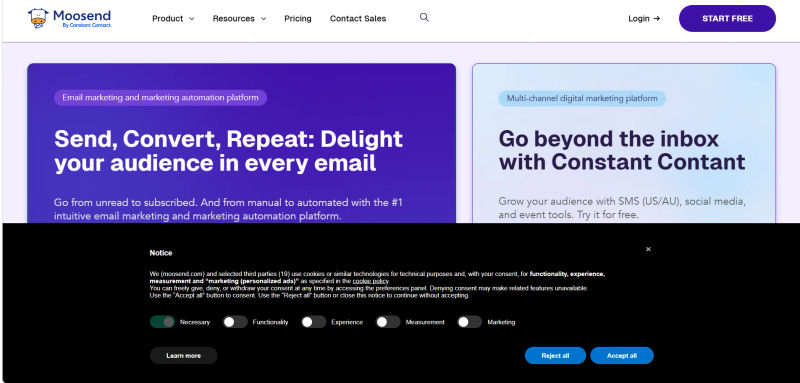
1. Moosend: Best for Scalable Marketing Automation
Moosend continues to dominate the small business sector in 2026 by offering enterprise-level automation features at a price point accessible to startups. It is particularly well-suited for businesses that plan to scale quickly and need a tool that won't cap their capabilities early on.
The Automation Workflow Builder
Moosend’s standout feature is its visual automation editor. Unlike competitors that hide advanced triggers behind expensive tiers, Moosend makes them available to everyone. You can easily create complex workflows based on user behavior.
For example, a local cafe owner could use Moosend’s weather-based triggers to automatically send a coupon for hot cocoa to local subscribers exactly when the forecast predicts rain—a level of personalization that drives immediate foot traffic.
AI & Visuals
Moosend includes a robust AI subject line optimizer that predicts open rates before you hit send. While it doesn't generate images from scratch, its integration with stock photo libraries and a fast image picker makes designing visually appealing emails rapid and intuitive.
Pros and Cons for the Small Business
Pros: All-in-one pricing (includes landing pages), deep analytics, and weather-based triggers.
Cons: Native integration list is smaller than giants like Mailchimp (though Zapier bridges the gap), and phone support is reserved for enterprise plans.
2. MailerLite: Best Intuitive Design for Solopreneurs
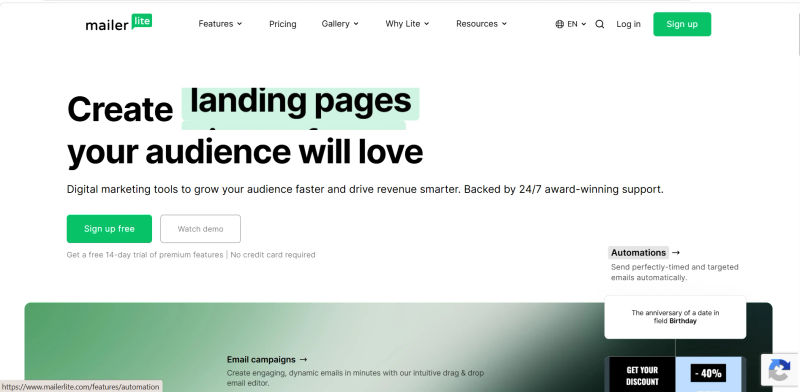
MailerLite remains a favorite among bloggers, creators, and freelancers in 2026 due to its uncompromising focus on simplicity. If you want a tool that looks clean, feels modern, and requires zero training to master, MailerLite is the top contender.
Visual Appeal and Drag-and-Drop Editor
MailerLite’s editor is arguably the best in the industry for non-designers. It allows you to build emails that look like custom-coded HTML templates using simple content blocks.
In 2026, they have added dynamic content blocks that allow you to show different images or text to different segments of your audience within the same email—a powerful feature for personalization.
Landing Pages and Digital Products
For solopreneurs selling digital downloads or courses, MailerLite is a powerhouse. It includes a built-in website and landing page builder that allows you to sell products directly through Stripe integration. You can set up a paid newsletter subscription or sell a PDF guide without needing a separate website or eCommerce platform.
AI & Visuals
MailerLite features an AI writing assistant that can help you draft text or rewrite paragraphs to sound more professional. It also includes a built-in image editor, allowing you to crop, filter, and add text to your photos directly within the email builder.
Pros and Cons for the Small Business
Pros: Extremely clean interface, direct monetization for digital products, and a generous free tier (up to 1,000 subs).
Cons: Strict approval process for new accounts can delay setup by 24 hours, and complex branching logic can get visually cluttered.
Find Perfect Software for Your Business
3. Hubspot Email Marketing: Excellent Scalability Potential
HubSpot includes numerous free email marketing tools: drag-and-drop builders, CRM-based email personalization, and AI-powered features are just a few examples. The platform’s low barrier to entry and versatile feature set make it a solid option for small business owners and solopreneurs who are just getting started with email marketing.

AI-powered Features
HubSpot invested heavily in implementing AI throughout its entire ecosystem. The platform’s free email marketing tools are no exception: they include an email copywriting assistant that helps generate subject lines or complete emails from scratch, and adjust body copy to various tones of voice, for example.
**Native HubSpot CRM Integration **
Most of HubSpot’s core features are based on the platform’s proprietary CRM. That means you can use it alongside email marketing tools to segment your contact lists and personalize emails for various target audiences.
**Scalability Potential **
You can upgrade to HubSpot Marketing Hub to access more advanced email marketing tools, like email performance analytics and A/B testing, and omni-channel marketing features covering ads, websites, and social media.
Pros and Cons for the Small Business
**Pros: **Little to no barrier to entry, generous free tier, massive scalability potential, possibility to also manage transactional emails.
**Cons: **High-tier pricing plans are quite expensive compared to the other tools in this list, report customization options are somewhat limited.

4. Sender: Best High-Value Free Tier for Startups
Sender has carved out a massive niche in 2026 by offering what is arguably the most generous free tier on the market. For small businesses operating on a shoestring budget, Sender provides a lifeline that doesn't compromise on quality.
High Deliverability Focus
Sender prides itself on infrastructure designed for high deliverability. They market themselves not just as a design tool, but as a delivery engine. For small businesses without a reputation history, Sender’s managed IP warm-up protocols help ensure that your first few campaigns don't land in the spam folder or the Gmail Promotions tab.
Omnichannel Capabilities
Sender isn't just email; it seamlessly integrates SMS marketing. In 2026, the ability to send a text message reminder for a flash sale alongside an email campaign is a major advantage. Sender allows you to combine these channels in a single automation workflow.
For example, you can send an email, wait two days, and if the email is unopened, send a gentle SMS reminder.
AI & Visuals
Sender offers a "Smart Design" feature where you simply input your website URL, and the tool automatically pulls your logo, brand colors, and social links to create a template that matches your brand identity instantly.
Pros and Cons for the Small Business
Pros: Incredible value for money, unified SMS/Email dashboard, and high deliverability focus.
Cons: Fewer native integrations compared to Constant Contact, and the template library is smaller than Moosend's.
.webp?tr=w-800%2Cq-80%2Cf-auto%2Cc-at_max)
5. Sequenzy: Best for Best For AI Native SaaS Automation
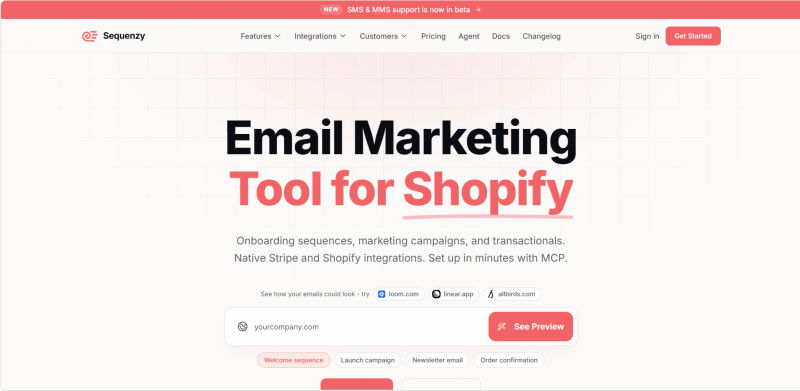
Sequenzy is an email automation platform built specifically for SaaS founders and AI startups. Unlike traditional tools, Sequenzy specializes in outbound lifecycle automation tied directly to subscription events and user behavior.
While the best ai mailroom tools for mid-sized companies focus on routing inbound customer support queries and internal documents, Sequenzy contrasts this by strictly driving product-led growth through automated onboarding, trial conversions, and churn prevention emails.
Stripe-Native Lifecycle Automation
Sequenzy’s biggest differentiator is its native Stripe integration. Businesses can automatically trigger workflows for:
failed payment recovery
free trial reminders
onboarding sequences
upgrade campaigns
churn prevention flows
This makes it especially useful for subscription-based SaaS businesses.
AI-Powered Automation Builder
Instead of manually building workflows step-by-step, Sequenzy allows users to generate sequences using natural language prompts.
The platform can automatically create:
subject lines
email copy
delays
automation logic
onboarding flows
saving founders significant setup time.
Unified Transactional + Marketing Emails
Sequenzy combines transactional and marketing email in one platform. Businesses can manage:
onboarding emails
newsletters
password resets
billing notifications
lifecycle campaigns
without relying on multiple providers.
AI & Visuals
Sequenzy includes an AI email generator and a drag-and-drop editor with responsive templates optimized for SaaS onboarding and retention workflows.
Pros and Cons for the Small Business
Pros: AI-native automation, Stripe integration, unified transactional + marketing email, developer-friendly APIs, generous free tier.
**Cons: **Smaller integration ecosystem, fewer templates than older competitors, limited SMS/push support.
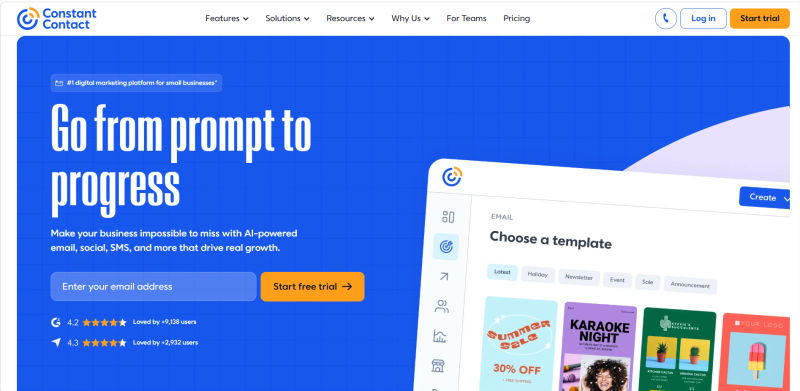
6. Constant Contact: Best for Integrated Marketing Tools
Constant Contact is a veteran in the industry that has successfully reinvented itself for 2026. It is no longer just an email tool; it is a comprehensive digital marketing hub for small businesses that want everything under one roof.
Event Marketing and Social Media
Where Constant Contact shines is its ecosystem. If you run events, webinars, or local workshops, its native event management tool allows you to send invites, track RSVPs, and manage tickets directly from your email dashboard. Furthermore, it allows you to post to social media profiles (Facebook, Instagram, LinkedIn) and track engagement alongside your email stats.
AI & Visuals
Constant Contact has heavily invested in AI. Their AI Content Generator allows you to enter a few keywords, and it will generate a complete email draft for you. It also features a "BrandKit" AI that scans your website to automatically apply your colors and fonts to every template, ensuring consistency.
Phone Support and Guidance
Unlike many "self-serve" SaaS platforms, Constant Contact is known for its accessibility. They offer robust phone support and live chat, which is invaluable if you are not tech-savvy and need a human to walk you through a problem. This "hand-holding" approach is a major selling point for traditional small business owners migrating to digital for the first time.
Pros and Cons for the Small Business
Pros: Excellent phone support, best-in-class event management tools, and social media posting capabilities.
Cons: Generally more expensive than competitors, and the automation builder is less flexible for complex logic.
7. iContact: Best for Personalized Support and Simplicity
iContact focuses heavily on the human element of email marketing. In 2026, where AI often replaces human interaction, iContact differentiates itself by offering strategic advisory services.
Strategic Advisors
iContact offers access to strategic advisors who can help you plan your campaigns. Note: While their standard plan includes excellent general support, dedicated personal strategic advisors are typically part of their premium or high-volume packages. However, even at the entry level, their support team is trained to help with strategy, not just technical glitches—a rarity in the industry.
Ease of Adoption
The platform is designed to be straightforward. It doesn't overwhelm you with features you don't need. The dashboard is intuitive, prioritizing the most common tasks: creating a campaign, viewing a report, or managing contacts. For a user who wants to get in, send an email, and get out, iContact is ideal.
AI & Visuals
iContact includes a stock image library and basic editing tools. While it lags slightly behind Constant Contact in generative AI writing features, its "Smart Sending" feature uses data to determine the optimal time to deliver emails to each subscriber.
Pros and Cons for the Small Business
Pros: High-touch customer service, Salesforce integration, and a no-nonsense interface.
Cons: Lacks some of the cutting-edge AI features of competitors, and pricing is on the higher end for the feature set provided.
.webp?updatedAt=1786993609472&tr=w-800%2Cq-80%2Cf-auto%2Cc-at_max)
2026 Comparison Table: Pricing and Essential Features
To help you make a quick decision, we have compiled the essential data for the entry-level paid plans of these five tools. Note that pricing reflects the 2026 market rates for a standard small business list size (approx. 1,000 subscribers).
Plan | Price | Best For | Features |
Moosend | $7/month | Scalable Automation | Visual workflow builder, landing pages, weather triggers, AI subject lines. (Free Trial: 30 days) |
MailerLite | $12/month | Creators & Solopreneurs | Digital product sales, dynamic content, 24/7 email support, unlimited templates. (Free Tier: <1,000 subs) |
Hubspot Email Marketing | $7/month | Small business needing an affordable multi-channel marketing solution | Email automation and health reporting, automatic CRM database segmentation, ad management, web traffic analytics (Free tier: up to 2,000 email sends per month) |
Sequenzy | Custom | Saas Companies | Free plan allows for 2.5K emails. The next plan for $19 allows for upto 15K emails per month |
Sender | $7/month | Budget Startups | SMS + Email automation, no branding, advanced segmentation, smart design. (Free Tier: <2,500 subs) |
Constant Contact | $19/ month | Event & Local Biz | Social posting, event management, AI content generator, phone support. (Free Trial: 60 days) |
iContact | $9/month | Support Seekers | Strategic support access, Salesforce integration, A/B testing, smart sending. (Free Trial: 30 days) |
*Note: All prices shown reflect typical monthly billing. Vendors often offer lower pricing for annual commitments, but those discounts are excluded here for easier comparison. Actual costs may vary depending on your requirements, usage volumes, and negotiated terms.
Moosend vs. MailerLite 2026: Which is Right for You?
These two are often the top contenders for small businesses, but they serve different needs. Choose Moosend if you are a data-driven business (e.g., eCommerce, SaaS) that needs complex triggers, such as "User viewed page X but didn't buy."
The logic builder in Moosend is superior for behavioral tracking. Choose MailerLite if you are a content creator, blogger, or coach. Its interface is cleaner, the writing experience is better, and the ability to sell digital products directly within the email makes it a monetization machine for solopreneurs.
How to Choose the Right Email Tool for Your Business
Selecting the right tool in 2026 comes down to understanding your specific bottleneck. Do not choose a tool based on features you might use in three years. Choose the tool that solves your problems today.
1. Define Your Technical Comfort Level
If the idea of "API hooks" scares you, avoid tools that require developer knowledge. Stick to MailerLite or Constant Contact, which prioritize visual interfaces. If you are comfortable with logic and flowcharts, Moosend will give you the most power.
2. Audit Your Content Strategy
Are you a blogger or course creator? MailerLite’s integration with digital products makes it a no-brainer. Are you a local bakery or consultant hosting workshops? Constant Contact’s event features will save you the cost of a separate ticketing platform. Do you run an eCommerce store? Sender’s SMS and cart recovery features are vital.
3. Calculate Your Real Budget
Look beyond the sticker price. Calculate the cost of add-ons. Does the tool charge for a dedicated IP? Does it charge for landing pages? Sender and Moosend are excellent for keeping costs predictable. Remember to check if the price jumps significantly once you cross 2,500 or 5,000 subscribers.
4. Test the Support Channels
Before committing, send a test query to their support team. How long does it take them to reply? Is the answer helpful or a copy-paste link? If you value human interaction, iContact or Constant Contact are worth the premium. If you prefer self-serve knowledge bases, MailerLite is superior.
5. Check Migration Ease
Moving from another tool? Most of these platforms offer migration services. MailerLite and Moosend often provide free migration for paid plans, moving your subscribers and even some templates for you. This eliminates the headache of CSV exports and field mapping.
Your 3-Step Quick Start Checklist
Don't let analysis paralysis stop you. Follow this simple framework to get started today:
Select & Sign Up: Pick the tool from the table above that fits your budget. Sign up for the free trial.
Import & Verify: Export your contacts from your old system (or Gmail) as a CSV file. Import them into the new tool. The tool will automatically scrub duplicates.
Launch the "Welcome": Use a pre-built "Welcome Series" automation template. Customize the text to say hello, offer a small discount or freebie, and hit "Activate." You are now automated.
Try AuthenCIO
Move to faster, smarter software evaluation with AI
Conclusion: Streamlining Your 2026 Email Strategy
In 2026, email automation is about creating a consistent, professional brand experience that operates independently of your daily schedule. The seven tools highlighted—Moosend, MailerLite, HubSpot, Sender, Sequenzy, Constant Contact, and iContact—represent the best balance of power, scalability, and simplicity for small business owners.
Each platform serves a distinct need:
For the budget-conscious startup, Sender offers an incredible high-value free tier.
For creators and solopreneurs selling digital goods, MailerLite provides an unmatched intuitive design.
For businesses needing deep, scalable marketing automation, Moosend is the leader.
For growing teams requiring robust CRM integration, HubSpot provides excellent scalability.
For SaaS companies, Sequenzy delivers custom-built, AI-native lifecycle automation.
For those needing integrated event marketing and social tools, Constant Contact is the ideal hub.
For those who want a dedicated partner in their strategy, iContact delivers personalized support.
The best email automation software is the one you actually use. Don't let endless feature comparisons delay your growth. Pick the platform that aligns with your current technical skills and budget, set up your first automated welcome series, and start streamlining your email strategy today.