
Introduction
For years, the most significant bottleneck in enterprise web design has been the handoff. Creative directors and visual designers spend weeks crafting pixel-perfect, high-fidelity prototypes, only to watch their uncompromising creative freedom get compromised, delayed, or diluted in the engineering backlog. In 2027, the tolerance for this friction is virtually zero. As marketing campaigns demand faster time-to-market and digital experiences become increasingly immersive, enterprise teams are aggressively seeking platforms that allow them to bypass the traditional IT bottleneck while preserving the creative soul of a project from Figma directly to the live site.
Streamline your software evaluation process
Enter Webflow. Long championed as the darling of freelance designers and boutique agencies, Webflow has spent the last few years heavily investing in its enterprise capabilities. Large organizations are no longer just looking for a website builder; they require flexible, design-led digital ecosystems that integrate seamlessly with their broader marketing stacks without relying on heavy engineering overhead.
This comprehensive 2027 Webflow review is designed specifically for decision-stage creative leaders and design influencers. We will evaluate whether Webflow’s current enterprise feature set—spanning governed AI workflows, 3D web integration, and complex design system management—truly justifies the investment, or if your team should look toward competitors in the visual development space.
Key Takeaways
Eliminates the Handoff: Webflow empowers design teams to build production-ready sites, removing the engineering bottleneck.
Enterprise-Ready Security: SOC2 Type II compliance, SSO, and advanced RBAC satisfy stringent IT requirements.
Governed AI & 3D: 2027 features include AI that respects brand guardrails and native Spline integration for immersive 3D web experiences.
Superior TCO: Webflow eliminates the "maintenance tax" and hidden developer costs associated with WordPress and headless CMS setups.
Scalable CMS: Advanced localization and decoupled content editing make it ideal for global marketing operations.
Webflow Review — Enterprise Website Design Without Developer Bottlenecks
What Works Well (Pros)
Visual development: Build sophisticated websites without extensive coding.
Scalable CMS: Manage large websites and structured content efficiently.
Advanced animations: Create interactive designs and engaging website experiences.
Reusable components: Maintain consistent branding across multiple pages.
Enterprise security: Offers SSO, access controls, and governance features.
Global hosting: Provides CDN-powered hosting and performance optimization.
Where It Falls Short (Cons)
Learning curve: Advanced design tools require some technical knowledge.
Enterprise pricing: Higher-tier plans can be expensive.
Backend limitations: Not ideal for complex applications and database-heavy systems.
Platform dependency: Migrating websites away from Webflow can require additional work.
Verdict: Webflow is a powerful visual development platform for building customized, scalable websites with greater design control.
Best For: Enterprise marketing teams, digital agencies, and businesses managing complex websites.
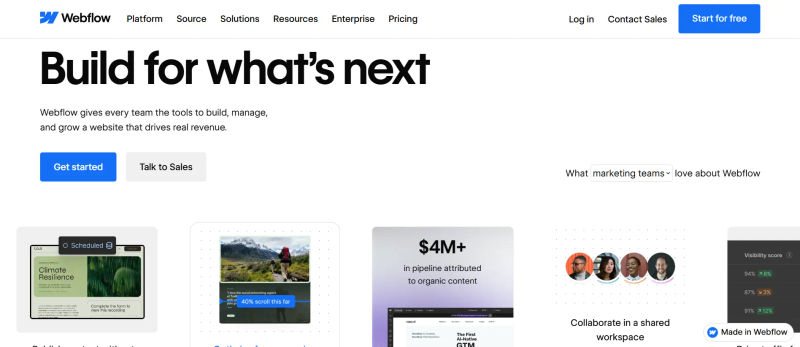
Software Covered in this Article
To help you understand Webflow in the right context, this article refers to a carefully curated set of leading alternatives:








Webflow vs. Leading Website Platforms
Webflow is built for enterprise design teams that need production-ready websites without a traditional engineering handoff. The table below compares it with leading alternatives across pricing, core capabilities, and ideal use cases, so you can quickly identify the platform that best fits your team’s design, content, and scalability needs
Tool | Best For | Pricing | Key Features | Use Cases |
Webflow | Enterprise visual design & marketing teams | Starts from $25/mo | Advanced visual canvas, CMS scalability, native interactions, RBAC | High-traffic marketing sites, brand experiences |
WordPress | Complex backend architectures | Starts from $9/mo | Open-source flexibility, massive plugin ecosystem | Content-heavy publishing, legacy system migrations |
Framer | High-fidelity prototyping & AI layouts | Starts from $15/mo | AI layout generation, rapid animation, component library | Fast landing pages, SaaS front-ends |
Wix Studio | Agency rapid builds & client handoffs | Starts from $17/mo | Responsive AI, client management tools, built-in apps | Agency portfolios, mid-market business sites |
Bubble | Complex web applications | Starts from $39/mo | Visual logic builder, database management, API integrations | SaaS MVPs, internal enterprise portals |
Squarespace | Simple portfolios & basic commerce | Starts from $25/mo | Curated templates, built-in scheduling, basic e-commerce | Small business sites, independent creators |
Pagecloud | Quick visual editing & simple layouts | Starts from $26/mo | Intuitive drag-and-drop, source code access | Simple landing pages, temporary campaign sites |
Webydo | B2B freelance designer workflows | $75 - $400+/mo | White-labeling, built-in billing, client CMS | Freelance design businesses, small agencies |
*Note: All prices shown reflect typical monthly billing. Vendors often offer lower pricing for annual commitments, but those discounts are excluded here for easier comparison. Actual costs may vary depending on your requirements, usage volumes, and negotiated terms.
Webflow in 2027: What Enterprise Design Teams Need to Know
The web development landscape in 2027 is defined by a distinct shift toward interconnected design tools and AI-assisted workflows. According to recent industry surveys, over 73% of enterprise respondents utilize a CMS platform, but they rarely use it in isolation. Today’s web platforms must coexist with CRM systems, marketing automation tools, and sophisticated Digital Asset Management (DAM) workflows.
For creative directors, this presents a unique challenge. You need a tool that offers absolute visual freedom, but it must also satisfy the stringent security, governance, and integration requirements of your IT and procurement departments. Webflow has positioned itself directly at this intersection. It is a visual development platform that generates clean, semantic HTML, CSS, and JavaScript in the background as you design.
The Rise of Governed AI: The integration of AI in 2027 has changed how teams evaluate software. While 81% of B2B marketers use generative AI tools, many do so in an ad-hoc, ungoverned manner that threatens brand consistency. Webflow’s approach to AI focuses on governed layout generation. This means the AI operates strictly within the guardrails of your established design system. Designers can prompt the system to generate structural wireframes, but the AI is restricted from making off-brand typography or color choices. It speeds up the mundane aspects of scaffolding while keeping the creative director firmly in the driver's seat.
Digital Asset Management (DAM) Integration: Enterprise design teams rely heavily on centralized asset repositories. Webflow’s 2027 updates include native hooks into enterprise DAM systems like Bynder and Cloudinary. This ensures that when a core brand asset is updated globally, it automatically cascades through the Webflow environment, eliminating the tedious process of manual image swapping and ensuring absolute brand consistency across thousands of pages.
Core Features Evaluated: Visual Canvas and Interactions
To determine if Webflow is the best visual development tool for designers at the enterprise level, we must dissect its core functionality. The platform’s value proposition hinges heavily on the Designer (the visual canvas) and its native interaction engine.
1. The Visual Canvas: True Development Without Syntax
Webflow’s Designer interface is unmatched in the industry for its precision. Unlike template-driven tools that restrict where elements can be placed, Webflow provides a blank canvas that strictly adheres to web standards. In 2027, the platform’s handling of global design systems is a standout feature. Enterprise teams can create centralized, locked-down design systems using Webflow’s advanced Variables and Components.
This component-driven architecture ensures that a decentralized marketing team spanning multiple continents can build landing pages rapidly without breaking brand guidelines. While it removes the need to write syntax, it still requires a deep understanding of web design principles—such as the box model, CSS Grid, Flexbox, and accessibility standards. It empowers designers who understand how the web works to build without waiting on a developer to translate their vision.
2. 3D and Immersive Web Support
By 2027, spatial and immersive web design has transitioned from a niche trend to an enterprise standard. High-end brands expect websites to feature interactive 3D elements that engage users without tanking performance. Webflow has responded by deepening its integration with 3D design tools like Spline. Designers can now embed complex 3D scenes directly into the Webflow canvas, map scroll interactions to 3D camera movements, and manipulate object states visually. This capability brings a level of experiential design to the marketing team that previously required specialized WebGL developers.
3. Advanced Interactions and Animations
One of the primary reasons creative directors advocate for Webflow is its interaction engine. Building complex, scroll-triggered animations and micro-interactions traditionally required heavy JavaScript libraries like GSAP, which meant relying heavily on developers to fine-tune the easing and timing. Webflow brings this immense power into a visual timeline interface.
In 2027, Webflow’s interaction capabilities are deeply optimized for performance. The platform ensures that complex animations do not bloat the site’s code or severely impact Core Web Vitals. For enterprise brands looking to create immersive, high-fidelity digital experiences—such as product launch pages or interactive annual reports—Webflow’s interaction engine is a decisive competitive advantage.
Enterprise CMS: Scalability and Content Operations
The Webflow CMS has historically been a point of contention for massive enterprise sites due to item limits, but the 2027 enterprise tiers have largely resolved these bottlenecks. The CMS is now highly scalable, capable of handling tens of thousands of programmatic pages with ease, making it a true powerhouse for content-heavy marketing operations.
Decoupled Content Editing: For marketing teams, the CMS interface is intuitive and safely decoupled from the complex Designer view. Content editors can update text, swap images, and publish articles without ever touching the layout controls. This separation of concerns protects the design integrity while empowering marketers to move at the speed of culture.
Advanced Localization Workflows: Crucially, Webflow’s 2027 localization features allow enterprises to manage multi-language sites seamlessly. Global teams can route localized content to specific regional domains, manage hreflang tags automatically, and utilize AI-assisted translation workflows that integrate with human review processes. You can even adjust the visual layout on a per-locale basis—for example, accommodating the longer text expansion of German or the right-to-left structure of Arabic—without duplicating the entire site architecture.
The Enterprise Experience: Security, Scalability, and Collaboration
It is one thing to build a beautiful website; it is entirely another to host, secure, and manage it at an enterprise scale. When evaluating Webflow for enterprise teams, IT departments will heavily scrutinize the platform’s infrastructure, compliance, and governance capabilities.
1. Security and Compliance Standards
When evaluating Webflow security for enterprise deployments, IT leaders will find a highly mature infrastructure. In 2027, the platform boasts SOC2 Type II compliance, ISO 27001 certification, and robust GDPR data processing frameworks. For IT teams concerned about moving away from self-hosted infrastructure, Webflow provides advanced Identity and Access Management (IAM) integrations, supporting Single Sign-On (SSO) via Okta, Azure AD, and Google Workspace.
The Designer's Perspective on Security: While SOC2 and SSO sound like dry IT requirements, they have a profound impact on the creative team's quality of life. For a creative director, enterprise-grade security means no more catastrophic 3 AM site crashes during a major product launch. It means no more anxiety about a rogue plugin breaking the homepage layout. Because Webflow is a managed SaaS platform, there are no server patches to install and a significantly reduced attack surface, allowing the design team to focus entirely on the user experience rather than server uptime.
2. Global Hosting and Performance
Enterprise performance is non-negotiable. Webflow utilizes a globally distributed Content Delivery Network (CDN) powered by AWS and Fastly. This edge-hosting infrastructure ensures ultra-low latency regardless of where the end-user is located.
When it comes to Core Web Vitals, Webflow enterprise sites consistently perform well, provided the design team optimizes their assets. The platform automatically optimizes images (converting them to WebP and AVIF formats), minifies CSS and JavaScript, and provides granular control over SEO metadata, ensuring that visual fidelity does not come at the cost of search engine visibility.
3. Collaboration and Governance
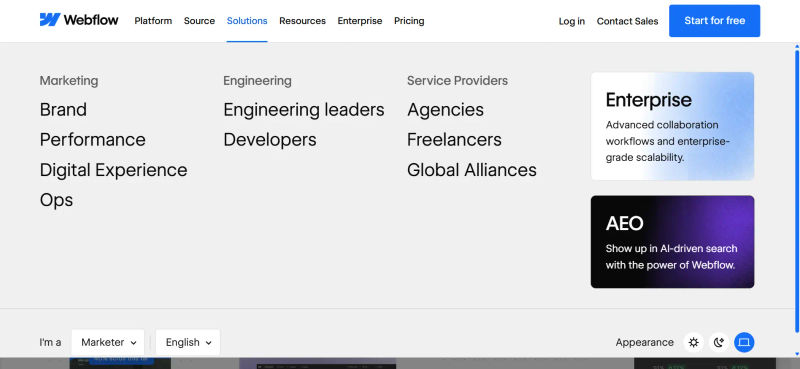
The biggest challenge for large marketing teams is governance. How do you allow 50 different marketers to edit the site without someone accidentally deleting the homepage? Webflow’s 2027 enterprise tier features advanced Role-Based Access Control (RBAC). Administrators can restrict specific users to specific CMS collections, specific pages, or even specific elements on a page.
Additionally, Webflow’s Page Branching feature is a game-changer for enterprise collaboration. Multiple designers can work on different branches of the same website simultaneously, merging their changes into the main production branch only after going through an approval workflow. This mirrors the Git-based workflows used by software engineers, bringing enterprise-grade version control to visual development.
Find Perfect Software For Your Business
Webflow vs. Top Alternatives: WordPress, Framer, and Wix Studio
To truly understand Webflow’s value, we must contextualize it within the broader 2027 market. How does it compare to the legacy giants and the rising stars of visual development?
1. Webflow vs. WordPress: Eliminating the Maintenance Tax
WordPress remains the most widely used CMS globally, powering a massive portion of the internet. However, for enterprise design teams, WordPress often represents a significant "maintenance tax." Achieving the visual fidelity of a Webflow site on WordPress typically requires a custom theme built from scratch by developers, or reliance on heavy page builders that can bloat code and harm SEO.
In 2027, the Webflow vs WordPress for marketing debate centers heavily on the Total Cost of Ownership (TCO). While WordPress itself is free and open-source, the enterprise costs are staggering. Teams must account for the hidden developer costs of managing headless CMS middleware, paying for premium plugin licenses, funding continuous PHP developer retainers for updates, and investing in third-party security monitoring. Webflow eliminates this maintenance tax entirely by providing a unified, managed ecosystem. However, if your enterprise requires a highly complex, bespoke backend architecture with deep, legacy database manipulation, a headless WordPress setup might still be required.
2. Webflow vs. Framer: High-Fidelity Design vs. Production Power
The Webflow vs Framer 2027 comparison is the most common debate among creative directors. Framer has surged in popularity due to its incredibly intuitive interface—which feels almost identical to Figma—and its rapid AI layout generation. For prototyping and launching simple, highly animated landing pages at breakneck speed, Framer is exceptionally fast.
However, Webflow wins decisively in the enterprise arena. While Framer's Figma-like UI is a strong draw, Webflow has rapidly closed that interface gap with its 2027 UI updates, making it much more welcoming to visual designers. More importantly, Framer struggles with complex CMS architectures, large-scale content operations, and deep integrations with enterprise marketing stacks. Webflow provides a much more robust infrastructure for massive sites, superior SEO controls, and true enterprise-grade governance. Framer is exceptional for the design team’s speed; Webflow is essential for the marketing team’s scale.
3. Webflow vs. Wix Studio: Pro Tools vs. App Builders
Wix Studio has made an aggressive push into the professional market, targeting agencies and enterprise teams. The Wix Studio vs Webflow 2027 matchup highlights two different philosophies. Wix Studio relies heavily on its massive ecosystem of built-in apps (e-commerce, bookings, events) and offers responsive AI that automatically adjusts layouts across breakpoints.
While Wix Studio is fantastic for agencies that need to churn out highly functional sites quickly, Webflow offers much deeper control over the actual code structure and custom logic. Webflow does not force you into a pre-built app ecosystem; instead, it encourages custom integrations via APIs and webhooks. For enterprise creative directors who demand absolute, uncompromised control over every pixel, interaction, and DOM element, Webflow remains the superior professional tool.
Other Notable Competitors: Bubble, Squarespace, Pagecloud, and Webydo
While WordPress, Framer, and Wix Studio are the primary challengers, enterprise teams occasionally evaluate other platforms depending on their specific use cases.
4. Webflow vs. Bubble for Designers
Bubble is a powerhouse in the no-code space, but it serves a fundamentally different purpose than Webflow. While Webflow is optimized for marketing sites, brand experiences, and content-driven platforms, Bubble is designed for building complex web applications. If your enterprise needs to build an internal portal with complex user authentication, dynamic database workflows, and custom logic processing, Bubble is the better tool. However, Bubble’s design interface is notoriously rigid compared to Webflow. Creative directors seeking design perfection will find Bubble frustrating, whereas Webflow provides the visual freedom they crave.
5. Squarespace and Pagecloud
Squarespace and Pagecloud are excellent tools for small businesses, independent creators, and temporary campaign sites. They offer intuitive, drag-and-drop interfaces and beautiful pre-designed templates. However, they lack the enterprise readiness required in 2027. They do not offer the granular RBAC, advanced localization, complex CMS relationships, or SOC2 compliance that a large organization demands. They are simply not viable alternatives for a global enterprise marketing team.
6. Webydo
Webydo carved out a niche by focusing specifically on B2B freelance designers and small agencies, offering strong white-labeling and client billing features. While it provides a solid visual canvas, it has not kept pace with Webflow’s enterprise momentum, API ecosystem, or AI integrations. For a large-scale enterprise, Webflow’s infrastructure and continuous feature rollouts make it a much safer, more future-proof investment.
Pricing Breakdown: Is the Enterprise Plan Worth the Investment?
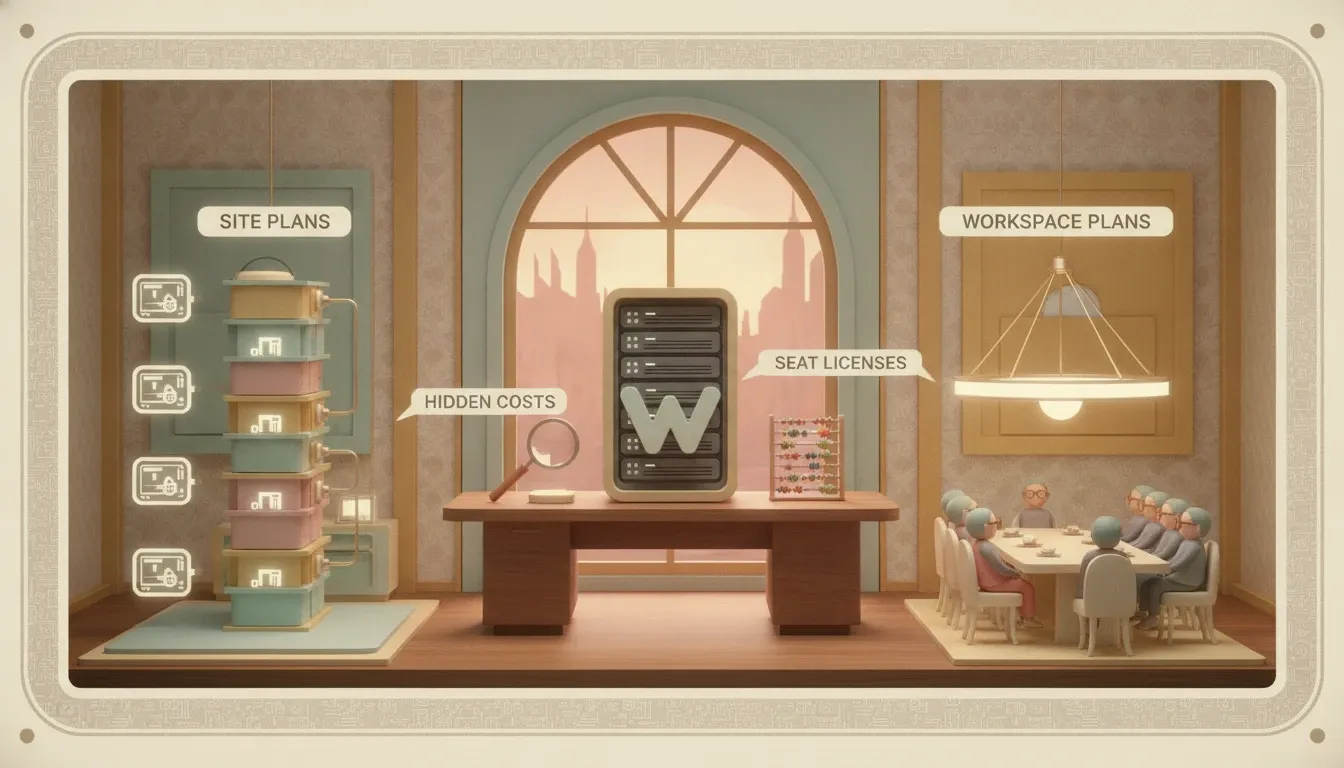
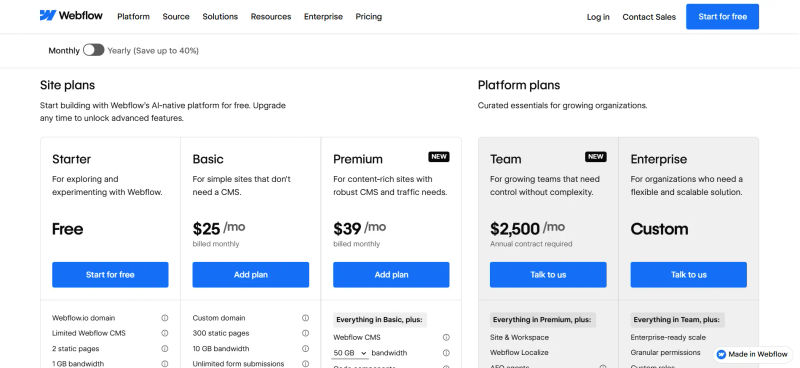
Evaluating Webflow enterprise pricing in 2027 requires looking far beyond the monthly subscription fee and analyzing the true Total Cost of Ownership (TCO). Webflow’s standard plans are transparent, but the Enterprise tier is custom-priced based on traffic volume, the number of CMS items, localization needs, and the number of user seats. Enterprise contracts typically range from $10,000 to over $50,000 annually.
At first glance, this may seem steep compared to standard SaaS subscriptions. However, the business case for Webflow Enterprise relies entirely on the reduction of engineering costs. In a traditional workflow, a creative team designs in Figma, and a team of front-end developers spends weeks translating that design into React or Next.js components.
By adopting Webflow, the design team takes ownership of production. The savings in engineering hours, combined with the dramatically increased speed-to-market for marketing campaigns, often yields a massive ROI. Furthermore, when compared to the hidden costs of maintaining a traditional headless CMS architecture—which requires ongoing developer retainers, separate hosting fees, and separate middleware costs—Webflow’s consolidated TCO is highly competitive for enterprise marketing departments.
Try AuthenCIO
Move to faster, smarter software evaluation with AI
Final Verdict: Should Your Team Adopt Webflow in 2027?
The decision to migrate an enterprise web presence is never taken lightly. Based on our comprehensive 2027 review, Webflow stands out as the premier visual development platform for organizations where design fidelity and marketing velocity are top priorities.
If your primary pain point is the constant friction between design vision and engineering execution, and your goal is to empower your creative directors to ship high-fidelity, scalable marketing sites without writing code, Webflow is absolutely worth the investment. Its advancements in localization, governed AI workflows, 3D integrations, and enterprise-grade security make it a mature, reliable choice.
However, Webflow is not a one-size-fits-all solution. If your enterprise requires a highly complex web application with deep, dynamic user databases, a platform like Bubble is more appropriate. If you are building a massive, legacy-heavy backend infrastructure, a headless architecture might still be necessary. But for the modern, design-forward enterprise marketing team, Webflow has successfully bridged the gap between the canvas and the code, earning its place as the industry leader in 2027.
Next Steps Checklist for Creative Directors
If you are ready to evaluate Webflow for your enterprise, follow these steps to build your business case:
Audit Your Current Bottlenecks: Document the average time it takes for a landing page to go from Figma approval to live deployment under your current engineering workflow.
Define Your Integrations: List the critical MarTech tools (Salesforce, Marketo, DAMs) your new platform must connect with via APIs or webhooks.
Assess Security Needs: Gather your IT department's compliance checklist (SOC2, SSO, RBAC) to ensure Webflow meets internal standards.
Run a Pilot Project: Select a low-risk, high-visibility campaign site to build in Webflow to test the platform's capabilities and team adoption before a full migration.