
Introduction
When evaluating cloud communications software pricing in 2027, operations leaders face a highly complex purchasing environment. With SaaS inflation currently standing at an alarming 12.5%—far outpacing general economic inflation—and the average software spend soaring to $8,800 per employee annually, budget scrutiny has never been tighter. For organizations managing deskless workers, field teams, and distributed operations, finding a secure, mobile-first messaging platform is no longer a luxury; it is an operational necessity.
Streamline your software evaluation process
How much does cloud communications software cost? Standard platforms typically range from $4 to $15+ per user per month. Zenzap specifically offers a Free tier (up to 10 users), a $62/user/month Pro plan, and a Customized Enterprise plan. However, the global collaboration software market is flooded with options that often lead to a 33% under-utilization rate. Companies are paying for bloated, desktop-heavy features they simply do not use.
Mobile platforms now account for an estimated 58.3% of global chat application revenue, signaling a massive shift toward tools built specifically for on-the-go workflows. The challenge for decision-makers is evaluating whether a specialized tool like Zenzap justifies its subscription cost, or if legacy tools like WhatsApp Business are sufficient.
This comprehensive guide breaks down Zenzap's 2027 pricing tiers and compares its total cost of ownership against industry giants and specialized alternatives to help you navigate cloud communications software pricing and choose the right platform for your team's specific use case.
Key Takeaways for Cloud Communications Software Pricing:
Zenzap Pricing: Ranges from a Free plan (up to 10 users) to $62/user/month (Pro) and Customized plan (Enterprise).
ROI for Field Teams: Zenzap’s Pro Plan offers the highest return on investment for mobile-first operations requiring push-to-talk and location tracking.
The Hidden Cost of Free: WhatsApp Business poses severe shadow IT and compliance risks; data breaches on personal devices can lead to massive legal liabilities.
Desktop Bloat: Microsoft Teams and Slack are powerful but often result in low adoption among frontline workers due to complex, desktop-first interfaces.
Total Cost of Ownership (TCO): Evaluating true cloud communications software pricing over a three-year period must include integration labor, administrative overhead, and potential compliance fines.
Platform | Best For | 2027 Cloud Communications Pricing (USD) | Mobile UX Rating | Limitations |
Zenzap | Mobile-first operations & field teams | Free, $62/mo (Pro), Custom (Enterprise) | 5/5 | Free tier limits message history to 30 days and caps at 10 users. |
WhatsApp Business | Micro-businesses (1-5 employees) | Free (API costs vary by volume) | 4/5 | No remote wipe, no central admin controls, severe compliance risks. |
Slack | Desk-bound knowledge workers | $8.75/mo (Pro), $15/mo (Business+) | 2/5 | High cost per seat, bloated features for field teams, noisy interface. |
Microsoft Teams | Microsoft 365 ecosystems | $4.00/mo (Standalone) or Bundled | 2/5 | Heavy mobile app, drains battery, complex backend administration. |
Google Chat | Google Workspace users | Bundled ($6 - $18/mo via Workspace) | 3/5 | Difficult to use outside the Google ecosystem, limited standalone value. |
Quo | Ultra-secure executive communication | ~$9.00/user/month | 3/5 | Smaller user base, limited third-party operational integrations. |
Discord | Casual & gaming-adjacent communities | Free, $9.99/mo (Nitro) | 4/5 | Lacks enterprise security, no HIPAA/GDPR compliance, unprofessional UI. |
Rocket.Chat | IT-heavy self-hosted security | $4.00/mo (Pro), $8.00/mo (Enterprise) | 3/5 | Requires significant internal IT overhead and server maintenance costs. |
*Note: All prices shown reflect typical monthly billing. Vendors often offer lower pricing for annual commitments, but those discounts are excluded here for easier comparison. Actual costs may vary depending on your requirements, usage volumes, and negotiated terms.
Software Covered in this Article
The following articles break down the key aspects of Cloud Communications Software, featuring a carefully curated set of key players:





Understanding Cloud Communications Software Pricing Models
Cloud communications software pricing in 2027 typically revolves around three core models: per-user licensing, tiered feature bundles, and usage-based billing. Understanding these structures is critical for accurately forecasting your Total Cost of Ownership (TCO) before committing to a platform like Zenzap, Slack, or Microsoft Teams.
When evaluating cloud communications software pricing, expect to encounter the following frameworks:
Per-User Pricing (Seat-Based): The most common model for enterprise chat apps. You pay a flat monthly or annual fee for each active employee. Costs scale predictably with headcount, but inactive seats can quickly drain your IT budget if not audited regularly.
Tiered Feature Bundles: Vendors gate advanced capabilities—such as SSO (Single Sign-On), HIPAA compliance, custom data retention policies, and advanced analytics—behind higher-priced tiers (e.g., Pro vs. Enterprise).
Usage-Based Billing (Pay-As-You-Go): Often applied to API-heavy platforms or SMS/voice integrations. You are billed based on the volume of messages sent, API calls made, or file storage consumed.
Beyond the base subscription, the true cost drivers in cloud communications include data storage limits, premium integrations (like connecting to an ERP or Salesforce), compliance archiving, and priority customer support. When evaluating your 2027 budget, always factor in these operational add-ons alongside the advertised sticker price.
Find Perfect Software for Your Business
Zenzap Pricing Deep Dive: Choosing the Right Plan for Operations
When evaluating secure messaging subscription costs in 2027, operations leaders must look beyond the headline price and examine the specific features that drive operational efficiency. Zenzap has positioned itself aggressively as the premier mobile-first communication tool, but understanding its pricing structure is critical to avoiding unexpected expenses as your team scales.

1. The Free Plan: Understanding the 2027 Limitations
Yes, Zenzap offers a Free Plan, but it is designed strictly as an entry-level tier for small teams to test the platform's core functionalities. In 2027, the Free Plan is capped at 10 users.
More importantly, it enforces a strict 30-day message retention limit. On day 31, historical messages, shared files, and operational data are permanently deleted. For operations managers who rely on chat history for audit trails, compliance tracking, or dispute resolution, this limitation makes the Free Plan unviable for long-term business use.
2. The Pro Plan: Best for Scaling Operations Leaders
The Pro Plan is where Zenzap unlocks its true value for growing operations. At $62 per user per month, this tier removes the 10-user cap and provides unlimited searchable message history. It also introduces critical mobile-first features such as advanced push-to-talk (PTT) capabilities, real-time location sharing, and offline synchronization.
For a field team of 50 employees, this translates to $3,600 annually. While this is an upfront cost, the ROI is often realized through the elimination of legacy walkie-talkie hardware and the reduction of time wasted searching for fragmented operational updates.
3. The Enterprise Tier: Best for High-Security Compliance
Designed for large-scale operations with strict compliance requirements, the Enterprise Plan costs customized plan per user per month. This tier includes Single Sign-On (SSO), advanced data retention policies, HIPAA and GDPR compliance tools, and the critical ability to remotely wipe company data from a user's device.
Hidden Costs: ERP/CRM Integrations and TCO
While Zenzap's per-seat pricing is transparent, calculating the true Total Cost of Ownership (TCO) requires factoring in integration labor. Connecting Zenzap to a legacy ERP system or a modern CRM often requires API development.
Operations leaders should budget an additional $1,500 to $3,000 in one-time implementation labor, plus potential ongoing administrative hours to manage workflows. Additionally, heavy reliance on massive file sharing (e.g., high-resolution site photos) may encounter storage limits on the Pro plan, forcing an early upgrade to the Enterprise tier.
Who is this best for: Zenzap is best for mobile-first operations, frontline workers, and field teams who require fast, low-bandwidth communication, push-to-talk features, and centralized administrative control without desktop software bloat.
Zenzap vs. WhatsApp Business: The Real Cost of 'Free' Messaging
For many operations managers, WhatsApp Business is the default communication tool simply because it is ubiquitous, familiar, and seemingly free. However, in the context of 2027 enterprise communication, the hidden cost of free has never been more apparent.
1. The Illusion of Free Messaging
The standard WhatsApp Business application is free to download and use. If you migrate to the WhatsApp Business API for programmatic messaging, costs shift to a volume-based model charged per conversation. But the true cost of using standard WhatsApp for internal team communication lies in operational risk, data fragmentation, and compliance failures.
2. Legal and Insurance Implications of Data Breaches
The most significant limitation of WhatsApp is the lack of centralized administrative control. You cannot remotely wipe a former employee's personal WhatsApp account. If a data breach occurs on a non-managed personal device using WhatsApp, corporate cyber liability insurance policies frequently deny coverage.
The legal ramifications of exposing customer data or proprietary operational blueprints on an unencrypted, consumer-grade app can result in severe GDPR fines and devastating reputational damage. Furthermore, WhatsApp mixes personal and professional communications, leading to an always-on culture that blurs boundaries and increases employee burnout.
3. Compliance and Administrative Limitations
WhatsApp does not offer the granular administrative dashboards required by modern operations leaders. You cannot easily manage hundreds of disparate chat groups, enforce data retention policies, or ensure compliance with industry-specific regulations. The lack of a searchable, centralized knowledge base means that critical operational information is often lost in a sea of informal chatter.
Who is this best for: WhatsApp Business is best for micro-businesses (1-5 employees) or independent contractors who have zero regulatory compliance requirements and only need to communicate informally with a handful of clients or vendors.
Comparing the Giants: Zenzap Pricing vs. Slack and Microsoft Teams
When evaluating Zenzap, organizations must also consider the two dominant alternative cloud communications software options: Slack and Microsoft Teams. While these platforms command a massive share of enterprise messaging revenue, their pricing models and feature sets are fundamentally designed for desk-bound knowledge workers rather than mobile-first operations. Comparing their costs against Zenzap clarifies which tool aligns best with your specific workforce.
1. Slack Pricing: The Knowledge Worker Premium
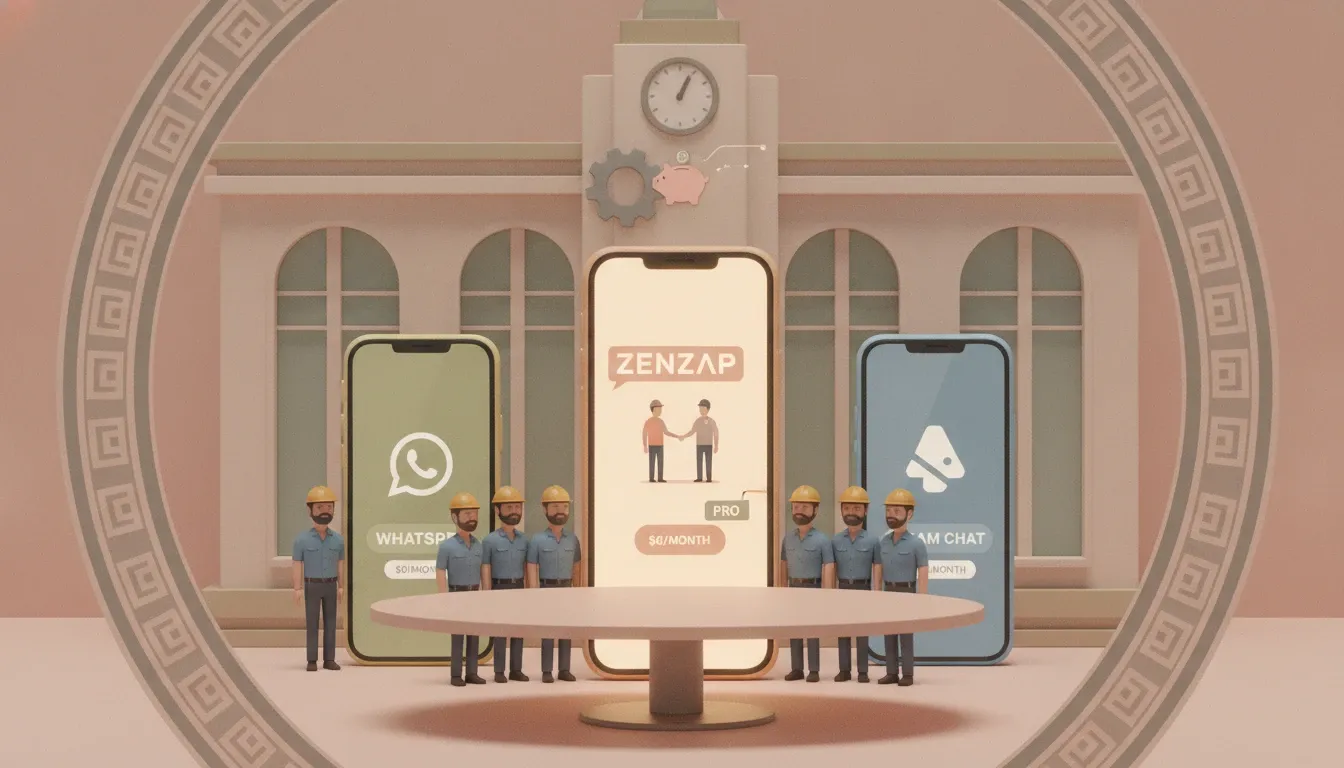
In 2027, Slack's Pro plan costs $8.75 per user per month, while the Business+ plan jumps to $15 per user per month. For an operations leader managing a team of 100 field workers, deploying Slack Business+ would cost $18,000 annually.
Slack is built for desk-bound knowledge workers. It excels at deep software integrations and asynchronous threaded conversations.
However, for a deskless worker who needs to send a quick voice memo or share a location pin in low bandwidth, Slack's mobile interface is often noisy, cluttered, and overly complex. You are paying a premium for features your field team will never use, contributing directly to the 33% SaaS under-utilization statistic.
Who is this best for: Slack is best for desk-bound knowledge workers, software development teams, and marketing departments that require deep, complex integrations with a wide array of desktop SaaS applications.
2. Microsoft Teams: The Bundled Behemoth
Microsoft Teams is deployed to over 50 million enterprise users globally, largely because it is bundled into the Microsoft 365 ecosystem. If purchased standalone, Teams Essentials costs $4.00 per user per month.
While the price is competitive, the operational reality of Teams is that it is a heavy, resource-intensive application. The mobile app is notorious for draining battery life and struggling in low-bandwidth environments—critical pain points for field operations. Furthermore, administering Teams requires significant IT expertise, adding hidden labor costs to the deployment.
Who is this best for: Microsoft Teams is best for large enterprises and corporate headquarters that are already fully invested in the Microsoft 365 ecosystem and require a unified platform for video conferencing, document collaboration, and chat.
Co-existence Strategy: Justifying Zenzap Alongside Teams
Many operations leaders face pushback from IT departments mandated to use Microsoft Teams. The key to a successful co-existence strategy is framing Zenzap as a best-of-breed operational tool rather than a unified communications replacement.
By demonstrating that Teams is for desktop-bound knowledge workers and Zenzap is the specialized operational remote control for the field, leaders can secure dual-licensing budgets. Zenzap handles the low-bandwidth, push-to-talk field logistics, while Teams handles corporate video calls and document reviews.
Specialized Alternatives: Quo and Google Chat in 2027
Beyond the giants, operations leaders often consider ecosystem-specific tools like Google Chat or highly specialized niche applications like Quo. Understanding their pricing and limitations is vital for making an informed 2027 budget decision.
3. Google Chat: The Workspace Add-on
Google Chat is deeply integrated into Google Workspace. Pricing is dictated by your Workspace tier, which ranges from $6 to $18 per user per month. As a standalone communication tool, Google Chat is rarely purchased; its value is entirely dependent on your team's reliance on Google Docs, Sheets, and Drive.
While it offers a clean interface, it lacks the specialized mobile-first features of Zenzap, such as robust push-to-talk or advanced offline synchronization. If your frontline workers do not need a company email address or access to cloud document editing, paying for a full Google Workspace license just to get Google Chat is a highly inefficient use of budget.
Who is this best for: Google Chat is best for organizations that run their entire administrative and operational backend on Google Workspace and want to avoid paying for a secondary, standalone chat application.
4. Quo: The Secure Niche
Quo has carved out a specific segment of the market focused on ultra-secure, encrypted communication. Pricing typically hovers around $9.00 per user per month. Quo provides exceptional security protocols, ensuring that sensitive intellectual property and executive communications remain locked down.
However, this intense focus on security comes at the cost of operational flexibility. Quo has a smaller user base, meaning the learning curve can be steeper, and it offers significantly fewer third-party integrations compared to Zenzap or Slack. For a standard field operations team, Quo is often over-engineered and over-priced.
Who is this best for: Quo is best for executive leadership teams, legal departments, and security-focused operations that handle highly sensitive intellectual property or classified information.
Discord & Rocket.Chat: Shadow IT Risks and Open-Source Costs
For budget-conscious operations managers or those with unique IT capabilities, Discord and Rocket.Chat present intriguing, albeit vastly different, alternatives to Zenzap's subscription model.
5. Discord: The Shadow IT Risk for Professional Teams
Discord offers a robust free tier that includes voice channels, text chat, and media sharing. For users who want enhanced features, the Nitro subscription costs $9.99 per month. Because the base platform is free, some operations leaders are tempted to use Discord for team communication.
However, Discord is fundamentally a consumer application and represents a massive Shadow IT risk. It lacks enterprise-grade security, offers no HIPAA or GDPR compliance guarantees, and provides no mechanism for remote data wiping. The user interface is also inherently casual, which can undermine professional boundaries and operational focus.
Who is this best for: Discord is best for casual, community-led operations, volunteer organizations, or gaming-adjacent teams that prioritize free voice channels over enterprise security and data compliance.
6. Rocket.Chat: The Open-Source Alternative
Rocket.Chat offers a highly flexible, open-source platform. In 2027, their cloud-hosted Pro plan costs around $4.00 per user per month, while the Enterprise plan is $8.00 per user per month. However, Rocket.Chat's true differentiator is the ability to self-host the software on your own servers. This appeals to organizations with strict data sovereignty requirements.
The hidden cost here is IT overhead. Self-hosting requires dedicated servers, ongoing maintenance, security patching, and technical staff. What you save on per-seat subscription fees, you will likely spend on internal IT labor. Furthermore, while Rocket.Chat's mobile app is functional, it does not match the fluid, purpose-built mobile experience of Zenzap.
Who is this best for: Rocket.Chat is best for IT-heavy organizations, government agencies, and highly regulated industries that require self-hosted security and absolute control over their data sovereignty.
The 2027 Migration Checklist: Moving from WhatsApp to Zenzap
Transitioning a workforce from a familiar consumer app to a professional platform requires careful change management. To ensure high adoption rates and minimal operational disruption, follow this three-step migration checklist:
1. Audit and Archive Current Workflows Before shutting down WhatsApp groups, audit how your team currently communicates. Identify which groups are essential for daily logistics and which are redundant. Export critical operational data, client contacts, and shared media from WhatsApp to a secure central server, as this data will not automatically transfer to Zenzap.
2. Phased Rollout and Hands-On Training Avoid a sudden, company-wide switch. Begin by onboarding a pilot group of tech-savvy shift leaders. Train them specifically on Zenzap's mobile-first advantages, such as push-to-talk and location sharing. Once the pilot group is comfortable, roll the platform out to the wider team, using the shift leaders as internal champions to guide their peers.
3. Enforce Policies and Monitor TCO Once Zenzap is active, strictly prohibit the use of WhatsApp for internal business communication to eliminate Shadow IT risks. Over the next 90 days, monitor your Total Cost of Ownership by tracking active user licenses, measuring the reduction in administrative time spent searching for lost messages, and evaluating integration performance.
Try AuthenCIO
Move to faster, smarter software evaluation with AI
Final Verdict: Which Mobile-First Chat Tool Fits Your 2027 Budget?
When evaluating cloud communications software pricing for 2027 budgets, the best choice requires balancing upfront subscription costs, hidden operational fees, and your team's daily workflows.
The data is clear: forcing deskless workers to use desktop-centric tools like Slack or Microsoft Teams results in wasted licensing fees and low adoption. Conversely, relying on consumer apps like WhatsApp Business introduces unacceptable security risks and compliance liabilities that cost far more than standard software subscriptions.
Zenzap emerges as the most balanced solution for true mobile-first operations. While its Free Plan is strictly a short-term testing ground due to the 30-day message retention limit, the $62/user/month Pro Plan delivers exceptional ROI. By providing push-to-talk, location sharing, and a centralized administrative dashboard, Zenzap offers competitive cloud communications software pricing that eliminates the operational noise of fragmented WhatsApp groups and the bloat of enterprise legacy software.
If you are an operations leader managing field workers, transitioning from a free tool to a paid, secure platform is an inevitable step in scaling safely. Evaluate your team size, assess your compliance needs, and calculate the total cost of ownership over a three-year period. By aligning your cloud communications software pricing strategy with actual mobile workflows, you can drive efficiency, secure your data, and maximize operational ROI.