.webp&w=64&q=75)
Introduction
Choosing the right manufacturing software in 2026 is a high-stakes decision. Following the aggressive software inflation spikes of 2024 and 2025, the market has stabilized, with many vendors shifting toward usage-based pricing models. For small to mid-sized manufacturers, the balance between robust production tracking and budget-friendly pricing is critical. You need a system that prevents stockouts and streamlines your operations, but you cannot afford to overpay for enterprise features you will never use. Katana Cloud Inventory has become a popular choice due to its modern interface and its lack of per-user licensing fees. However, understanding Katana Cloud Inventory pricing 2026 requires looking past the base monthly subscription to evaluate plan limitations, scaling costs, and how it truly compares against competitors.
Streamline your software evaluation process
This guide breaks down the exact costs, hidden fees, and plan restrictions of Katana's 2026 pricing model. We will also compare Katana directly to other major players to ensure you make the most cost-effective decision for your plant's operational needs.
At a Glance: Katana Cloud Inventory and its alternatives pricing
Plan | Best For | Pricing ($) | Limitations |
Katana Core/Essential | Micro-manufacturers & startups | $299/month | 1 inventory location, basic routing, limited API |
Katana Advanced | Scaling multi-location production | $599 - $799/month | Capped sales order volume, limited premium integrations |
MRPeasy | Simple, user-driven workflows | Starts at $49/user/month | Costs escalate quickly as headcount grows |
Fishbowl | QuickBooks-driven warehousing | Starts at $229/user/month | Steeper learning curve, older interface |
Odoo | Flexible, modular inventory needs | Custom ($25 - $35/user/month) | High hidden costs for custom development |
NetSuite | Global Enterprise Resource Planning | Custom ($999/mo base + $99/user) | Massive implementation fees, complex setup |
Acumatica | High-transaction cloud ERP needs | Custom (Usage-based) | Overkill and too expensive for small teams |
Plex | Smart manufacturing & automotive | Custom Enterprise | Requires dedicated IT staff to manage |
Note: The prices listed below are based on publicly available information for 2026 and may represent starting tiers. Many platforms offer month-to-month flexibility, but some may offer discounts for annual contracts. Always confirm final pricing and contract terms with a sales representative.
Compare Katana pricing with other manufacturing tools for free on AuthenCIO.
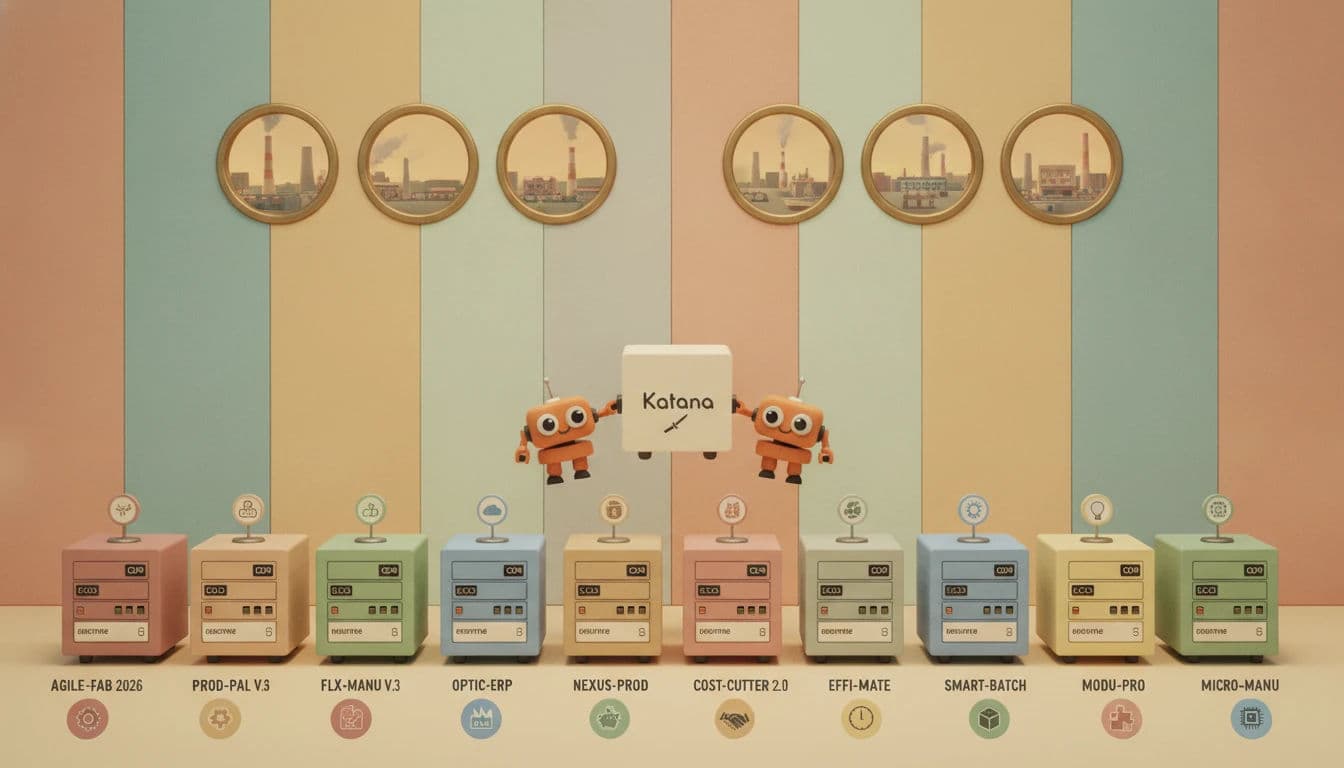
Software covered in this article
To help you understand Katana Cloud Inventory Software in the right context, this article refers to a carefully curated set of key players:





Quick Comparison: Best Inventory Management Software for Manufacturers 2026
Before diving into the granular details of each tier, it is crucial to understand the broader landscape. The best inventory management software for manufacturers 2026 is not necessarily the one with the most features; it is the one that aligns with your specific billing preferences, headcount, and production volume. While Katana excels in usage-based billing, competitors like MRPeasy and Fishbowl still rely heavily on per-user models, which can drastically alter your long-term software budget.
Deep Dive into Katana Cloud Inventory Pricing Plans
A clear trend in manufacturing software pricing is the move toward usage-based and modular pricing. Katana embraces this by eliminating per-user fees entirely on its primary plans. Instead, Katana manufacturing software cost scales based on your usage metrics: inventory locations, sales order volume, and the complexity of your routing. Here is a comprehensive Katana pricing plans comparison for 2026 to help you evaluate the true cost of digitizing the shop floor.
1. Essential/Core Plan: Best for Micro-Manufacturers and Startups
Who is this best for? Small workshops, direct-to-consumer (DTC) brands, and startups moving off spreadsheets who need real-time inventory sync without a massive upfront investment.
The entry point for growing businesses is the Core (often referred to as Essential) plan, starting at $299 per month. The most significant advantage of this tier is that it includes unlimited users and unlimited SKUs. For a small manufacturing team where multiple floor workers need access to the system, avoiding per-seat licenses is a massive cost-saver.
However, the limitations are strict. The $299/month tier restricts you to a single inventory location. If you have a separate warehouse for raw materials and a different facility for finished goods, you will immediately outgrow this plan. Furthermore, while it offers robust integrations with Shopify, WooCommerce, and basic accounting tools like Xero and QuickBooks Online, it lacks the advanced multi-currency support required for international sales.
2. Advanced Plan: Best for Scaling Production Teams
Who is this best for? Mid-sized manufacturers with multiple warehouses, B2B wholesale operations, and teams requiring barcode scanning and detailed shop floor control.
As production scales, manufacturers typically move to the Advanced tier. This plan introduces multi-location inventory management, allowing you to track raw materials across different facilities and manage complex transfer orders.
The Advanced plan also unlocks the Shop Floor App, which is critical for operators to receive tasks, log time, and report material consumption via tablets or smartphones. You also gain access to batch and lot tracking—a non-negotiable feature for food and beverage, cosmetics, or medical device manufacturers needing end-to-end traceability. The pricing here scales based on your sales order volume. For example, base Advanced plans often cap sales order volume around 500 orders per month, requiring tier upgrades as your throughput hits 1,000 or 5,000 orders during peak seasons.
3. Professional Plan: Best for High-Volume Multi-Channel Manufacturers
Who is this best for? Established manufacturers running complex make-to-order and make-to-stock workflows simultaneously, requiring premium API access and dedicated support.
When evaluating the Katana Professional vs Advanced plan 2026, the primary differentiator is scale and support. The Professional tier is designed for businesses pushing high volumes of transactions (often 10,000+ orders per month) that require custom integrations. It offers full, unthrottled API access, allowing your development team to connect Katana to proprietary legacy systems or highly customized ecommerce front-ends.
Additionally, the Professional plan includes premium support with guaranteed response times and a dedicated customer success manager. For a mid-sized plant where an hour of software downtime equates to thousands of dollars in lost labor and delayed shipments, this premium support justifies the higher monthly cost.
The Hidden Costs of Manufacturing Software in 2026
When calculating scalable production tracking software cost, the advertised monthly subscription is only a baseline. To accurately assess the total cost of ownership (TCO) and ensure a positive manufacturing ERP ROI for SMBs, decision-makers must account for the hidden costs of manufacturing software.
1. Implementation and Onboarding Fees
While Katana is known for being user-friendly, setting up any ERP or inventory system requires time. Moving historical data, configuring complex bills of materials (BOMs), and setting up routing steps takes significant labor. As a general rule for 2026, budget 20% to 40% of your annual subscription cost for implementation, data migration, and configuration. You may need to hire a third-party consultant or allocate hundreds of internal labor hours to ensure the system is configured correctly.
2. Premium Integrations and API Limits
The base plans cover standard integrations. However, if you need to integrate with a specialized 3PL (Third-Party Logistics) provider, a custom CRM, or an advanced forecasting tool, you will likely need higher-tier API access. API calls are often metered, meaning high-transaction businesses could face overage charges.
3. Hardware and Infrastructure
Software like Katana relies heavily on real-time data entry from the shop floor. To utilize the Shop Floor App effectively, you must invest in rugged tablets, barcode scanners, and robust Wi-Fi infrastructure across your manufacturing facility. Dead zones on the factory floor will render real-time tracking useless.
4. Training and Change Management
Software is only as good as the data entered into it. Training your production staff to accurately log material consumption, track time, and process receipts requires paid training hours and potentially slows down production during the initial rollout weeks.
Find Perfect Software for Your Business
Katana vs. SMB Alternatives: MRPeasy, Fishbowl, and Odoo
To determine the best fit for your operations, you must evaluate Katana against its direct mid-market competitors. Each tool has a distinct pricing philosophy, ideal user base, and approach to data portability.
1. MRPeasy: The Budget-Friendly Alternative for Simple Workflows
Who is this best for? Small manufacturers who have a very stable, low headcount but need deep, traditional MRP functionality like capacity planning and machine maintenance tracking.
When comparing Katana vs MRPeasy pricing, the core difference lies in the billing model. MRPeasy charges per user, starting around $49 per user per month. If you run a small operation with only two or three administrative users managing the system, MRPeasy can be significantly cheaper than Katana's $299/month base plan.
However, MRPeasy's user-based pricing becomes a liability as you scale. If you want every shop floor worker to have a login to report production, your monthly bill will skyrocket. Katana’s unlimited user model is vastly superior for companies with large production teams but relatively straightforward inventory needs. Regarding data portability, MRPeasy allows for standard CSV exports, but extracting complex relational data (like nested BOMs) can be tedious if you decide to switch vendors later.
2. Fishbowl: Best for QuickBooks-Driven Warehousing
Who is this best for? Mid-sized manufacturers deeply entrenched in the QuickBooks ecosystem who prioritize advanced warehouse management over modern cloud interfaces.
Fishbowl has long been the go-to inventory add-on for QuickBooks Desktop and QuickBooks Online. Fishbowl pricing typically starts around $229 per user per month for its hosted cloud version. Fishbowl is incredibly robust when it comes to granular warehouse management—handling complex picking routes, bin locations, and advanced shipping logistics better than Katana's base plans.
However, Fishbowl's interface feels dated compared to Katana, and its learning curve is notoriously steep. Furthermore, Fishbowl's per-user pricing makes it an expensive proposition for growing teams. Data portability is also a concern; because Fishbowl is so deeply tied to your QuickBooks architecture, migrating away from it requires a delicate uncoupling of your financial and inventory data.
3. Odoo: Best for Flexible, Modular Inventory Needs
Who is this best for? Tech-savvy manufacturers who want a highly customized, all-in-one suite covering everything from CRM and HR to manufacturing and accounting.
Odoo offers a unique, modular pricing structure. You pay a low per-user fee (often $25 to $35 per user per month) and gain access to their entire suite of apps. On paper, Odoo appears to be the most cost-effective cloud ERP pricing for small manufacturers.
The reality is more complex. Odoo is an open-source framework. While the software licenses are cheap, the hidden costs lie in customization and development. Setting up Odoo to match your specific manufacturing workflows almost always requires hiring an Odoo developer or agency. In terms of vendor lock-in, Odoo's open-source nature means you technically own your data, but heavily customized code can make it nearly impossible to migrate to a simpler system without starting from scratch.
Find the most affordable production and inventory software for your plant using AuthenCIO.
When to Scale: Katana vs. NetSuite, Acumatica, and Plex
There comes a point where a manufacturer outgrows SMB tools. If you are managing multiple international subsidiaries, require deep financial consolidation, or need advanced quality management systems (QMS), you must look toward enterprise-grade ERPs.
4. NetSuite: Best for Global Enterprise Resource Planning
Who is this best for? Large, fast-growing mid-market manufacturers with complex financial requirements, international operations, and multi-entity accounting needs.
A NetSuite vs Katana cost comparison is a study in contrasts. While Katana maxes out around $1,000 to $2,000 a month for high-tier usage, NetSuite is an entirely different financial commitment. NetSuite pricing typically features a base licensing fee of $999 per month, plus $99 per user per month, plus the cost of specific advanced manufacturing modules.
More importantly, NetSuite implementation routinely costs between $30,000 and $100,000+. NetSuite is not just inventory software; it is a complete financial and operational nervous system. If you are a $50M+ revenue company preparing for an IPO or global expansion, NetSuite is the standard. If you are a $5M manufacturer just trying to track raw materials, NetSuite is a massive, unnecessary expense.
5. Acumatica: Best for High-Transaction Cloud ERP Needs
Who is this best for? Mid-market to enterprise manufacturers who want unlimited user access but have highly complex, data-heavy operational workflows.
Acumatica shares one philosophical similarity with Katana: it does not charge per user. Instead, Acumatica utilizes a resource-based pricing model, charging based on the volume of transactions and computing power. However, the entry price for Acumatica is generally in the tens of thousands of dollars annually. It is a powerful platform, but it is strictly for mature organizations that have completely outgrown Katana Cloud Inventory plan limitations.
6. Plex: Best for Smart Manufacturing and Automotive
Who is this best for? Enterprise manufacturers in highly regulated industries requiring deep IoT integration and automated shop floor machinery connectivity.
Plex Systems is a heavy-duty smart manufacturing platform designed to connect directly to Programmable Logic Controllers (PLCs) on the factory floor. Plex pricing is custom and enterprise-level, easily reaching six figures annually. It is built for massive scale and strict quality compliance, serving an entirely different stratosphere of the manufacturing market than Katana.
Decision Framework: How to Choose the Right Plan for Your Plant
Choosing the right software requires moving beyond generic pricing pages and conducting a thorough internal audit of your manufacturing operations. Use this step-by-step decision framework to determine exactly which software and tier fits your 2026 budget.
1. Audit Your User Count vs. Order Volume
The most critical decision factor between Katana and its competitors is how they bill. Calculate your expected user count for the next three years. Include administrative staff, warehouse pickers, and shop floor operators. If you have a high headcount but low order volume, Katana's unlimited user model is highly cost-effective. If you have a low headcount but massive order volumes, a user-based system like MRPeasy might be cheaper.
2. Map Your Inventory Locations
Do not underestimate the cost of multi-location tracking. If you use a 3PL for fulfillment, a separate warehouse for raw materials, and a main production facility, you have three locations. Katana's base Essential plan limits you to one location. You must factor the cost of the Advanced plan into your budget if you operate across multiple sites.
3. Evaluate Your Integration Ecosystem
List every piece of software your business currently relies on. This includes your ecommerce platform, your accounting software, and your shipping tools. Review the integration limits of each pricing tier. If a crucial integration requires a premium API connection, you must upgrade your plan or factor in the cost of a middleware tool.
4. Define Your Traceability Requirements
If you manufacture products that require strict regulatory compliance—such as food, supplements, or medical devices—lot and batch tracking are legally required. Ensure the pricing tier you select includes end-to-end traceability. In Katana, advanced batch tracking is gated behind higher-tier plans.
5. Calculate Total Cost of Ownership (TCO)
Do not present just the monthly subscription cost to your stakeholders. Build a TCO model for the first 12 months that includes subscription fees, estimated implementation costs (20-40% of annual software cost), hardware upgrades, and internal labor hours dedicated to training.
6. The 48-Hour Pilot
Before committing to an annual contract, run a small-scale trial. Pick a single product line or a specific workstation and test the software for 48 hours. Evaluate how easily your shop floor operators can adopt the interface. If the team struggles to log materials during the pilot, you need to factor in additional training costs.
Try AuthenCIO
Move to faster, smarter software evaluation with AI
Final Verdict: Choosing the Right Katana Plan for Your 2026 Budget
Katana Cloud Inventory remains one of the most accessible, visually intuitive, and cost-effective manufacturing platforms on the market in 2026. Its decision to abandon per-user pricing makes it an incredibly attractive option for growing businesses that want to digitize their entire shop floor without being penalized for adding new employees to the system.
For micro-manufacturers and startups, the Core plan at $299/month provides exceptional value, provided you can operate within the single-location constraint. As your business scales into multi-warehouse operations and requires deeper shop floor control, the Advanced and Professional plans offer a logical, predictable scaling path.
However, Katana is not a one-size-fits-all solution. If you require deep, complex warehouse management tied to legacy accounting, Fishbowl may be a better fit. If you are a global enterprise needing comprehensive financial consolidation, you will need to absorb the higher costs of NetSuite or Acumatica.
Your 48-Hour Action Checklist:
Map out your exact user headcount versus monthly order volume.
Identify your non-negotiable integrations (e.g., Shopify, QuickBooks).
Calculate your 12-month TCO, including a 20-40% buffer for implementation.
Start a pilot program on a single production line to test shop floor adoption.
Take the time to audit your needs, map your workflows, and choose the platform that delivers the highest ROI for your plant floor.