

Introduction
In the modern business landscape, HR is no longer just an administrative function; it's a strategic partner. Yet, many HR departments are hamstrung by their most fundamental asset: their data. If you're wrestling with disparate spreadsheets, battling data silos, and spending more time correcting errors than analyzing trends, you're not alone. The reality is that a disorganized, unreliable HR database is a significant liability, costing you time, money, and strategic credibility.
Streamline your software evaluation process
But imagine a world where HR decisions are backed by undeniable facts, where compliance is a given, and where your team spends less time on manual fixes and more on strategic initiatives.
This guide provides a comprehensive, phased approach to move from data chaos to data clarity. We'll walk you through building a clean, actionable HR database that serves as a Single Source of Truth (SSOT)—a centralized, trusted repository for all your people data. This isn't just about better organization; it's about unlocking the strategic potential of your workforce.
Key Takeaways
Strategic Planning is Foundational: Before selecting software, define your HR data needs, establish data governance protocols (like GDPR or CCPA compliance), and align with key stakeholders.
Structure Dictates Usability: Choose the right architecture and enforce data normalization principles to prevent duplication and maintain data integrity across all essential HR fields.
Clean Data Requires Constant Vigilance: Implement strict data entry standards, automated validation rules, and schedule routine audits to keep your database accurate and reliable.
Actionable Insights Drive ROI: Transform raw data into strategic value by building targeted dashboards that track key metrics (KPIs) for workforce planning, retention, and performance.
Security and Maintenance are Ongoing: Protect sensitive employee information with strict access controls and continuously train your HR team to adapt to new compliance laws and software updates.
Software Covered in this Article
To help you understand Core HR Software in the right context, this article refers to a carefully curated set of players:









Why a Clean and Actionable HR Database is Non-Negotiable
Before diving into the 'how,' it's crucial to understand the 'why.' A pristine HR database is the bedrock of modern people operations. It's the engine that powers everything from seamless payroll to predictive analytics. Without it, you're navigating the complexities of workforce management with an inaccurate map.
1. The Cost of Disorganized HR Data
Poor data quality isn't a minor inconvenience; it's a major business risk. The hidden costs of inaccurate, inconsistent, or incomplete HR data are staggering and manifest in several critical areas:
Compliance Nightmares: Inaccurate records for I-9 forms, EEO-1 reporting, or GDPR data requests can lead to failed audits and substantial fines. Simple errors like inconsistent job titles ('Sr. Manager' vs. 'Senior Manager') or missing termination dates can create significant legal exposure.
Operational Inefficiency: How much time does your team waste manually cross-referencing spreadsheets, chasing down managers for correct information, or fixing payroll errors? Common culprits include duplicate employee records, varied address formats, or missing dependent information. These hours add up, pulling your team away from strategic, value-added work.
Flawed Strategic Planning: Leadership relies on HR for accurate headcount reports, turnover analysis, and compensation benchmarking. When the underlying data is flawed, the resulting reports are misleading, leading to poor business decisions about hiring, promotions, and resource allocation.
Eroded Employee Trust: Nothing damages morale faster than consistent errors in paychecks, incorrect benefits enrollment, or outdated personal information. A messy database directly contributes to a negative employee experience.
2. The Benefits of a Strategic HR Database
Investing in data quality yields returns that extend far beyond the HR department. A clean, centralized database transforms HR from a reactive administrative center into a proactive strategic powerhouse.
The growing importance of data-driven HR is undeniable, with the global HR analytics market projected to surpass $90 billion by 2027. This growth is fueled by the tangible benefits of a high-integrity database:
Actionable Insights: Clean data is the prerequisite for meaningful HR analytics. It allows you to move beyond basic reporting to predictive workforce analytics, forecasting turnover risks, identifying high-potential employees, and optimizing talent acquisition strategies.
Enhanced Decision-Making: With a trusted SSOT, leaders can make confident, data-backed decisions about workforce planning, organizational design, and DEI initiatives.
Improved Operational Efficiency: Automating workflows based on reliable data streamlines processes like onboarding, performance reviews, and benefits administration, freeing up your team for more strategic work.
**Superior **Employee Experience: When employees can trust that their data is accurate and secure, and can easily access their own information through self-service portals, their overall experience and engagement improve dramatically.
Phase 1: Planning Your HR Database Strategy
A successful HR database project begins not with software, but with strategy. Before you can build a clean system, you must define what you want to achieve, who needs to be involved, and what your starting point is.
1. Defining Your HR Data Needs and Objectives
Start by outlining your strategic objectives. What questions do you need to answer for the business? Your goals will dictate the data you need to collect and maintain. Consider questions like:
What is our employee turnover rate by manager, department, and tenure?
Are our compensation packages equitable and competitive across different demographics?
Which recruiting sources yield the highest-performing employees?
What skills gaps exist in our current workforce that we need to address?
Your answers will help you prioritize essential data categories: employee demographics, compensation and payroll, performance history, skills and certifications, and compliance documentation.
2. Identifying Key Data Categories and Attributes
Based on your objectives, map out the data you need across the entire employee lifecycle. This includes data from your Applicant Tracking System (ATS), Learning Management System (LMS), Payroll, and Performance Management tools. Centralizing this information is key. For example, a platform like Rippling is designed to act as a central hub, connecting employee data across HR, IT, and Finance from day one.
3. Understanding Data Governance and Compliance (e.g., GDPR, CCPA)
From the very beginning, compliance must be a core component of your strategy. Understand the data privacy regulations relevant to your operations, such as GDPR in Europe or CCPA in California. This will influence what data you collect, how long you retain it, and who has access to it. For global companies, this is paramount; platforms like Papaya Global specialize in managing the complexities of international compliance data.

4. Stakeholder Alignment: Who Needs Access and Why?
Building a central HR database is a cross-functional initiative. Securing buy-in from key stakeholders early is critical for success:
Leadership: Frame the project in terms of business outcomes—reduced risk, improved efficiency, and data-driven strategy. Show them how a clean database enables the workforce planning and analytics they need.
IT Department: Collaborate on technical requirements, data security protocols, and integration capabilities. Their expertise is vital for ensuring the chosen system fits within your existing tech stack and meets security standards.
Finance/Payroll: Work closely with this team to ensure seamless data flow for payroll processing, benefits deductions, and financial reporting. Their requirements will heavily influence your database design and software choice.
🚀 See which HR platforms support complex data needs—Compare options instantly!
Phase 2: Designing Your HR Database Structure
Effective HR database design requires a scalable architecture that ensures data consistency, security, and fast retrieval. By applying core HR database design principles—such as standardizing fields, establishing clear data relationships, and enforcing normalization—you create a structured framework. This foundational design prevents data silos and keeps your employee information actionable as your workforce grows.
1. Choosing the Right Database Architecture (Relational vs. Non-Relational)
Modern HR software universally uses a relational database, storing data in separate but linked tables (e.g., linking an Employees table to Compensation History via an Employee ID) to prevent duplication.
Today, HR teams do not need SQL knowledge to leverage this structure. Modern systems abstract the complex backend architecture into no-code interfaces, allowing users to build custom datasets and cross-table reports using simple drag-and-drop tools.
Which companies are best for building custom HR datasets without SQL? Workday, BambooHR, and HiBob lead the market. They offer intuitive report builders that seamlessly query relational data in the background, empowering HR professionals to extract insights without writing any code.


2. Essential Data Fields for Every HR Database
To build an actionable system, you must standardize the typical employee dataset fields in HRIS and HR technology platforms. These non-negotiable core records include:
Personal: Name, DOB, address, and emergency contacts.
Employment: Employee ID, job title, department, manager, hire date, and status.
Compensation: Salary, pay grade, tax details, and benefits enrollment.
Performance & Time: Review scores, certifications, and PTO balances.
Data Category | Example Fields |
Personal & Demographic | Full name, address, contact info, date of birth, emergency contacts, veteran status, ethnicity |
Employment | Employee ID, start date, termination date, employment type, job title, department, manager |
Compensation & Payroll | Base salary/hourly rate, pay frequency, bank details, tax info, bonus/commission structure |
Performance & Development | Review scores, goals, training history, certifications, key skills |
Time & Attendance | Leave balances, attendance records, timesheet data |
3. Establishing Data Relationships and Hierarchies
Your database needs to reflect your organizational structure. This means establishing clear hierarchies, such as reporting lines (who reports to whom) and departmental structures. This is critical for generating accurate organizational charts, managing approval workflows, and running departmental reports. Modern HR platforms like HiBob excel at visualizing these complex organizational relationships.

4. Normalization and Data Integrity Principles
This is a critical step for ensuring data integrity. You must create a Data Dictionary—a formal document that defines each data field, its format (e.g., text, number, date), and its acceptable values. For example:
Field: Employment Type
Definition: The employee's work status.
Format: Picklist (Dropdown Menu)
Acceptable Values:
Full-Time,Part-Time,Contractor,Intern
Establish strict naming conventions to eliminate ambiguity. Decide on a single format for everything: United States instead of US or U.S.A.; a consistent date format like YYYY-MM-DD; and standardized job titles. Using dropdown menus in your HR software instead of free-text fields is the best way to enforce this standardization.
💬 Have unique requirements? Let’s find software that actually fits your needs!
Phase 3: Selecting and Implementing HR Database Software
Modern HR database systems act as the central vessel for your workforce data. Identifying the best HR database software requires looking beyond basic record storage. The right platform actively enforces data governance, automates routine processes, and extracts actionable insights. When selecting a solution, prioritize platforms that align with your specific architectural needs, integration requirements, and compliance standards.
1. Key Features to Look for in HRIS/HRM Software
When evaluating HRIS (Human Resources Information System) platforms, prioritize these features:
Customizable Fields & Workflows: The ability to create custom data fields and automated approval workflows is essential for matching the software to your unique processes.
Robust Reporting & Analytics: Look for a system with a powerful, user-friendly report builder and pre-built dashboards for key HR metrics.
Seamless Integrations: The platform must be able to connect with your other business-critical systems (payroll, accounting, ATS, etc.) to create a truly unified ecosystem.
Security & Compliance: Features like Role-Based Access Control (RBAC), audit trails, and data encryption are non-negotiable for protecting sensitive employee information.
2. Comparing Top HR Software Solutions for Database Management
The market is filled with excellent options catering to different business needs. When asking what are some solutions that a hr team managing 77 people can use as a single source of truth for training completion, the answer lies in mid-market platforms with native Learning Management System (LMS) modules or robust API integrations. Establishing an HR single source of truth for training completion ensures that compliance, onboarding, and upskilling data remain centralized.
Zoho People: Integrated HR Management
Zoho People offers a highly customizable solution that can be tailored to very specific organizational workflows. It includes a native LMS module, making it a strong contender for mid-sized companies needing to track course completions and certifications in one place.

Rippling: All-in-One Workforce Platform
Systems like Rippling are designed to be a comprehensive SSOT, managing everything from onboarding and payroll to benefits and IT provisioning. Rippling’s Learning Management app automatically assigns and tracks training based on employee roles, serving as an ideal single source of truth for training completion for growing teams of 50 to 100+ employees.

ADP & Paylocity: Enterprise-Grade Solutions
For larger, more complex organizations, platforms like ADP and Paylocity offer robust, highly configurable solutions that can handle intricate payroll, compliance requirements, and enterprise-scale learning management.
Gusto: Payroll and HR for Small to Mid-Sized Businesses
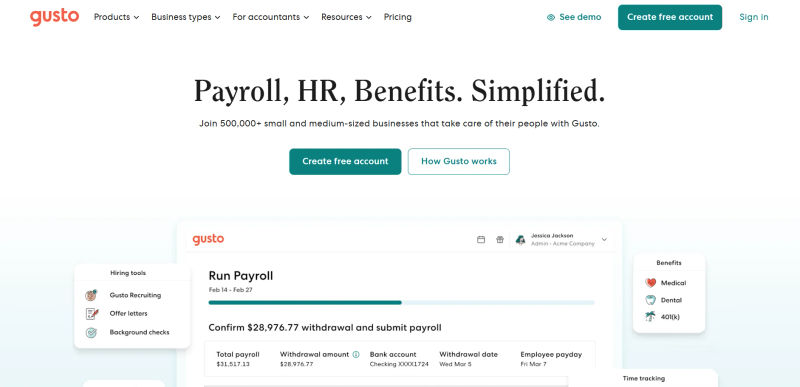
Gusto excels for small to medium-sized businesses with its user-friendly interface that tightly integrates payroll, benefits, and core HR. While lighter on native LMS features, it integrates well with third-party training platforms.
Deel, Papaya Global, Multiplier: Global HR & Payroll
If you manage a distributed or global workforce, specialized platforms are essential. Deel and Multiplier act as Employers of Record (EOR), while Papaya Global consolidates global payroll data.
HiBob & Atto: Modern HR Platforms
HiBob is known for its strong focus on culture and employee experience, while a tool like Atto provides specialized time-tracking data that can integrate into your core HRIS. HiBob also integrates seamlessly with external LMS providers to sync training records directly to employee profiles.
QuickBooks: Payroll and Basic HR Integration
For very small businesses, QuickBooks offers basic payroll and HR functionalities that serve as a starting point before scaling to a dedicated HRIS.

3. Data Migration Strategies and Best Practices
Any effective HRIS data migration guide emphasizes one cardinal rule: garbage in, garbage out. A new system won't magically fix messy data. For a seamless transition, follow these best practices:
Audit and Cleanse: Purge outdated records and duplicates from your legacy system.
Map Data: Align existing fields with the new database structure.
Test First: Migrate a small subset to catch errors early.
Validate: Audit the final transfer for accuracy.
Many HR software providers, like Zoho People, offer dedicated implementation support to guide you through this process.
4. Integration with Existing Systems (e.g., ATS, ERP, Finance)
One of the most critical integrations is between your HR database and your financial systems. A seamless connection ensures that changes in employee status, salary, or benefits are automatically reflected in payroll and the company's general ledger. Integrating your HRIS with payroll-centric platforms like Gusto or Paylocity and accounting software like QuickBooks eliminates manual data entry, reduces errors, and provides a real-time view of labor costs.
Not sure which HR system fits?
Let AuthenCIO’s AI narrow your shortlist
Phase 4: Ensuring Data Cleanliness and Accuracy
Launching your new HRIS is not the finish line. Maintaining data hygiene is an ongoing process that requires strong governance, regular audits, and continuous training.
1. Developing Data Entry Standards and Protocols
Formalize your data strategy into a clear Data Governance Policy. This document should outline:
Data Ownership: Assign clear owners for different data categories (e.g., the compensation team owns salary data; the talent acquisition team owns recruiting data).
Access Control: Define who can view, create, edit, and delete data based on their role. This is known as Role-Based Access Control (RBAC) and is a standard feature in most quality HR software.
Data Entry Standards: Document the naming conventions and formatting rules you established during the design phase.
2. Implementing Data Validation Rules
Use your HRIS to enforce data integrity automatically. Set up validation rules to prevent common errors at the point of entry. Examples include:
Making critical fields like 'Start Date' and 'Manager' mandatory.
Enforcing a specific format for email addresses or phone numbers.
Setting logical constraints, such as ensuring a termination date cannot be before a hire date.
3. Regular Data Audits and Cleansing Processes
Schedule quarterly data audits to proactively correct inconsistencies. To maintain ATS data, use specific tools to clean recruiter database records—such as OpenRefine for bulk standardization, ZoomInfo for candidate data enrichment, or native deduplication features in platforms like Greenhouse. Establish strict cleansing methods: merge duplicate candidate profiles, archive inactive records after two years, and run HRIS exception reports to spot missing job titles or inconsistent location data. Treat these audits as routine database health checks.
4. Leveraging Automation for Data Maintenance
Reduce the risk of manual entry errors by leveraging automation. AI adoption in HR tasks climbed to 43% in 2025, and leveraging automation is key to maintaining data quality with less manual effort. Use employee and manager self-service portals to empower users to update their own data, with approval workflows to ensure oversight. Integrate your HRIS with other systems, like your ATS or a time-tracking tool like Atto, to ensure data flows automatically and accurately between platforms without human intervention.
Phase 5: Making Your HR Database Actionable
With a clean, reliable, and centralized HR database, you can finally move from reactive data management to proactive, strategic analytics. This is where your investment truly pays off.
1. Building Effective HR Reports and Dashboards
Following reporting database best practices—like separating transactional processing from analytical reporting for faster queries and standardizing data definitions—ensures your HR data remains actionable.
Your system should effortlessly generate accurate, real-time reports for day-to-day management, including:
Headcount reports by department, location, and employment type.
Turnover analysis filtered by manager, tenure, and performance rating.
Compensation reports to analyze pay equity and budget adherence.
2. Key HR Metrics and KPIs to Track
Beyond standard reports, focus on Key Performance Indicators (KPIs) that align with business goals:
Time to Hire: Average time from job posting to offer acceptance.
Cost per Hire: Total recruiting costs divided by the number of new hires.
Employee Engagement Score: Data from pulse surveys and engagement platforms.
Revenue per Employee: A key metric for linking HR efforts to financial performance.
3. Using Data for Strategic Decision-Making (e.g., Workforce Planning, Retention)
This is the ultimate goal. With a solid data foundation, you can begin to explore advanced analytics to answer forward-looking questions:
Predictive Analytics: Which high-performing employees are most at risk of leaving in the next six months?
Workforce Planning: What skills will our organization need in two years, and how does that compare to our current workforce's capabilities?
Talent Acquisition: Which hiring sources consistently produce employees with the longest tenure and highest performance ratings?
4. Ensuring Data Security and Access Control
A clean database is also a secure one. Implement robust security measures to protect sensitive employee data. This goes beyond simple passwords and includes:
Role-Based Access Control (RBAC): Ensure employees can only see the data relevant to their roles.
Data Encryption: Protect data both in transit and at rest.
Audit Trails: Track who accesses and modifies data, which is critical for compliance and security investigations.
Regular Security Audits: Proactively test your systems for vulnerabilities.
Best Practices for Ongoing HR Database Management
Effective HR database management is the continuous process of organizing, securing, and optimizing employee data to ensure long-term accuracy and compliance. Maintaining a pristine and actionable database requires a commitment to continuous improvement, preventing data silos, and ensuring your core HR software remains a reliable source of truth as your workforce scales.
1. Regular Review and Optimization
Your business will evolve, and so should your database. Regularly review your data fields, reports, and workflows. Are you collecting data you no longer need? Are there new metrics you should be tracking? An annual review of your data governance policy and HR database structure is a healthy practice.
2. Training Your HR Team on Database Usage
The best system in the world can be undermined by poor user habits. Provide comprehensive training to all users—HR staff, managers, and employees—on how to use the system correctly. Emphasize the importance of data accuracy and their role in maintaining it. Consider different training approaches for different user groups: hands-on workshops for HR, quick guides for managers, and video tutorials for employees.
3. Staying Updated with Technology and Compliance Changes
HR technology and data privacy regulations are constantly changing. Stay informed about new features from your software vendor that could improve your processes. Keep abreast of changes in compliance laws to ensure your data collection and retention policies remain current. This proactive stance ensures your HR master data management practices don't become obsolete.
Try AuthenCIO
Move to faster, smarter software evaluation with AI
Conclusion: Your Path to a Powerful HR Database
Building a clean and actionable HR database is a journey, not a destination. It requires a strategic approach that encompasses careful planning, thoughtful design, the right technology, and a long-term commitment to data governance. By moving from fragmented spreadsheets to a centralized Single Source of Truth, you do more than just clean up your data—you empower your HR function to become a more strategic, data-driven partner to the business.
You unlock the ability to answer critical questions, mitigate compliance risks, streamline operations, and ultimately, create a better experience for every employee. Your data is your most valuable asset; it's time to treat it that way.