.webp&w=64&q=75)
Introduction
In 2026, product marketing moves at a blistering pace. Between rapid software release cycles, continuous feature updates, and the demand for personalized account-based marketing (ABM), traditional video production simply cannot keep up. Hiring an agency or relying on an over-capacity internal video team for every feature announcement, product explainer, or social media ad is no longer a viable strategy for agile product managers.
Streamline your software evaluation process
Furthermore, there has been a massive shift in consumer and B2B buyer expectations. By 2026, video is no longer just a "nice-to-have" marketing asset; it is a core requirement for product documentation, user onboarding, and building buyer trust. Buyers expect to see exactly how a product works before booking a demo.
This is why product marketing teams are rapidly adopting AI video generators. However, the market is flooded with tools designed for generic content creators, YouTubers, or hobbyists. As a product marketer, your needs are different. You require strict brand control, seamless localization for global launches, high-fidelity screen recording integration, and workflows that align with your product requirement documents (PRDs) and go-to-market strategies.
This article cuts through the hype to compare the best AI video generators specifically through the lens of product marketing. We will evaluate these platforms based on output quality, ease of use, editing control, branding capabilities, and overall workflow fit, helping you choose the right software to scale your product narrative.
🎥 Top Software Picks — AI Video Tools for 2026
Ngram — best for brand‑consistent product videos
Synthesia — best for corporate training and internal communication
HeyGen — best for personalized marketing and avatar‑based content
InVideo — best for quick social media video creation
Canva — best for all‑in‑one design and video editing simplicity
VEED — best for fast idea‑to‑video workflows with AI automation
Runway — best for creative teams using generative video tools
Descript — best for podcast and video editing via text interface
Pictory — best for turning long‑form text into short, shareable clips
Adobe Firefly — best for creative professionals generating AI visuals and videos
Software covered in this article
To help you evaluate AI Video generator in the right context, this article compares it against a carefully curated set of competitors:










Quick Comparison: Top AI Video Tools at a Glance
Before diving into the detailed evaluations, here is a quick comparison of the top platforms available in 2026. This matrix includes crucial factors for product managers, such as the learning curve and integration ecosystems.
Tool | Best For | Pricing (USD $) | Key Features | Learning Curve | Key Integrations |
Ngram | End-to-End Product Marketing | Starts at $29/mo | PRD-to-storyboard, brand controls, multi-format export | Medium | Zapier, n8n, make.com |
Synthesia | AI Avatars and Training | Starts at $22/mo (1,499 INR) | High-fidelity avatars, 120+ languages, auto-translation | Low | LMS platforms, HubSpot |
HeyGen | Personalized Messaging | Starts at $29/mo | Instant avatar cloning, CRM integration, voice cloning | Low | Salesforce, Outreach |
InVideo | Social Media Ad Templates | Starts at $17/mo | Prompt-to-video, massive stock library, social templates | Low | Meta Ads, TikTok |
Canva | Quick Brand-Aligned Graphics | Starts at $15/mo | Drag-and-drop UI, Magic Studio AI, brand kits | Low | Google Drive, Figma |
VEED | Browser-Based Editing | Starts at $18/mo (520 INR/user/month) | Auto-subtitles, screen recording, easy timeline | Low | Zoom, Dropbox |
Runway | High-End Cinematic Visuals | Starts at $12/mo | Gen-3 Alpha video generation, advanced motion brush | High | Premiere Pro, After Effects |
Descript | Audio-First Video Editing | Starts at $24/mo | Text-based editing, overdub, studio sound | Medium | Zoom, Riverside |
Pictory | Repurposing Long-Form Content | Starts at $ 29/mo | Blog-to-video, auto-highlight extraction | Low | WordPress, Hootsuite |
Adobe Firefly | Integrated Creative Workflows | Starts at $10/mo | Native Premiere integration, commercially safe AI | High | Adobe Creative Cloud |
*Note: All prices shown reflect typical monthly billing. Vendors often offer lower pricing for annual commitments, but those discounts are excluded here for easier comparison. Actual costs may vary depending on your requirements, usage volumes, and negotiated terms.
Find Perfect Software for Your Business
Why Product Marketing Teams are Switching to AI Video
If you are searching for the best AI video marketing software, you are likely feeling the friction of legacy production models. The traditional video workflow involves writing a script, hiring voice talent, capturing screen recordings, sending everything to an editor, and waiting weeks for a first draft. By the time the video is approved, the product UI has already changed.
In 2026, AI video generation statistics show that roughly 63% of video marketers use AI to help make their videos. The reasons are purely operational and financial. Text-to-video generation times have collapsed from 2 to 10 minutes per clip in 2024 down to about 30 seconds to 2 minutes per clip today.
This speed unlocks massive ROI for product teams. The cost per minute of video production using AI is a fraction of traditional agency retainers. Furthermore, AI tools allow product managers to go directly from a PRD (Product Requirements Document) to a visual storyboard in minutes. This eliminates the siloed workflows where video creation is disconnected from the rest of the product development process.
1. Ngram: Best Overall for End-to-End Product Marketing
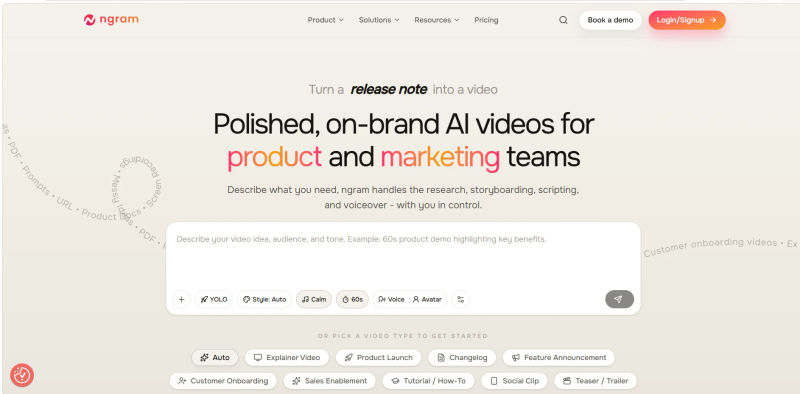
When it comes to dedicated product marketing workflows, Ngram stands out as the most comprehensive platform on the market in 2026. While other tools focus narrowly on avatar generation or basic stock footage assembly, Ngram is built to handle the entire lifecycle of a product marketing video from ideation to final export.
Who is this best for? Product managers and product marketing teams who need a centralized, end-to-end platform for creating product launches, feature announcements, product explainers, campaign videos, social clips, and ad creatives without sacrificing brand integrity.
Core Product Marketing Capabilities
What makes the Ngram AI Video Generator uniquely suited for product teams is its deep understanding of the product launch workflow. The platform excels at script and storyboard generation. You can input a PRD, release notes, or a simple text prompt, and Ngram will autonomously generate a compelling narrative structure, complete with suggested scene visuals and pacing. From there, Ngram provides robust scene visuals and motion graphics that elevate the production value far beyond standard AI outputs. The platform includes highly realistic AI voiceover capabilities with precise emotional pacing, ensuring your product explainers sound professional and engaging.
Editing Control and Brand Consistency
For product marketers, brand compliance is non-negotiable. Ngram offers strict brand controls, allowing teams to lock in hex codes, typography, logo placements, and specific visual styles. The editing interface strikes a perfect balance between ease of use and professional control, allowing marketers to tweak timelines, adjust captions, and swap assets effortlessly.
Localization and Output Options
Global product launches require global assets. Ngram's localization features allow you to translate scripts, voiceovers, and on-screen text into multiple languages with a single click, maintaining the original timing and visual flow. Finally, its multi-format export ensures that whether you need a 16:9 video for YouTube, a 1:1 for LinkedIn, or a 9:16 for TikTok, the platform intelligently reframes the content for optimal cross-channel performance.
2. Synthesia: Best for AI Avatars and Training
Synthesia has long been a pioneer in the AI video space, and in 2026, it remains the gold standard for AI avatar generation. For product teams, humanizing software can be a challenge, especially when you lack the budget for on-camera talent.
Who is this best for? Teams that need to create human-led product walkthroughs, user onboarding sequences, and internal stakeholder training videos without the logistical nightmare of hiring actors and booking studios.
Output Quality and Uncanny Valley Mitigation
In the past, AI avatars suffered from the "uncanny valley" effect, appearing robotic and unsettling. Synthesia's 2026 avatar models have largely solved this issue. The micro-expressions, lip-syncing, and natural head movements make these avatars incredibly lifelike. To mitigate any remaining uncanny valley risks, product managers can utilize Synthesia's custom avatar feature, training the AI on a real team member's likeness for maximum authenticity.
Agentic AI Capabilities
One of the most powerful features for product marketing is Synthesia's emerging "Agentic AI" capabilities. Through API integrations, Synthesia can autonomously update video content when underlying text or UI variables change. If a product feature is renamed in your documentation, the AI can automatically regenerate the affected video scenes without manual intervention.
Where It Falls Short for Product Marketing
While Synthesia is exceptional at talking-head videos, its overall workflow for dynamic, multi-scene product commercials is limited. The editing control for complex motion graphics or fast-paced B-roll transitions is not as robust as Ngram. If your product launch requires a highly stylized, cinematic feel rather than a direct-to-camera presentation, Synthesia might feel too rigid.
.webp?tr=w-800%2Cq-80%2Cf-auto%2Cc-at_max)
3. HeyGen: Best for Personalized Video Messaging
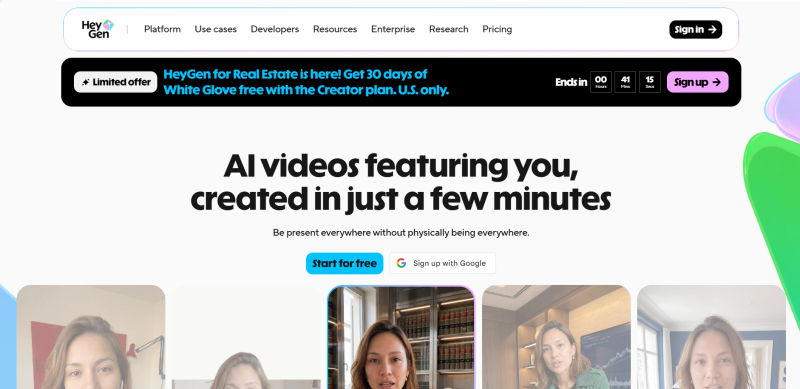
HeyGen has carved out a massive segment of the market by focusing on speed, personalization, and seamless integrations. If your product marketing strategy relies heavily on Account-Based Marketing (ABM) or high-touch sales enablement, HeyGen is a powerhouse.
Who is this best for? Product marketers and growth teams executing personalized outreach, ABM campaigns, and customized user onboarding at scale.
Marketing Use Cases and Workflow
HeyGen's standout feature is its instant avatar and voice cloning. A product manager can record a two-minute video of themselves, and HeyGen will create a hyper-realistic digital twin. This allows you to generate hundreds of personalized videos—addressing specific enterprise clients by name and mentioning their unique pain points—simply by uploading a spreadsheet of text variables.
Agentic AI and Integrations
Similar to Synthesia, HeyGen is leaning heavily into Agentic AI. It integrates directly with major CRMs like Salesforce and marketing automation platforms like HubSpot. This allows product marketers to set up automated triggers: when a user reaches a certain milestone in your app, HeyGen autonomously generates and emails a personalized onboarding video from the Product Manager.
Ease of Use and Output Options
The ease of use is exceptionally high, as the platform is designed for quick generation rather than deep timeline editing. However, if you need to build a complex, multi-layered product explainer with heavy UI animations and brand-specific motion graphics, HeyGen’s editing suite will feel restrictive.
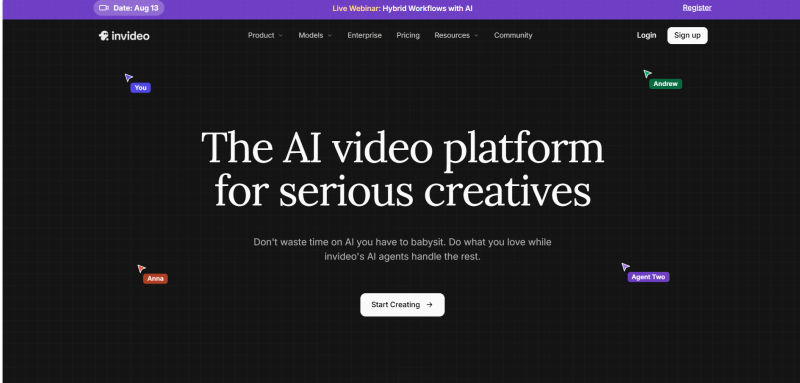
4. InVideo: Best for Social Media Ad Templates
For product marketers focused on top-of-funnel acquisition, paid social ads require constant iteration. Ad fatigue sets in quickly, meaning you need a high volume of video creatives to test different hooks, value propositions, and calls to action. InVideo is built for this exact high-velocity output.
Who is this best for? Growth-focused product marketers who need to rapidly generate, test, and iterate on social media ad creatives across platforms like Meta, TikTok, and LinkedIn.
Source Flexibility and Output Quality
InVideo’s prompt-to-video workflow is highly intuitive. You can type a prompt like, "Create a 30-second TikTok ad for a new project management software targeting remote teams, using an upbeat tone," and the AI will assemble a script, voiceover, and relevant stock footage. The platform boasts a massive library of premium stock assets, ensuring the visual output quality is high, even if it lacks custom generative elements.
Limitations in Editing Control
While InVideo is fantastic for speed, it lacks the precision required for deep product marketing. If your UI changes and you need to update a specific screen recording within a complex timeline, InVideo’s template-heavy approach can become frustrating. It is a tool optimized for volume and social trends rather than meticulous, brand-controlled product explainers.
5. Canva: Best for Quick Brand-Aligned Graphics
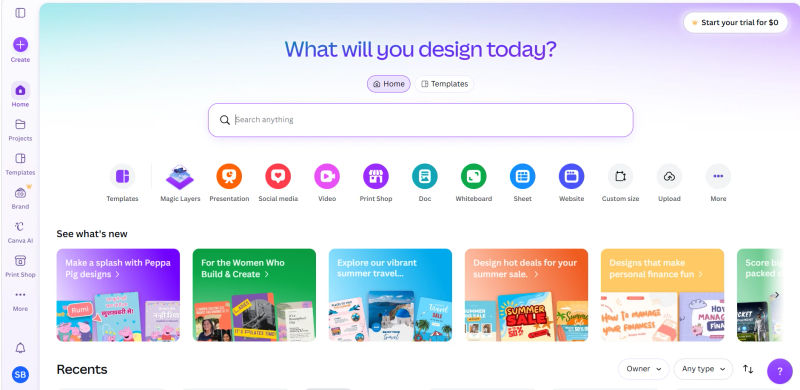
Canva is already a staple in most marketing departments, and its Magic Studio AI features in 2026 have transformed it into a highly capable, lightweight video generator. While it isn't a dedicated video editing suite, its ubiquity and ease of use make it a valuable asset for lean teams.
Who is this best for? Lean product teams and PMs who need to quickly create brand-aligned social graphics, GIF-style feature announcements, and basic video animations without leaving their primary design ecosystem.
Branding and Ease of Use
If you need a reliable AI video editor for marketing teams, Canva’s greatest strength is its Brand Kit integration. Because your company’s logos, fonts, and color palettes are already loaded into the system, any AI-generated video or animation automatically adheres to your brand guidelines. The drag-and-drop UI is universally understood, meaning a product manager with zero video editing experience can generate a feature announcement clip in minutes.
Workflow Constraints
Canva is best viewed as a design tool with video capabilities, rather than a true AI video generator. It lacks advanced features like automated storyboard generation from a PRD, complex timeline editing, or high-fidelity AI avatars. It is perfect for quick social updates but insufficient for a flagship product launch video.
6. VEED: Best for Browser-Based Editing and Subtitles
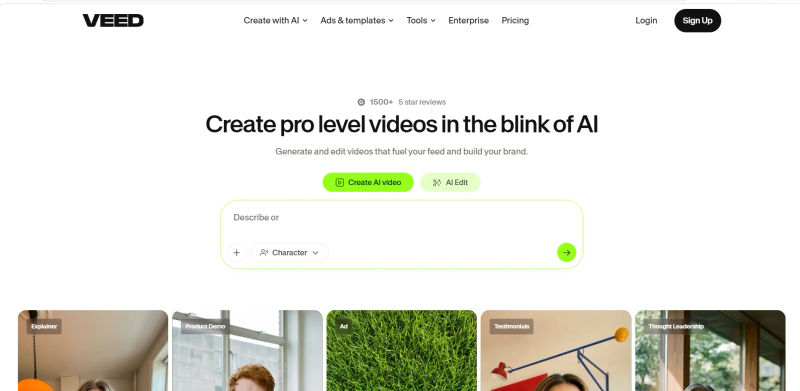
Product marketing for SaaS companies often revolves around the user interface. Showing the product in action is usually more effective than talking about it. VEED has positioned itself as the ultimate browser-based tool for capturing, editing, and enhancing screen recordings.
Who is this best for? SaaS product marketers who rely heavily on screen recordings, UI demos, and tutorial videos, and need fast browser-based editing with flawless auto-subtitling.
Editing Control and Localization
VEED’s AI capabilities shine in post-production. Its auto-subtitle generation is incredibly accurate and supports extensive localization, allowing you to translate your UI demos for global markets instantly. The platform also features AI-driven audio cleaning, which instantly removes background noise from raw voiceovers—a lifesaver for PMs recording demos in busy offices.
Marketing Use Cases
VEED is highly practical. It includes native screen recording, making the workflow from capturing a new feature to editing the final video seamless. However, it is not a generative AI tool in the same vein as Runway or Ngram. It relies on you providing the core visual assets (your screen or camera) and uses AI to enhance, subtitle, and format the final output for various social channels.
7. Runway: Best for High-End Cinematic Visuals
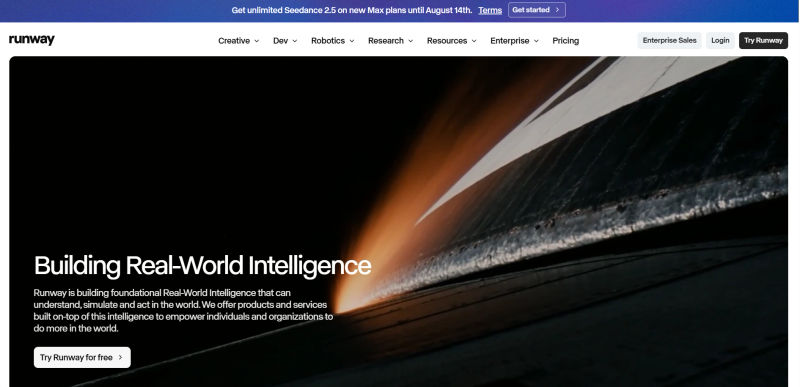
When a major product launch requires a "wow" factor, standard stock footage and screen recordings won't suffice. Runway, powered by its Gen-3 Alpha model in 2026, is the bleeding edge of generative AI video. It allows marketers to conjure entirely new, cinematic visuals from pure text or image prompts.
Who is this best for? Product marketers and creative directors needing highly creative, cinematic generative B-roll, mood boards, and visually stunning assets for high-end product campaigns.
Output Quality and Source Flexibility
Runway’s visual fidelity is unmatched. If you need a hyper-realistic shot of a futuristic cityscape to serve as a metaphor for your new enterprise data software, Runway can generate it in seconds. Its advanced tools, like the Motion Brush, give users granular control over exactly which parts of an image should animate, providing unprecedented creative freedom.
Workflow and Ease of Use Limitations
Runway is a tool for creatives. It has a steeper learning curve and does not offer standard product marketing features like PRD-to-script generation, auto-captions, or brand kit enforcement. It is best used as a powerful asset generator alongside a more traditional editing suite, rather than a standalone end-to-end product marketing platform.
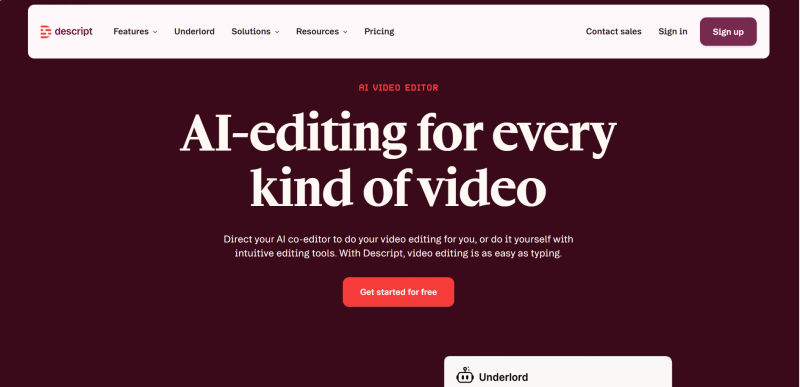
8. Descript: Best for Audio-First Video Editing
Many product marketing teams produce webinars, podcasts, and long-form talking-head interviews with product leaders. Editing these formats traditionally takes hours of scrubbing through timelines. Descript flips this paradigm by allowing you to edit video exactly like a text document.
Who is this best for? Teams producing product podcasts, webinars, or long-form talking-head videos that require fast, text-based editing and audio correction.
Editing Control and Zoom Repurposing
Descript’s workflow is revolutionary for content-heavy product marketing. A massive pain point for PMs is repurposing internal Zoom meetings or stakeholder demos into external-facing snippets. With Descript, you upload your raw Zoom video, the AI transcribes it instantly, and you edit the video by deleting words in the text transcript. If a product manager says "um" or "uh," Descript’s AI removes them all with one click, seamlessly smoothing the video cuts.
The Overdub Feature
One of the most valuable tools for product marketing is Descript’s Overdub (AI voice cloning). If a feature name changes at the last minute after the video is already shot, you can simply type the new name into the transcript, and your cloned voice will generate the new audio seamlessly. While Descript is brilliant for this specific workflow, it is not designed for creating heavily animated, generative product explainers from scratch.
9. Pictory: Best for Repurposing Long-Form Content
Product marketing teams generate a massive amount of written content: blog posts, whitepapers, case studies, and detailed release notes. Pictory is designed to extract the ROI from that text by automatically turning it into engaging short-form videos.
Who is this best for? Content-heavy product marketers looking to automatically turn existing text assets (PRDs, blog posts, help docs) into short, digestible video summaries for social media.
Source Flexibility and Use Cases
Pictory’s core strength is its text-to-video capability. You can paste the URL of a newly published product blog post into Pictory, and the AI will analyze the text, extract the key sentences, summarize the narrative, and automatically pair it with relevant stock footage, background music, and AI voiceover. This makes it incredibly easy to create promotional trailers for longer written content.
Output Quality and Limitations
While the workflow is highly efficient, the output quality can sometimes feel generic. Because Pictory relies heavily on assembling pre-existing stock footage rather than generating custom visuals or allowing for deep UI integration, the videos may lack the bespoke polish required for a tier-one product launch. It is a fantastic tool for content repurposing, but less suited for primary product storytelling.

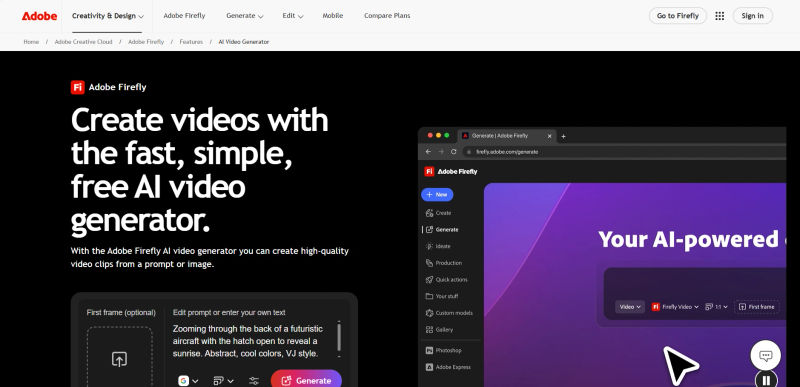
10. Adobe Firefly: Best for Integrated Creative Workflows
For enterprise product marketing teams, AI adoption often comes with strict legal and compliance hurdles. Using an AI tool trained on copyrighted material is a non-starter for many publicly traded companies. Adobe Firefly solves this by offering a commercially safe generative AI model integrated directly into the industry-standard Creative Cloud.
Who is this best for? Enterprise product teams and dedicated design resources who already use Adobe Creative Cloud and require AI video generation that is guaranteed safe for commercial use.
Branding, Editing Control, and Workflow
Because Firefly is integrated into Premiere Pro and After Effects, the editing control is absolute. Product marketers can use Firefly to generate custom B-roll, extend the edges of a video clip, or instantly remove objects from a scene without ever leaving their native editing environment. The branding control is as deep as you want to make it, provided you have the technical skills to navigate Adobe's professional software.
Ease of Use
The primary limitation of Adobe Firefly for the average product manager is the learning curve. Unlike Ngram or Canva, which are designed for marketers, Firefly’s video capabilities are built for professional video editors. If your team does not have dedicated design resources, the Adobe ecosystem will likely slow down your go-to-market velocity rather than speed it up.
Key Factors for Evaluating AI Video Software in 2026
Before making your final decision, it is critical to evaluate these platforms against the realities of a modern product marketing ecosystem.
First, consider Workflow Fit and Brand Control. Product marketing teams often need to turn briefs, product documentation, release notes, and other source material into polished videos quickly. Look for a platform that fits naturally into your existing content workflow while giving your team enough control over branding, visuals, voiceovers, captions, and output formats.
Second, evaluate the Integration Ecosystem. The best tools in 2026 do not exist in a vacuum. Look for integrations that connect video creation with the automation and workflow tools your team already uses. Ngram, for example, supports integrations with Zapier, n8n, and Make.com, enabling teams to incorporate video generation into automated workflows without relying on repetitive manual handoffs.
Finally, look for Automation and Agentic AI Capabilities. Product marketing teams regularly create videos from changing source material, campaigns, and product updates. Platforms that can connect video generation to automated workflows, APIs, or AI agents can reduce repetitive production work and make it easier to create and distribute video content at scale.
Try AuthenCIO
Move to faster, smarter software evaluation with AI
Which AI Video Generator Should You Choose? (Decision Matrix)
Choosing the best AI video generator in 2026 comes down to matching the software's primary strength with your team's most pressing bottleneck. You should not evaluate these tools in a vacuum; instead, use this decision matrix to map them to your specific product marketing workflows, company size, and budget.
If you need a single, end-to-end platform for product launches: Choose Ngram. It is the only tool purpose-built to handle the nuance of product marketing, from turning a PRD into a storyboard, to generating custom visuals, applying strict brand controls, and exporting localized versions safely.
If your strategy relies on personalized Account-Based Marketing (ABM): Choose HeyGen. It offers the fastest and most integrated avatar cloning for high-volume sales outreach.
If you are building a library of standardized training and onboarding videos: Choose Synthesia. It remains the top choice for avatar fidelity, uncanny valley mitigation, and language support.
If you have a limited budget and need quick, brand-aligned social graphics: Choose Canva. It is the safest bet for lean teams that need fast animations without learning a new interface.
If you need to rapidly test ad creatives on social media: Choose InVideo for its prompt-to-video speed and massive stock library.
If your product heavily relies on UI demonstrations: Choose VEED. It provides the best browser-based screen recording and subtitling workflow.
If you want to repurpose internal Zoom meetings or podcasts: Choose Descript. The text-based editing and Overdub feature will save you hours of scrubbing timelines.
If you want to turn written blog posts into video summaries: Choose Pictory. It is highly efficient for content repurposing.
If you need breathtaking, cinematic visuals for a flagship launch: Choose Runway for its unmatched generative capabilities.
If you are an enterprise team requiring strict commercial safety: Choose Adobe Firefly to empower your professional editors within the Creative Cloud.
By aligning the tool with your specific use case, you can drastically reduce production costs, accelerate your time-to-market, and ensure your product narrative cuts through the noise in 2026.