
Introduction
For legal and procurement professionals in 2026, the era of the static PDF contract is officially over.
If your daily workflow still involves deciphering email threads attached to files named Contract_Final_v12_revised_FINAL.docx, you are experiencing the versioning chaos that modern technology has already solved.
Streamline your software evaluation process
The market has shifted dramatically from basic point-and-click e-signature tools to fully integrated, AI-powered Contract Lifecycle Management (CLM) platforms.
Organizations using modern CLM solutions have reported up to a 60% reduction in contract processing time and 45% fewer errors.
Enter Oneflow.
Reporting a 22% year-over-year net sales growth in Q1 2026, Oneflow has positioned itself as a primary contender in the contract automation space.
Unlike traditional tools that merely slap a digital signature onto a static document, Oneflow champions a data-first, HTML-based approach to contract management.
But is it the right fit for your specific workflows?
This comprehensive Oneflow review for 2026 evaluates the platform's true capabilities for enterprise operations.
We will explore its AI-driven redlining, API maturity, security protocols, pricing, and how it stacks up against industry heavyweights.
If you are a decision-maker looking to modernize your contract management, this guide provides the actionable, data-driven insights you need to make an informed software investment.
Tool | Best For | Pricing | Key Features |
Oneflow | Data-driven HTML contracts | $292/ month (billed annually) | Live HTML editing, AI redlining, ERP APIs |
DocuSign | Enterprise e-signatures | Starts at $15/mo | Global compliance, advanced routing |
PandaDoc | Sales proposals & quotes | Starts at $35/mo | Drag-and-drop builder, CRM integrations |
AirSlate | Deep workflow automation | Starts at $20/mo | No-code bots, document generation |
Icertis | Procurement departments needing AI-powered commercial intelligence | Custom Enterprise Pricing | AI-powered contract creation with dynamic clause control |
Ironclad | Complex Enterprise CLM | Custom Enterprise Pricing | Advanced legal playbooks, deep AI |
Foxit | PDF editing & signing | Starts at ~$14/mo | PDF manipulation, offline access |
Adobe Acrobat Sign | Ecosystem integration | Starts at ~$21/mo | Deep Adobe/Microsoft integration |
Signable | UK/EU focused signing | Starts at $2.20 /envelope | Pay-as-you-go, eIDAS compliance |
*Note: All prices shown reflect typical monthly billing. Vendors often offer lower pricing for annual commitments, but those discounts are excluded here for easier comparison. Actual costs may vary depending on your requirements, usage volumes, and negotiated terms.
Software Covered in this Article
To help you evaluate Oneflow in the right context, this article compares it against a carefully curated set of competitors:









Executive Summary: Best Digital Contract Management 2026
The verdict for 2026 is clear: Oneflow is one of the best digital contract management platforms for mid-market and scaling enterprise teams ready to abandon static documents.
By treating contracts as structured data rather than flat images, Oneflow enables deep ERP integrations, real-time collaboration, and automated obligation tracking.
However, its HTML-first approach requires a significant cultural shift for legal departments deeply entrenched in Microsoft Word.
It is a powerful engine for procurement efficiency, provided your organization is prepared for the operational transition.
What is Oneflow? Core Features and Capabilities
To understand Oneflow's value proposition in 2026, you must first understand its core philosophy: contracts should be dynamic, structured data, not dead text.
While legacy platforms treat contracts as digital pieces of paper, Oneflow treats them as live web pages.
1. The Browser-Based Editing Experience vs. Traditional Workflows
The most significant paradigm shift when adopting Oneflow is moving away from traditional Word-based workflows.
In a standard procurement cycle, a contract is drafted in Microsoft Word, emailed as an attachment, redlined, saved as a new version, and eventually converted to a PDF for signing.
Oneflow eliminates this by utilizing an HTML-based editor.
All parties collaborate on a single, live document within the browser.
Changes are tracked in real-time, creating a single source of truth.
However, the "Word-to-HTML" transition is a massive cultural hurdle.
Recognizing that external counterparties may stubbornly refuse to leave their familiar ecosystem, Oneflow has adapted for 2026.
If a vendor demands a Word document, Oneflow allows you to export the contract, track changes natively in Microsoft Word, and re-import the file to automatically sync the redlines back into the master HTML version, bridging the gap between legacy habits and modern automation.
2. 2026-Specific AI Capabilities
In 2026, AI in contract management is no longer a novelty; it is a baseline expectation.
Oneflow has matured its AI capabilities significantly, moving beyond basic metadata extraction into proactive risk management.
Key AI features include:
Automated Redlining: The platform automatically flags deviations from your standard legal playbooks, highlighting non-compliant clauses before human review.
Risk Detection: AI scans incoming third-party paper for high-risk liabilities, non-standard indemnification clauses, and missing compliance language.
Obligation Summarization: Post-signature, the AI extracts key deliverables and renewal dates, feeding them directly into your procurement dashboard.
3. API Maturity and ERP Integration
A contract management tool is only as powerful as its ability to connect with your existing tech stack.
Oneflow boasts high API maturity, offering seamless integration with major ERP systems like SAP and Oracle.
When a procurement contract is signed in Oneflow, the vendor details, payment terms, and renewal dates automatically populate your ERP, eliminating manual data entry and the associated risk of human error.
4. Security, Compliance, and Data Residency
For IT and legal influencers vetting software in 2026, security is paramount.
Oneflow meets stringent enterprise requirements, boasting SOC2 Type II and ISO 27001 certifications.
Furthermore, it strictly adheres to eIDAS regulations for electronic signatures in Europe.
Crucially for global procurement teams, Oneflow offers robust data residency controls, allowing organizations to ensure their sensitive contract data remains localized within specific EU or US servers to comply with regional privacy laws.
5. Legacy Contract Migration
A major barrier to adopting new CLM software is the mountain of existing contracts.
Oneflow addresses this with advanced AI-powered Optical Character Recognition (OCR).
The platform can ingest thousands of old PDFs and paper-based contracts, extract the metadata, and convert the unstructured text into structured, searchable data within the new system, smoothing the transition process.
Oneflow Pricing: Is It Worth the Investment in 2026?
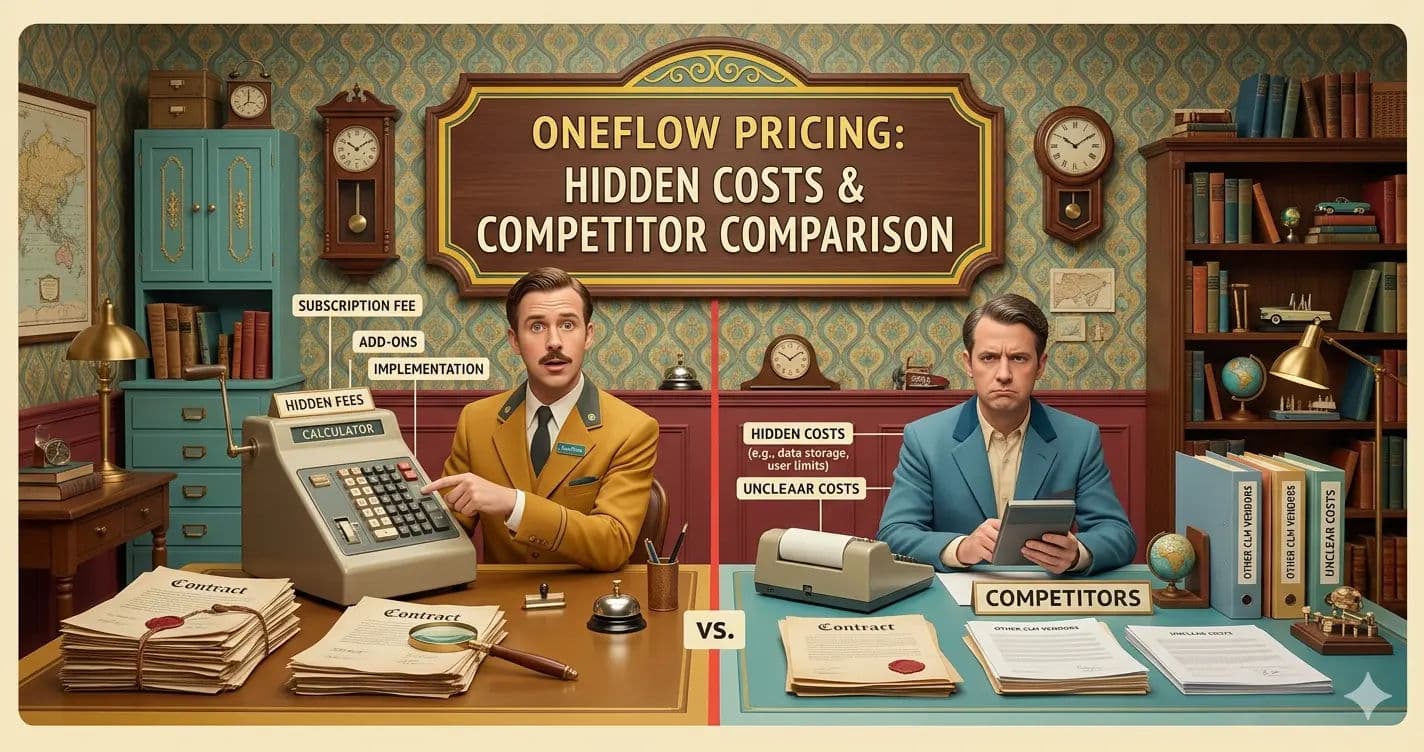
Evaluating the cost of Oneflow requires looking beyond the sticker price.
While basic plans start around $17 per user per month, enterprise-grade legal and procurement teams must analyze the feature gating between tiers.
1. Business vs. Enterprise Tiers
Oneflow's pricing is structured to scale with complexity.
The Business Tier provides the core HTML editing experience, basic e-signatures, and standard CRM integrations.
However, procurement teams will almost certainly require the Enterprise Tier.
The Enterprise tier is where the true value of Oneflow is unlocked.
It grants access to the advanced AI redlining capabilities, custom API endpoints required for complex SAP/Oracle ERP integrations, Single Sign-On (SSO) for enterprise security, and multi-step, conditional approval routing.
When justifying the spend to a CFO, it is these Enterprise-exclusive features that drive the operational ROI.
2. Understanding the True Cost of Ownership
When calculating the internal Rate of Return (ROI) for Oneflow, procurement leaders must factor in the true cost of ownership (TCO).
This includes:
Software Licensing: The recurring annual cost based on user seats and the Enterprise feature tier.
Implementation Overhead: The cost of IT resources mapping your existing processes, setting up templates, and configuring API connections to your ERP.
Change Management: The time and resources required to train internal staff and manage the friction of switching from Word/PDF workflows to a digital-first platform.
3. Calculating ROI for Legal Teams
Despite the upfront implementation costs, the ROI is highly quantifiable.
By reducing contract cycle times by up to 60%, legal teams reclaim thousands of billable hours previously lost to manual administrative tasks.
Furthermore, the automated tracking of renewal deadlines prevents revenue leakage and accidental auto-renewals of redundant vendor services.
For mid-market and enterprise organizations, Oneflow often pays for itself within the first three quarters of deployment.
Find Perfect Software For Your Business
Oneflow for Legal and Procurement Professionals
Oneflow is not a generic document tool; its architecture is specifically optimized to solve the complex bottlenecks faced by legal and procurement departments.
1. Multi-Party Negotiations in Procurement
Procurement cycles are notoriously complex, often involving legal, finance, IT, and external vendors.
Oneflow excels in this environment.
Its live editing environment allows multiple stakeholders to review, comment, and approve specific sections of a contract simultaneously.
The platform maintains a rigorous, unalterable audit trail of every interaction, ensuring complete operational transparency.
2. Automated Approval Workflows for Legal Departments
Legal ops teams can use Oneflow to build highly customized, automated approval routing.
For example, a contract exceeding $100,000 can automatically route to the CFO for approval, while a contract containing non-standard data privacy clauses routes directly to the Chief Information Security Officer (CISO).
This bridges the gap between sales speed and legal compliance, ensuring deals close faster without bypassing critical risk assessments.
3. The 11-Point Procurement Readiness Checklist
Before migrating to a digital contract automation platform like Oneflow, procurement teams must ensure internal readiness.
Use this checklist to guide your deployment:
Standardized Clause Library: Are your standard legal clauses documented, approved, and ready to be digitized?
Legacy Contract Ingestion: Do you have a strategy for migrating unstructured data and legacy PDFs into the new system using OCR?
Stakeholder Alignment: Are legal, sales, and IT aligned on the strategic business outcomes of this software investment?
API Readiness: Are your ERP and CRM systems capable of supporting bi-directional data flow?
Approval Routing: Have you mapped out your internal approval hierarchies, including CISO and CFO triggers?
Compliance Auditing: Does the platform meet your specific 2026 data privacy and security requirements (SOC2, ISO 27001)?
Change Management: Have you allocated a budget and timeline for training and internal adoption campaigns?
ROI Benchmarking: What are your current contract cycle times, and what is your specific target reduction?
Counterparty Experience: How will external vendors react to the new signing process, and what is the fallback plan if they demand Word?
Obligation Tracking: Who will be responsible for managing post-signature renewals and deliverables?
Data Residency Requirements: Have you defined where your contract data must be geographically stored to comply with regional laws?
Oneflow Alternatives: How It Compares to the Competition
To make an informed decision, you must evaluate Oneflow against the broader 2026 contract lifecycle management landscape.
Here is a detailed comparison analysis.
1. Oneflow vs. DocuSign: Scaling and Security
DocuSign remains the undisputed giant of the e-signature world.
If your primary goal is simply to collect legally binding signatures on static PDFs globally, DocuSign is the safer, more recognized choice.
It boasts unparalleled global compliance certifications.
However, DocuSign's core platform still treats contracts as static images.
Oneflow outperforms DocuSign when it comes to the pre-signature phase—drafting, live collaboration, and data extraction.
If you want to negotiate contracts in real-time without sending versions back and forth, Oneflow is the superior operational choice.
2. Oneflow vs. PandaDoc: Ease of Use and Design
PandaDoc is heavily optimized for sales teams.
It features a beautiful, drag-and-drop document builder and deep integrations with CRMs to quickly generate highly visual sales proposals and quotes.
While Oneflow can also handle sales contracts, its true strength lies in complex, multi-party legal and procurement agreements.
PandaDoc is better for high-volume, low-complexity sales documents, whereas Oneflow is built for high-complexity, heavily negotiated enterprise contracts.
3. Oneflow vs. AirSlate: Automation Depth
AirSlate is a powerhouse for deep, no-code operational workflow automation.
It goes beyond contracts, allowing users to build complex bots that automate data routing across entire departments (e.g., HR onboarding, IT ticketing, and finance approvals).
Oneflow is strictly focused on the contract lifecycle.
If you need a platform to automate your entire back-office operations, AirSlate is the broader investment.
If you need a specialized tool dedicated exclusively to modernizing legal and procurement contract workflows, Oneflow is more focused and intuitive.
4. Ironclad and Icertis: Enterprise CLM Heavyweights
When evaluating Oneflow, enterprise procurement teams must also consider heavyweights like Ironclad and Icertis.
These platforms are designed for Fortune 500 companies with massive, highly complex legal operations.
Oneflow offers mid-market agility.
It deploys faster, is easier to adopt, and provides excellent structured data capabilities without the massive implementation overhead of an Ironclad or Icertis.
However, if your organization requires infinitely complex legal playbooks and global enterprise deployment across tens of thousands of employees, Ironclad or Icertis may be the necessary, albeit much more expensive, route.
5. Oneflow vs. Foxit and Adobe Acrobat Sign: The PDF Dilemma
Foxit and Adobe Acrobat Sign are deeply rooted in the PDF ecosystem.
They are excellent tools for manipulating, redlining, and signing traditional PDF documents, integrating flawlessly with Microsoft Office and Adobe's broader suite.
Choosing between these tools and Oneflow comes down to your digital transformation strategy.
If your internal stakeholders and external vendors stubbornly refuse to abandon traditional PDF-based signatures, forcing Oneflow's HTML-first approach will cause significant friction.
However, if you are ready to break free from the limitations of unstructured PDF data, Oneflow is the forward-thinking choice.
6. Oneflow vs. Signable: Regional vs. Global
Signable is a highly cost-effective, pay-as-you-go e-signature solution that is incredibly popular among SMBs in the UK and Europe.
It is simple, straightforward, and ensures strict eIDAS compliance.
Comparing the two is like comparing a bicycle to a sports car.
If you are a small real estate agency needing basic signatures, Signable is perfect.
If you are a mid-market procurement team handling complex vendor agreements, Oneflow is the necessary upgrade.
Pros and Cons of Choosing Oneflow in 2026
To summarize the professional perspective, here is an objective look at the advantages and drawbacks of implementing Oneflow.
We must balance the technological pros with the operational reality of implementation.
The Pros:
Single Source of Truth: Live, browser-based HTML editing eliminates version control issues and email attachments.
Advanced Data Extraction: Because contracts are built on structured data, extracting metadata for ERPs and CRMs is seamless and highly accurate.
Robust AI Capabilities: 2026-updated AI tools significantly reduce the manual burden of redlining and risk detection.
Comprehensive Audit Trails: Operational transparency is guaranteed with detailed logs of every interaction, edit, and approval.
The Cons:
High Switching Friction: Moving legal teams from Microsoft Word to a browser-based editor requires significant, often difficult, change management.
External Resistance: Some traditional enterprise vendors may be confused by or resistant to the live HTML editing experience, requiring workflows to revert to Word exports.
Implementation Overhead: Setting up the platform, integrating APIs, and digitizing legacy contracts requires dedicated IT and operational resources.
Overkill for Simple Needs: If your organization only needs to sign basic, non-negotiable NDAs, Oneflow's robust Enterprise feature set is unnecessary and cost-prohibitive.
Try AuthenCIO
Move to faster, smarter software evaluation with AI
Final Recommendation: Who Should (and Shouldn't) Buy Oneflow?
In 2026, Oneflow stands out as a highly innovative, data-centric contract automation platform.
It successfully bridges the gap between sales speed and legal compliance, making it an exceptional tool for mid-market and scaling enterprise organizations.
Who should buy Oneflow? Legal ops and procurement leaders who are tired of manual errors, lost data, and the endless back-and-forth of Word document negotiations.
If your goal is to turn contracts into connected, actionable data that integrates seamlessly with your ERP, Oneflow is a top-tier investment.
Who shouldn't buy Oneflow? Small businesses looking for a cheap e-signature tool, or highly traditional legal departments that are unwilling to abandon their Microsoft Word and PDF-centric workflows.
For these users, tools like DocuSign, Foxit, or Signable remain more appropriate.
Practical Next Steps
Choosing the right contract lifecycle management software is a critical operational decision that will impact your business for years to come.
Do not rely on brand recognition alone.
If you are considering Oneflow, start with a low-risk pilot program.
Roll out the platform internally for standard Non-Disclosure Agreements (NDAs) or basic employment contracts.
This allows your team to experience the HTML-based workflow and test the ERP integrations before committing to a full-scale procurement rollout.