
Introduction
For legal and procurement professionals in 2026, contract management software is no longer just a digital filing cabinet; it is a core operational system that drives revenue, ensures compliance, and controls costs. However, as software stacks grow and SaaS inflation continues to drive up renewal rates, the pressure to optimize legal tech budgets has never been higher.
Streamline your software evaluation process
If you are evaluating contract automation software costs, you need to know whether a platform offers genuine value or if it will trap your growing team in unpredictable overage fees and gated features.
Evaluating the true cost of these platforms requires looking beyond the sticker price. The cost of inaction—relying on manual, static PDF processes—carries its own steep financial penalties in the form of data entry errors, delayed procurement cycles, and missed renewal deadlines.
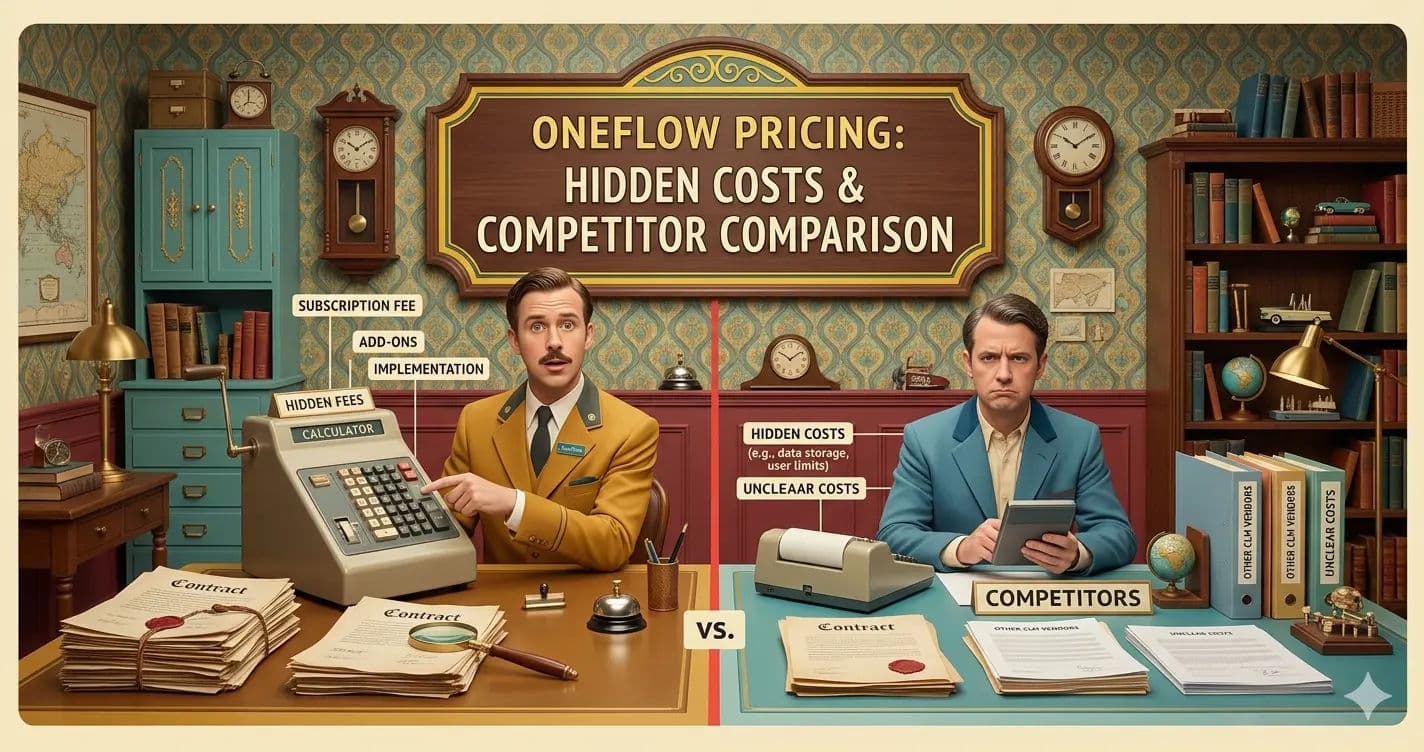
This guide provides a comprehensive, decision-focused breakdown of Oneflow pricing for 2026. We analyze specific seat costs, feature limitations, and how Oneflow's HTML-based environment translates into measurable cost savings.
Furthermore, we compare Oneflow directly against industry alternatives like DocuSign, PandaDoc, and AirSlate to help you make an informed, budget-friendly procurement decision.
Key Takeaways for 2026 Software Buyers:
Tiered Predictability: Oneflow’s user-based pricing model protects growing teams from the unpredictable "envelope overage" fees common with legacy e-signature tools.
Hidden Minimums: While per-user costs appear low, small teams must account for base platform fees (such as the €250/month minimum on Oneflow's Business tier).
Total Cost of Ownership: The true cost of contract automation in 2026 includes IT implementation, legal review of migrated templates, and mandatory security upgrades like Single Sign-On (SSO).
Data Portability: Choosing between tools like PandaDoc and Oneflow requires evaluating how easily your legal department can bulk-export contract metadata if you decide to change vendors in the future.
Plan Name | Best For | Pricing | Limitations |
Oneflow Business | Mid-market procurement teams needing dynamic HTML contracts | $292/month (billed annually) | Advanced ERP/custom API integrations and SSO require the Enterprise tier. Minimum base fees apply. |
PandaDoc Business | Sales teams requiring heavy, design-rich proposal creation | $65/user/month | Less optimal for complex, multi-party legal redlining and strict procurement negotiations. |
DocuSign Standard | Global enterprises needing strict, multi-regional compliance | $45/user/month | Strict envelope limits per user; notorious for high overage fees and rigid pricing structures. |
Teams already entrenched in the Adobe Document Cloud ecosystem | ~$21/user/month | Tied strictly to traditional, static PDF workflows rather than dynamic, searchable contract data. | |
AirSlate Business | Organizations needing end-to-end business process automation | $50/user/month | Steep learning curve and financial overkill for teams only needing basic e-signatures and redlining. |
Foxit eSign | Budget-conscious teams needing basic PDF editing and signing | ~$14/user/month | Lacks advanced AI contract analysis, automated metadata extraction, and complex workflow routing. |
Signable Pay-As-You-Go | Low-volume, occasional contract senders and seasonal businesses | $2.20/envelope | No advanced lifecycle management, analytics, or native CRM integrations to support scaling teams. |
*Note: All prices shown reflect typical monthly billing. Vendors often offer lower pricing for annual commitments, but those discounts are excluded here for easier comparison. Actual costs may vary depending on your requirements, usage volumes, and negotiated terms.
Software Covered in this Article
To help you evaluate Oneflow in the right context, this article compares it against a carefully curated set of competitors:







Contract Management Software ROI: A 2026 Framework
Before diving into specific Oneflow plan limitations or competitor comparisons, procurement leaders must establish a Total Cost of Ownership (TCO) framework.
In 2026, evaluating contract management software ROI requires looking past the monthly per-user licensing fee. A true TCO calculation factors in implementation time, training, integration maintenance, and the mitigation of manual errors.
To build an internal business case that will secure CFO approval, calculate your software investment using these four pillars:
1. Base Licensing and Anticipated Scaling Calculate the immediate seat cost, but project your hiring growth over the next 12 to 36 months.
Does the vendor offer scalability incentives or price locks for multi-year agreements? Understanding how the cost per seat scales as your procurement team expands is critical to avoiding budget shocks in year two or three of a contract.
2. Implementation and Legal Review Costs Software does not deploy itself. Migrating from a legacy system or a shared drive of Word documents into a modern Contract Lifecycle Management (CLM) platform requires significant labor.
You must account for IT hours spent configuring workflows and, crucially, the billable hours required for your legal team to review and approve the new HTML-based templates. Converting a static PDF into a dynamic, automated template often requires re-evaluating standard clauses.
3. Integration and API Maintenance Connecting your contract software to your CRM (like Salesforce) or ERP (like Workday) is where the real ROI is generated.
However, maintaining these connections requires IT resources. If a vendor charges for API calls or requires a third-party middleware tool (like Zapier or Make) to bridge integration gaps, these costs must be added to your TCO.
4. The Financial Cost of Inaction The most persuasive argument for contract automation is the cost of doing nothing. Industry benchmarks indicate that AI-powered CLM solutions can cut contract processing time by up to 60%.
If your legal team spends 15 hours a week manually chasing signatures, re-entering data into spreadsheets, and searching for lost renewal dates, calculate their hourly rate against that wasted time. The financial risk of missing a single major vendor cancellation window often exceeds the annual cost of a platform like Oneflow.
Oneflow Pricing Breakdown: Plans, Costs, and Value
Oneflow has strategically positioned itself in the 2026 market as a highly competitive option for growing mid-market teams.
Instead of relying on the traditional "pay-per-envelope" model that penalizes high-volume months, Oneflow emphasizes user-based, tiered pricing. This approach provides much-needed predictability for procurement budgets.
To build an accurate budget, you must understand exactly what each tier offers, where the feature gates lie, and what security standards are included.
Essential Plan: Best for Basic E-Signatures
The Essentials plan is Oneflow's entry-level offering.
Who is this best for? Small legal teams or startups transitioning away from manual, paper-based processes who need secure, legally binding e-signatures without complex routing.
Value for Money: It is highly affordable compared to the $93/user/month average SMB budget for legal management software. It provides a baseline of security, including standard SOC2 compliance, ensuring your basic vendor agreements are handled safely.
Limitations: This tier lacks the advanced AI-driven contract analysis and automated metadata extraction that larger procurement teams require for deep auditing. It operates strictly as a digital signing environment rather than a full lifecycle management tool.
Business Plan: Best for Automated Workflows
Starting at roughly $292 per month (billed annually), the Business plan is where Oneflow's true value proposition unlocks. However, procurement teams must be aware that this tier typically requires a minimum base fee (often starting around €250/month for small team packages).
Who is this best for? Growing procurement and legal teams that need to connect contracts to existing CRM or ERP systems, automate approval workflows, and utilize data-driven HTML contracts.
Value for Money: This tier introduces Oneflow's signature HTML contracts and features like "no-login signing," which drastically reduces friction for third-party vendors. Unlike static PDFs, these contracts allow for real-time, in-browser redlining. The ROI here is found in time saved; eliminating the constant downloading, editing, and re-uploading of PDFs reduces manual work by up to 45%.
Limitations: While it includes standard native integrations (like HubSpot or basic Salesforce connections), highly customized API builds may hit rate limits. Furthermore, advanced security requirements like SSO are generally reserved for the next tier up.
Enterprise Plan: Best for Complex Procurement Needs
Oneflow's Enterprise pricing is strictly custom (available upon request), tailored to the specific volume, security, and integration requirements of the buyer.
Who is this best for? Large-scale organizations requiring dedicated customer success management, advanced Single Sign-On (SSO/SAML) security protocols, and custom API integrations with legacy enterprise systems.
Value for Money: The value lies in risk mitigation and global compliance. Enterprise tiers offer comprehensive audit trails, granular user permission controls (RBAC), and specific data residency options (allowing European companies to keep data strictly on EMEA servers to comply with GDPR).
Limitations: The primary drawback is the initial implementation cost and time. Deploying an enterprise-grade CLM requires significant internal change management and IT overhead.
Find Perfect Software For Your Business
PandaDoc vs Oneflow: Which Offers Better Value?
When evaluating Oneflow vs competitors pricing, PandaDoc is frequently the first alternative that procurement professionals consider. Both platforms target the mid-market and offer modern, cloud-based interfaces, but their core philosophies differ significantly.
1. PandaDoc: Best for Sales-Heavy Document Creation
PandaDoc (averaging $35/user/month for its Business tier) is fundamentally designed as a document generation and CPQ (Configure, Price, Quote) tool.
Pricing Differences: PandaDoc is slightly cheaper on a per-seat basis for its mid-tier plan compared to Oneflow's Business tier.
Value for Money: If your primary goal is empowering a sales team to create visually stunning proposals with embedded payment gateways, dynamic pricing tables, and rich media, PandaDoc offers superior ROI.
Limitations for Legal: PandaDoc relies heavily on a block-builder that ultimately generates a static document experience. For legal teams negotiating complex procurement vendor agreements, the redlining process is not as fluid. It lacks the deep, structured data approach required for advanced contract lifecycle management.
2. Oneflow: Best for End-to-End Contract Lifecycle Automation
Oneflow treats the contract as structured data rather than a static image or a stylized proposal.
Pricing Differences: While slightly more expensive per seat for the Business tier, Oneflow does not nickel-and-dime users on document volume, offering a more predictable TCO for high-volume procurement departments.
Value for Money: The ROI of Oneflow for procurement lies in its AI-assisted metadata extraction. Because the contract is HTML-based, extracting renewal dates, liability clauses, and vendor details into your central database is seamless.
Data Portability and Exit Strategy: A critical factor in 2026 is data portability. If you ever decide to leave Oneflow, its structured data format makes it easier to bulk-export contract metadata (like dates and financial terms) alongside the PDFs, whereas extracting data from purely image-based legacy tools can require expensive third-party extraction software.
DocuSign & Adobe Acrobat Sign: Enterprise Costs vs Oneflow
Legacy platforms like DocuSign and Adobe Acrobat Sign dominate the enterprise space, but their 2026 pricing models often present significant hurdles for growing, budget-conscious teams looking for agile solutions.
1. DocuSign: Best for Global Enterprise Compliance
DocuSign remains the gold standard for global e-signature compliance, but its pricing model is notoriously rigid and heavily monetized.
Pricing Differences: While a Standard plan appears affordable at $45/user/month, DocuSign strictly enforces "envelope limits" (typically around 100 sends per user, per year for standard plans).
Hidden Costs: The frustration of unpredictable overage fees is a major pain point. When contract volumes exceed initial monthly estimates, DocuSign's penalty rates can instantly destroy a procurement team's budget.
Value for Money: If you operate in highly regulated industries (like pharmaceuticals or finance) requiring FDA 21 CFR Part 11 compliance, or if you need strict guarantees regarding US vs. EMEA data residency at lower tiers, DocuSign's premium is justified. For standard vendor agreements and agile procurement teams, it is often an overpriced utility.
2. Adobe Acrobat Sign: Best for PDF-First Workflows
Adobe Acrobat Sign leverages its massive footprint in the PDF ecosystem to offer a familiar, widely adopted signing experience.
Pricing Differences: At roughly $20/user/month, it is highly competitive on paper and often bundled into existing enterprise agreements.
Value for Money: If your organization already pays for Adobe Creative Cloud or Document Cloud, bundling Acrobat Sign is a financially sound strategy for consolidating your legal tech stack and reducing redundant software subscriptions.
Limitations: Adobe is inherently tied to the static PDF format. It lacks the collaborative, real-time HTML editing workspace that Oneflow provides. If your goal is to modernize and speed up contract turnaround times, Adobe's traditional routing workflows may feel antiquated and slow in 2026.
AirSlate, Foxit, and Signable: Budget-Friendly Alternatives?
If Oneflow's Business tier is outside your current budget, or if your operational needs are highly specific, several alternative platforms offer unique pricing advantages in the 2026 market.
1. AirSlate: Best for End-to-End Business Process Automation
AirSlate (starting around $20/user/month) is not just a contract tool; it is a massive, no-code workflow automation engine.
Value for Money: AirSlate is ideal if you need to automate entire operational sequences—such as onboarding a vendor, generating a contract, collecting tax forms, and automatically updating an ERP—without writing a single line of code.
Limitations: You are paying for a massive suite of tools. If your procurement team only needs to redline and sign NDAs and Master Service Agreements, AirSlate is an expensive over-investment with a steep learning curve that will frustrate your legal staff.
2. Foxit eSign: Best for Low-Cost PDF Workflows
Foxit (~$14/user/month) is the ultimate budget-friendly alternative for teams that simply need to get static documents signed quickly and legally.
Value for Money: It provides excellent core PDF editing and legally binding e-signatures at a fraction of the cost of DocuSign or Oneflow.
Limitations: Foxit lacks the AI-driven contract analysis, automated metadata tracking, and deep CRM integrations required to future-proof a growing procurement department. It is a tactical tool, not a strategic platform.
3. Signable: Best for Low-Volume, Occasional Users
Signable offers a unique Pay-As-You-Go model at approximately $2.20 (or £1.50) per envelope, completely bypassing the SaaS subscription model.
Value for Money: This is the perfect solution for seasonal businesses or micro-procurement teams that only send a dozen contracts a year. There are no monthly subscription traps or minimum seat requirements.
Limitations: It offers zero advanced lifecycle management. Tracking renewals, managing vendor obligations, and analyzing contract data must still be done manually in spreadsheets, which introduces high risk for scaling companies.
Hidden Costs and Limitations to Watch Out For in 2026
When evaluating the best budget-friendly contract automation, the sticker price is only one part of the equation.
Procurement professionals must calculate the comprehensive TCO to avoid budget overruns. In 2026, several hidden costs consistently catch growing teams off guard.
1. The Overage Fee Trap As mentioned with DocuSign, tiered pricing models that cap your envelope sends are the leading cause of budget blowouts.
Oneflow mitigates this by focusing on user-based pricing, allowing for unlimited standard contract generation. However, always verify fair-use policies in your Service Level Agreement (SLA) to ensure high-volume automated API sends do not trigger hidden bandwidth or server fees.
2. Implementation and Legal Review Costs The transition from legacy PDFs to dynamic HTML contracts requires a paradigm shift for legal teams accustomed to Microsoft Word.
You must factor in at least 20 to 40 hours of internal training and template building when calculating your first-year ROI. More importantly, your legal counsel will need to spend billable hours reviewing the new HTML templates to ensure clauses and formatting remain legally binding in the new digital format.
3. The Integration Paywall Many vendors advertise "Salesforce Integration" or "Workday Integration" on their marketing pages, but hide these native connectors behind their highest-priced Enterprise tiers.
Before committing to Oneflow or any competitor, audit your tech stack. If your CRM integration requires a custom API build because the native connector is gated, your deployment costs will skyrocket.
4. Security and Compliance Taxes In 2026, Single Sign-On (SSO) and advanced role-based access control (RBAC) are mandatory for mid-market security compliance.
Unfortunately, many legal tech vendors still treat SSO as a premium feature, effectively creating an "SSO Tax." When evaluating Oneflow's Business vs. Enterprise plans, confirm whether the security features required by your IT department force you into a custom-priced tier.
Try AuthenCIO
Move to faster, smarter software evaluation with AI
Final Verdict: Which Contract Tool Should You Choose?
Choosing the right contract automation software in 2026 requires balancing immediate budget constraints with long-term scalability and security requirements. To justify the spend to your CFO, use this step-by-step procurement checklist to finalize your decision:
Audit Your Volume: Do you send 50 contracts a year or 5,000? If volume is low, a pay-as-you-go tool like Signable is sufficient. If volume is high and unpredictable, Oneflow's user-based pricing prevents overage penalties.
Define Your Workflow: Are you primarily generating sales proposals? Choose PandaDoc. Are you negotiating complex, multi-party vendor agreements? Oneflow's HTML redlining and no-login signing are superior.
Assess Your Tech Stack: If you are deeply embedded in the Adobe ecosystem, Acrobat Sign offers cheap consolidation. If you need deep CRM/ERP connectivity and advanced metadata extraction, budget for Oneflow's Business or Enterprise tiers.
Calculate the Soft ROI: Factor in the cost of manual data entry errors and missed renewal dates. Research shows AI-powered CLM solutions cut contract processing time by up to 60%. If Oneflow saves your legal team 10 hours a week, the $45/user/month cost is instantly recovered.
Run a Pilot Phase: Never commit to a multi-year enterprise contract without a proof of concept. Request a sandbox environment to test how easily your team can migrate existing Word documents into HTML templates, and verify that the data export process meets your exit strategy requirements.
Oneflow stands out in 2026 as a highly capable, budget-friendly option for growing teams.
Its shift away from static PDFs toward data-driven, collaborative HTML contracts provides a measurable efficiency boost that justifies its mid-market price point. By understanding its plan limitations, accounting for the true TCO, and comparing it directly against legacy giants, your procurement team can confidently modernize its legal operations without breaking the bank.