
Introduction
Why Schools are Evaluating ESGI Alternatives and Automated Student Testing Software in 2026
Educational technology is evolving at an unprecedented pace, and what worked for student assessments five years ago might be holding your district back today. For years, ESGI Software has been a staple in early childhood education, providing a straightforward way for K-2 teachers to conduct one-on-one assessments.
Streamline your software evaluation process
However, as we navigate the educational landscape of 2026, school administrators are facing new, complex challenges. Shrinking district budgets, stringent compliance requirements for FERPA and COPPA, and the critical need for seamless integration with Student Information Systems (SIS) like PowerSchool and Skyward are forcing decision-makers to reevaluate their entire technology stacks.
Today's administrators require more than just digital flashcards. You need comprehensive automated student testing software that supports Multi-Tiered System of Supports (MTSS) and Response to Intervention (RTI) frameworks across all grade levels.
One of the most significant hurdles districts face is the transition from oral and one-on-one testing to automated digital workflows. Early childhood educators are burdened by the manual data entry required by legacy systems, yet they still need tools capable of assessing non-readers effectively. Administrators looking for ESGI alternatives are specifically searching for platforms that can handle these unique K-2 requirements while simultaneously providing state-level compliance reporting and eliminating isolated data silos.
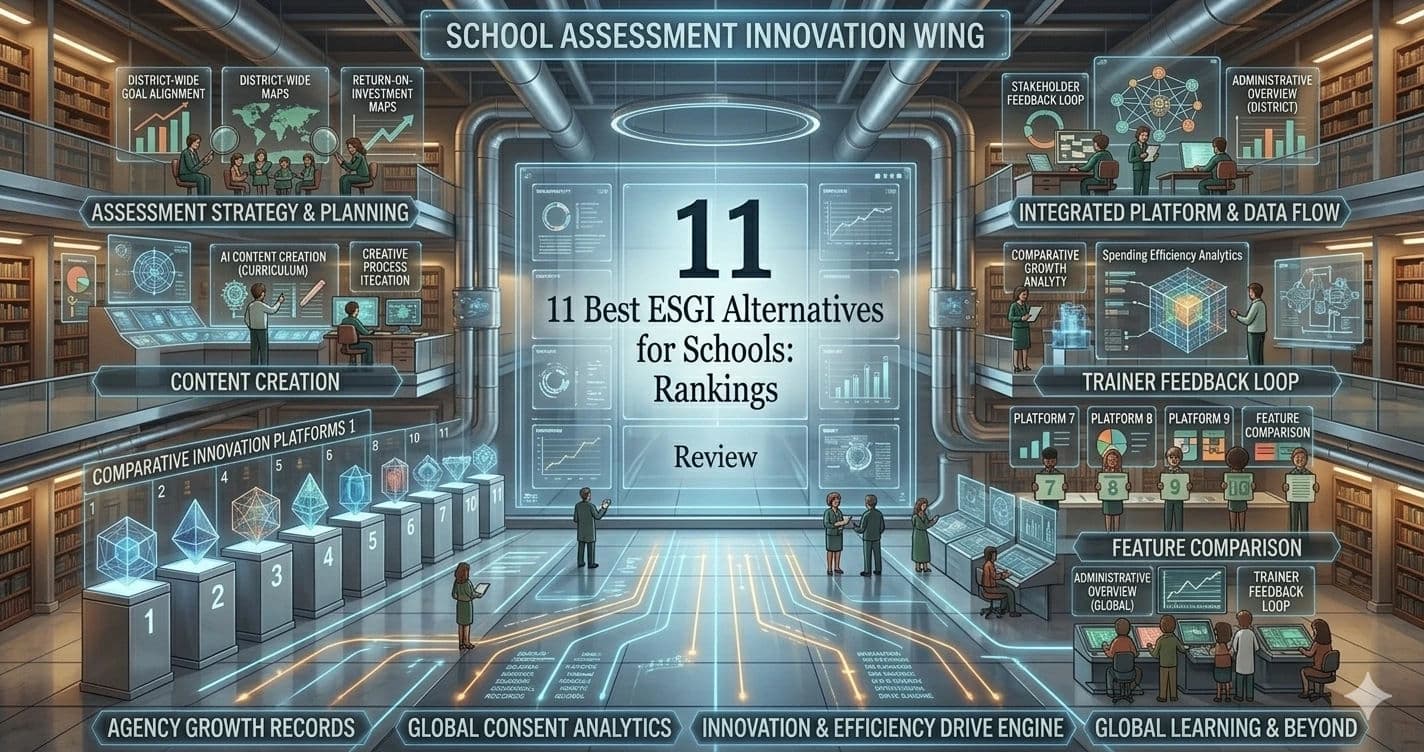
This guide is designed to help you choose the right tool, not just learn about your options. We have ranked and reviewed the 11 best school assessment software alternatives available in 2026, focusing strictly on comparison, feature parity, administrative use cases, and actionable decision-making for your district.
Quick Comparison of Top Assessment and Administrative Tools at a Glance (2026)
Tool | Best For | Pricing ($) | Key Features | 1:1 Assessment Support |
FlexiQuiz | Automated Grading & Security | Starts at $25/month | Audio responses, automated grading, secure browser | Yes (via Audio) |
Canvas | Comprehensive District Integration | Custom District Pricing | Deep SIS integration, robust grading, MTSS support | Partial |
Google Classroom | Seamless G-Suite Workflow | Free, Starts at $4/month | Google Drive sync, AI feedback, integrated quizzes | Partial |
LearnWorlds | Interactive Professional Development | Starts at $29/month | Video assessments, SCORM compliance, staff training | N/A (Admin/PD) |
Blackboard | Large-Scale Standardized Testing | Custom District Pricing | Advanced data analytics, deep accessibility tools | Partial |
Moodle | Open-Source Customization | Free, starts at apprx $10/month | Deep customization, community plugins, self-hosted | Partial |
Thinkific | Specialized Skill-Based Assessments | Starts at $49/mo | CTE course building, custom certificates, tracking | N/A (Admin/PD) |
Eurekaa.io | Curriculum Mapping & Strategy | Starts at $14/mo | Content gap analysis, assessment trend research | N/A (Admin/PD) |
Kajabi | All-in-One Resource Management | Free, Starts at $179/mo | District resource portals, community engagement | N/A (Admin/PD) |
Teachable | Simple, Instructor-Led Modules | Starts at $39/month | Flipped classroom modules, basic student tracking | N/A (Admin/PD) |
Podia | Digital Resource Distribution | Starts at $49/month | File sharing, lightweight quizzes, resource templates | N/A (Admin/PD) |
ESGI Software | Legacy K-2 Assessments | Starts at $289/year | Pre-loaded K-2 tests, automated parent letters | Yes (Native) |
*Note: All prices shown reflect typical monthly billing. Vendors often offer lower pricing for annual commitments, but those discounts are excluded here for easier comparison. Actual costs may vary depending on your requirements, usage volumes, and negotiated terms.
Software Covered in this Article
To help you understand Education Software in the right context, this article refers to a carefully curated set of key players:



Deep Dive: Best ESGI Alternatives for School Administrators
1. FlexiQuiz – Best for Automated Grading and Security
FlexiQuiz has evolved into a powerhouse for schools in 2026 that prioritize secure, customizable testing environments.
One of the biggest challenges in replacing ESGI is replicating the oral testing experience for young students. FlexiQuiz solves this with its advanced audio-response feature, allowing non-readers to listen to prompts and record their verbal answers directly into the platform, bridging the gap between digital automation and early childhood pedagogy.
Who is this best for? FlexiQuiz is best for school districts that require automated grading and highly secure testing environments, while still needing audio capabilities to assess younger, non-reading students.
Key Features:
Audio and Media Responses: Supports verbal student submissions, replacing the need for a teacher to manually record oral answers.
Automated Grading: Instantly scores assessments and syncs data to district gradebooks.
Security Protocols: Includes browser lockdown features and randomized question banks.
Pricing (USD $):
Free tier available with basic features.
Plans start at $25/month per educator.
FlexiQuiz vs. ESGI: While ESGI requires a teacher to sit next to the student and click through flashcards, FlexiQuiz allows multiple young students to take audio-prompted assessments simultaneously, massively reducing the one-on-one administrative bottleneck.
2. Canvas – Best for Comprehensive District-Wide Integration
Often regarded as the best LMS for school assessments, Canvas remains the gold standard for districts looking to unify their entire educational ecosystem. It is not just a student progress monitoring tool; it is a complete enterprise infrastructure.
For administrators tired of fragmented data and isolated K-2 silos, Canvas offers seamless bidirectional syncing with major SIS platforms like Infinite Campus and Skyward.
Who is this best for? Canvas is best for large school districts seeking a comprehensive, unified LMS that handles everything from daily formative assessments to district-wide summative testing across all K-12 grades.
Key Features:
Deep SIS Integration: Real-time data syncing eliminates manual grade entry for teachers.
SpeedGrader Tool: Allows teachers to provide rich, multimedia feedback on student submissions.
MasteryPaths: Automatically differentiates instruction based on student assessment performance, directly supporting MTSS frameworks.
Pricing (USD $):
Custom district-wide licensing models based on student FTE (Full-Time Equivalent).
Canvas vs. ESGI: ESGI is a point solution for early childhood; Canvas is an enterprise-grade infrastructure. If your school board is demanding a unified tech stack and comprehensive data analytics, Canvas replaces the need for isolated tools entirely.
3. Google Classroom – Best for Seamless G-Suite Workflow
For districts already heavily invested in Google Workspace for Education, Google Classroom provides an incredibly frictionless assessment experience. In 2026, Google has enhanced its Practice Sets and Google Forms capabilities, integrating AI-assisted formative feedback directly into the student workflow to guide learning in real-time.
Who is this best for? Google Classroom is best for budget-conscious schools that already utilize Google Workspace and need a simple, intuitive platform for daily classroom assessments.
Key Features:
Practice Sets: AI-driven hints and immediate feedback for students as they work through assessments.
Originality Reports: Built-in plagiarism detection for written assessments.
Seamless Drive Sync: All assessment data, rubrics, and grades live securely within the district's Google ecosystem.
Pricing (USD $):
Free fundamental tier.
Free trial Availability, starts at $4/month.
Google Classroom vs. ESGI: Google Classroom lacks the pre-built, early-childhood specific tests of ESGI. However, its zero-cost entry point and zero-learning-curve for teachers make it a highly attractive alternative for districts willing to build their own assessment content.
4. LearnWorlds – Best for Interactive Professional Development
While traditionally known in the corporate sector, LearnWorlds has gained significant traction in K-12 administration for staff Professional Development (PD). Assessing student progress is only half the battle; ensuring teachers and paraprofessionals are trained on new pedagogies and compliance standards is equally critical.
Who is this best for? LearnWorlds is best for Curriculum Directors and HR administrators who need to create, deliver, and assess interactive professional development courses for district staff.
Key Features:
Interactive Video Assessments: Pause PD videos to ask teachers comprehension questions.
SCORM Compliance: Easily import existing district training modules.
Advanced Reporting: Track teacher compliance with state-mandated training requirements.
Pricing (USD $):
Starts at $29/month.
LearnWorlds vs. ESGI: These tools serve entirely different audiences. You would not use LearnWorlds to test a first grader, but you would use it to replace the outdated systems you currently use to assess teacher readiness, freeing up budget for better student-facing tools.
5. Blackboard – Best for Large-Scale Standardized Testing
Blackboard (now part of Anthology) is an enterprise heavyweight. It is designed for districts that require rigorous, accessible, and highly standardized assessment environments. Its reporting capabilities for state-level compliance and robust accessibility features make it a top-tier ESGI competitor for schools.
Who is this best for? Blackboard is best for massive school districts that require granular, state-level compliance reporting and advanced accessibility features for diverse student populations.
Key Features:
Blackboard Ally: Automatically checks assessment content for ADA compliance and generates alternative formats (audio, braille) for students with IEPs.
Advanced Analytics: Predictive modeling to identify at-risk students based on assessment trends.
Enterprise Security: SOC2 compliant infrastructure ensuring maximum data protection.
Pricing (USD $):
Custom enterprise pricing based on district size.
Blackboard vs. ESGI: Blackboard is complex and requires dedicated IT support to manage. If ESGI's simplicity is its biggest selling point, Blackboard's power is its counter. It is the choice for administrators who need to turn complex assessment data into actionable instruction strategies.
6. Moodle – Best for Open-Source Customization
Moodle remains the champion of open-source educational software. For school districts with strong internal IT departments, Moodle offers the ability to build a completely bespoke assessment platform without paying exorbitant per-student or per-teacher licensing fees.
Who is this best for? Moodle is best for budget-conscious school districts with capable IT departments that want total control over their assessment platform's features and data hosting.
Key Features:
Open-Source Architecture: Modify the code to fit exact district specifications and MTSS workflows.
Massive Plugin Library: Add thousands of community-built assessment tools, gamification elements, and reporting dashboards.
Data Sovereignty: Host the platform on district servers for ultimate FERPA and COPPA compliance control.
Pricing (USD $):
Free trial availability, starts at apprx 10/month.
Moodle vs. ESGI: ESGI is a plug-and-play SaaS product. Moodle is a blank canvas. If your district is frustrated by the high cost of ESGI renewals and wants to invest in an owned infrastructure, Moodle is the most financially sustainable long-term alternative.
Find Perfect Software for Your Business
7. Thinkific – Best for Specialized Skill-Based Assessments
While not a direct classroom assessment tool for K-2 students, Thinkific solves the administrative burden of managing specialized skill-based assessments. It is increasingly being adopted by districts for Career and Technical Education (CTE), vocational tracks, and advanced professional development.
Who is this best for? Thinkific is best for high school administrators managing CTE programs, vocational training, or specialized skill-based certification tracks for older students and staff.
Key Features:
Custom Certification: Automatically issue district-branded certificates upon assessment mastery.
Multimedia Submissions: Allow users to upload videos of practical skill demonstrations for grading.
Drip Content: Release new instructional modules only when prerequisite skills are mastered.
Pricing (USD $):
Starts at $49/month.
Thinkific vs. ESGI: Thinkific is entirely unsuited for the early childhood demographic that ESGI serves. However, for secondary education administrators looking to modernize how they assess and certify technical skills, Thinkific provides a much more professional interface.
8. Eurekaa.io – Best for Curriculum Mapping and Content Strategy
Eurekaa.io is a unique entry on this list. It is not a platform where students take tests; rather, it is a research and curriculum mapping tool for educators. In 2026, districts use Eurekaa.io to analyze educational trends and identify gaps in their current assessment strategies.
Who is this best for? Eurekaa.io is best for Curriculum Directors and instructional designers who need to research, map, and strategize new assessment content before building it.
Key Features:
Content Gap Analysis: Search global educational databases to see what assessment topics are trending.
Curriculum Mapping: Organize and plan assessment strategies across different grade levels.
Topic Validation: Ensure the assessments you plan to build align with modern educational standards.
Pricing (USD $):
Starts at $14/month.
Eurekaa.io vs. ESGI: If ESGI provides the test, Eurekaa.io helps you figure out what the test should be about. It is a strategic alternative for districts looking to overhaul their entire curriculum and assessment approach from the top down.
9. Kajabi – Best for All-in-One Educational Resource Management
While not a direct classroom assessment tool, Kajabi solves the administrative burden of parent communication and resource management. Districts are repurposing this premium platform to build comprehensive resource portals, combining assessment updates with powerful community engagement tools.
Who is this best for? Kajabi is best for district administrators looking to build unified parent portals that combine student progress updates, district news, and community engagement in one place.
Key Features:
Built-in CRM: Track parent engagement and communication alongside student progress updates.
Automated Updates: Automate email updates to parents based on district-wide assessment milestones.
Mobile App: Provides parents and students with a polished, branded mobile experience.
Pricing (USD $):
Starts at $179/month.
Kajabi vs. ESGI: ESGI generates basic parent letters. Kajabi allows a district to build an entire interactive parent ecosystem. It is significantly more expensive but offers a massive upgrade in how assessment data is communicated to the community.

10. Teachable – Best for Simple, Instructor-Led Modules
While not a direct classroom assessment tool, Teachable solves the administrative burden of delivering instructional modules for flipped classrooms and staff training. It offers a streamlined, incredibly user-friendly interface for building micro-courses and pre-class knowledge checks.
Who is this best for? Teachable is best for individual schools or departments implementing flipped classroom models that need simple, instructor-led micro-assessments to ensure pre-class readiness.
Key Features:
Intuitive Builder: Zero learning curve for teachers creating multiple-choice knowledge checks.
Student Tracking: Simple dashboards showing which students have completed their pre-class instructional modules.
Clean UI: Distraction-free interface that works perfectly on mobile devices.
Pricing (USD $):
Starts at $39/month.
Teachable vs. ESGI: Teachable lacks the deep data analytics required for state reporting. However, for formative, low-stakes knowledge checks designed to guide daily classroom instruction, its ease of use makes it a highly adopted administrative tool.

11. Podia – Best for Digital Resource Distribution
While not a direct classroom assessment tool, Podia solves the administrative burden of digital resource distribution. Many districts use it as an internal hub to share standardized assessment templates, rubrics, and study materials across different schools within the district.
Who is this best for? Podia is best for district administrators who need a centralized, easy-to-use hub to distribute standardized assessment templates and resources to teachers and paraprofessionals.
Key Features:
Digital Downloads: Easily host and share PDF rubrics, test templates, and study guides.
Lightweight Quizzing: Basic assessment features for quick staff knowledge checks.
No Transaction Fees: Share internal resources without per-download costs.
Pricing (USD $):
Starts at $49/month.
Podia vs. ESGI: Podia is not a direct replacement for ESGI's student-facing testing. Instead, it is an alternative way to manage the business of assessments—ensuring every first-grade teacher in the district has access to the exact same testing materials and rubrics.

ESGI Software – When the Legacy Choice Still Makes Sense
It is important to acknowledge that for specific use cases, ESGI remains a viable option. If your sole focus is early childhood (Pre-K through 2nd grade) and your teachers rely heavily on quick, one-on-one flashcard-style testing, ESGI’s pre-loaded content is historically hard to beat.
Who is this best for? ESGI is best for early childhood educators (Pre-K to 2nd grade) who need a simple, specialized tool for one-on-one literacy and math assessments without complex integrations.
Key Features:
Pre-Loaded Assessments: Thousands of ready-to-use tests for sight words, letters, and basic math.
One-on-One Interface: Designed specifically for a teacher sitting next to a young student.
Parent Letters: Auto-generates personalized letters in multiple languages explaining student progress.
Pricing (USD $):
Starts at $288/yr.
The Verdict on ESGI: ESGI’s weakness is its lack of scalability. It does not integrate well with modern district-wide analytics platforms, and the per-teacher pricing becomes exorbitant at scale. It is a fantastic tool for a kindergarten teacher, but a logistical headache for a district CIO.
Buyer’s Guide: How to Choose the Right Assessment Tool for Your District
Selecting new school assessment software alternatives in 2026 requires looking beyond the basic feature list. School administrators must evaluate software through the lens of compliance, interoperability, and pedagogical support. Here is a procurement checklist of what to prioritize:
1. Deep SIS Integration Compatibility
Manual data entry is the leading cause of administrative burnout. Your chosen alternative must feature bidirectional integration with your Student Information System (e.g., PowerSchool, Skyward, Infinite Campus). Ensure the platform supports automated roster syncing via Clever or ClassLink to eliminate start-of-year setup delays.
2. Robust Security and Compliance
Educational software is under heavier scrutiny than ever. Demand explicit evidence of FERPA, COPPA, and SOC2 compliance. The vendor must provide clear data sovereignty policies, ensuring that student assessment data is never sold or used to train third-party AI models without explicit district consent.
3. Support for MTSS and RTI Frameworks
The best assessment tools do more than record a grade; they trigger action. Look for platforms that offer predictive analytics and automated intervention tracking. When a student's assessment scores drop, the software should automatically flag the data for the MTSS team and suggest targeted instructional strategies.
4. Assessing the Non-Reader
If you are transitioning away from ESGI, your new tool must account for K-2 students who cannot yet read complex instructions. Prioritize platforms that offer robust oral assessment capabilities, audio-response recording, and highly visual, touch-screen compatible interfaces. If a tool requires a five-year-old to possess high digital literacy, it is not a viable ESGI alternative for your early childhood departments.
Making the Switch: Implementation Tips for Administrators
Transitioning away from a legacy system like ESGI requires a structured timeline to ensure readiness by the start of the school year. A poorly managed migration will result in teacher frustration and lost historical data.
Secure Historical Data Migration: Before canceling your ESGI contract, execute a comprehensive data export. Work with your new vendor's onboarding team to map the CSV data fields correctly. Historical assessment data is vital for tracking longitudinal student growth; do not let it disappear during the transition.
Conduct a 30-Day Pilot Program: Never roll out new software district-wide without a pilot. Select a cohort of tech-savvy teachers across different grade levels to test the new platform for 30 days. Provide them with a specific evaluation template focusing on the user experience for both the teacher administering the test and the student taking it.
Professional Development for Paraprofessionals: Do not limit your software training to lead teachers. In many districts, paraprofessionals and teacher's aides are the primary administrators of one-on-one assessments. Ensure your implementation timeline includes dedicated, hands-on training sessions specifically tailored for these essential staff members.
Ask the Hard Questions During Demos: When evaluating these tools, push past the marketing fluff. Ask sales representatives specific questions to uncover hidden costs: "Is premium support included in the per-student license, or is it an add-on?" "What is the exact uptime guarantee during peak state testing weeks?" "How many hours of professional development training are included in the implementation fee?"
Try AuthenCIO
Move to faster, smarter software evaluation with AI
Final Verdict: Which ESGI Alternative Should You Choose?
The high cost of ESGI renewals relative to shrinking district budgets means administrators must make data-driven procurement decisions.
If you are looking for a comprehensive, district-wide overhaul that replaces multiple fragmented tools, Canvas is the undisputed leader in student progress monitoring tools for 2026. For districts prioritizing secure, automated grading that can still accommodate the audio-response needs of non-readers, FlexiQuiz offers the best ROI and pedagogical flexibility. If budget constraints are your primary concern and you already utilize Google Workspace, Google Classroom provides the most frictionless path forward.
Ultimately, the right choice depends on your specific district architecture, your teachers' technical proficiency, and your long-term data strategy. Take the time to evaluate your options carefully to ensure your educators have the tools they need to succeed.